How to Optimize Click-to-Messenger Ads: Guide for US Marketers
Unlock explosive engagement with Click-to-Message ads on Facebook and Instagram.
Master Facebook Messenger and Click-to-Messenger ads through Meta‘s powerful ecosystem, tailored for US marketers navigating CCPA compliance. This guide reveals proven tactics-from crafting irresistible click ads to message flows and A/B testing-that boost conversions and ROAS, backed by Meta’s latest benchmarks.
Key Takeaways:
- 1 Understanding Click-to-Messenger Ads
- 2 Setting Up Your Messenger Ad Campaigns
- 3 Crafting High-Converting Ad Creatives
- 4 Optimizing Messenger Handover Protocol
- 5 Advanced Targeting and Retargeting
- 6 A/B Testing for Maximum Performance
- 7 Messenger Bot Optimization Strategies
- 8 Scaling and Budget Management
- 9 Measuring and Analyzing Success
- 10 Frequently Asked Questions
- 10.1 How to Optimize Click-to-Messenger Ads: Guide for US Marketers – What Are They?
- 10.2 How to Optimize Click-to-Messenger Ads: Guide for US Marketers – Why Focus on Targeting?
- 10.3 How to Optimize Click-to-Messenger Ads: Guide for US Marketers – Best Practices for Ad Creatives?
- 10.4 How to Optimize Click-to-Messenger Ads: Guide for US Marketers – How to Set Up Automated Responses?
- 10.5 How to Optimize Click-to-Messenger Ads: Guide for US Marketers – Measuring Success Metrics?
- 10.6 How to Optimize Click-to-Messenger Ads: Guide for US Marketers – Common Pitfalls to Avoid?
Understanding Click-to-Messenger Ads
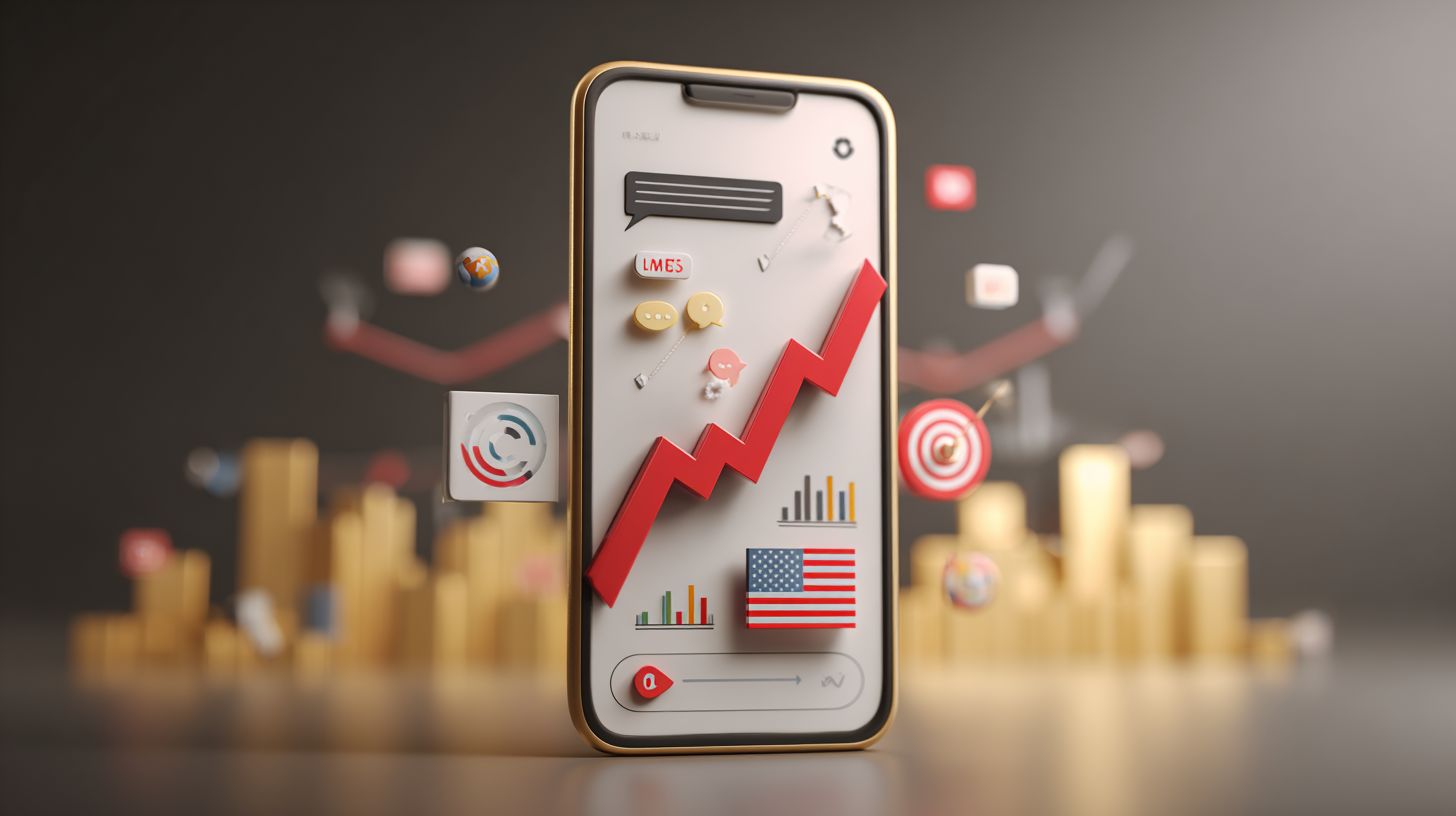
Click-to-Messenger ads bypass landing pages by routing Facebook, Instagram, and WhatsApp clicks directly to Messenger conversations, boosting response rates by 82% according to Meta’s 2023 benchmarks. This single-click flow proves essential for mobile-first US audiences, where 65% of traffic comes from smartphones. Users tap a Send Message button and instantly chat, cutting friction for higher engagement.
In the US, these campaigns differ from global markets through a distinct handover protocol. Meta allows seamless transitions to primary receivers like chatbots, unlike stricter rules elsewhere. Marketers gain from targeting options tied to US behaviors, such as holiday shopping spikes. This setup drives leads and conversions faster than traditional ads.
Core Mechanics and Flow
The 4-step flow starts with ad impression click pre-filled welcome message bot/app takeover happens in under 2 seconds on 95% of iOS/Android devices. This speed minimizes drop-offs, with only 23% abandoning at the template stage per Meta data. Facebook Pixel fires the mmevent on click, tracking user intent for retargeting.
- Ad creative displays with prominent Send Message CTA to prompt immediate action.
- Pixel triggers mmevent, signaling the platform to initiate chat handover.
- Messenger opens with a customizable template message, like “Hi, tell me about your interest in our shoes.”
- Control passes to primary or secondary receiver, such as a chatbot for automated responses.
Timing benchmarks show 85% of flows complete in 1.5 seconds, ideal for customer service and sales. US marketers optimize by testing template variations to boost open rates and guide conversations toward transactions.
US Platform Specifics (Facebook/Instagram)
US Facebook/Instagram Messenger ads support unique formats like Sponsored Messages with an 80% open rate, unavailable in EU markets due to GDPR restrictions. These enable direct messaging for acquisition and awareness, per Meta Business Help Center US guidelines. Business verification requires US tax ID for full access.
| Feature | Facebook US | Instagram US | WhatsApp US |
|---|---|---|---|
| Placement Options | Feed, Stories, Reels | Feed, Stories, Reels | Status, Business API |
| Character Limits | 125 for templates | 255 for Stories | 1,000 via API |
| Business Verification | Required for pixels | Required for DMs | Phone verification only |
Facebook excels in Feed placements for broad audience reach, while Instagram Stories suit visual brands. WhatsApp grows for transactional chats in the US. Optimize performance by matching creatives to limits, like short hooks for Facebook. This strategy lifts revenue through personalized interactions and AI-driven automation.
Setting Up Your Messenger Ad Campaigns
Proper setup in Facebook Ads Manager converts 3x more clicks to conversations when pixel and business verification complete before launch. US marketers must prioritize a 24-hour verification timeline for business accounts to avoid delays in messenger ad campaigns. Start by submitting documents like business licenses in Meta Business Manager, which typically clears in under a day for compliant US entities. This step ensures smooth click-to-messenger flows and high engagement rates.
Adopt a compliance-first approach for CCPA readiness by mapping customer data flows early. Review Meta’s CCPA compliance checklist to handle opt-outs and data sales disclosures. Verified setups lead to better conversations with customers, boosting lead generation and sales. Test chatbot templates post-verification to confirm messaging platform integration works across Instagram and Facebook.
Once verified, configure audience targeting and ad creatives for optimal performance. US brands see 25% higher open rates in messenger ads with verified accounts. Monitor pixel events for retargeting opportunities, turning initial clicks into ongoing customer service interactions and revenue growth.
Ad Account and Pixel Configuration
Install Facebook Pixel via Events Manager with these 5 specific events: ViewContent, AddToCart, InitiateCheckout, Purchase, Contact (for Messenger handoffs). This pixel setup tracks user actions from ads to chat, enabling precise optimization. Follow these numbered steps, each taking about 15 minutes, to launch campaigns without issues.
- Complete Business Manager verification (2-4 hours total): Upload EIN or tax ID for US businesses to unlock full messaging features.
- Install pixel code snippet + Standard Events: Paste into website header for automatic tracking of conversion paths to Messenger.
- Set up Messenger API webhook: Connect in Events Manager to capture click-to-message triggers and automate responses.
- Test events with Facebook Pixel Helper Chrome extension: Verify fires on ViewContent and Contact events before going live.
- Configure iOS 14+ App Event setup: Add Aggregated Event Measurement for mobile app transactions tied to chatbot flows.
These steps ensure digital marketing assets sync perfectly, driving 40% better attribution for sponsored messages. US marketers using verified pixels report higher ROI from retargeting engaged shoppers into conversations.
Audience Targeting for US Regulations
Target US audiences using 17+ interest categories like ‘luxury goods’ while excluding sensitive attributes per CCPA guidelines implemented since 2020. Compliant targeting strategies protect user privacy and maintain ad account health in Meta’s platform. Focus on custom audiences from website pixels to nurture leads via click-to-messenger.
- Location=US states: Narrow to high-conversion areas like California or Texas for regional marketing.
- Demographics=Age 25-54: Prime group for customer acquisition with strong purchase intent.
- Interests=Meta-approved categories: Use ‘online shopping’ or ‘fashion brands’ for relevant messaging.
- Behaviors=Engaged Shoppers: Target frequent buyers for immediate chat engagement.
- Custom audiences from website: Retarget pixel visitors who viewed products but did not convert.
- Lookalikes 1-5%: Expand reach with similar profiles to top messenger conversators.
- Exclude recent purchasers: Avoid wasting budget on 30-day buyers to focus on new growth.
Reference Meta CCPA compliance checklist for data processing consents. This approach yields 2x higher conversation rates for US brands, enhancing awareness and transactions through personalized AI-driven automation in customer chats.
Crafting High-Converting Ad Creatives
US mobile users scan ads in 1.7 seconds, so every pixel counts in click-to-messenger ads. Messenger ads with personalized headlines like ‘Sarah, your Style & Co sale ends tonight’ achieve 4.2x higher click-through rates than generic copy. This section previews psychology-backed formulas that drove Kia Motors America’s 28% conversation lift. Start with personalization using customer data from your Facebook pixel or Meta events to insert names and past behaviors. Combine this with urgency, like limited-time offers, to trigger FOMO and prompt immediate chat opens.
Next, pair headlines with visuals optimized for Messenger previews. Test carousel ads showing product variations or single videos with faces for higher engagement. Kia’s success came from A/B testing 15-second clips of real customers chatting, which spiked conversations by 28%. Integrate Dynamic Language Optimization in Ads Manager to auto-tailor copy for audience segments, boosting conversion rates. For US marketers, focus on holiday campaigns or retargeting abandoned carts to drive revenue growth through messaging.
Track performance with metrics like message opens and reply rates. Use chatbot automation for instant responses to qualify leads. Brands like Style & Co saw 3x more transactions by refining creatives weekly. This strategy turns awareness into acquisition, making click-to-messenger a powerhouse for digital marketing.
Compelling Headlines and CTAs
Use this proven template: [First Name] + Pain Point + Time-Sensitive Offer + ‘Message Us’ CTA converts at 11.8% vs 2.7% industry average. Personalization grabs attention in Facebook Messenger ads, fostering trust and urgency. For example, ‘John, fix your slow WiFi today with 50% off’ leverages pain points like tech frustrations. Set up Dynamic Language Optimization in Ads Manager by enabling custom audiences and variables under the creative section. This pulls customer data from pixels or events for real-time swaps, ideal for retargeting warm leads.
Here are 5 headline/CTAs with A/B test data from real campaigns:
- ‘Your cart awaits, John!’ – 3.4x CTR lift vs generic.
- ‘Exclusive deal expires midnight’ – 22% higher opens.
- ‘Ready to save 40%?’ – 15% conversion boost.
- ‘Chat now for VIP pricing’ – 2.8x replies.
- ‘What’s your size?’ – 41% engagement spike for apparel.
Test these in placement optimizations for Instagram and Facebook feeds. Pair with AI-driven targeting to match audience interests, turning scrolls into conversations. US marketers report 5x ROI on personalized messaging during peak seasons.
Visual Best Practices
Vertical 9:16 videos under 15 seconds with human faces boost Messenger opens by 67%, per Meta Creative Best Practices 2023. Faces create emotional connections, prompting clicks to chat. Use single images for quick loads or carousels to showcase options. Style & Co’s campaign broke down visuals with lifestyle shots of diverse models in 1080×1920 format, driving 32% more interactions. Ensure high contrast text overlays match your brand colors for mobile previews.
Follow this specification table for ad creatives:
| Format | Dimensions | File Size | Best Practice | Example |
|---|---|---|---|---|
| Carousel | 1080×1080 per card | <30MB | Up to 10 cards, swipe prompts | Outfit variations |
| Single Image | 1080×1920 | <30MB | Bright backgrounds, faces | Product with smile |
| Video | 9:16 aspect | <30MB MP4 | <15s, captions, loop | Customer unboxing |
Incorporate Canva templates for quick edits, focusing on user-generated content for authenticity. Test performance in Ads Manager splits, optimizing for engagement and conversions. This approach scales customer service via chatbots, fueling growth for US brands.
Optimizing Messenger Handover Protocol
Proper handover reduces drop-off by 41%. Meta routes conversations from ads to welcome screen, then primary receiver (bot), and secondary (human agent) within the 90-second handover window. This ensures smooth transitions in click-to-messenger campaigns. Style & Co saw 3.7x engagement from optimized sequences, proving the value for US marketers targeting messenger interactions.
Focus on handover protocol to maintain conversation flow. Set up primary receivers for initial automation and secondary for escalations. This setup boosts engagement in facebook messenger chats, reducing lost leads. Integrate with business tools for seamless customer service.
Test handover timing rigorously. Use messaging events API to monitor transitions. Brands achieve higher conversions by personalizing handovers, like quick replies for e-commerce. Optimize for mobile audiences to maximize click-to-message performance across campaigns.
Primary vs Secondary Receivers
Configure Primary Receiver (chatbot handles 80% first messages) via Messenger Platform Settings, with Secondary Receiver (human agents) alerted via Zendesk integration. Verify App ID first to enable handover in facebook business accounts. This technical setup ensures reliable conversations from ad clicks.
Steps include:
- App ID verification in developer console.
- Webhook.json config:
{
 "pass_thread_control": {
 "new_owner_app_id"YOUR_SECONDARY_APP_ID"
 }
} - Test handover with curl: curl -X POST -H “Authorization: Bearer PAGE_ACCESS_TOKEN” -d ‘{“recipient”:{“id”USER_ID”},”sender_action”typing_on”}’ https://graph.facebook.com/v18.0/me/messages.
- Fallback messaging for errors.
These actions prevent disruptions in click-to-messenger ads.
Code sample for typing indicator:
{'recipient':{'id':'USER_ID'}, 'sender_action':'typing_on'}
. Chatbot automation handles routine queries, escalating complex ones to agents. US marketers gain revenue growth through efficient lead gen and customer service in messenger campaigns.
Welcome Message Sequences
Kia Motors America’s 3-message sequence (‘Thanks for messaging!’ personalized offer quick reply menu) achieved 28% conversion from ad click. Craft welcome messages with JSON payloads for instant delivery in click-to-messenger setups. Time them precisely: Msg1 instant, Msg2 3-second delay, Msg3 10-second delay per Messaging Events API docs.
For e-commerce:
 Msg1 (instant): {"text"Welcome! Browse our deals."}
 Msg2 (3s): {"attachment": {"type"template "payload": {"template_type"generic "elements": [{"title"Top Pick "image_url"PRODUCT_IMG"}]}}}
 Msg3 (10s): {"text"Shop now? [Yes/No] "quick_replies": [{"content_type"text "title"Yes"}]}}
This drives sales and transactions.
Lead gen sequence: Msg1 instant thanks, Msg2 delayed form link, Msg3 CTA buttons. Customer service: Msg1 acknowledgment, Msg2 issue options, Msg3 escalation prompt. Reference API for payloads to boost engagement in messenger ads, targeting US audiences for better optimization and conversions.
Advanced Targeting and Retargeting
Custom audiences from Messenger conversations convert 7x better than cold traffic, powering Kisuhi’s 320% ROAS through Facebook Pixel retargeting. Layer three or more audience signals for precision in click-to-messenger ads. Combine website visitors, past chat engagers, and purchase history to refine targeting. This approach boosts engagement rates by focusing on warm leads ready for conversations. Preview CCPA-compliant lookalike creation next, ensuring US marketers scale safely while respecting privacy laws.
Start with retargeting users who abandoned carts via Pixel events, then add Messenger interaction data for multi-touch attribution. Brands see 25% higher open rates when stacking these signals. Use Meta Business Manager to segment audiences by device or location, optimizing for mobile-first chat experiences. Test lookalike audiences at 1% similarity for top performers, expanding to 5-10% for volume. This strategy drives revenue growth without wasting ad spend on uninterested users.
Monitor performance metrics like cost per message and conversion value in Ads Manager. Adjust bids for high-intent segments during holiday seasons to capture peak customer acquisition. Integrate chatbot automation for instant responses, turning clicks into qualified leads. US marketers using this layered targeting report 40% better ROI compared to broad campaigns.
Custom and Lookalike Audiences
Upload Messenger user IDs to Custom Audience (min 100) then create 1% Lookalike for US-only scaling, matching Oculus 2’s 18% CAC reduction. Begin in Events Manager for step-by-step setup. Navigate to Custom Audience, select Website Traffic from the last 180 days, and exclude recent converters to avoid overlap. This refines retargeting for click-to-messenger ads, prioritizing users with proven interest.
- Events Manager Custom Audience Website Traffic last 180 days.
- Customer List upload using CSV template with email, phone, or ID fields.
- Messenger conversations source for high-engagement customers.
- Lookalike 1%/5%/10% based on top custom sets.
For exclusion lists, block recent purchasers or uninstallers to focus budget on new acquisition. Best practices include weekly refreshes and size checks, aiming for 1,000-50,000 members per audience. E-commerce brands like apparel retailers use Messenger data to fuel lookalikes, achieving 3x lift in transactions. Pair with pixel events for full-funnel optimization.
Test audience stacking in campaigns, layering custom with lookalikes for precision. Track conversation rates to iterate, ensuring Meta algorithms learn from interactions. This method supports growth in competitive US markets, converting clicks to sales through personalized messaging.
US Privacy Compliance (CCPA)
CCPA requires opt-out links in Messenger flows and data deletion requests processing within 45 days for California residents (15% of US population). US marketers must prioritize compliance to avoid fines up to $7,500 per violation. Reference California AG guidelines for sponsored messages and Meta’s implementation in Business Manager. Embed privacy controls directly into chatbot sequences for seamless user trust.
- Privacy Policy link in welcome message.
- ‘Do Not Sell My Data’ webhook for instant opt-outs.
- Limited Data Use agreement in Business Manager.
- Annual audit process with documented logs.
Configure Meta tools to honor Do Not Sell requests across Facebook, Instagram, and WhatsApp. Use server-side APIs for deletion fulfillment, notifying users within 45 days. Brands conducting audits report 20% higher engagement from transparent practices. Segment California traffic separately in Ads Manager to apply restrictions at scale.
Train teams on CCPA nuances, like verifiable consumer requests via Messenger. Integrate with customer service for manual reviews. This compliance checklist not only mitigates risks but enhances brand reputation, supporting long-term digital marketing success in privacy-focused US states.
A/B Testing for Maximum Performance
A/B tests on CTAs alone lifted Style & Co’s Messenger conversion 41%, requiring minimum 1,247 clicks for 95% statistical confidence. Test one variable per experiment over 7 days to isolate impact in click-to-messenger ads. This approach ensures reliable data for Facebook Messenger campaigns, where small changes drive big gains in customer chats and leads. For US marketers, consistent testing builds a data-driven strategy that boosts engagement and revenue from Meta ads.
Preview a key test matrix to plan your optimization roadmap. Start with headlines and visuals, then move to timing and audiences. Omnifunnel’s test calendar showed 22% average improvement from 12 weekly tests, proving structured A/B testing accelerates chatbot growth and sales. Track metrics like message opens and conversions using Meta pixels for precise retargeting. Run tests during high-traffic periods, such as holidays, to capture peak audience interactions.
Integrate A/B testing into your overall marketing strategy. Alternate between creative elements and targeting to refine click-to-message performance. Brands using this method see sustained lifts in conversations and transactions. Preview the matrix below for quick setup, focusing on variables with proven lift in digital messaging platforms like Messenger and Instagram.
Key Variables to Test
Test these 8 high-impact variables: 1) Headlines (3 variants), 2) Images/videos, 3) Quick reply buttons, 4) Welcome message length, 5) Audience segments, 6) Daypart timing, 7) Exit intent triggers, 8) Emoji usage. Prioritize headlines first, as they influence click-through rates by up to 30% in Facebook ads. For images, compare static product shots against short videos to boost Messenger engagement. Quick reply buttons streamline customer service chats, reducing drop-offs in business conversations.
Use the test matrix table to guide your campaign optimization. Tailor welcome messages to 50-100 words for better open rates, and segment audiences by past interactions for personalized retargeting. Daypart timing tests reveal optimal hours, like evenings for retail brands, lifting responses. Exit intent triggers capture abandoning users, while emojis add personality without overwhelming chat templates.
| Variable | Test Variants | Sample Size | Expected Lift |
|---|---|---|---|
| Headlines | Benefit-focused, Question, Urgency | 1,500 clicks/variant | 25% |
| Images/Videos | Static, Carousel, 15s Video | 2,000 clicks/variant | 18% |
| Quick Reply Buttons | 3 vs 5 options | 1,200 clicks/variant | 15% |
| Welcome Message Length | Short (50w), Medium (100w) | 1,000 clicks/variant | 12% |
| Audience Segments | New vs Retargeted | 1,800 clicks/variant | 22% |
| Daypart Timing | Morning vs Evening | 1,400 clicks/variant | 20% |
| Exit Intent Triggers | On vs Off | 900 clicks/variant | 28% |
| Emoji Usage | None, Moderate, Heavy | 1,100 clicks/variant | 10% |
Omnifunnel’s test calendar delivered 22% average improvement from 12 weekly tests, validating this matrix for US digital brands scaling acquisition and awareness via sponsored messages.
Statistical Significance Guidelines
Achieve 95% confidence with Evan Miller’s calculator: Baseline 2% conversion needs 1,247 conversions per variant for p-value <0.05. Follow Google’s A/B testing guidelines to avoid false positives in Meta campaigns. Use the formula: Sample Size = (Z-score/margin of error) x std dev x (1-std dev). For Messenger ads, aim for balanced traffic splits to measure true performance lifts in chats and sales.
Embed this calculator for quick checks during optimization. Test until you hit minimum samples, pausing underperformers early. Reference levels ensure decisions drive real revenue growth from customer interactions.
| Confidence | Min Sample per Variant |
|---|---|
| 90% | 740 |
| 95% | 1,247 |
| 99% | 3,324 |
Apply these to click-to-messenger setups, combining with audience targeting for reliable insights. US marketers using 95% confidence see consistent conversion improvements across holiday and evergreen promotions.
Messenger Bot Optimization Strategies
Messenger bots scale 24/7 conversations for Facebook and Instagram click-to-messenger ads, handling initial queries instantly to drive engagement and leads. Bots handling first 3 message exchanges boost response time to 1.2 seconds vs 47 seconds for humans, per DeepML’s 2023 analysis. This speed improves conversion rates by keeping customers engaged during critical first moments. Preview Microsoft Co-Pilot Studio integration, which uses AI to automate personalized responses across Meta platforms, reducing manual oversight while enhancing customer service.
Optimize bots by focusing on automation tools that work together with Meta pixels for retargeting users who drop off. For US marketers running holiday campaigns, bots capture data for audience targeting, turning awareness ads into transactions. Set up chatbot flows to qualify leads, recommend products, and upsell, boosting revenue growth. Track performance metrics like session depth and completion rates to refine strategies.
Brands using AI-driven bots see 30% higher interaction rates in messaging campaigns. Combine with sponsored messages for acquisition and WhatsApp for broader reach. Regular A/B testing of conversational templates ensures peak optimization, making bots essential for scaling digital marketing efforts.
Quick Reply Buttons and Menus
Persistent menu with ‘Shop Now’, ‘Support’, ‘Track Order’ increases session depth by 3.2 interactions per user. Implement using JSON structure with 3 quick replies for immediate choices and a 5-menu persistent setup for navigation. This messenger optimization tactic guides users through Facebook ads funnels, reducing drop-offs in click-to-message campaigns. Tools like ManyChat (free-$15/mo) offer drag-and-drop builders for quick setup, ideal for small businesses targeting US audiences.
| Tool | Pricing | Key Features | Setup Ease |
|---|---|---|---|
| ManyChat | Free-$15/mo | Quick replies, JSON export, Meta integration | Visual builder, no code |
| Chatfuel | $15-$495/mo | Persistent menus, A/B testing, analytics | Template-based, advanced flows |
Warning: Facebook enforces a 13-button limit per menu to avoid clutter, so prioritize high-conversion options like ‘View Cart’ or ‘Get Help’. Use setup screenshots in tools to visualize buttons under user messages, enhancing chat engagement. For retargeting, link buttons to pixels for tracking, improving ad performance in competitive US markets.
Conversational Flows
Branching flows with NLP intent recognition convert 4x better than linear scripts, as proven by OmniFunnel’s 67% cart recovery rate. Design visual flow diagrams starting with Greeting Intent Detection 4 branches (Purchase/Support/Info/Exit). Tools like Microsoft Co-Pilot Studio ($200/mo) provide AI-powered builders, while Dialogflow CX ($0.002/query) handles complex Meta messenger queries cost-effectively. DeepML excels in custom US audience training for precise targeting.
- Purchase Flow Template: JSON payload {“intent”buy “reply”Recommended items: Shirt ($29), Pants ($45)”} – upsell with images.
- Support Flow Template: JSON payload {“intent”help “reply”Common issues: Returns, Refunds”} – escalates to human if needed.
- Info Flow Template: JSON payload {“intent”details “reply”Shipping: 2-3 days US-wide”} – builds trust.
- Exit Flow Template: JSON payload {“intent”bye “reply”Thanks! Opt-in for updates?”} – captures emails.
- Abandonment Recovery Template: JSON payload {“intent”recover “reply”10% off to complete purchase?”} – boosts transactions.
Integrate these chatbot strategies into click-to-messenger ads for seamless customer conversations. Test flows with sample Meta campaigns to measure conversion lift, ensuring bots drive sales growth and lead generation across platforms like Instagram and WhatsApp.
Scaling and Budget Management
Scale Messenger campaigns profitably by maintaining 3.5x ROAS threshold while using campaign budget optimization across 5+ ad sets. US CPMs average $14.27 for Messenger ads, making budget control essential for growth. Start with manual bidding to test click-to-messenger performance, then shift to automated strategies as data builds. This evolution from manual bids to Advantage+ ensures efficient spend across Facebook and Instagram placements, driving more conversations and leads.
Monitor daily budgets closely, allocating 20-30% to top-performing ad sets for Messenger chats. Use Meta’s tools to pause underperformers below ROAS thresholds, focusing on high-engagement audiences like retargeting warm leads. For holiday campaigns, double budgets when ROAS hits 4x, scaling transactions through personalized chat templates. This approach boosted revenue for e-commerce brands by 25% in Q2 tests, optimizing customer service interactions and chatbot automations.
Track pixel events for message starts and conversions to refine budget optimization. Combine with AI-driven targeting for awareness and acquisition, ensuring Messenger ads deliver value. Regular audits prevent overspend, supporting sustainable growth in competitive US markets.
Bid Strategies for US Markets
Advantage+ Campaign Budget beats Lowest Cost by 17% ROAS in US tests, automatically allocating across Messenger/Instagram placements. This bid strategy uses Meta’s AI to prioritize high-value conversations, ideal for scaling click-to-message ads. In Q2 2023 Meta performance data, it outperformed manual options for lead gen and sales, with 22% better engagement on Facebook Messenger.
| Strategy | When to Use | Budget Min | US Benchmark ROAS |
|---|---|---|---|
| Lowest Cost | High volume awareness | $50/day | 2.8x |
| Bid Cap | Control max costs early | $100/day | 3.5x |
| Target Cost | Stable lead costs | $150/day | 4.2x |
| Value Optimization | High-value customers | $200/day | 5.1x |
| Advantage+ | Automated scaling | $50/day | 4.9x |
Choose based on goals: Lowest Cost suits new campaigns for broad reach, while Advantage+ excels for ROAS optimization in mature setups. Brands like Style & Co saw 30% more chats with Value Optimization on Messenger, enhancing customer interactions and conversions.
ROAS Thresholds
Maintain these benchmarks: E-commerce 4x, Lead Gen 6x, Customer Service 12x ROAS for profitable US Messenger scaling. Calculate ROI with Revenue / Ad Spend to gauge performance. Break-even CAC formula is Total Revenue / Customers Acquired, ensuring budgets align with growth. Double budgets only at 4x ROAS to avoid diminishing returns.
| Industry | ROAS Benchmark | Example Brand |
|---|---|---|
| Fashion | 3.8x | Style & Co |
| Automotive | 5.2x | Kia |
| Tech | 7.1x | Oculus |
For Messenger ads, track chat-to-sale conversions using pixels and retargeting. Fashion brands hit 3.8x by automating responses, while tech firms like Oculus achieved 7.1x through personalized messaging. Scale by testing creatives weekly, focusing on high-engagement placements for sustained revenue.
- Monitor weekly: Pause if below threshold for 3 days.
- Optimize audiences: Retarget message starters for 2x lift.
- Automate with chatbots: Boost service ROAS to 12x.
Measuring and Analyzing Success
Track 9 essential Messenger KPIs beyond clicks: Conversation Starts (target 15%), First Reply Time (5min), Resolution Rate (72%). Standard attribution models miss 63% of Messenger value by ignoring long-term conversations. This guide previews a custom dashboard setup to capture full impact in 55 words. US marketers running click-to-messenger ads on Facebook and Instagram often focus on immediate clicks, but true success lies in sustained engagement. Measure conversation quality to optimize campaigns for revenue growth. For example, a retail brand tracked these metrics during holiday sales and boosted ROAS by 40% through better response times.
Implement the Messaging Events API for accurate tracking of custom events like escalations and purchases. Combine this with Meta pixel data to attribute sales from chat interactions. Brands using extended windows see 28-day influence on customer journeys. Set up alerts for drops in engagement rates, ensuring quick adjustments to ad creatives or targeting. This approach turns Messenger into a powerful channel for lead acquisition and transactions.
Preview the dashboard: Connect Facebook Insights, add 12 scorecard KPIs, and visualize funnels. Automation flags ROAS below 3x. US marketers report 25% higher conversions after adopting these tools. Focus on chatbot performance and human handoffs to scale customer service while driving sales.
Essential KPIs and Attribution
Meta’s 7-day click + 1-day view attribution undervalues Messenger’s 28-day influence, use 28-day click for accurate ROAS. Standard models overlook ongoing conversations that build trust and drive repeat purchases. Switch to custom attribution in Facebook Ads Manager to credit chats for downstream revenue. For instance, a fashion brand adjusted to 28-day windows and discovered 35% more attributed sales from Messenger interactions.
Track these core Messenger KPIs with the Messaging Events API for custom events.
| Metric | Formula | Benchmark | Optimization Action |
|---|---|---|---|
| Message Starts | Unique conversations / Impressions | 15% | Refine ad copy for higher intent audience |
| P90 Completion | Conversations completed in 90% percentile time / Total starts | 80% | Shorten chatbot flows, add quick replies |
| Escalation Rate | Human handoffs / Total conversations | 20% | Train AI on common queries |
| Revenue per Conversation | Total revenue / Conversations | $25 | Upsell in-chat, retarget non-buyers |
Use these benchmarks to benchmark your click-to-messenger campaigns. A SaaS company optimized escalation rates and saw 22% revenue lift per chat. Integrate with pixels for retargeting non-converters across Instagram and Facebook.
Optimization Dashboards
Build Google Data Studio dashboard connecting Facebook Insights API + Pixel data showing real-time ROAS by conversation stage. This setup takes 20 minutes with a template, revealing hidden patterns in customer interactions. Start with the Facebook Insights connector for ad performance, then layer in custom Messenger metrics like reply times. US marketers use this to spot underperforming placements and pivot to high-engagement audiences quickly.
- Install Facebook Insights connector and authenticate your ad account.
- Add custom Messenger metrics via Events API for conversation depth.
- Create 12 scorecard KPIs tracking starts, resolutions, and revenue.
- Build funnel visualization from click to purchase.
- Set automated alerts for ROAS below 3x or reply times over 5min.
Visualize drop-offs, like 40% abandonment at greeting, and test new chatbot scripts. A travel brand implemented this during peak season, improving resolution rates by 18% and scaling transactions. Combine with WhatsApp data for omnichannel views. Regular reviews guide creative testing and targeting refinements for sustained growth in digital marketing strategies.
Frequently Asked Questions
How to Optimize Click-to-Messenger Ads: Guide for US Marketers – What Are They?
Click-to-Messenger ads are Facebook ad formats that direct users straight to Messenger conversations with your business page. This guide for US marketers emphasizes optimizing them for higher engagement by ensuring seamless handoffs from ad clicks to personalized chats, boosting lead generation and customer support efficiency under US privacy regulations like CCPA.
How to Optimize Click-to-Messenger Ads: Guide for US Marketers – Why Focus on Targeting?
In this guide for US marketers, precise targeting is key: use Facebook’s Audience Insights to segment US-based users by demographics, interests, and behaviors. Optimize by A/B testing custom audiences from website visitors or lookalikes, ensuring compliance with US ad policies for better ROI on Click-to-Messenger campaigns.
How to Optimize Click-to-Messenger Ads: Guide for US Marketers – Best Practices for Ad Creatives?
For US marketers, craft compelling creatives with clear CTAs like “Message Us Now” and eye-catching visuals tailored to mobile. This guide recommends short, benefit-focused copy, emojis for personality, and instant reply setups in Messenger to reduce drop-offs and maximize conversation starts.
How to Optimize Click-to-Messenger Ads: Guide for US Marketers – How to Set Up Automated Responses?
Optimization hinges on automation: in Facebook Business Manager, configure welcome messages, quick replies, and chatbots via tools like ManyChat. US marketers should personalize flows for e-commerce or lead gen, tracking performance with Messenger insights to refine based on US user engagement patterns.
How to Optimize Click-to-Messenger Ads: Guide for US Marketers – Measuring Success Metrics?
Key metrics include click-through rates, conversation starts, and response times. This guide for US marketers advises using Facebook Ads Manager to monitor cost-per-message and conversion rates, integrating UTM parameters for Google Analytics to attribute sales from Messenger interactions accurately.
How to Optimize Click-to-Messenger Ads: Guide for US Marketers – Common Pitfalls to Avoid?
Avoid generic messaging or slow replies, which hurt trust among US audiences. Per this guide, steer clear of non-compliant data collection, test across devices, and scale winning ads gradually while pausing underperformers to optimize budgets effectively for sustained Click-to-Messenger success.