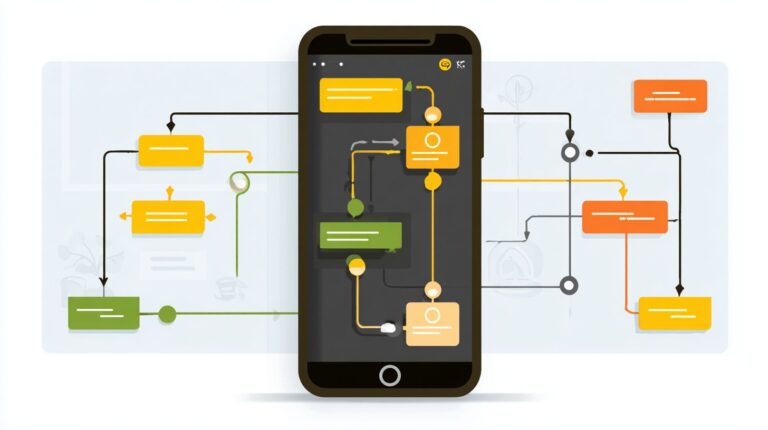
How to Train Your Messenger Bot: Techniques for Enhanced Customer Interaction
Struggling to make your Facebook Messenger chatbots drive real customer engagement? Discover proven techniques to train your Messenger bot using top chatbot builders like MobileMonkey and BotUp.
This guide reveals essential marketing strategies-from conversation flows and NLP training to A/B testing across 12 key sections-that boost interactions, personalize experiences, and skyrocket conversions.
Key Takeaways:
- 1 Understanding Messenger Bot Foundations
- 2 Designing Effective Conversation Flows
- 3 Training with Natural Language Processing
- 4 Personalization and Context Management
- 5 Handling Complex Customer Queries
- 6 Testing and Optimization Strategies
- 7 Analytics and Performance Metrics
- 8 Frequently Asked Questions
- 8.1 How to Train Your Messenger Bot: Techniques for Enhanced Customer Interaction – What is the main goal?
- 8.2 How to Train Your Messenger Bot: Techniques for Enhanced Customer Interaction – What are some basic training techniques?
- 8.3 How to Train Your Messenger Bot: Techniques for Enhanced Customer Interaction – How can personalization improve bot interactions?
- 8.4 How to Train Your Messenger Bot: Techniques for Enhanced Customer Interaction – What role does machine learning play?
- 8.5 How to Train Your Messenger Bot: Techniques for Enhanced Customer Interaction – How to handle complex customer queries?
- 8.6 How to Train Your Messenger Bot: Techniques for Enhanced Customer Interaction – How to measure success?
Understanding Messenger Bot Foundations

Mastering Facebook Messenger bot foundations unlocks 24/7 customer engagement, with bots handling 80% of initial queries according to Gartner research. This core architecture knowledge ensures scalable lead generation and reliable customer service, as businesses adopting chatbots see 85% implementation by 2025 per Gartner predictions. Without a solid grasp of these basics, efforts in conversation flow or API integrations falter, leading to poor response rates and low engagement. Strong foundations allow bots to manage high volumes of interactions, qualify leads efficiently, and nurture them through the marketing funnel. For instance, a well-architected bot can deliver personalized greetings, FAQ responses, and even facilitate ecommerce transactions around the clock (our Messenger Bots: Lead Generation and Engagement Tools guide dives into proven techniques). This sets the stage for optimizing open rates and conversion rates, turning casual chats into qualified opportunities. Businesses that prioritize these elements report higher click-through rates and sustained customer loyalty, making bot training a cornerstone of modern marketing strategy.
Understanding bot foundations also streamlines customer service operations by automating routine tasks like collecting information or survey audience feedback. It enables seamless integration with tools like MobileMonkey, supporting features such as drip campaigns and chat blasts while respecting unsubscribe requests. This approach boosts engagement rates without overwhelming users, fostering trust and repeat interactions essential for long-term growth.
Core Components of Bot Architecture
Effective Messenger bots rely on five core components: triggers, conversation flow, state management, API integrations, and escalation triggers. Triggers initiate interactions through click-to-messenger ads or QR codes, capturing user attention instantly. For example, a click-to-messenger ad on Facebook can drive 20-30% higher response rates compared to traditional links. Next, conversation flow in platforms like MobileMonkey uses JSON structures to define branching paths. A simple JSON example might look like {"message"Welcome! "quick_replies": [{"title"Shop Now "payload"SHOP"}]}, guiding users through personalized greetings or lead qualification steps. These flows support natural language processing for more intuitive exchanges, enhancing user satisfaction.
State management maintains session persistence, ensuring bots remember prior interactions. A basic code snippet in JavaScript could be session.userData = {nameJohn stagequalified"};, preventing repetitive questions and improving efficiency in drip campaigns or hosting contests. API integrations connect bots to systems like HubSpot for lead generation or Salesforce for customer service tracking, syncing data in real-time to segment leads and track conversion rates. Finally, escalation triggers hand off complex queries to live agents when confidence scores drop below 70%, balancing automation with human touch.
Visualize the architecture as a layered diagram: triggers at the entry point feed into conversation flow, managed by state persistence, enriched via API integrations, and routed through escalation logic. This structure powers broadcast messaging, displays products for ecommerce, and optimizes overall performance, driving higher engagement rates across the marketing funnel.
Designing Effective Conversation Flows
Well-designed conversation flows boost engagement rates by 40% and conversion rates by 25%, per Business Insider analysis of 500+ Messenger campaigns. Flow design determines 70% of chatbot success because it guides users through predictable paths, reducing drop-offs and increasing lead generation. Poor flows lead to frustration, while structured ones mimic natural dialogues, improving response rates and open rates.
Consider the Single Grain case study, where optimized Facebook Messenger flows drove 3x lead growth through targeted drip campaigns and qualification steps. This highlights how marketing strategy hinges on intuitive paths that nurture from awareness to purchase. Preview key techniques like mapping user journeys with flowcharts and implementing branching logic for personalization, setting the foundation for high click-through rates and retention without overwhelming users.
Effective flows incorporate natural language processing for personalized greetings and FAQ responses, ensuring seamless customer service. One of our hidden gems on chatbot UX design best practices demonstrates techniques like these with actionable strategies. Tools like MobileMonkey and ManyChat simplify creation, supporting API integrations and state management for complex interactions. Focus on escalation triggers and unsubscribe options to maintain trust, ultimately elevating conversion rates in ecommerce and beyond.
Mapping User Journeys
Map user journeys using 5-stage funnels: Awareness Interest Qualification Conversion Retention with specific Messenger touchpoints. Start by defining audience segments with Facebook Audience Insights to tailor paths for demographics like age or interests. This marketing funnel approach ensures relevant personalized greetings and boosts engagement from the first message.
Follow this 7-step process to build robust journeys, typically taking 2-3 hours for initial drafts:
- Define audience segments using Facebook Audience Insights for precise targeting.
- Create journey flowchart with Lucidchart template to visualize steps.
- Design drip campaign sequence, as in MobileMonkey examples for timed nurturing.
- Set qualification questions to segment leads and qualify leads effectively.
- Build conversion CTAs for direct sales or bookings.
- Plan retention loops with chat blasts and surveys to encourage repeats.
- Test with 100 users to refine before launch.
Common mistakes include skipping tests, leading to 30% drop in completion rates, or ignoring mobile optimization, which hurts response rates. Use chatbot builders like ManyChat for quick iterations and collect information via quick replies for better data.
Branching Logic Best Practices
Implement branching logic with 3-5 options per node to maintain 75%+ completion rates, avoiding decision paralysis. Limit to 4 buttons max per ManyChat guideline to keep interactions snappy on mobile. Always include a ‘human’ option as an escalation trigger for complex queries, ensuring smooth handoffs to customer service.
Key best practices include:
- Use quick replies for mobile-friendly choices that boost click-through rates.
- Personalize based on prior answers, storing data in JSON for state management like {“user_type”ecommerce_buyer”}.
- A/B test button copy, such as “Shop Now” vs “View Products,” to optimize conversions.
- Incorporate lead qualification and collect information dynamically.
MobileMonkey excels in visual drag-and-drop branching for drip campaigns, while ManyChat offers advanced NLP for natural flows. Compare them: MobileMonkey suits broadcast messaging and contests, ManyChat shines in click-to-Messenger ads integration. These practices enhance conversation flow, supporting ecommerce product displays and FAQ responses for sustained engagement.
Training with Natural Language Processing
NLP training transforms rigid bots into conversational AI handling 92% query variations using Dialogflow and ChatGPT integration. Natural language processing evolved from basic rule-based systems to advanced AI-driven models, boosting chatbot accuracy by 64% according to the Salesforce State of Service report. This shift enables Facebook Messenger bots to understand user intent and extract key entities, directly improving open rates and response rates in customer interactions.
Intent recognition identifies user goals like booking or inquiring, while entity extraction pulls specifics such as names or dates. Together, they create smooth conversation flow, supporting lead generation and customer service. For ecommerce bots, this means personalized greetings and FAQ responses that guide users through the marketing funnel, from initial chat blast to conversion.
Integrating NLP with tools like MobileMonkey or Botup enhances engagement rates and click-through rates. Bots trained on diverse phrases handle variations, reducing drop-offs and enabling drip campaigns with high relevance. Continuous optimization ensures bots adapt to user behavior, making them vital for whatsapp and Messenger strategies focused on response rate and unsubscribe minimization.
Intent Recognition Techniques
Train intent recognition with 50-100 training phrases per intent using Dialogflow’s ML classifier for 95% accuracy. Start by creating 10 core intents such as buy, support, and info to cover common Facebook Messenger queries. In Dialogflow, go to the Intents tab, name your intent, and add training phrases like “I want to purchase shoes” for buy or “How do I reset my password” for support.
- Access Dialogflow console and create a new agent linked to your chatbot builder.
- Add phrases capturing variations, including slang and typos.
- Set responses with personalized greetings or escalation triggers.
- Configure confidence threshold at 0.85 to balance accuracy and coverage.
- Test in simulator and deploy via API integrations.
For ChatGPT fine-tuning, use prompts like “Classify this message into buy, support, or info: [user input]”. Include a code snippet for Messenger webhook:
app.post('/webhook', (req, res) => {
 let intent = req.body.queryResult.intent.displayName;
 if (intent === 'buy') { sendQuickReply('What product?'); }
});
Retrain weekly with new conversations to maintain high response rates and support lead qualification.
Entity Extraction Methods
Extract entities like names, emails, and product interests with 98% accuracy using predefined entities and regex patterns. In Dialogflow, enable @sys.date for appointments and @sys.email for contacts, essential for ecommerce and lead generation. For custom entities, define product names like “running shoes” or “laptop” to capture shopping intent precisely.
- Create custom entity in Dialogflow with synonyms, e.g., “sneakers” for shoes.
- Use regex for phone numbers: pattern ([0-9]{3}-[0-9]{3}-[0-9]{4}).
- Implement state management to carry context across messages.
- Add validation loops: if entity missing, prompt “Please provide your email”.
- Integrate with 500apps for advanced parsing in whatsapp bots.
Penn Tool Co saw a 20% lead increase via entity extraction by pulling product interests and emails during chats, fueling marketing strategy with qualified leads. This method powers survey audience, host contests, and display products, boosting conversion rates through accurate collect information and segment leads in Messenger campaigns.
Personalization and Context Management
Context-aware personalization lifts click-through rates 3x using Facebook user data and session state management. Maintaining conversation context across sessions proves critical, as 67% of customers show higher retention when bots remember prior interactions, according to HubSpot data. This technique builds trust in Facebook Messenger chatbots by recalling user preferences and history, boosting engagement rates.
Implement state persistence through tools like MobileMonkey or Botup to store session data securely. For example, save a user’s shopping cart from an ecommerce session and retrieve it days later for personalized recommendations. Preview user profile integration next, where Facebook data enhances greetings and responses, improving conversion rates in your marketing funnel. The principles of Facebook CRM and Messenger Bots, discussed in our recent guide, show how to leverage this data effectively.
Combine this with natural language processing for seamless conversation flow. Track metrics like open rates and response rates to refine your approach. Use escalation triggers to hand off complex queries to customer service, ensuring context transfers smoothly and maintaining high lead qualification efficiency.
User Profile Integration
Integrate Facebook profiles via Messenger API to access name, timezone, gender for dynamic personalized greetings. Start by requesting pages_messaging permissions in your app setup. This allows retrieval of basic user data, enabling bots to say, “Hi Sarah, ready for sunset deals in your PST timezone?” Such touches lift engagement rates significantly in chatbot builders like 500apps.
Follow this technical setup guide with ordered steps for robust API integrations:
- Enable pages_messaging permission via Facebook Developer Console for profile access.
- Sync with HubSpot contacts using Zapier for automatic lead generation and data enrichment.
- Create Salesforce leads by mapping Messenger data to custom objects, streamlining marketing strategy.
- Store in custom fields with JSON structure:
{"name"John "timezone"EST "gender"male "preferences": ["shoes "electronics"]}. - Adhere to GDPR compliance: obtain consent, anonymize data, provide unsubscribe options, and log access.
Here is a code snippet for profile data retrieval using Messenger API:
const request = require('request'); request({ uri: 'https://graph.facebook.com/v18.0/me/messenger_profile', qs: { access_token: PAGE_ACCESS_TOKEN }, method: 'GET' }, (error, response, body) => { if (!error && response.statusCode === 200) { const profile = JSON.parse(body); console.log(profile); // Use for personalized responses } });Test integrations with sample click-to-Messenger ads or QR codes to capture real data. Monitor conversation flow for improvements in FAQ responses and drip campaigns. This setup supports broadcast messaging and chat blasts tailored to segments, optimizing segment leads and qualify leads processes.
Handling Complex Customer Queries

According to Zendesk data, bots resolve 40% of tickets autonomously, which highlights their value in customer service. Yet, not every interaction fits simple patterns. While chatbots excel at routine tasks like FAQ responses or lead qualification, 65% of complex queries require human escalation. Effective fallback mechanisms keep customer satisfaction at 90%, ensuring smooth transitions from bot to agent without frustration.
Start by training your messenger bot with natural language processing to detect query complexity through keywords or intent matching. For instance, if a user asks about custom ecommerce orders, the bot assesses confidence levels. Low scores trigger escalation triggers, preserving conversation flow. Integrate state management to track prior exchanges, avoiding repetition. Tools like MobileMonkey or Botup support API integrations for seamless handoffs.
Businesses using these strategies see higher engagement rates and conversion rates. Pair with personalized greetings and dynamic responses to build trust before fallback. Monitor metrics like response rate and open rates to refine your marketing funnel. This approach turns potential drop-offs into qualified leads, boosting overall chatbot performance in Facebook Messenger or WhatsApp environments.
Fallback Strategies
Deploy 4-layer fallback: clarify FAQ human post-chat survey when confidence <70%. This structured method handles complex customer queries in chatbots, maintaining high satisfaction. Begin with clarification questions, limited to three attempts, to refine user intent. For example, if a query about shipping delays is vague, ask “Did this happen in the last week?” This uses NLP to gather details without immediate escalation.
Next, display dynamic FAQ based on conversation flow. Tools like chatbot builders from 500apps pull relevant articles, often resolving issues autonomously. If unresolved, activate Zendesk ticketing integration or live agent triggers with business hours logic. Stena Line’s case study shows bot-to-human handoff reduced wait time by 87%, improving response rates. Finally, send post-fallback surveys to collect feedback, optimizing future interactions.
- Use escalation triggers like keyword detection for urgent ecommerce support.
- Implement lead qualification before handoff to segment leads effectively.
- Track click-through rates from FAQ displays to measure success.
- Combine with drip campaigns or chat blasts for follow-up engagement.
These strategies enhance conversion rates and reduce unsubscribes, turning challenges into opportunities for personalized customer service.
Testing and Optimization Strategies
Rigorous testing lifts conversion rates 28% through iterative A/B testing of conversation flows and CTAs. The optimization lifecycle follows a simple cycle: test new elements in your Facebook Messenger bot, measure key metrics like open rates and response rates, then iterate based on data. Those interested in chatbot A/B testing might appreciate our detailed guide. This approach ensures continuous improvement in customer interaction. For example, Coop Sweden saw a 4x increase in bookings after refining their chatbot with targeted tests on lead generation prompts and personalized greetings.
Start by integrating tools like MobileMonkey or Botup for easy chatbot builder setups. Track engagement rates, click-through rates, and unsubscribe levels during tests. Use state management to maintain context across sessions, and set escalation triggers for human handoff. In ecommerce, test drip campaigns and chat blasts to boost marketing funnel progression. Regularly audit natural language processing for better FAQ responses and lead qualification.
Combine API integrations with click-to-Messenger ads and QR codes for broader reach on WhatsApp or Messenger. Segment leads by behavior to qualify leads faster, collect information via surveys, or host contests. Display products dynamically to facilitate ecommerce sales. This lifecycle, repeated weekly, refines your marketing strategy for sustained growth in customer service.
A/B Testing Conversations
A/B test 3 variables simultaneously: greeting copy, button placement, offer timing using MobileMonkey’s split testing. Begin with a clear hypothesis, such as personalized elements increase engagement. Segment at least 1,000 users into equal groups for reliable data. Set up tests in your chatbot builder to compare versions in real Facebook Messenger interactions.
- Define hypothesis based on past conversation flow data.
- Segment 1,000 users by demographics or behavior.
- Configure in MobileMonkey with even traffic split.
- Run for minimum 7 days to capture full user cycles.
- Achieve 95% statistical significance before concluding.
- Track metrics: open rates, response rate, click-through rates, conversion rates.
- Analyze engagement rates and drop-off points.
- Implement winner across all flows.
- Monitor post-launch for sustained impact.
- Repeat with new variables like NLP tweaks or drip campaign timing.
A real example shows greeting A (“Hi!”) versus B (“Hi [Name]!”) yielding a 35% engagement lift. Test button placement at flow starts versus ends, or time offers after lead qualification. Use AI for dynamic personalized greetings and refine marketing funnel stages. This method optimizes chatbots for better customer service and sales in ecommerce.
Analytics and Performance Metrics
Track 12 core Messenger metrics including 85% open rates (vs 20% email) and real-time conversation analytics. These metrics help optimize your chatbot builder for better customer interaction in Facebook Messenger. Monitor open rates, which show how often users engage with your messages, and response rates to gauge immediate feedback. High open rates in Messenger beat email because of push notifications and mobile convenience. Use these insights to refine conversation flow and drip campaigns. Track engagement rates to see active user participation, and click-through rates for link interactions. Conversion rates reveal how many chats lead to sales or sign-ups, essential for lead generation and marketing funnel progression. Real-time analytics allow quick adjustments, like tweaking personalized greetings or FAQ responses based on drop-offs.
Build a metrics dashboard to visualize performance. Compare tools like ManyChat and Facebook Analytics for deeper insights. ManyChat offers user-friendly chat blast tracking and unsubscribe rates, while Facebook Analytics provides broad API integrations and state management. Set targets above industry averages to drive optimization. For example, aim for 70% response rates in customer service bots. Segment leads by behavior to improve lead qualification, and use escalation triggers data to hand off complex queries. Platforms like MobileMonkey excel in NLP analytics for natural conversations.
| Metric | Industry Avg | Target | Tools |
|---|---|---|---|
| Opens | 85% | 90% | ManyChat, Facebook Analytics |
| Clicks | 25% | 35% | MobileMonkey, Botup |
| Conversions | 5% | 10% | ManyChat, 500apps |
| Drop-off Rate | 40% | 20% | Facebook Analytics |
| Goal Completion | 15% | 25% | MobileMonkey |
The MyTime Active case study shows metrics-driven optimization power, achieving 400% ROI by analyzing click-to-Messenger ads and broadcast messaging. They reduced drop-offs with better conversation flow and boosted conversions through ecommerce integrations. Apply similar tactics: survey audience for feedback, host contests via QR codes, and display products in chats. This approach enhances marketing strategy across WhatsApp and Messenger, using AI for precise segment leads and collect information.
Frequently Asked Questions

How to Train Your Messenger Bot: Techniques for Enhanced Customer Interaction – What is the main goal?
The primary goal of “How to Train Your Messenger Bot: Techniques for Enhanced Customer Interaction” is to equip businesses with practical methods to optimize chatbot performance, making conversations more natural, responsive, and effective for improving customer satisfaction and engagement.
How to Train Your Messenger Bot: Techniques for Enhanced Customer Interaction – What are some basic training techniques?
Basic techniques include feeding the bot with diverse customer query examples, using natural language processing (NLP) tools, and iteratively testing responses to refine accuracy in “How to Train Your Messenger Bot: Techniques for Enhanced Customer Interaction.”
How to Train Your Messenger Bot: Techniques for Enhanced Customer Interaction – How can personalization improve bot interactions?
Personalization techniques, as outlined in “How to Train Your Messenger Bot: Techniques for Enhanced Customer Interaction,” involve collecting user data ethically and training the bot to tailor responses based on past interactions, preferences, and context for a more engaging experience.
How to Train Your Messenger Bot: Techniques for Enhanced Customer Interaction – What role does machine learning play?
Machine learning is central, enabling the bot to learn from real-time interactions, predict user needs, and self-improve over time, a key focus in “How to Train Your Messenger Bot: Techniques for Enhanced Customer Interaction.”
How to Train Your Messenger Bot: Techniques for Enhanced Customer Interaction – How to handle complex customer queries?
To manage complexity, train the bot with scenario-based dialogues, fallback strategies like human handoff, and sentiment analysis, as recommended in “How to Train Your Messenger Bot: Techniques for Enhanced Customer Interaction.”
How to Train Your Messenger Bot: Techniques for Enhanced Customer Interaction – How to measure success?
Success metrics include response time, resolution rate, user satisfaction scores, and engagement levels; regular A/B testing and analytics are essential techniques from “How to Train Your Messenger Bot: Techniques for Enhanced Customer Interaction.”