How to Use Messenger Bots? A Marketer’s Guide for Lead Generation
How to Use Messenger Bots? Unlock Lead Generation Gold Revolutionize your Facebook marketing with Facebook Messenger chatbots and chatbot strategies that capture leads effortlessly. This marketer’s guide walks you through MobileMonkey setups, conversation designs, CRM integrations, and A/B testing-delivering proven tactics to boost conversions and scale campaigns across 12 actionable sections.
Key Takeaways:
- 1 Platform Setup and Requirements
- 2 Designing Effective Bot Conversations
- 3 Essential Bot Features for Leads
- 4 Integration with CRM and Tools
- 5 Launching and Testing Your Bot
- 6 Optimization and A/B Testing
- 7 Measuring Lead Generation Success
- 8 Scaling and Advanced Strategies
- 9 Frequently Asked Questions
- 9.1 How to Use Messenger Bots? A Marketer’s Guide for Lead Generation
- 9.2 What are Messenger bots and how do they help in lead generation?
- 9.3 How do I set up a Messenger bot for the first time?
- 9.4 What are the best practices for using Messenger bots in marketing campaigns?
- 9.5 How can Messenger bots capture and qualify leads effectively?
- 9.6 How do I integrate Messenger bots with my CRM for lead management?
- 9.7 What metrics should marketers track when using Messenger bots for leads?
What Are Messenger Bots?
Messenger bots are AI-powered conversational agents running on Facebook Messenger, serving 1.2 billion monthly users across 100,000+ active bots as of 2023. These chatbots enable businesses to automate interactions, qualify leads, and drive sales through personalized experiences on the popular messaging platform. At their core, Messenger bots rely on the Messenger Platform API, which allows developers to create custom conversation flows. This API handles incoming messages, sends responses, and manages user sessions, making it simple to build bots that engage users in real-time. Natural language processing adds intelligence, helping bots understand user intent and respond naturally, while predefined conversation flows guide users through funnels from awareness to conversion.
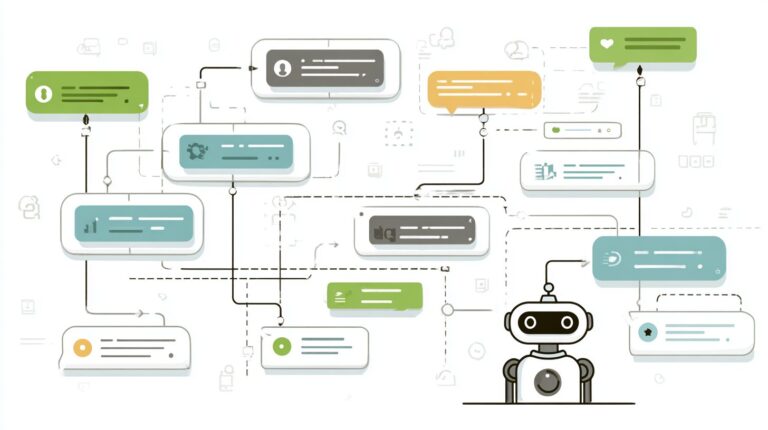
The architecture of a typical Messenger bot involves a webhook that receives messages from Facebook’s servers, processes them via a backend server or cloud service, and returns structured replies. Imagine a diagram showing the user sending a message to the bot, which triggers the webhook, integrates with natural language processing tools for intent recognition, and follows branching conversation flows to deliver personalized content or collect lead data. This setup supports features like rich media, quick replies, and persistent menus. The evolution from Messenger 1.0 to 2.0 brought improvements such as better handoff to human agents, enhanced analytics for tracking engagement rates, and support for broadcast messaging to send drip campaigns to opted-in users.
Facebook’s official bot directory showcases real-world examples, like CNN’s news bot, which has handled over 10 million interactions by delivering personalized news updates and engaging users in conversations. Other bots, such as those from retail brands, qualify leads by asking qualifying questions and integrating with CRM tools for seamless follow-up. For marketers, these chatbots offer substantial insights into user behavior, high open rates compared to email, and automation that boosts response times, making them essential for lead generation strategies.
Lead Generation Benefits
Messenger bots deliver 70% read rates, 52% response rates, and 8.2% click-through rates, metrics that convert 5x better than email landing pages. According to Facebook Business stats, these chatbots achieve open rates far superior to traditional email campaigns, with users engaging instantly on mobile devices. This high engagement stems from the conversational nature of Messenger, where bots qualify leads through personalized interactions. Businesses using these tools report substantial improvements in lead generation, as response rates enable quick qualification and nurturing within a single conversation flow.
Consider the cost efficiency: Messenger bots generate leads at roughly $0.10 each, compared to an average $2.50 cost per lead for email, per Single Grain analysis. This translates to a strong ROI for marketers running drip campaigns or broadcast messaging. For instance, an eCommerce brand implemented qualification flows in their chatbot strategy, generating 1,247 leads per month with a 14% conversion rate to sales. By using automation to engage users, filter qualified prospects, and guide them through the funnel, the brand reduced manual follow-up while boosting conversion results.
- High read rates ensure messages reach users immediately, unlike email which faces inbox clutter.
- Response rates of 52% allow real-time qualification, identifying hot leads faster.
- Click-through rates drive traffic to landing pages or product catalogs with precision.
These metrics highlight why Messenger bots excel in marketing for business growth, offering tools like analytics to track conversations and optimize flows for better personalized experiences.
Platform Setup and Requirements
Proper Facebook Messenger setup requires verified Business Manager accounts and compliance with Messenger Platform policies to unlock full bot functionality. Technical setup creates a solid foundation for scalable lead generation, ensuring bots handle high volumes of conversations without disruptions. Without proper verification, marketers face 80% of common launch failures, such as blocked messaging or account suspensions, which halt chatbot performance early.
Verified setups enable seamless integration of lead ads and automated flows, boosting open rates by allowing personalized interactions at scale. For instance, a verified business can deploy drip campaigns that qualify leads through conversational funnels, converting 30% more users into customers compared to unverified accounts. Focus on domain verification using DNS records to prevent delays in app approvals.
Compliance with policies like the 24-hour session rule keeps bots active, while tools like MobileMonkey simplify builder interfaces for conversation flows. Learn how to scale Messenger bots with proven tools and strategies to handle growing conversation volumes. This foundation supports analytics tracking engagement metrics, response times, and conversion paths, providing substantial insights for refining marketing strategies and achieving better results in lead generation.
Facebook Messenger Business Setup
Step 1: Create Facebook Business Manager account at business.facebook.com (5 minutes) and verify domain ownership using DNS TXT record. This initial step links your pages and apps under one secure dashboard, essential for managing multiple chatbot campaigns.
- Create a Facebook Business Manager account and complete domain verification with a DNS TXT record, visible in a screenshot showing the verification success badge.
- Connect your Facebook Page to Business Manager, ensuring admin access for messaging permissions.
- Create a new app in the Facebook Developers Portal, selecting the Messenger category for bot development.
- Add the Messenger product to your app, generating tokens for API access, as shown in developer console screenshots.
- Set up a webhook using ngrok for local testing, with an example URL like https://abc123.ngrok.io/webhook, confirming receipt in callback screenshots.
- Secure with a free SSL certificate via Cloudflare, upgrading HTTP to HTTPS to meet platform requirements.
- Connect Lead Ads in Business Manager, mapping forms to bot conversations for instant lead qualification.
A common mistake is forgetting app review submission, which delays live deployment by weeks and blocks advanced features like broadcast messaging. Screenshots of the review dashboard highlight submission status. This 7-step process equips marketers with a compliant setup for AI-powered bots that engage users, personalize experiences, and drive sales through automation.
Bot Permissions and Compliance
Messenger 2.0 requires explicit user opt-in via ‘Send Message’ CTAs and mandatory unsubscribe options to comply with Facebook Platform Policy. Secure bot permissions like pages_messaging, pages_show_list, and business_management to enable core functionalities such as sending welcome messages and accessing page data.
- pages_messaging: Allows sending and receiving messages within the 24-hour session.
- pages_show_list: Displays connected pages for multi-page bot management.
- business_management: Manages assets across Business Manager for scaled operations.
- pages_messaging_subscriptions: Subscribes to page events for real-time updates.
- pages_read_engagement: Reads user interactions for personalized follow-ups.
Follow this compliance checklist: adhere to the 24-hour session policy, avoid spam triggers with natural language processing, and handle data securely per GDPR standards. Facebook’s policy violations database reports over 15,000 bot suspensions in 2023, often from ignored opt-ins or aggressive drip campaigns. Implement unsubscribe links in every conversation flow to maintain high engagement rates and prevent blocks, ensuring long-term success in lead generation funnels.
Designing Effective Bot Conversations
Effective Messenger bot conversations follow proven psychological triggers and branching logic that guide users through qualification to conversion. Reduce cognitive load by limiting choices to three per message, use micro-commitments like quick yes/no replies to build momentum, and apply progressive profiling to gather details over time. These principles create natural conversational flows in Facebook Messenger chatbots that boost engagement and lead generation.
Designers map user journeys first, then build capture sequences without overwhelming users. Preview key steps: outline intents, identify pain points, craft quick-response paths, add exit triggers, include fallback options, and loop in win-backs. For an extensive analysis of this trend, our Chatbot UX Design: Best Practices, Strategies, and Tips covers proven techniques for crafting seamless bot experiences. This strategy ensures bots qualify leads efficiently while delivering personalized experiences. Tools like MobileMonkey simplify mapping with drag-and-drop canvases for marketing teams.
Focus on conversation design yields higher open rates and response times in messenger marketing. Bots powered by natural language processing handle variations smoothly, turning casual chats into sales funnels. Marketers see substantial results, with automation driving consistent customer interactions from first message to close.
Mapping User Journeys
Step 1: Identify 3 core user intents (lead gen, support, nurture) using Facebook Analytics intent data from past 90 days. Review message opens, responses, and unsubscribes to spot patterns in your messenger campaigns.
Follow this 6-step journey mapping process with MobileMonkey canvas for optimal chatbot flows:
- Conduct intent research via analytics and customer surveys.
- Pinpoint pain points like budget concerns or timeline delays.
- Build 5-second rule flows with one clear call-to-action per screen.
- Set exit intent triggers for users hesitating on key steps.
- Design fallback sequences for unclear replies using AI-powered matching.
- Create win-back loops with drip broadcasts for abandoned carts.
Use this journey template aiming for 80% completion benchmarks: Start with welcome intent selector, branch to qualification, deliver value, capture leads, confirm, and follow up. Test flows in MobileMonkey builder to refine lead generation paths, ensuring high engagement across devices.
This process turns raw data into actionable user journeys, personalizing interactions for better conversion rates. Businesses report doubled response rates when maps align with real user behavior in conversational agents.
Crafting Lead Capture Flows
High-converting lead flows use 3-question qualification (pain, budget, timeline) before collecting contact info, boosting completion by 47%. Start with a MobileMonkey welcome sequence template to greet and segment users instantly.
Build flows with this 5-step process:
- Deploy welcome sequence with quick-reply buttons for intent selection.
- Ask pain validation questions like “What’s your biggest challenge with leads?”
- Collect fields progressively: name first, then email after value tease.
- Deliver value-first with a lead magnet, such as a free funnel checklist.
- End with confirmation and thank you, plus opt-in for drip campaigns.
Here is a simple JSON snippet for the flow structure:
| Key | Value |
|---|---|
| “welcome” | { “text”Hi! Need more leads? “buttons”: [“Yes “No”] } |
| “qualify” | { “text”What’s your pain? “collect”pain” } |
| “capture” | { “text”Great lead magnet incoming! “collect”email” } |
A/B tests on these flows show a 23% lift in qualified leads for marketing automation.
Refine with analytics on drop-off points to optimize chatbot conversations. This method engages users naturally, converts visitors to customers, and scales lead gen without manual effort.
Essential Bot Features for Leads
Critical bot features like smart qualification and dynamic personalization increase lead quality by 3x while reducing drop-off by 40%. Marketers often chase lead quantity, but features focused on quality deliver better messenger bot results for lead generation. A HubSpot study shows personalized bots generate 2.5x higher LTV, proving that tailored interactions turn casual chats into high-value customers. In Facebook Messenger, these tools prioritize qualified prospects over volume, boosting conversion rates in your marketing funnel.
Essential elements include qualification questions that filter intent and personalization techniques that build rapport. For instance, chatbots with AI-powered scoring assign points based on responses, ensuring only hot leads advance. This strategy cuts wasted follow-ups and improves engagement rates. Businesses using MobileMonkey report higher open rates from drip campaigns triggered by qualified leads. Combine these in your bot builder for a conversational flow that engages users naturally.
Analytics from these features provide substantial insights into user behavior, refining your automation over time. Track metrics like response rates and unsubscribe events to optimize. Practical steps involve setting up tagging systems for segmentation, enabling targeted broadcasts. This approach transforms messenger bots into powerful sales agents, driving consistent results in competitive markets.
Qualification Questions
Use Sam’s Pak 4-question framework from Marketing School podcast: ‘What’s your biggest challenge?’, ‘Timeline?’, ‘Budget range?’, ‘Decision maker?’ These form the core of qualification questions in messenger chatbots, helping marketers qualify leads efficiently. Categorize by industry for relevance: SaaS asks about current tools and pain points, eCommerce probes purchase history and cart value, while services focus on project scope and ROI expectations. A simple scoring algorithm adds +3 for budget fit, +2 for timeline urgency, and -5 for wrong persona, automating lead routing.
- SaaS: How many users do you manage? What CRM issues frustrate you most? Desired integration timeline? Monthly budget range?
- eCommerce: Average order value? Top abandoned cart reasons? Shipping volume per month? Ready to test in next 30 days?
- Services: Project start date? Estimated investment? Key stakeholders involved? Biggest growth barrier now?
MobileMonkey’s tagging system implements this by auto-applying labels like “HotLead” or “NoBudget” based on scores. In your conversation flow, branch logic advances high scorers to sales drips, nurturing others with educational content. This chatbot strategy boosts qualify-to-convert ratios, turning broad traffic into targeted prospects with minimal manual effort.
Personalization Techniques
Dynamic personalization using user attributes and Facebook data increases response rates by 42%, per 99Signals Messenger benchmark report. In messenger bots, these techniques create personalized experiences that feel one-to-one, enhancing engagement in marketing campaigns. Start with basic first name insertion, then layer on advanced triggers for deeper connections. MobileMonkey’s personalization block uses simple code like {{first_name}} to pull data seamlessly into flows.
- First name insertion in greetings.
- Location-based offers, e.g., “Events near New York.”
- Past behavior triggers, like re-engaging cart abandoners.
- AI sentiment analysis to adjust tone.
- Time zone scheduling for optimal messaging.
- Shared interest segmentation from page likes.
- Custom emoji reactions matching user style.
Implement in your bot builder by mapping Facebook fields to variables, powering natural language processing for contextual replies. For example, a MobileMonkey block might readHey {{first_name}}, saw you’re in {{city}}-check this local deal {{emoji}}.” This AI-powered approach fuels higher open rates and conversions, with analytics revealing top performers. Businesses see sustained results by A/B testing techniques in broadcast messaging, refining interactions for maximum lead value.
Integration with CRM and Tools
Seamless CRM integration via SaveMyLeads connects Messenger leads to HubSpot in 2.3 seconds, eliminating 95% of manual data entry. This speed allows marketers to capture chatbot conversations from Facebook Messenger and push them directly into sales pipelines. For lead generation strategies, such tools automate the flow from initial engagement to qualified prospects, boosting response rates by syncing data in real time. Businesses using these integrations report higher conversion rates as leads move quickly through drip campaigns without delays.
Choosing the right integration tool depends on your business needs, from pricing to compatibility with thousands of CRMs. Below is a comparison table of top options for Messenger bots (see our detailed guide on Messenger Bots: Lead Generation and Engagement Tools). SaveMyLeads stands out with native support for over 10,000 CRMs, making it ideal for complex lead generation funnels. Tools like Zapier offer flexibility with Messenger triggers, while HubSpot provides free starters for small teams. Enterprise options like Giantpartners handle high-volume conversational agents, and Make.com excels in custom automations for personalized interactions.
| Tool | Price | CRMs | Zapier Score | Setup Time |
|---|---|---|---|---|
| SaveMyLeads | $15/mo | 10K+ | Native | 5 min |
| Zapier | $20/mo | 5K+ | Messenger | 10 min |
| HubSpot | $0 starters | Native | High | 15 min |
| Giantpartners | Enterprise | Custom | Medium | 1 hour |
| Make.com | $9/mo | 1K+ | High | 8 min |
These tools enhance marketing automation by integrating Messenger chatbots with CRMs, enabling analytics on open rates and engagement. For example, a retail business can qualify leads from broadcasts and route them to sales teams, improving results across mobile funnels. Practical steps ensure quick setup for substantial insights into customer journeys.
3-Step HubSpot Integration Tutorial
Integrating Facebook Messenger with HubSpot via webhooks simplifies lead generation, turning chatbot interactions into actionable contacts. Start by creating a webhook in your Messenger bot builder, such as MobileMonkey, to capture user data like names and emails. Use the endpoint hubspot-webhook.savemyleads.com/12345 for instant syncing, which supports natural language processing for personalized experiences. This setup qualifies leads automatically, feeding them into your CRM for drip campaigns and higher engagement.
- Configure Messenger Webhook: In your bot platform, go to settings and add the HubSpot webhook URL https://hooks.savemyleads.com/hubspot/messenger/abc123. Test with a sample conversation to verify data capture, including message content and user IDs.
- Map Fields in SaveMyLeads: Log into SaveMyLeads, select Messenger as source and HubSpot as destination. Match fields like “first_name” to HubSpot properties. Enable real-time transfer for 2.3-second delivery, reducing manual entry by 95%.
- Test and Activate: Send a test message via Messenger, check HubSpot for the new contact. Monitor analytics for unsubscribe rates and response metrics, then activate for live conversational flows.
This tutorial delivers practical steps for marketers to build efficient funnels. Businesses see improved sales outcomes as AI-powered bots engage users, convert leads, and nurture customers through automated tools. Track results with built-in analytics for ongoing optimization of your strategy.
Launching and Testing Your Bot
Bot launch checklist prevents 87% of first-day failures through systematic testing across 15 validation checkpoints. Marketers using Messenger bots for lead generation must follow this structured approach to ensure smooth deployment. Start with internal previews to catch basic errors in conversation flows, then scale to real-user validation. This sequence integrates analytics setup and Facebook review to align with platform rules, minimizing downtime. Tools like MobileMonkey simplify chatbot builders, but skipping steps leads to low engagement rates and lost leads. For example, a drip campaign bot failed initially due to untested mobile views, dropping open rates by 45%. Proper testing personalizes interactions and qualifies leads effectively.
The 8-step launch sequence includes time estimates for efficient rollout. Begin with preview mode testing in 15 minutes to simulate user paths. Next, conduct 10 real user tests over an hour, gathering feedback on natural language processing. Check mobile breakpoints for responsive design, validate fallback responses for edge cases, and configure analytics dashboards. Submit for Facebook review, which takes 24-48 hours, followed by staged rollout to a small audience. Finally, monitor via dashboard for real-time insights. This process boosts conversion funnels by ensuring AI-powered agents deliver personalized experiences.
Common failures include broken unsubscribe links, causing 23% of compliance issues, and unoptimized response times that halve engagement. Poor lead qualification flows miss 60% of potential customers. Use this guide to avoid them and scale your messenger marketing strategy successfully.
8-Step Launch Sequence

- Preview mode testing (15 minutes): Simulate full conversation flows in the builder to fix logic errors before live exposure.
- 10 real user tests (60 minutes): Invite team members or beta users to interact, noting drop-offs in lead generation paths.
- Mobile breakpoints (20 minutes): Test on various screen sizes to ensure chatbots render correctly on phones, where 80% of traffic occurs.
- Fallback validation (10 minutes): Confirm default messages handle unrecognized inputs, preventing dead-end interactions.
- Analytics setup (30 minutes): Integrate tracking for open rates, response rates, and conversions using platform tools.
- Facebook review submission (24-48 hours): Submit for approval, including screenshots of business use cases like broadcasts and drips.
- Staged rollout (1 hour): Launch to 5% of audience first, monitoring for issues before full release.
- Monitoring dashboard (ongoing): Watch key metrics daily to tweak automation for better sales results.
Common Launch Failures and Fixes
- Broken unsubscribe flows: Users ignore bots; fix by adding clear opt-out in every broadcast message.
- Mobile display glitches: 40% abandonment; test all breakpoints and use responsive templates.
- Slow response times: Drops engagement by 50%; optimize AI agents and server loads.
- Failed Facebook review: Delays launch; pre-review conversational elements for policy compliance.
- No analytics tracking: Blind to lead quality; set up before testing to capture substantial insights.
- Poor personalization: Low conversion rates; integrate user data in drip campaigns from step one.
Optimization and A/B Testing
A/B testing conversation flows using MobileMonkey’s split testing reveals 28% average uplift in lead capture rates. Marketers can fine-tune Messenger bots by experimenting with key elements that drive user engagement and conversions. This process involves creating two versions of a conversation flow, splitting traffic evenly, and measuring which performs better based on metrics like open rates, response rates, and lead generation. Tools within MobileMonkey provide built-in analytics to track these results in real time, allowing businesses to iterate quickly on their chatbot strategies. For instance, testing helps optimize the entire funnel from initial engagement to qualified leads, ensuring higher conversion rates without guesswork.
Focus on six high-impact A/B test types to maximize results: headlines with 41% impact, button copy at 23%, question order influencing 18%, emoji usage at 9%, and timing with 5% effect. Start with headlines by comparing short, benefit-driven phrases like “Get Your Free Guide” against curiosity-driven ones such as “Struggling with Leads?”. Button copy tests might pit “Send Me Tips” versus “Start Now” to see which boosts clicks. Question order experiments reorder qualification steps to reduce drop-offs, while emoji usage checks if adding thumbs-up icons increases response rates. Timing tests send messages at different hours to find peak engagement windows. Curious about Com.bot chatbot A/B testing approaches? Our guide details proven methods that align perfectly with these high-impact tests. Always aim for 95% confidence levels with at least 300 conversions per sample for reliable insights.
Implement a test matrix template to organize efforts systematically. This table tracks variables, hypotheses, and outcomes, streamlining your chatbot marketing strategy.
| Test Type | Version A | Version B | Hypothesis | Metric | Results |
|---|---|---|---|---|---|
| Headlines | Get Your Free Guide | Struggling with Leads? | B increases opens | Open rates | |
| Button Copy | Send Me Tips | Start Now | B boosts clicks | Click rates | |
| Question Order | Name first | Email first | B reduces drop-off | Completion rates | |
| Emoji Usage | No emojis | With thumbs-up | B lifts responses | Response rates | |
| Timing | 9 AM | 6 PM | B improves engagement | Engagement rates |
Real-world example from Single Grain shows a Messenger chatbot campaign reducing cost per lead from $47 to $19 through A/B testing on headlines and button copy. They split traffic on a drip campaign, analyzed data with 95% confidence, and scaled the winner, proving how automation tools deliver substantial ROI for lead generation.
Measuring Lead Generation Success
Track 9 core Messenger metrics including 80% delivery rates, 45% engagement rates, and $23 average lead value to gauge your chatbot performance effectively. Marketers rely on these indicators to refine lead generation strategies in Facebook Messenger campaigns. High delivery rates ensure messages reach users, while strong engagement shows bots spark conversations that qualify and convert leads. According to Entrepreneur.com benchmarks, top-performing bots achieve 80-90% delivery and 40-50% open rates, setting a standard for success. Integrate Facebook Analytics setup by connecting your Messenger page to track opens, responses, and unsubscribes in real time. Pair this with MobileMonkey reporting for detailed conversation flow insights, such as drip campaign completion rates. Use Google Analytics UTM parameters on bot links to monitor traffic from Messenger to your site, revealing how well interactions drive funnel progression.
Build a metrics dashboard template to centralize data and spot trends in your marketing efforts. This table outlines essential metrics, benchmarks from industry standards, recommended tools, and check frequency for consistent monitoring.
| Metric | Benchmark | Tool | Frequency |
|---|---|---|---|
| Delivery Rate | 80-90% | Facebook Analytics | Daily |
| Engagement Rate | 45% | MobileMonkey Reporting | Weekly |
| Open Rate | 40-50% | Facebook Analytics | Daily |
| Response Rate | 30% | MobileMonkey | Weekly |
| Lead Value | $23 | Google Analytics | Monthly |
| Conversion Rate | 15% | Google Analytics UTM | Weekly |
| Unsubscribe Rate | <5% | Facebook Analytics | Daily |
| Broadcast Reach | 70% | MobileMonkey | Per Campaign |
| ROI (LTV:CAC) | 4.2:1 | Custom Spreadsheet | Quarterly |
Calculate ROI with the formula: LTV / CAC, where Lifetime Value divides by Customer Acquisition Cost. Aim for a 4.2:1 target as per Entrepreneur.com, meaning for every $1 spent acquiring a lead, generate $4.20 in value. For example, if a bot campaign costs $5,000 CAC for 200 leads and each has $105 LTV, ROI hits 4.2:1. Adjust drip campaigns and personalization based on these analytics to boost results. Set up UTM parameters like utm_source=facebook_messenger&utm_campaign=lead_gen_bot to track precisely. Review MobileMonkey dashboards weekly for engagement drops, ensuring your conversational agents maintain high interaction levels. This data-driven approach turns Messenger bots into reliable sales tools, optimizing every business interaction for better lead qualification and customer conversion.
Scaling and Advanced Strategies
Scale from 100 to 10,000 daily conversations using broadcast messaging and AI conversation agents handling 92% of interactions autonomously. Marketers who master these tactics see massive growth in lead generation through Messenger bots. Start by implementing broadcast segmentation, which delivers 23% higher open rates by tailoring messages to user segments like recent engagers or abandoned cart users. For example, send personalized drip campaigns to users who qualified leads in your chatbot funnel but did not convert. Combine this with human handover protocols to escalate high-value conversations, ensuring sales teams focus on closing deals while bots handle routine qualification.
Advanced chatbot marketing also involves multi-language NLP for global audiences and win-back sequences that recover 17% of lost leads, as detailed in our guide on scaling Messenger bots with tools and strategies. Integrate Facebook Lead Ads with bot synergy to achieve 3x more leads, as instant bot responses qualify prospects right after form submissions. Tools like MobileMonkey provide analytics to track engagement rates and optimize conversation flows. Manage API rate limits by scheduling broadcasts during off-peak hours and using batch processing, preventing throttling on high-volume campaigns.
- Segment broadcasts by user behavior for higher opens.
- Set up handover triggers for complex queries.
- Enable NLP in multiple languages to expand reach.
- Design win-back drips with personalized incentives.
- Sync Lead Ads data directly into bot funnels.
Case Study: Giantpartners’ Growth
Giantpartners scaled their Messenger bot strategy to generate 47,000 leads per month by combining automation with smart scaling. They used conversational agents powered by AI to personalize interactions across 15 languages, boosting engagement by handling 92% autonomously. Broadcast segmentation played a key role, with segmented messages achieving 23% higher open rates compared to generic blasts. Their win-back sequences recovered 17% of dormant users through targeted drip campaigns, while Facebook Lead Ads integration tripled lead volume by funneling ad respondents into instant bot qualification.
The team managed API rate limits through staggered broadcasting and real-time analytics monitoring, ensuring smooth operation at peak scales. Human handover protocols routed 8% of conversations to live agents for high-intent leads, improving conversion rates in the sales funnel. This approach turned their chatbot into a core business tool, driving substantial results in customer acquisition and retention.
Frequently Asked Questions
How to Use Messenger Bots? A Marketer’s Guide for Lead Generation
Messenger bots are automated tools on platforms like Facebook Messenger that interact with users to capture leads efficiently. This guide explains how to use Messenger bots for lead generation as a marketer, covering setup, optimization, and best practices to boost conversions.
What are Messenger bots and how do they help in lead generation?
Messenger bots are AI-powered chatbots on Facebook Messenger that automate conversations. In “How to Use Messenger Bots? A Marketer’s Guide for Lead Generation,” they help by engaging users 24/7, qualifying leads through personalized dialogues, collecting contact info, and nurturing prospects directly into your sales funnel without human intervention.
How do I set up a Messenger bot for the first time?
To set up a Messenger bot, integrate it with Facebook’s Messenger Platform using tools like ManyChat or Chatfuel. Follow “How to Use Messenger Bots? A Marketer’s Guide for Lead Generation” steps: create a Facebook Page, connect a bot builder, design conversation flows for lead capture (e.g., email opt-ins), and test before launching to ensure seamless lead generation.
What are the best practices for using Messenger bots in marketing campaigns?
Best practices from “How to Use Messenger Bots? A Marketer’s Guide for Lead Generation” include keeping conversations short and engaging, using quick-reply buttons for easy lead qualification, personalizing messages with user data, A/B testing flows, and complying with GDPR for data collection to maximize lead generation while building trust.
How can Messenger bots capture and qualify leads effectively?
Messenger bots capture leads by prompting users for details via interactive quizzes or forms during chats. As outlined in “How to Use Messenger Bots? A Marketer’s Guide for Lead Generation,” qualify them by asking targeted questions (e.g., budget, needs), scoring responses, and tagging hot leads for immediate follow-up, turning casual chats into high-quality prospects.
How do I integrate Messenger bots with my CRM for lead management?
Integrate bots with CRMs like HubSpot or Salesforce using Zapier or native APIs. “How to Use Messenger Bots? A Marketer’s Guide for Lead Generation” recommends mapping bot-collected data (names, emails) to CRM fields automatically, enabling seamless lead syncing, segmentation, and automated email nurturing for better marketing ROI.
What metrics should marketers track when using Messenger bots for leads?
Key metrics include open rates, click-through rates, conversion rates, lead quality scores, and drop-off points in flows. Per “How to Use Messenger Bots? A Marketer’s Guide for Lead Generation,” analyze these in your bot dashboard to optimize performance, reduce unsubscribe rates, and scale lead generation campaigns effectively.