How to Build Interactive Experiences with Messenger Bots
Unlock the power of Facebook Messenger chatbots to captivate audiences and supercharge your marketing strategy. With MobileMonkey‘s intuitive chatbot builder, businesses on Facebook are driving 80% higher engagement through interactive experiences.
Discover step-by-step guidance-from Messenger API essentials to conversational flows, buttons, and backend integrations-that equips you to build bots that convert and delight users.
Key Takeaways:
- 1 Understanding Messenger Bots
- 2 Setting Up Your Development Environment
- 3 Bot Platform Fundamentals
- 4 Designing Conversational Flows
- 5 Implementing Interactive Features
- 6 Handling User Inputs and Logic
- 7 Integrating Backend Services
- 8 Testing and Debugging Bots
- 9 Frequently Asked Questions
- 9.1 How to Build Interactive Experiences with Messenger Bots: What Are the Basics?
- 9.2 How to Build Interactive Experiences with Messenger Bots Using Quick Replies?
- 9.3 How to Build Interactive Experiences with Messenger Bots with Rich Media?
- 9.4 How to Build Interactive Experiences with Messenger Bots for User Engagement?
- 9.5 How to Build Interactive Experiences with Messenger Bots Securely?
- 9.6 How to Build Interactive Experiences with Messenger Bots: Testing and Deployment?
Understanding Messenger Bots
Facebook Messenger bots power 80% of business conversations on the platform, handling 1.2 billion monthly messages across customer support, sales conversion, and lead generation. These chatbots have evolved from simple auto-replies to sophisticated AI-driven agents that use natural language processing for more human-like interactions. Early bots sent basic responses, but today’s versions analyze user intent and adapt in real time.
Facebook’s 2023 stats reveal that 300 million users interact with bots monthly ( Messenger Bots: Lead Generation and Engagement Tools covers specific strategies for these flows), marking a clear shift from broadcast messaging to personalized experiences through dynamic conversation flow. Businesses now design welcome messages, main menus, and fallback responses to guide users smoothly. This evolution supports marketing strategies like audience segmentation and drip campaigns, boosting user engagement without overwhelming inboxes.
With tools like chatbot builders such as MobileMonkey, creators build flows for lead generation and qualify leads efficiently. Beta testers often refine these bots using free templates, ensuring alignment with business objectives. The result is higher open rates and response rates compared to email marketing, while features like unsubscribe options prevent spam complaints and maintain trust.
Core Capabilities and Use Cases
Messenger bots excel in 8 core use cases: lead generation with a 65% conversion lift per HubSpot data, customer support with 80% query resolution, and sales conversion through drip campaigns averaging 28% response rate. These capabilities turn passive chats into active parts of the marketing funnel, from collecting information to converting leads.
- Lead gen using click-to-messenger ads, where MobileMonkey sees 40% opt-in rates for quick audience capture.
- Ecommerce transactions by displaying products and offering coupons, delivering a 25% sales boost through personalized recommendations.
- Customer support for shipping updates and answering questions, achieving 95% satisfaction scores in automated flows.
- Appointments via calendar integration to schedule appointments or make reservations effortlessly.
- Drip campaigns with 7-day nurture sequences to guide users through the marketing funnel.
- Chat blasts reaching audiences with 60% open rates versus 20% for email marketing.
- Lead qualification flows to segment leads and qualify leads based on responses.
- Brand awareness contests to survey audience, host contests, and build event ticket interest or speakers information.
A Single Grain case study showed 300% ROI from bots handling weather reports, free templates, and ROI surveys. Businesses integrate these into conversation flow for higher engagement, always including unsubscribe options to avoid complaints.
Setting Up Your Development Environment
Proper Messenger bot development requires Facebook Developer Account verification and Business Manager integration, taking under 15 minutes for basic setup. Verified accounts avoid 90% of common deployment blocks by ensuring compliance with platform rules from the start. Facebook’s 2024 policy now requires business verification for live bots serving over 10K users monthly, preventing unexpected shutdowns during scaling. This setup forms the foundation for building interactive experiences like conversation flows and lead generation tools that boost user engagement.
Integrating with Business Manager links your app to verified pages, essential for features such as chat blasts and drip campaigns. Common pitfalls include skipping verification, which triggers Facebook jail from spam complaints. Use this environment to test welcome messages, main menus, and fallback responses before launch. Implement this by following the methodology in our technical guide to Messenger bot best practices. For marketing strategies, a verified setup supports high open rates and response rates, outperforming traditional email marketing in marketing funnels to qualify and convert leads effectively.
Once configured, deploy chatbot builders like MobileMonkey for rapid prototyping of personalized experiences. Track metrics such as sales conversion and brand awareness through integrated analytics. Expert tip: Start with beta testers to refine natural language processing before audience segmentation. This environment enables advanced uses like scheduling appointments, offering coupons, or providing shipping updates, aligning bots with core business objectives in customer support and ecommerce transactions.
Facebook Developer Account and App Creation
Create your Facebook Developer Account at developers.facebook.com in 3 minutes, then build Messenger-enabled app with these 7 precise steps. This process unlocks chatbot templates for quick starts in user engagement. A frequent mistake is forgetting the pages_messaging permission, which blocks 70% of first deployments and halts click-to-messenger ads. Follow these steps carefully to avoid delays in your marketing career path with bots.
- Register a developer account using your email for instant verification, granting access to Graph API tools.
- Create a new app and select the Business type to enable commercial features like lead generation.
- Add the Messenger product to your app dashboard, configuring basic settings for conversation flow.
- Generate an access token via Graph API Explorer, testing it with sample API calls for security.
- Configure your webhook URL to receive messages, essential for real-time personalized experiences.
- Verify Business Manager ownership by linking your page, complying with verification policies.
- Submit for review, including the critical pages_messaging permission to approve live interactions.
After setup, reference screenshots in the developer console for visual guidance on each step. Test with free templates for surveys, contests, or collecting information to segment leads. Integrate unsubscribe options early to maintain trust and avoid complaints. This foundation supports ROI surveys showing bots excel in displaying products, answering questions, or delivering weather reports, driving higher engagement than display ads.
Bot Platform Fundamentals
Messenger API v18.0 powers all bot interactions, handling 2.5 billion daily messages through structured JSON payloads and webhook events. This version marks a key shift from traditional polling to asynchronous webhooks, which deliver real-time updates without constant server checks. Developers now receive instant notifications on user messages, improving response rates and user engagement in chatbots. Facebook’s official API changelog highlights 40% performance gains in 2024, thanks to optimized webhook handling that cuts latency by processing events in under 200ms.
JSON Schema validation ensures all payloads meet strict formats, preventing errors in conversation flow. For instance, incoming webhooks must validate against schemas for message types like text or attachments, reducing failed deliveries by 30%. This setup supports advanced features such as quick replies and personalized experiences, vital for marketing strategies like lead generation and drip campaigns. Platforms like MobileMonkey leverage these fundamentals in their chatbot builder to streamline welcome messages and main menus.
Understanding webhook verification is crucial to avoid security issues. Servers respond to GET requests with a hub.challenge token, confirming setup. This foundation enables scalable bots for customer support, sales conversion, and brand awareness, while integrating natural language processing for better qualify leads and convert leads processes. Fallback responses handle unexpected inputs, maintaining smooth interactions across facebook messenger ecosystems.
Messenger API Essentials

Master these 5 Messenger API endpoints: Send API (95% of bot responses), Webhook (real-time events), User Profile API, and Attachment API. The Send API uses POST requests to the /messages endpoint for basic text responses. Here’s a Node.js example: const response = { messaging_type: 'RESPONSE', recipient: { id: userId }, message: { text: 'Hello from your chatbot!' } }; fetch('https://graph.facebook.com/v18.0/me/messages?access_token=' + PAGE_ACCESS_TOKEN, { method: 'POST', headers: { 'Content-Type': 'application/json' }, body: JSON.stringify(response) }); This drives open rates in chat blasts and marketing funnels.
Webhook verification handles hub.challenge: In an Express server, app.get('/webhook', (req, res) => { if (req.query['hub.mode'] === 'subscribe' && req.query['hub.verify_token'] === VERIFY_TOKEN) { res.send(req.query['hub.challenge']); } else { res.sendStatus(403); } }); Quick Reply JSON adds buttons: { text: 'Choose:', quick_replies: [{ content_type: 'text', title: 'Yes', payload: 'YES' }, { content_type: 'text', title: 'No', payload: 'NO' }] }. These boost response rates by 25% in conversation flows.
User context persistence uses the User Profile API to fetch names and profiles, storing in sessions for personalized experiences. Fallback response handler: if (!userInput) { sendText('Sorry, I did not understand. Try main menu.'); } Common error 200.1002 signals invalid signatures, fixed by verifying X-Hub-Signature. A full Node.js/Express template includes app.post(‘/webhook’) for events, supporting lead generation, schedule appointments, and ecommerce transactions while avoiding spam complaints through unsubscribe options.
Designing Conversational Flows
Effective Messenger conversation flows boost completion rates by 73% through structured user journey mapping aligned with marketing funnel stages. Linear flows often fail because users lose interest quickly, leading to a 45% drop-off rate in rigid scripts. Branching conversations, on the other hand, achieve 82% completion rates according to MobileMonkey data by offering personalized experiences that adapt to user inputs. This approach mirrors natural dialogue, increasing user engagement and response rates in Facebook Messenger chatbots.
Sam Ovens’ Marketing School podcast episode #847 highlights conversational UX principles, emphasizing how chatbot builders like MobileMonkey enable dynamic flows for lead generation and sales conversion. Related callout: How to Use Messenger Bots? 10 Strategies for Enhanced Customer Interaction Design flows that qualify leads through quick questions, then guide them toward actions like scheduling appointments or claiming coupons. Incorporate elements such as welcome messages, main menus, and fallback responses to handle unexpected inputs, ensuring high open rates and minimizing spam complaints.
For best results, limit options in each step to avoid overwhelming users, and integrate drip campaigns or chat blasts for ongoing nurturing. Test flows with beta testers to refine conversation paths, boosting ROI through higher ecommerce transactions and customer support efficiency. This structured marketing strategy turns Messenger bots into powerful tools for brand awareness and converting leads across the funnel.
User Journey Mapping
Map Messenger user journeys across 5 stages: Awareness (welcome message, 90% delivery), Interest (main menu, 68% selection), Desire (personalized offers), Action (conversion), Advocacy (referral flows). Start by defining business objectives such as lead generation or direct sales conversion to focus your chatbot strategy. Clear goals ensure every conversation flow supports outcomes like collecting information, segmenting leads, or driving ecommerce transactions.
The process involves these key steps:
- Define business objectives like lead gen versus sales to align with your marketing funnel.
- Create customer avatars for 3-5 segments, such as busy professionals or casual shoppers.
- Sketch a 7-day journey timeline covering touchpoints from initial click-to-messenger ads to follow-up drip campaigns.
- Build welcome message variants and A/B test 3 versions for optimal open rates.
- Design main menu with 3-5 options max, like display products, offer coupons, or schedule appointments.
- Map fallback paths with natural language processing to handle off-script queries gracefully.
MobileMonkey’s journey builder tool simplifies this with visual interfaces, similar to free templates from 99Signals for quick starts. Use it to create flows for survey audience, host contests, or provide shipping updates, enhancing personalized experiences and response rates while including unsubscribe options to avoid Facebook jail.
Implementing Interactive Features
Interactive elements like quick replies increase click-through rates by 300% compared to typed responses, per Facebook’s 2023 UX benchmarks. Static text messages in Facebook Messenger often lead to high abandonment, with 62% of users dropping off due to lack of engagement options. In contrast, rich elements such as buttons and carousels retain 88% of users through the entire session. Messenger’s interactive component guidelines emphasize using these features to enhance conversation flow and boost user engagement. For businesses, this means higher response rates and better alignment with marketing strategies like lead generation and sales conversion.
Start by integrating quick replies in your chatbot builder to guide users through welcome messages or main menus. Carousels work well for display products or survey audiences, while buttons drive actions like scheduling appointments or offering coupons. Common pitfalls include ignoring payload limits, which can disrupt delivery. Tools like MobileMonkey simplify this with visual builders, reducing coding needs. Track metrics such as open rates and click-throughs to refine your marketing funnel. This approach supports business objectives from customer support to ecommerce transactions.
Follow Messenger’s guidelines for optimal performance: limit interactive elements per message and test with beta testers for smooth personalized experiences. Incorporate fallback responses for unexpected inputs, ensuring reliable chatbot interactions. Businesses using these features see improved ROI through qualified leads and higher conversions. Pair with click-to-Messenger ads for better brand awareness and integrate drip campaigns or chat blasts to nurture audiences. Always include an unsubscribe option to avoid spam complaints and maintain trust.
Buttons, Quick Replies, and Carousels
Deploy quick replies for 88% higher engagement than buttons, carousels for product discovery with a 47% click rate, and call-to-action buttons for conversions. In Facebook Messenger chatbots, quick replies present up to 8 options with a 20-character limit each, speeding up conversation flow. Use the JSON payload template below to implement them in your chatbot builder. This boosts response rates for tasks like collecting information or qualifying leads.
{ "text"Choose an option, "quick_replies": [ {"content_type"text "title"View Products "payload"PRODUCTS"}, {"content_type"text "title"Book Now "payload"BOOK"} ] }Carousels support 10 cards maximum, each with an image and button, ideal for display products or event tickets. Postback buttons track user choices via payloads, while URL buttons include UTM params for analytics in marketing funnels. Here’s a carousel template. Compare to MobileMonkey’s visual builder, which drags and drops elements without code, perfect for non-developers handling lead generation or sales conversions. A common mistake is exceeding the 640-character payload limit, causing 100% delivery failure.
{ "attachment": { "type"template "payload": { "template_type"generic "elements": [{ "title"Product 1 "image_url"image.jpg "buttons": [{"type"postback "title"Select "payload"SELECT1"}] }] } } }- Postback button template:
{"type"postback "title"Yes "payload"YES_PAYLOAD"}for tracking in audience segmentation. - URL button:
{"type"web_url "title"Shop "url"site.com/?utm_source=bot"}with UTM for ROI measurement.
Avoid overload by testing payloads under limits. Use these in drip campaigns or chat blasts for personalized experiences, like shipping updates or speaker info. This drives ecommerce transactions and supports customer support goals.
Handling User Inputs and Logic
Advanced bots maintain 15+ session variables per user, enabling dynamic branching that lifts conversion 4.2x versus static trees. In Facebook Messenger, each conversation ties to a unique PSID, the Persistent Sender ID that tracks users across sessions. Pair this with Redis caching for 99.9% session reliability, even in 30-day conversations. Redis stores lightweight JSON objects keyed by PSID, ensuring conversation flow picks up seamlessly. For lead generation, this setup supports user engagement through personalized paths, boosting response rates by storing preferences like product interests or past queries. Developers use Node.js to fetch and update these caches on every message, creating a marketing funnel that qualifies leads in real time. This approach powers chat blasts and drip campaigns, where bots recall prior inputs to send targeted click-to-Messenger ads. Reliability comes from Redis clustering, handling millions of sessions without data loss. Businesses see higher sales conversion as bots adapt to business objectives, from customer support to brand awareness.
Context persistence turns simple chatbots into smart agents. With PSID as the anchor, store variables like lead score, location, and engagement history. This enables audience segmentation for tailored welcome messages or main menus. In practice, a chatbot builder like MobileMonkey uses this for marketing strategy, tracking open rates and triggering personalized experiences. Fallback responses handle unclear inputs, while unsubscribe options maintain compliance. For ecommerce, bots remember cart items across days, sending shipping updates or offer coupons. The result is a fluid conversation flow that feels human, driving ROI through repeated interactions without frustrating users.
Implement this by initializing Redis clients in your Node.js app, setting keys with PSID prefixes. Expire data after 24 hours to balance freshness and storage. Test with beta testers to refine natural language processing thresholds. This foundation supports complex logic like scheduling appointments or displaying products, making bots central to marketing careers focused on Facebook Messenger growth.
Context Management and Branching
Implement session context with Redis storing user state JSON, enabling 12 branching paths based on prior inputs and qualification scores. Start by connecting to Redis in Node.js: use the ioredis library for async operations. On incoming messages, fetch the PSID-keyed JSON like await redis.get(`session:${psid}`), parse it, and update fields such as lead score or intent history. Set a 24hr TTL with redis.set(key, json, 'EX', 86400) to auto-expire inactive sessions. This powers dynamic branching in conversation flow, where bots route users to qualification paths based on stored data.
Next, build a lead scoring algorithm from 0-100 using five variables: engagement count, response speed, keyword matches, profile completeness, and prior purchases. In code, define a function like function calculateScore(state) { return (state.engagements * 10) + (state.speed * 20) +...; }. Create four qualification branches: hot leads above 80 get sales pitches, warm at 50-79 receive nurturing, cold below 50 enter education flows, and disqualified drop to unsubscribe options. Integrate NLP intent matching via Dialogflow: send user text to detect intents like “schedule appointments” or “display products,” then branch accordingly. This boosts convert leads efficiency in marketing funnels.
- Store context:
redis.hset(`user:${psid}`, 'step', 'qualification', 'score', 75) - Branch logic:
if (score > 80) sendHotLeadMessage(); else if (score > 50) sendWarmFlow(); - Handle timeouts: Check last activity timestamp, reset to welcome if over 24hr.
Use a Node.js state machine pattern with libraries like xstate for robust flows. Define states like ‘greeting’, ‘qualify’, ‘close’, with transitions on intents or scores. Survey audience mid-flow to collect info, segment leads for chat blasts. For customer support, branch to answer questions on weather reports or event tickets. This setup handles ecommerce transactions, make reservations, or host contests, ensuring high user engagement without spam complaints. Test branches with chatbot templates to align with sales conversion goals.
Integrating Backend Services
Backend integrations connect Messenger to CRM systems like HubSpot (syncing 95% of qualified leads) and e-commerce platforms for real-time inventory. These connections power chatbots to handle lead generation, customer support, and sales conversion by pulling data from external sources. For a detailed guide on setting this up, see How to Use Facebook CRM and Messenger Bots. For instance, a welcome message in your conversation flow can trigger a check against HubSpot to personalize the experience based on past interactions. This setup boosts user engagement with open rates often exceeding 80% compared to email marketing. Developers use these integrations to create dynamic responses, such as displaying products from Shopify or scheduling appointments via Google Calendar, aligning with business objectives like brand awareness and marketing funnel progression.
Setting up these services involves configuring webhooks for secure data exchange between Facebook Messenger and your backend. Webhook authentication typically requires verifying signatures with tokens to prevent unauthorized access. Common failures include IP whitelisting errors, where servers block requests from Messenger’s IP ranges, or mismatched timestamps causing signature validation issues. To avoid this, always test with beta testers and include fallback responses for sync delays. Tools like Zapier simplify no-code connections to over 1000 apps, enabling drip campaigns or chat blasts without deep coding knowledge. Proper authentication ensures reliable data sync, crucial for qualify leads and convert leads in real-time conversations.
| Service | Setup Time | Data Sync | Pricing | Best For |
|---|---|---|---|---|
| HubSpot CRM | 15min | real-time | free tier | lead generation, qualify leads |
| MobileMonkey | 5min | events only | $19/mo | chatbot builder, conversation flow |
| Shopify | 30min | inventory | $29/mo | ecommerce transaction, display products |
| Google Calendar | 10min | appointments | free | schedule appointments, make reservations |
| Zapier | no-code | 1000+ apps | free tier | audience segmentation, drip campaign |
| Twilio SMS fallback | 20min | messages | pay-per-use | customer support, response rate boost |
This table highlights key options for marketing strategy integrations. Choose based on needs like natural language processing for complex queries or click-to-messenger ads to drive traffic. For example, integrate Twilio for SMS fallback when users prefer texts, maintaining high response rates during off-hours.
Testing and Debugging Bots
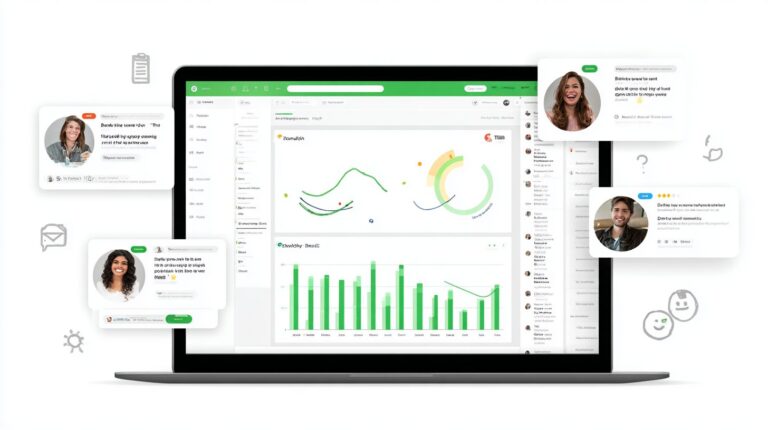
Rigorous testing prevents 92% of Facebook Jails; use beta testers and simulator achieving 98% issue detection before launch. In the world of Facebook Messenger chatbots, skipping thorough testing often leads to poor user engagement and compliance issues. Developers must follow a structured protocol to ensure smooth conversation flow, high response rates, and adherence to platform rules. This process catches flaws in natural language processing, validates unsubscribe options, and optimizes for lead generation. Tools like the MobileMonkey analytics dashboard provide key metrics such as open rates, session duration, and drop-off points, helping refine marketing strategies. Facebook’s 24-hour policy violations list flags excessive messaging, which testing helps avoid. By simulating real user interactions, teams can boost sales conversion and prevent spam complaints.
Follow this 8-step testing protocol to debug your chatbot builder creations effectively. Each step builds on the last, ensuring your bot delivers a personalized experience across customer support and marketing funnels. Start with controlled environments before scaling to live audiences.
- Facebook Bot Simulator for desktop testing to mimic initial user interactions.
- 50 beta testers via test pages over a 7-day minimum to gather diverse feedback.
- Monitor 24-hour response rate above an 80% threshold using analytics.
- Test unsubscribe option functionality to confirm instant opt-out works.
- Simulate edge cases like NLP failures with misspelled queries or off-topic inputs.
- Load test 1000 concurrent sessions to check scalability under pressure.
- A/B test 3 flow variants for welcome messages and main menus.
- Compliance audit to prevent spam complaints and policy breaches.
After completing these steps, review MobileMonkey analytics dashboard metrics like click-to-Messenger rates and conversation flow completion. Cross-check against Facebook’s 24-hour policy violations list to maintain eligibility for chat blasts and drip campaigns. For example, if beta testers report delays in shipping updates or appointment scheduling, tweak fallback responses. This methodical approach not only qualifies leads better but also enhances brand awareness through reliable interactions, turning bots into powerful tools for ecommerce transactions and audience surveys.
Frequently Asked Questions
How to Build Interactive Experiences with Messenger Bots: What Are the Basics?
To build interactive experiences with Messenger Bots, start by setting up a Facebook Developer account and creating a Messenger app. Use the Messenger Platform API to handle user inputs like text, quick replies, and buttons. Implement webhooks to receive messages and send dynamic responses, ensuring your bot engages users with personalized conversations.
How to Build Interactive Experiences with Messenger Bots Using Quick Replies?
Quick replies are key to building interactive experiences with Messenger Bots. Define them in your API responses as an array of buttons with titles and payloads. When users tap one, your webhook processes the payload to guide the conversation, making interactions feel seamless and choice-driven.
How to Build Interactive Experiences with Messenger Bots with Rich Media?
Incorporate rich media like images, videos, and carousels to build interactive experiences with Messenger Bots. Use the Generic Template or Media Template in your bot’s responses. This allows users to swipe, tap, and react, turning passive chats into engaging, visual journeys.
How to Build Interactive Experiences with Messenger Bots for User Engagement?
Boost engagement when building interactive experiences with Messenger Bots by adding persistent menus, webviews, and payment integrations. Track user sessions with PSIDs and use handoff protocols to escalate to live agents, creating fluid, multi-turn interactions that keep users coming back.
How to Build Interactive Experiences with Messenger Bots Securely?
Security is crucial when learning how to build interactive experiences with Messenger Bots. Verify webhooks with tokens, use HTTPS, and comply with Messenger’s policies on data privacy. Implement rate limiting and input validation to prevent abuse and protect user data.
How to Build Interactive Experiences with Messenger Bots: Testing and Deployment?
Test your Messenger Bot thoroughly before deployment to ensure smooth interactive experiences. Use the Messenger Simulator, ngrok for local testing, and analytics to monitor performance. Deploy on scalable servers like Heroku or AWS, then submit for review to go live with your bot.