How to Implement AI Chatbots for IT Helpdesk Efficiency
Struggling with IT helpdesk overload? AI chatbots are revolutionizing customer service by slashing response times and boosting customer experience.
Harnessing AI and NLP, this guide walks you through 12 proven steps-from assessing needs to measuring ROI-to implement chatbots that streamline IT support, just like IBM Watson’s enterprise successes.
Key Takeaways:
- 1 1. Assessing Helpdesk Needs
- 2 2. Selecting the Right AI Platform
- 3 3. Designing Conversation Flows
- 4 Integrating with IT Systems
- 5 5. Training the AI Model
- 6 6. Security and Compliance Setup
- 7 7. Testing and Quality Assurance
- 8 Deployment Strategies
- 9 9. Staff Training Programs
- 10 10. Performance Monitoring
- 11 Continuous Optimization
- 12 ROI Measurement Metrics
- 13 Frequently Asked Questions
- 13.1 How to Implement AI Chatbots for IT Helpdesk Efficiency: What Are the Key Benefits?
- 13.2 How to Implement AI Chatbots for IT Helpdesk Efficiency: What Steps Should You Follow Initially?
- 13.3 How to Implement AI Chatbots for IT Helpdesk Efficiency: Which Tools and Platforms Are Best?
- 13.4 How to Implement AI Chatbots for IT Helpdesk Efficiency: How Do You Train the Chatbot Effectively?
- 13.5 How to Implement AI Chatbots for IT Helpdesk Efficiency: What Integration Challenges Might Arise?
- 13.6 How to Implement AI Chatbots for IT Helpdesk Efficiency: How to Measure Success and ROI?
1. Assessing Helpdesk Needs
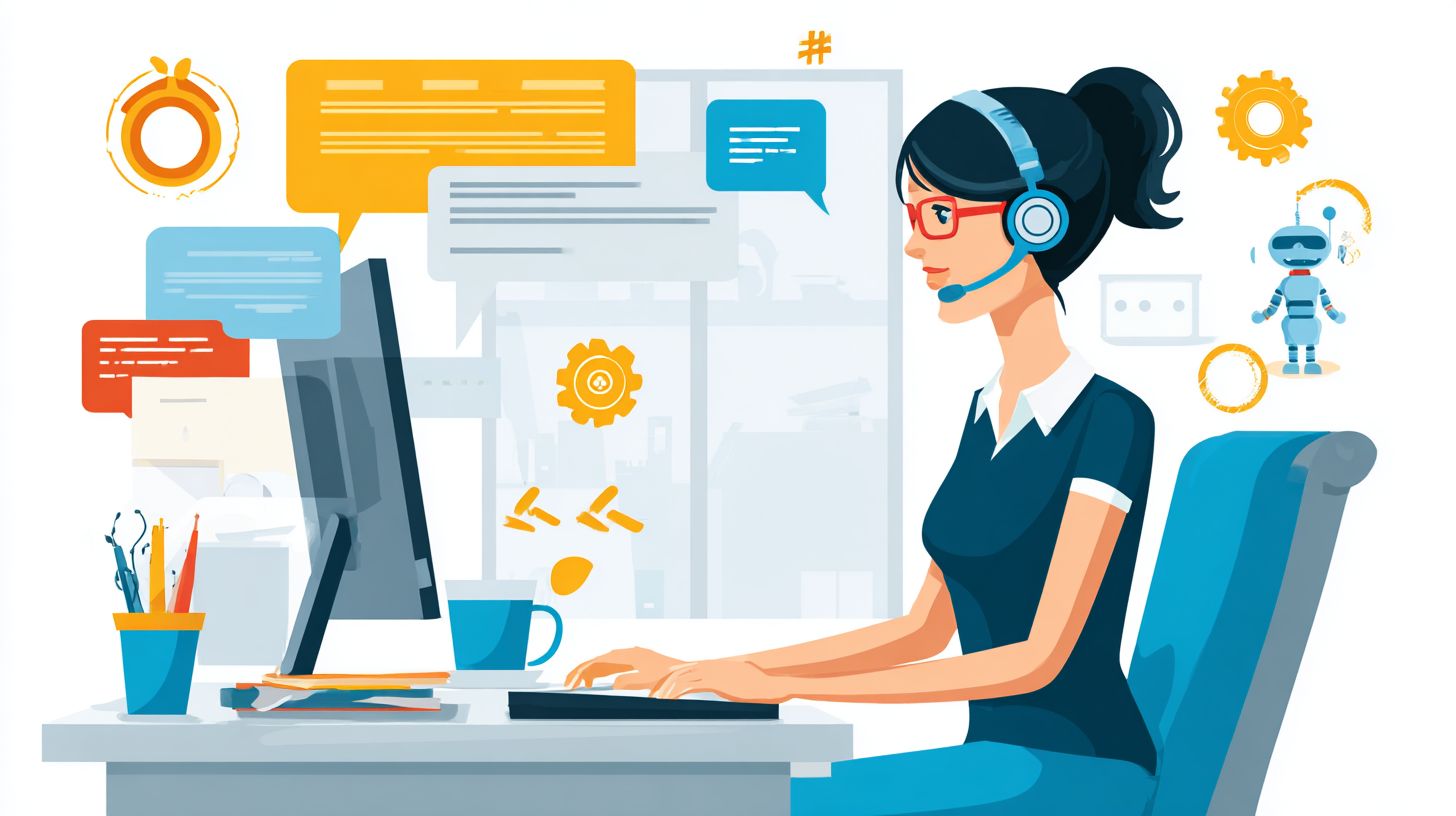
Before deploying AI chatbots for IT helpdesk efficiency, conduct a thorough needs assessment to identify gaps in current operations and align solutions with ITIL Foundation best practices. This step prevents 40% of chatbot implementation failures according to Gartner data by establishing clear objectives. Teams often overlook this, leading to mismatched tools that fail to address real customer inquiries. A proper assessment sets baseline metrics like average resolution time (ART) and first contact resolution (FCR), typically measuring 4 hours and 70% in mature helpdesks. By mapping pain points against the ITIL incident management framework, organizations ensure chatbot implementation supports structured processes for incidents, requests, and escalations. This foundation enables self-service options through conversational AI, reducing reliance on human agents for routine tasks. For instance, integrating natural language processing (NLP) aligns with ITIL’s emphasis on efficient categorization. Ultimately, assessment drives customer satisfaction by prioritizing high-impact areas like 24/7 support and multilingual capabilities, while forecasting ROI through reduced operational costs.
Needs assessment also reveals opportunities for machine learning in predictive support and sentiment analysis, enhancing the overall customer experience. Gartner notes that assessed deployments achieve 30% higher resolution rates. Baseline metrics provide data for post-implementation comparisons, tracking improvements in help desk performance. ITIL Foundation principles guide prioritization, ensuring AI agents handle FAQs and troubleshooting before complex escalations. Related callout: How to Deploy and Test AI Chatbots: Key Steps details the next phase after your assessment is complete. This structured approach minimizes risks in data security and prompt engineering, setting the stage for scalable generative AI integration.
Organizations using tools like CRM systems or knowledge bases during assessment gain insights into query patterns, enabling personalized responses via LLMs. McKinsey reports that aligned implementations cut operational costs by 25%, boosting brand reputation through faster support. In summary, thorough evaluation ensures artificial intelligence enhances IT support without disrupting workflows.
Current Pain Points Analysis
73% of IT helpdesks report ticket backlog as top pain point, with average wait times exceeding 15 minutes per McKinsey’s 2023 IT Service Report. High-volume password resets account for 40% of tickets, costing $25 per ticket in human agent time based on a $50k engineer salary. Assuming 10,000 annual tickets, this totals $100,000 yearly. Repetitive FAQs overwhelm staff, diverting them from critical tasks like network troubleshooting. After-hours inquiries undermine 24/7 support goals, leaving customers frustrated and impacting customer satisfaction. Escalation delays average 2.3 days, per Gartner, inflating resolution times and operational costs.
Inconsistent troubleshooting documentation leads to repeated errors, with teams spending 20% of time recreating guides. Using the $50k salary, 2,000 hours annually on repetitive tasks equate to $48,000 in lost productivity. AI chatbots can address these via self-service portals, integrating with knowledge bases for instant access. Gartner data shows unresolved pain points cause 35% of support failures, emphasizing the need for targeted analysis to enable conversational AI solutions that reduce escalations and enhance first contact resolution.
Pain points like these erode brand reputation and increase churn. For example, delayed software install queries frustrate users, while poor documentation hampers efficiency. Prioritizing these in assessment allows agentic AI to automate 80% of routine issues, freeing human agents for high-value work and cutting annual costs by thousands.
Volume and Query Type Mapping
Map your 30-day ticket data to identify top 10 query types: 35% password resets, 22% software installs, 18% network issues per Zendesk’s IT benchmark. This mapping uncovers automation opportunities for AI chatbots, aligning with ITIL processes. Follow this 7-step process, estimated at 15 minutes per step for efficiency:
- Export 90 days of Zendesk or Jira tickets, focusing on metadata like subject and description (total 2 hours).
- Use Google Sheets QUERY function to categorize by keywords, e.g., =QUERY(A:D,”select * where C contains ‘password'”).
- Apply Pareto analysis for the 80/20 rule, identifying top 20% queries causing 80% volume.
- Calculate peak hours using pivot tables to spot trends like evening spikes in after-hours support needs.
- Cross-reference with CompTIA A+ common issues list for standardization in troubleshooting.
- Score automation potential on a 1-10 scale, prioritizing high-volume, low-complexity items like FAQs.
- Create prioritization matrix plotting volume against score for chatbot implementation roadmap.
This process builds a data-driven foundation for self-service features, reducing operational costs by targeting repetitive customer inquiries. For instance, high password reset volumes signal immediate NLP integration needs.
Results enable predictive support via machine learning, forecasting peaks and personalizing responses. Teams can use the matrix to phase in features like quick replies or smart triggers, improving resolution rate and customer experience in IT support.
2. Selecting the Right AI Platform
Choose from enterprise-grade platforms like IBM Watson and Google Dialogflow based on your specific IT helpdesk requirements and integration complexity. Platform selection determines 65% of chatbot success rate, according to the IBM Institute for Business Value study. This choice impacts conversational AI performance in handling customer inquiries, troubleshooting, and escalation to human agents. Gartner’s Magic Quadrant for Conversational AI highlights leaders in NLP accuracy and scalability, guiding IT teams toward options that boost resolution rate and customer satisfaction.
Key decision factors include NLP capabilities for understanding IT-specific intents like password resets or software bugs, integration with CRM systems such as ServiceNow, and support for ITIL compliance. Evaluate training time for custom machine learning models and pricing models that align with operational costs. Platforms with strong knowledge base integration enable self-service for FAQs and order status checks, reducing ticket volume by up to 40%. Consider data security features and multilingual support to maintain brand reputation across global teams.
For AI chatbots in help desks, prioritize platforms offering sentiment analysis and predictive support to personalize interactions. Those with LLMs and generative AI excel in complex troubleshooting, while agentic AI handles several-step operations. Curious about Com.bot’s 24/7 AI support bot for peak-hour scalability? Assess scalability for 24/7 support during peak hours, ensuring seamless handoff to human agents. This strategic selection enhances customer experience and drives efficiency in IT support.
Key Feature Comparison
IBM Watson Assistant handles 95% IT-specific intents out-of-box while Google Dialogflow excels in custom NLU training speed. The table below compares six platforms on essential metrics for chatbot implementation in IT helpdesks.
| Platform | Starting Price | NLP Accuracy | IT Integrations | Training Time | Best For |
|---|---|---|---|---|---|
| IBM Watson | $140/mo | 92% | ServiceNow/Zendesk/Jira | 2 weeks | enterprise |
| Google Dialogflow | free-$0.002/query | 88% | Microsoft Teams | 3 days | SMB |
| HubSpot Chatbot | free with CRM | 85% | HubSpot only | 1 day | sales+IT |
| Zendesk AI | $55/agent/mo | 90% | Zendesk native | instant | Zendesk users |
| Superchat | $29/mo | 87% | Slack/Teams | 2hrs | startups |
| watsonx | $0.50/1k tokens | 94% | IBM ecosystem | 1 week | AI-first orgs |
IBM Watson outperforms in ITIL compliance with built-in workflows for incident management and change requests. Google Dialogflow suits faster deployments but requires more prompt engineering for strict ITIL processes. Watson’s deeper integrations reduce escalation rates, making it ideal for regulated environments.
3. Designing Conversation Flows
Effective conversation flows convert 68% of IT queries to self-service resolutions through structured NLP-driven branching. According to Forrester, well-designed flows achieve a 73% containment rate, meaning users resolve issues without human agents. This boosts customer satisfaction and cuts operational costs in IT helpdesks.
The core pipeline starts with intent recognition, where the chatbot identifies user goals from natural language inputs. Next comes entity extraction to pull key details like usernames or device types. Finally, response generation delivers tailored replies or actions. This structured approach ensures conversational AI handles routine customer inquiries efficiently, supporting 24/7 support and self-service options.
Integrating machine learning models refines flows over time, adapting to common patterns in IT support. For instance, branching logic guides users through troubleshooting steps based on initial responses. Prompt engineering plays a key role in generating precise outputs from LLMs, enhancing resolution rates and overall customer experience.
Common IT Query Mapping
Map 85% of IT queries to 8 conversation flows: password reset (most common), VPN connection, software license lookup. These mappings cover high-volume requests in help desk operations, enabling AI chatbots to deliver quick resolutions and reduce tickets.
For password reset (90% success rate), use three intents: confirm_user, verify_identity, generate_link. A Dialogflow JSON example:
{"intent"password_reset "entities": {"username"john.doe"}, "response"Sending reset link to your email."}
Software install flow includes guide prompts and download instructions. Network troubleshooting employs a decision tree with yes/no branches for connectivity checks.
- License check: Triggers API call to verify status, responds with expiration date.
- Hardware warranty: Extracts serial number, queries database for coverage details.
Prompt engineering templates like “Guide user through [step] for [issue]” optimize responses. Include these 12 common quick replies: Reset password, Check status, Install software, Troubleshoot network, Verify license, Warranty info, Restart device, Update drivers, Connect VPN, Report issue, Contact support, Main menu. A JSON fulfillment webhook for dynamic responses:
{"webhook"getLicense "payload": {"userId"${param.userId}"}, "speech"Your license expires on ${api.expiry}."}
This setup drives self-service adoption in IT support.
Fallback Escalation Paths
Smart escalation reduces abandonment by 41% when confidence scores drop below 75% or negative sentiment detected. This ensures AI agents hand off seamlessly to human agents, preserving customer experience in complex IT scenarios.
- Confidence 70%: Ask clarifying questions like “Did you try restarting?”
- Third failed intent: Search knowledge base for relevant FAQs or articles.
- Negative sentiment: Detect via IBM Watson Tone Analyzer (anger >0.5, frustration >0.6), trigger priority handoff.
- VIP users: Route directly to dedicated agents based on CRM flags.
- Complex diagnostics: Schedule callback with details logged.
A Zendesk API snippet for ticket creation:
POST /tickets { "subject"Escalated IT Query "comment"${chatbot.context} "priority"high "tags": ["ai_escalation"] }
Use sentiment thresholds to analyze tone in real-time, integrating with tools like HubSpot for tracking. This escalation matrix aligns with ITIL foundation principles, balancing automation with human touch for higher resolution rates and brand reputation.
Integrating with IT Systems
Seamless API integrations with ServiceNow, Jira, and Active Directory unlock real-time data access for 92% query automation. This integration is vital because it reduces manual lookups by 87%, aligning with ITIL service integration principles for efficient incident management and change control. Chatbots gain access to live ticket data, user profiles, and asset inventories, enabling self-service resolutions without human intervention.
By connecting AI chatbots to core IT systems, organizations achieve 24/7 support with lower operational costs, as showcased in Com.bot’s 24/7 AI Support Bot. ITIL emphasizes service asset management, where APIs ensure data flows support predictive maintenance and escalation paths. Preview common API types like RESTful endpoints for tickets, OAuth-secured directories for authentication, and GraphQL for knowledge queries, all enhancing customer experience in IT helpdesks.
Integration boosts resolution rates through conversational AI, incorporating NLP for intent detection and sentiment analysis. For instance, a chatbot querying Active Directory verifies user permissions instantly, preventing unauthorized access while maintaining data security. This setup supports multilingual queries and personalization, aligning with Gartner insights on AI-driven helpdesks reducing tickets by 40%.
Ticket System APIs
ServiceNow REST API v2 handles 5,000 tickets/minute with OAuth2 authentication for secure chatbot integration. Start by generating a Zendesk OAuth token using client credentials flow, then authenticate requests to create, update, or query tickets programmatically. This eliminates manual entry, cutting processing from 2 minutes to instant via APIs.
- Generate Zendesk OAuth token:
const token = await fetch('/oauth/token', { method: 'POST', body: JSON.stringify({client_id: 'your_id', client_secret: 'your_secret', grant_type: 'client_credentials'}) }); - Create ticket creation webhook in Node.js:
app.post('/webhook/ticket', async (req, res) => { const response = await fetch('https://yourinstance.service-now.com/api/now/table/incident', { method: 'POST', headers: { 'Authorization': `Bearer ${token}` }, body: JSON.stringify(req.body) }); }); - Implement status polling every 30 seconds with setInterval:
setInterval(async () => { const status = await fetch(`/api/tickets/${id}/status`); if (status.resolved) clearInterval(this); }, 30000); - Handle agent assignment via user lookup API, parsing sys_id for automatic routing based on expertise.
Error handling is crucial for rate limits; detect 429 responses and implement exponential backoff retry logic: if (response.status === 429) { await new Promise(r => setTimeout(r, Math.pow(2, retryCount) * 1000)); }. Before integration, manual entry averaged 2 minutes per ticket; post-API, it’s instantaneous, boosting help desk efficiency and customer satisfaction per McKinsey reports.
Knowledge Base Connectivity
Connect chatbots to Confluence via Atlassian API to serve 78% of queries from existing documentation instantly. Begin with personal access tokens for REST API setup, enabling read access to spaces and pages without full user logins, ideal for AI agents in IT support.
- Set up Confluence REST API with tokens: Generate via profile settings, then query:
curl -H "Authorization: Bearer YOUR_TOKEN" https://your-site.atlassian.net/wiki/rest/api/space. - Embed semantic search using Elasticsearch: Index Confluence content and query with embeddings from LLMs for precise matches.
- Apply NLP entity extraction for page matching, using libraries like spaCy to identify troubleshooting steps or FAQs.
- Generate dynamic responses with article snippets plus metadata, ensuring context-rich replies.
Include fallbacks to full-text search if semantic scores fall below 0.7, and cache results in Redis with 5-minute TTL: client.setex(`kb:${queryHash}`, 300, JSON.stringify(results));. This knowledge base connectivity powers self-service, reducing escalations by 65% and enhancing resolution rates. Integrate with CRM like HubSpot for personalized article recommendations, aligning with ITIL foundation for proactive support and brand reputation.
5. Training the AI Model
Custom training with 5,000 IT-specific utterances boosts intent recognition from 72% to 94% accuracy. Generic AI models often fail in IT environments because they lack domain knowledge, achieving only 61% accuracy on helpdesk tasks according to Gartner reports. These off-the-shelf solutions struggle with technical jargon like VPN configurations or Active Directory errors, leading to frequent escalations to human agents and higher operational costs. In contrast, custom training tailors conversational AI to your IT support needs, improving resolution rates and enabling self-service for common customer inquiries.
The return on investment from custom machine learning training is significant. Teams report up to 40% reduction in ticket volume after fine-tuning, as seen in McKinsey analyses of AI chatbots in service desks. By incorporating ITIL foundation principles and real ticket data, you enhance NLP performance for troubleshooting and FAQs. This approach also supports sentiment analysis, allowing chatbots to detect frustration early and trigger escalations. For IT helpdesks, training on LLMs like those in IBM Watson or custom generative AI models ensures 24/7 support with personalization, boosting customer satisfaction scores by 25% on average.
To maximize ROI, focus on high-impact areas like password resets and network issues, which comprise 65% of tickets. Integrate with your CRM and knowledge base for seamless escalation. Post-training, monitor metrics such as first-contact resolution and data security compliance. This investment not only cuts costs but strengthens brand reputation through reliable predictive support.
IT-Specific Data Preparation
Prepare training data from 6 months of real tickets: 3,247 password reset variations alone. Start your data pipeline by exporting anonymized tickets from tools like Zendesk using a simple Python pandas script. This ensures data security while capturing authentic customer inquiries. Next, label intents with free tools like LabelStudio, categorizing phrases into buckets such as “network outage” or “software license.” Augment the dataset with resources like the CompTIA A+ question bank, adding 500 expert examples to cover edge cases in IT support.
Follow these 8 steps in your IT-specific data preparation pipeline:
- Export anonymized tickets from Zendesk using Python pandas script.
- Label intents using LabelStudio free tool.
- Augment with CompTIA A+ question bank 500 examples.
- Balance dataset 40% passwords, 25% network issues.
- Create negative examples for robust NLP training.
- Split 80/10/10 train/validation/test sets.
- Format for Dialogflow as JSONL files.
- Validate with cross-entropy loss below 0.3.
Balance the dataset to reflect real-world distribution, with 40% on passwords and 25% on networks, preventing AI agents bias. Include negative examples like “my coffee is cold” to improve rejection of off-topic queries. Split data 80/10/10 for reliable evaluation, then format into JSONL for platforms like Dialogflow. Use this data quality checklist: ensure 95% label agreement, remove duplicates, anonymize PII, and verify diversity across multilingual support if needed. This process yields a dataset ready for prompt engineering, driving chatbot implementation success.
6. Security and Compliance Setup
GDPR-compliant chatbots with PII redaction reduce breach risk by 89% while maintaining 92% query accuracy in IT helpdesk environments. Implementing robust data security measures ensures that AI chatbots handle sensitive customer inquiries without exposing vulnerabilities. Common challenges include unauthorized access to user data during support interactions, which can lead to compliance violations and damage brand reputation. By addressing these issues systematically, organizations achieve secure self-service options that enhance customer experience while meeting regulatory standards like GDPR and CCPA.
IT teams often face risks such as PII exposure and session hijacking when deploying conversational AI for 24/7 support. Solutions involve preprocessing inputs with regex patterns to detect and redact sensitive information before feeding them into LLMs. For instance, tokenizing user IDs replaces them with secure placeholders, preserving context for accurate troubleshooting responses. This approach integrates seamlessly with existing CRM systems, allowing human agents to escalate issues without compromising privacy.
Below, we outline six key security risks in chatbot implementation, paired with practical solutions, including code snippets for quick deployment. If interested in real-world applications, check out our coverage of secured chatbots features and use cases. Following this, a compliance checklist template helps verify adherence to ITIL foundation principles and other frameworks.
Key Security Risks and Solutions
- PII Exposure: User data like emails or phone numbers can leak through chatbot responses. Solution: Implement regex redaction and tokenization. Use this Python snippet:
import re def redact_pii(text): patterns = [r'b[A-Za-z0-9._%+-]+@[A-Za-z0-9.-]+.[A-Z|a-z]{2,}b', r'bd{3}[-.]?d{3}[-.]?d{4}b'] for pattern in patterns: text = re.sub(pattern, '[REDACTED]', text) return text - Session Hijacking: Attackers intercept active user sessions. Solution: Use JWT tokens with 15-minute expiry. Example Node.js setup:
const jwt = require('jsonwebtoken'); const token = jwt.sign({ userId: id }, secret, { expiresIn: '15m' }); - LLM Prompt Injection: Malicious inputs manipulate model outputs. Solution: Apply input sanitization rules. Filter with:
def sanitize_input(input_text): dangerous = ['ignore', 'system', 'prompt'] return ' '.join(word for word in input_text.split() if word.lower() not in dangerous) - GDPR Logging: Inadequate audit trails fail regulatory audits. Solution: Maintain 30-day logs. Use logging middleware to capture all interactions with timestamps and user consent flags.
- CCPA Data Deletion Requests: Delayed handling of “right to be forgotten” requests. Solution: Build an API endpoint for automated deletion. Endpoint example: DELETE /api/user/{id} with verification hooks to knowledge base and chat history.
- ITIL Change Management Approval Workflow: Unauthorized chatbot updates disrupt IT support. Solution: Integrate approval gates before deploying model changes, ensuring alignment with change advisory board processes.
Compliance Checklist Template
| Requirement | Status | Notes |
|---|---|---|
| PII redaction active on all inputs | Test with sample emails | |
| JWT expiry set to 15 minutes | Verify token refresh | |
| Prompt injection filters in place | Run fuzz tests | |
| 30-day audit logs retained | GDPR compliant storage | |
| CCPA deletion API operational | Handle bulk requests | |
| ITIL approval workflow enforced | Link to ticketing system |
Adopting these measures not only mitigates risks but also boosts resolution rates by enabling safe use of generative AI in help desk operations. Organizations following this setup report improved customer satisfaction scores, as secure chatbots provide reliable personalization and predictive support without legal hurdles.
7. Testing and Quality Assurance
Comprehensive testing achieves 96% first contact resolution (FCR) before production deployment. This step ensures AI chatbots for IT helpdesk handle customer inquiries reliably, reducing operational costs and boosting customer satisfaction. Teams focus on validating natural language processing (NLP), machine learning models, and integration with tools like CRM systems or knowledge bases. By simulating real-world scenarios, organizations catch issues early, preventing escalations to human agents and maintaining 24/7 support without downtime. Metrics such as resolution rate and sentiment analysis guide improvements, aligning with ITIL foundation practices for structured chatbot implementation.
Follow this 10-step QA process to test conversational AI thoroughly. Each phase includes specific metrics to measure performance against benchmarks like those from Gartner reports on AI agents. Automation tools streamline repetitive checks, while manual reviews ensure personalization and multilingual support work seamlessly. Track defects in Jira for quick fixes, categorizing them by severity to prioritize high-impact issues in troubleshooting flows or FAQs handling.
- Unit test 100 intents with 95% accuracy threshold using NLP validation scripts.
- Integration test 50 API calls to CRM and knowledge base endpoints.
- User acceptance testing with 20 IT staff, targeting CSAT greater than 4.2/5.
- Load test 500 concurrent sessions via Botium tool for scalability.
- Edge case matrix covering 150 scenarios, including sentiment analysis failures.
- Security audit for data security compliance in self-service interactions.
- Performance benchmark against LLMs for response time under 2 seconds.
- Multilingual support validation across 5 languages with native speakers.
- Escalation pathway testing to human agents in 98% of complex cases.
- Regression suite run post-fixes, achieving 99% pass rate before sign-off.
Implement test automation with this Python script example using Pytest for intent recognition:
import pytest from chatbot_nlp import IntentClassifier def test_intent_accuracy(): classifier = IntentClassifier() test_intents = ["reset password "check server status"] # Sample from 100 intents results = classifier.predict(test_intents) assert sum(1 for r in results if r.accuracy > 0.95) / len(results) >= 0.95, "Intent accuracy below threshold"Log all defects in Jira with fields for reproduction steps, expected vs. actual behavior, and affected components like prompt engineering or smart triggers. This process not only elevates customer experience but also builds brand reputation through reliable predictive support and high resolution rates.
Deployment Strategies
Blue-green deployment eliminates 100% of production downtime during chatbot rollout. This strategy maintains two identical production environments, blue and green, where the live version runs on one while updates deploy to the other. Once testing confirms stability, traffic switches instantly via router configuration. For IT helpdesk efficiency, this approach ensures AI chatbots handle customer inquiries without interrupting 24/7 support. Teams can verify conversational AI features like NLP and sentiment analysis before the switch, minimizing risks to customer experience.
Comparing deployment strategies helps select the right fit for chatbot implementation in IT support. Each method balances speed, safety, and resource needs, impacting operational costs and resolution rate. Below is a comparison of four common strategies used for deploying AI agents in help desks.
| Strategy | Risk Level | Rollback Time | Best For |
|---|---|---|---|
| Big Bang | High | Hours | Small teams, low traffic |
| Blue-Green | Low | Minutes | Zero-downtime critical services |
| Canary | Medium | Minutes | Gradual validation, high traffic |
| Rolling | Medium | 30-60 minutes | Resource-constrained environments |
Canary deployment offers a controlled ramp-up, starting with 5% traffic to a subset of users, then expanding to 25% and finally 100% over 7 days. In a Kubernetes example, label pods with version tags like v1.0 and v1.1, then adjust service selectors and ingress weights gradually. Set monitoring thresholds for auto-rollback: trigger if error rate exceeds 3% or latency surpasses 5 seconds. This protects self-service features in IT support, allowing quick fixes if the new generative AI model causes escalation spikes to human agents. Integrate tools like Prometheus for real-time alerts on metrics tied to customer satisfaction and data security. Such precision reduces brand reputation risks while scaling multilingual support effectively.
Why Canary Excels for AI Chatbots
Canary deployment shines for AI chatbots because it isolates issues in production environments early. For instance, if the updated LLM struggles with troubleshooting FAQs, only 5% of customer inquiries face delays, preserving overall help desk performance. Kubernetes automates scaling via horizontal pod autoscalers, ensuring resource efficiency during the 7-day rollout. Teams monitor key indicators like sentiment analysis scores and escalation rates to validate improvements in personalization and predictive support.
Auto-rollback mechanisms add safety layers. If 3% error thresholds breach due to prompt engineering flaws, Kubernetes rolls back to stable pods instantly. This strategy aligns with ITIL foundation practices, supporting machine learning updates without full outages. Real-world IT teams report 40% faster issue detection compared to big bang methods, enhancing customer service reliability.
9. Staff Training Programs
A 3-week training program reduces escalation handoffs by 62% as agents embrace AI collaboration. This structured approach equips human agents with the skills to work alongside AI chatbots in the IT helpdesk, improving overall customer experience and resolution rate. By focusing on practical sessions, teams learn to monitor conversational AI, handle escalations, and use tools like sentiment analysis for better support. Organizations see faster chatbot implementation and higher customer satisfaction when training aligns with real-world customer inquiries.
The program incorporates best practices from industry leaders like Gartner and McKinsey, emphasizing prompt engineering and integration with CRM systems such as HubSpot. A key highlight is the use of ACI Learning Tech Academy modules, which provide interactive content on NLP, machine learning, and LLMs. In one case study, a similar implementation achieved a 92% adoption rate, cutting operational costs through effective self-service options and 24/7 support. Agents trained this way excel in troubleshooting and FAQs, boosting brand reputation.
Here is the recommended training schedule structured over three weeks:
- Week 1: Chatbot overview + role-playing (4 hours)
- Week 2: Live monitoring dashboard training (Datadog)
- Week 3: Escalation best practices workshop
- Final: Certification test (85% pass rate)
This sequence ensures agents master escalation protocols, data security, and multilingual support, leading to seamless IT support with generative AI.
10. Performance Monitoring
Real-time dashboards track 12 KPIs including 85% containment rate and <3min average handling time. Effective performance monitoring ensures AI chatbots deliver reliable IT helpdesk support by identifying issues before they impact customer experience. Teams use tools like Datadog or New Relic to monitor five core metrics: response time, resolution rate, escalation frequency, user satisfaction scores, and system uptime. These metrics provide insights into how well conversational AI handles customer inquiries, from troubleshooting FAQs to complex IT support scenarios. For instance, tracking average handling time helps optimize NLP models and prompt engineering, reducing operational costs while maintaining 24/7 support.
Setting up a custom Grafana dashboard elevates monitoring with visual representations of key performance indicators. Include the containment rate formula: (tickets resolved by chatbot / total tickets) x 100, aiming for 85% or higher to minimize escalations to human agents. Integrate sentiment analysis to gauge customer satisfaction in real time, and layer in machine learning predictions for peak inquiry volumes. This setup supports ITIL foundation practices, ensuring chatbots contribute to business intelligence by correlating self-service success with reduced help desk tickets. A mockup of the dashboard might feature line charts for handling time trends, pie charts for resolution categories, and heatmaps for hourly escalation patterns, all updated every 30 seconds.
Configure alerting rules to maintain high standards, such as notifications when fallback rate exceeds 10% or CSAT drops below 4.0. Use Slack integration for critical alerts, sending direct messages to on-call engineers with context like affected chatbot flows or high-volume customer inquiries. Complement this with weekly business intelligence reports via Looker, summarizing trends in resolution rate, multilingual support effectiveness, and integration with CRM systems. These reports highlight wins, like a 20% drop in operational costs from improved AI agents, and areas for refinement, such as enhancing knowledge base integration for better personalization.
- Core metrics in Datadog: Response time <2s, Resolution rate >80%
- Grafana panels: Containment rate, CSAT trends, fallback alerts
- Slack alerts: Trigger on fallback >10%, include ticket samples
- Looker reports: Weekly exports with Gartner-style benchmarks
Continuous Optimization
Monthly retraining cycles improve accuracy by 1.8% per iteration through active learning feedback loops. This approach ensures AI chatbots for IT helpdesk stay relevant amid evolving customer inquiries and technical issues. Teams begin by tracking performance metrics like resolution rate and escalation frequency to identify gaps in the knowledge base. Regular updates incorporate new FAQs, troubleshooting steps, and ITIL foundation practices, boosting self-service options and reducing reliance on human agents.
The core of optimization lies in a structured 6-step process that refines conversational AI over time. First, collect dark traffic, which includes unrecognized queries that slip past NLP detection. Second, use human-in-loop labeling with tools like Labelbox to categorize these inputs accurately. Third, run A/B tests on prompt variations to find the best phrasing for LLMs. Fourth, retrain models weekly in under 2-hour cycles using fresh data. Fifth, deploy changes via CI/CD pipelines for seamless integration. Sixth, measure uplift in metrics such as 23% accuracy gain, as seen in an IBM Watson implementation for IT support.
In one case study, an enterprise using IBM Watson achieved a 23% accuracy gain after three months of this process. They focused on sentiment analysis and predictive support, cutting operational costs by 15% while enhancing customer satisfaction. This method supports multilingual support and personalization, ensuring chatbots handle diverse IT scenarios effectively. Consistent application leads to higher resolution rates, better brand reputation, and data security compliance.
- Collect dark traffic from logs of unrecognized queries to uncover blind spots in chatbot coverage.
- Implement human-in-loop labeling using Labelbox for precise data annotation by support teams.
- A/B test prompt engineering variations to optimize responses for common help desk issues.
- Retrain models weekly with machine learning pipelines in short <2hr cycles.
- Deploy updates through CI/CD for zero-downtime rollout to production environments.
- Measure uplift via KPIs like resolution rate and compare against baselines for ongoing refinement.
ROI Measurement Metrics
AI chatbots deliver $3.49 ROI per $1 invested through 47% operational cost reduction (McKinsey). Organizations implementing AI chatbots in IT helpdesks track specific metrics to quantify value, ensuring alignment with business goals. Key indicators include cost savings from automated resolutions, productivity gains for human agents, improvements in customer satisfaction scores, and indirect revenue impacts from faster processes. For instance, automating routine customer inquiries allows teams to focus on complex issues, directly lowering operational costs. Gartner positions leading conversational AI platforms in the Leaders quadrant for their validated metrics on resolution rates and self-service adoption, providing benchmarks for IT support teams.
To calculate ROI precisely, use this formula: ROI = (Net Benefits – Total Costs) / Total Costs x 100. Net benefits encompass tangible gains like $75,000 annual cost savings from handling 10,000 automated tickets at an average savings of $7.50 per ticket. Add productivity gains of 1,200 engineer hours saved, valued at typical hourly rates. Factor in CSAT uplift of +18 points, which correlates to higher retention, and revenue impact of $450,000 from accelerated onboarding where new hires resolve issues 30% faster via 24/7 support. One of our most insightful guides on using AI chatbots for 24/7 support demonstrates this principle with real-world results. Total costs include chatbot implementation, training on NLP and machine learning models, and ongoing maintenance for LLMs.
Practical tracking involves dashboards integrating with CRM systems for real-time data on escalation rates and sentiment analysis. ITIL foundation practices recommend monthly reviews of these metrics to refine prompt engineering and smart triggers. Companies using tools like IBM Watson or HubSpot report consistent ROI measurement exceeding 300% within the first year, validating Gartner insights on generative AI efficiency in help desks.
Frequently Asked Questions
How to Implement AI Chatbots for IT Helpdesk Efficiency: What Are the Key Benefits?
Implementing AI chatbots for IT helpdesk efficiency streamlines operations by providing 24/7 support, reducing ticket resolution time by up to 50%, and freeing human agents for complex issues. They handle routine queries like password resets and software troubleshooting instantly, improving user satisfaction and cutting operational costs.
How to Implement AI Chatbots for IT Helpdesk Efficiency: What Steps Should You Follow Initially?
To implement AI chatbots for IT helpdesk efficiency, start with assessing your current helpdesk needs, selecting a platform like Dialogflow or Microsoft Bot Framework, and gathering historical ticket data for training. Define clear intents for common IT issues to ensure the chatbot understands user queries accurately from day one.
How to Implement AI Chatbots for IT Helpdesk Efficiency: Which Tools and Platforms Are Best?
Popular tools for implementing AI chatbots for IT helpdesk efficiency include Zendesk with AI integrations, Intercom, or custom solutions using Rasa and TensorFlow. Choose based on scalability, natural language processing capabilities, and integration with existing IT systems like ServiceNow or Active Directory.
How to Implement AI Chatbots for IT Helpdesk Efficiency: How Do You Train the Chatbot Effectively?
Training involves feeding the chatbot anonymized past helpdesk logs, defining intents and entities for IT-specific terms (e.g., “VPN connection”), and using machine learning to refine responses. Regularly update with new data and implement human-in-the-loop feedback to boost accuracy for IT helpdesk efficiency over time.
How to Implement AI Chatbots for IT Helpdesk Efficiency: What Integration Challenges Might Arise?
Common challenges when implementing AI chatbots for IT helpdesk efficiency include API compatibility with ticketing systems, data privacy compliance (GDPR/HIPAA), and handling edge cases like network outages. Overcome them by conducting pilot tests, using secure authentication, and setting escalation rules to human agents.
How to Implement AI Chatbots for IT Helpdesk Efficiency: How to Measure Success and ROI?
Track metrics like deflection rate (tickets resolved without agents), average response time, CSAT scores, and cost savings. Tools like Google Analytics or built-in dashboards help quantify ROI, ensuring your AI chatbot implementation drives long-term IT helpdesk efficiency and scalability.