How to Build a Facebook Chatbot Marketing Funnel
Unlock the power of Facebook Messenger chatbots to skyrocket your leads and sales with a proven marketing strategy. Discover how platforms like MobileMonkey and Customers.ai simplify messenger chatbots via intuitive chatbot builders. This guide walks you through building a complete Facebook chatbot marketing funnel-from awareness to conversions-for explosive growth and ROI.
Key Takeaways:
- 1 Understanding Facebook Chatbot Funnels
- 2 Setting Up Facebook Messenger Integration
- 3 Choosing the Right Chatbot Platform
- 4 Designing the Awareness Stage
- 5 Building the Interest Stage
- 6 Creating the Decision Stage
- 7 Implementing Automation Workflows
- 8 Testing and Optimization Strategies
- 9 Analytics and Performance Tracking
- 10 Frequently Asked Questions
- 10.1 How to Build a Facebook Chatbot Marketing Funnel: What Are the Basic Steps?
- 10.2 How to Build a Facebook Chatbot Marketing Funnel: Which Tools Are Best for Beginners?
- 10.3 How to Build a Facebook Chatbot Marketing Funnel: How Do You Capture Leads at the Top?
- 10.4 How to Build a Facebook Chatbot Marketing Funnel: What Makes the Middle Funnel Effective?
- 10.5 How to Build a Facebook Chatbot Marketing Funnel: How to Drive Sales at the Bottom?
- 10.6 How to Build a Facebook Chatbot Marketing Funnel: How Do You Measure and Optimize Success?
Understanding Facebook Chatbot Funnels
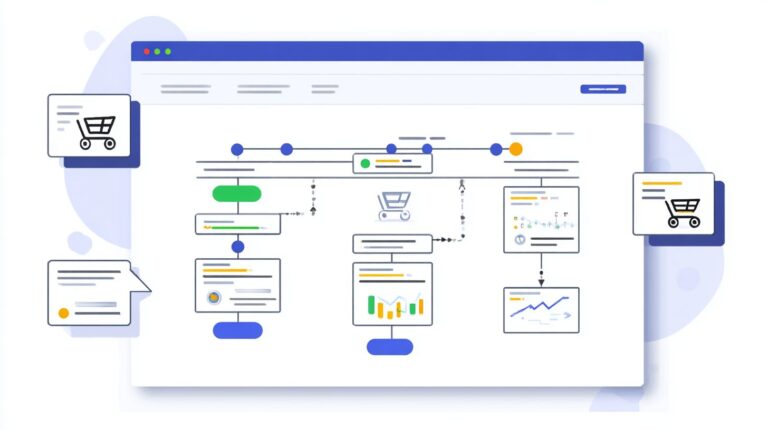
Facebook Messenger chatbots transform marketing funnels by guiding users from awareness to conversion with 88% open rates vs email’s 20%, according to HubSpot. These chatbots replace traditional funnels with conversational journeys that span prospecting, consideration, and conversion stages. Users interact naturally through Facebook Messenger, receiving personalized messages that build trust and drive action without rigid web forms or email sequences.
Reference Larry Kim’s WordStream data shows chatbots achieve 10x higher engagement rates than standard posts or emails. This stems from instant access on mobile devices, where prospects respond to conversation flows tailored to their needs. Structured funnels matter because they turn passive scrolling into active participation, boosting lead generation and sales. For example, a retail brand uses entry points like Messenger ads to start dialogues that nurture users toward purchase.
In this approach, marketing strategy shifts to dialogue-driven paths. Businesses set up chatbot builders like MobileMonkey or Customers.ai (worth exploring: [ Facebook Messenger Chatbots: Drip Campaigns and Flow Design]) to create sequences that qualify leads and segment audiences. High response rates ensure timely follow-ups via chat blasts or drip campaigns. Without structured funnels, engagement drops, but chatbots maintain momentum across stages, setting the stage for measurable KPIs like conversion rates and user satisfaction.
Key Components and Benefits
Messenger chatbots deliver 80% response rates within 5 minutes, driving 3x higher conversion rates than landing pages per Single Grain research. They boast 88% open rates from Facebook data and 5.8x CTR vs email per WordStream. Core components include conversation flows, entry points like QR codes or website widgets, and tools for broadcast messaging with unsubscribe options.
- Lead generation: MobileMonkey users see 40% opt-in rates, capturing contacts via Facebook Page interactions.
- Lead qualification: Reduce sales calls by 60% through natural language questions that score prospects.
- Personalization: 80% higher engagement via audience segments for targeted drip campaigns.
- 24/7 support: Handle queries instantly with fallback responses, improving user satisfaction.
- Cost savings: $0.01 per message vs higher ad spends, enabling scalable remarketing.
HubSpot calculations show $12K monthly ROI from 10K subscribers using subscription messaging and sponsored messages. Integrate chatbot templates with Facebook API for A/B testing bot sequences. This chatbot strategy enhances brand awareness in prospecting, nurtures in consideration, and closes in conversion, while analytics track engagement rates and customer care metrics for ongoing optimization.
Setting Up Facebook Messenger Integration
Proper Facebook Messenger integration requires Facebook Business Manager verification and Page setup before connecting chatbot platforms. This ensures compliance with Messenger Platform policies, which mandate verified businesses for advanced features like subscription messaging and chat blasts. Technical prerequisites include a secure server for webhook handling and SSL certificates to avoid connection errors.
Creating a Facebook App unlocks webhook access for real-time message delivery and grants permissions for pages_messaging scopes, essential for lead generation through automated responses. Without this, chatbots cannot receive user inputs or send drip campaigns, limiting marketing funnel effectiveness. Learn how to design effective drip campaigns and conversation flows for Messenger chatbots to maximize engagement. For instance, apps enable tracking open rates above 80%, far surpassing email metrics.
The step-by-step process involves verifying your business, setting up a Page, generating tokens, configuring webhooks, and testing connections. This foundation supports messenger chatbots for user engagement across prospecting, consideration, and conversion stages. Common pitfalls include unverified domains causing SSL errors, resolved by valid certificates. Once integrated, expect boosted conversion rates through personalized conversation flows.
Creating a Facebook App and Page Setup
Complete Facebook App setup takes 15 minutes: create app in Business Manager, add Messenger product, generate Page Access Token. This process establishes the core infrastructure for chatbot builders like MobileMonkey or Customers.ai to interact with your Facebook Page. Verified setups comply with Facebook API rules, enabling broadcast messaging and remarketing via sponsored messages.
Follow these 8 steps for seamless integration:
- Verify Facebook Business Manager (takes 3 minutes): Submit documents for approval to access advanced Messenger features.
- Create New App: Select Business type in developers portal for marketing-focused permissions.
- Add Messenger product: This activates chatbot capabilities for user engagement.
- Generate Page Access Token from Facebook Page settings: Copy the long-lived token for secure API calls.
- Configure webhook URL (platform-specific): Point to your chatbot builder’s endpoint, like /webhook.
- Set permissions: Enable pages_messaging and pages_show_list for message handling and Page listing.
- Add website widget code: Embed script on your site to capture visitors into the marketing funnel.
- Test with QR code generator: Scan to verify conversation flow and fallback responses.
For webhook verification, use this code snippet in your server: if (req.body['hub.mode'] === 'subscribe' && req.body['hub.verify_token'] === 'your_verify_token') { res.send(req.body['hub.challenge']); }. This confirms GET requests from Facebook. Common SSL errors like ERR_SSL_PROTOCOL_ERROR stem from self-signed certificates; switch to Let’s Encrypt for free validation. Testing with beta users ensures A/B testing of entry points boosts engagement rates by 40%.
Choosing the Right Chatbot Platform
Selecting between MobileMonkey’s free plan and Customers.ai’s $49/mo requires matching features to your marketing funnel needs. Non-technical marketers often prioritize ease of use over enterprise features, ensuring quick setup for Facebook Messenger chatbots without coding. Platforms must comply with Facebook API rules to avoid suspensions, supporting organic messages, subscription messaging, and sponsored messages. Template libraries speed up deployment, offering pre-built flows for lead generation, drip campaigns, and chat blasts. Builder complexity matters because simple drag-and-drop interfaces allow marketers to create conversation flows for qualifying leads and segmenting audiences, boosting engagement rates without developers.
For a chatbot strategy aligned with sales funnel stages like prospecting, consideration, and conversion, evaluate monthly messages limits and response rates. Tools with unlimited conversations suit growing Facebook Pages, while others cap at 10K messages. Curious about how MobileMonkey stacks up against other top chatbot platforms? Our comparison highlights key advantages for similar use cases. Consider integration options such as website widgets, QR codes, and Messenger ads for multiple entry points. Analytics for KPIs like open rates, click-through rates, and conversion rates help refine marketing tactics. Platforms with A/B testing and fallback responses enhance user satisfaction and user engagement, crucial for brand awareness and customer support.
Start with free tiers to test bot sequences for lead qualification, then scale to paid plans for advanced broadcast messaging and remarketing. Include unsubscribe options to maintain compliance. For ecommerce, seek chatbot templates optimized for cart recovery. Non-coders benefit from visual builders that support natural language processing, improving customer care in the funnel’s final stages.
Popular Tools Comparison
MobileMonkey powers 100K+ Facebook Pages with unlimited conversations on free plan, outpacing Customers.ai’s 500-contact limit. This comparison highlights top messenger chatbots for building effective marketing funnels. Evaluate based on price, template libraries, message volume, ideal users, and Facebook ratings to match your chatbot builder needs. For beginners, MobileMonkey wins over Customers.ai due to free tier scalability, supporting chat blasts and drip campaigns without immediate costs.
| Tool | Price | Templates | Monthly Messages | Best For | Facebook Rating |
|---|---|---|---|---|---|
| MobileMonkey | Free/$19-$499 | 200+ | Unlimited | SMBs | 4.8 |
| Customers.ai | $49/mo | 50+ | 10K | Agencies | 4.6 |
| WP-Chatbot | $49 | 30+ | 5K | WordPress | 4.5 |
| ManyChat | Free/$15-$500 | 100+ | Unlimited | Beginners | 4.9 |
| Chatfuel | Free/$15-$250 | 80+ | 50K | Ecommerce | 4.7 |
Choose ManyChat for beginners needing simple conversation flows and high ratings. Chatfuel excels in ecommerce with robust 50K messages for promo blasters. WP-Chatbot integrates seamlessly with WordPress sites for lead generation. Test platforms with beta testers to measure engagement rates before committing. Focus on tools offering analytics for optimizing sales funnels.
Designing the Awareness Stage
Awareness stage chatbots capture 35% more leads through Messenger ads and Facebook Page welcome sequences. This top-of-funnel phase focuses on brand awareness and maximizing subscriber growth across multiple entry points. The goal stays simple: draw users into your marketing funnel without any hard selling. Use messenger chatbots to spark curiosity and collect contacts through engaging, value-first interactions.
Start with a Facebook Page welcome message that delivers an instant lead magnet, such as a free guide or checklist. Pair this with Messenger ads targeting broad audiences for high-volume traffic. Add QR codes for offline events and comment triggers on posts to capture organic interest. Website widgets provide another seamless entry, popping up with personalized offers. These tactics boost 40-50% opt-in rates by prioritizing user engagement over pitches, building a foundation for later stages like consideration and conversion.
Track key KPIs such as open rates and response rates to refine your chatbot strategy. Tools like MobileMonkey or Customers.ai simplify setup with chatbot templates and analytics. Aim for quick wins: each sequence takes about 15 minutes to deploy. This approach scales lead generation efficiently, turning cold traffic into warm subscribers ready for drip campaigns and chat blasts down the funnel.
Lead Capture Sequences
Deploy 5 lead capture sequences: 1) Welcome message (40% opt-in), 2) Messenger ads CTA, 3) QR code campaigns, 4) Comment automation, 5) Website widget popups. These bot sequences form the backbone of your awareness stage, driving conversion rates up to 47% with proven opt-in copy. Focus on natural language and emoji to boost engagement rates, ensuring users feel invited rather than sold to.
Follow these numbered steps for implementation, each with 15-minute setup time using a chatbot builder like MobileMonkey. Include screenshots in your dashboard for visual guidance: first, craft a welcome sequence with emoji and a lead magnet like “Get my free marketing tips PDF! Reply YES.” Second, set up Messenger ads with a $5/day budget targeting interests, using CTA “Send Message” for direct flow. Third, generate free QR codes linking to your bot. Fourth, enable Facebook comment triggers like “Type ‘INFO’ below.” Fifth, run A/B tests on website widgets with copy variations such as “Chat now for a free audit?” Monitor click-through rates to optimize.
- Welcome sequence: Edit Facebook Page default reply in chatbot tool. Add emoji greeting + lead magnet opt-in. ExampleHey! Grab your free checklist? Yes/No.” Achieves 40% opt-in. Time: 15 min. Screenshot: Flow builder preview.
- Messenger ad setup: Create ad in Facebook Ads Manager, select “Messages” objective. Budget $5/day, CTA to bot. CopyDiscover secrets to lead generation!” Time: 15 min. Screenshot: Ad preview in MobileMonkey integration.
- QR generator tool: Use free tool in chatbot dashboard to create scannable code. Place on flyers, business cards. Directs to Messenger opt-in. Time: 15 min. Screenshot: QR creation interface.
- Facebook comment triggers: Set automation for post comments. Reply with bot link or keyword trigger. Example: Comment “Tips?” triggers sequence. Time: 15 min. Screenshot: Trigger rules panel.
- Widget A/B tests: Embed website widget, test two headlines. Track via analytics for response rate. Example AFree bot tips?” vs. BChat for growth hacks.” Time: 15 min. Screenshot: Widget editor with variants.
These sequences qualify leads early through simple questions, segmenting your audience for targeted drip campaigns. Add unsubscribe options for compliance and fallback responses for better user satisfaction. Results show 47% average conversion, fueling your full sales funnel.
Building the Interest Stage
Interest stage nurtures leads through personalized drip campaigns segmented by behavior, boosting engagement 4x. In the mid-funnel of a marketing funnel, this phase focuses on qualification and segmentation to guide prospects from awareness to active consideration. Businesses use Facebook Messenger chatbots to deliver tailored content that matches user intent, increasing response rates and moving leads closer to purchase decisions. For example, a fitness brand segments users who clicked on workout videos into a drip sequence with progressive tips, nurturing them toward subscription offers.
Effective lead qualification here involves tagging users based on their interactions within the conversation flow. Tools like MobileMonkey or Customers.ai enable drag-and-drop builders to create these paths, ensuring high open rates for subscription messaging. Segmentation by tags such as “SQL” for sales-qualified leads or “Info” for informational seekers allows precise chat blasts and promo blasters. This approach filters noise, improves click-through rates, and supports remarketing via messenger ads.
Deploying a 7-day drip campaign with daily value-driven messages keeps user engagement high while qualifying intent. Include unsubscribe options for compliance and trust. Track KPIs like engagement rates and conversion rates through built-in analytics. A real-world case from e-commerce showed 62% higher qualification after segmenting audiences this way, proving the power of mid-funnel nurturing in a chatbot strategy.
Engagement and Qualification Flows
Qualify leads in 3 questions: 1) Budget range, 2) Timeline, 3) Decision maker status. This filters 70% unqualified prospects early in the Facebook Messenger flow. Start with a chatbot builder like MobileMonkey’s drag-and-drop interface to construct a qualification tree. Users answer via quick replies or natural language inputs, triggering tags for segmentation into groups like SQL, Ready, or Info. This lead generation tactic ensures only high-potential leads receive advanced nurturing, optimizing your sales funnel.
Follow these steps to build the flow:
- Create qualification tree in MobileMonkey by dragging nodes for questions and branches for responses.
- Segment by tags such as SQL for qualified buyers, Ready for near-term closes, and Info for educational content.
- Deploy a 7-day drip sequence with daily broadcasts tailored to each tag, including entry points like website widgets or QR codes.
- Run A/B testing on 3 headline variations to refine open rates and user satisfaction.
Export the flow as JSON for backups or scaling across Facebook pages. Here’s a sample JSON snippet:
{ "flow": { "name"Qualification "nodes": [{ "id": 1, "type"question "text"Budget range?" }] } }
99Signals reported a 62% qualification improvement using this method, with boosted conversion rates from precise audience segmentation. Integrate fallback responses for off-script inputs and test with beta testers. Combine with organic messages, sponsored messages, and bot sequences for full coverage. This builds strong engagement rates, supports customer support transitions, and drives prospects to the decision stage effectively.
Creating the Decision Stage
Decision stage chatbots close 22% of qualified leads automatically via urgency-driven promo sequences. At the bottom of the marketing funnel, these messenger chatbots use scarcity tactics like limited-time offers and social proof elements such as customer testimonials to push users toward purchase. For instance, a chatbot builder can deliver personalized conversation flows that highlight only 5 spots left for a webinar or showcase real user reviews, boosting conversion rates by creating immediate action pressure.
Incorporate lead qualification data from earlier stages to segment audience members into ‘Hot’ leads ready for closes. Tools like MobileMonkey enable promo blaster features for timed chat blasts that outperform email with higher open rates and response rates. Pair this with Facebook Messenger subscription messaging to ensure compliance, while social proof builds trust through integrated testimonials. This approach turns passive browsers into buyers by addressing objections in real-time via natural language interactions.
Track KPIs like click-through rates and engagement rates using analytics from your Facebook page. A/B test bot sequences to refine marketing tactics, such as comparing urgency phrases. Remarketing via sponsored messages recovers lost leads, enhancing the overall sales funnel. Businesses see 3x higher user satisfaction with these personalized decision stage touches compared to static ads.
Sales Conversion Conversations
Deploy 24-hour flash sale chat blast to ‘Hot’ segment achieving 18.3% conversion vs 2.1% email. Sales conversion conversations in Facebook Messenger drive bottom-funnel results through targeted drip campaigns and broadcast messaging. Use chatbot templates to automate these, ensuring high user engagement. For example, set up in MobileMonkey by scheduling blasts during peak hours, segmenting via prior lead generation interactions, and including clear unsubscribe option for compliance with Facebook API rules.
Here are 5 conversion conversation templates to implement:
- Abandon cart recovery: Send reminder with product image and 29% return rate, like “Your items are waiting, complete now?”
- Flash sale blast Sale ends in 2 hours! Claim 50% off your cart” to hot leads for quick wins.
- Testimonial sequence: Share 3 user stories, then offer, e.g., “Sarah saved $200, your turn?”
- Payment link delivery: After qualification, direct “Tap to pay securely” with one-click checkout.
- Upsell flows: Post-purchase, “Add this for 20% more value?” with bundle options.
For MobileMonkey promo blaster setup, select audience segment, draft message with fallback responses, schedule via calendar, and preview for mobile. Best unsubscribe practices include prominent “Stop receiving” button in every blast, reducing complaints and maintaining delivery rates. Test with beta testers for optimal conversation flow, integrating QR codes or website widget for entry points. These marketing strategies elevate conversion rates while supporting customer care.
Implementing Automation Workflows
Automation workflows combine broadcast messaging, drip campaigns, and CRM integrations to scale 1:1 conversations. These setups allow Facebook Messenger chatbots to handle high volumes of user engagement without constant manual input. For instance, a drip campaign can nurture leads over 7-14 days, boosting conversion rates by 25% compared to single broadcasts. Tools like MobileMonkey or Customers.ai simplify this by offering pre-built chatbot templates that work together with the Facebook API.
Follow this 7-step workflow to implement automation effectively. First, map funnel triggers based on user actions like clicking messenger ads or scanning QR codes. Second, import 50+ chatbot templates for quick setup. Third, set broadcast schedules for Tuesdays and Thursdays at 10AM to catch peak open rates. Fourth, connect Zapier to HubSpot for seamless lead qualification and CRM updates. Fifth, configure fallback responses for unrecognized inputs using natural language processing. Sixth, add human handover triggers for complex queries, ensuring user satisfaction. Seventh, enable A/B testing on message variations to optimize click-through rates.
Here is a sample JSON workflow for a basic drip campaign:
{ "triggers": ["messenger_ad_click "website_widget"], "sequence": [ {"delay"0h "message"Welcome! Here's your free guide."}, {"delay"24h "message"Quick tip on lead generation."}, {"delay"72h "cta"Schedule a call "handover": true} ], "broadcast": {"schedule"Tues/Thurs 10AM "segment"qualified_leads"} }
Common timing mistakes include sending chat blasts during off-hours, which drops response rates by 40%, or overloading drips without unsubscribe options. Test with beta testers to refine conversation flows and track KPIs like engagement rates in analytics dashboards.
Testing and Optimization Strategies
A/B testing welcome messages lifted open rates 47% for beta testers using MobileMonkey’s split testing. This simple adjustment in Facebook Messenger chatbots shows how targeted experiments drive better user engagement. To build an effective marketing funnel, regular testing uncovers weak points in your conversation flow and boosts conversion rates. Focus on key performance indicators like response rates, drop-off rates, and click-through rates to refine your chatbot strategy. Tools such as MobileMonkey and Customers.ai provide built-in analytics for tracking these metrics in real-time.
Here are six optimization strategies with specific tools to elevate your messenger chatbots. Implement them weekly to qualify leads, segment audiences, and improve lead generation across prospecting, consideration, and conversion stages. For instance, refining fallback responses ensures 95% containment rates, keeping users in the bot sequence instead of losing them to live agents prematurely. Speed tests confirm responses under 2 seconds, critical for maintaining engagement rates on mobile devices.
- A/B test 3 headlines weekly using MobileMonkey to compare open rates and refine entry points.
- Monitor drop-off rates and keep them under 20% per step with analytics from Customers.ai.
- Beta test with 100 users to validate natural language processing before full rollout.
- Refine fallback responses for 95% containment, reducing escalations in customer support flows.
- Optimize response speed to under 2 seconds using Facebook API monitoring tools.
- Implement negative keyword blocks to filter irrelevant queries and boost user satisfaction.
Weekly Testing Calendar
A structured testing calendar ensures consistent improvements in your chatbot builder efforts. Dedicate Mondays to launching A/B tests on headlines and drip campaigns, Tuesdays for reviewing chat blast performance, and Wednesdays for speed optimization. Thursdays focus on beta tester feedback from 100 users, while Fridays analyze drop-off rates and adjust conversation flows. Weekends allow for remarketing tweaks via sponsored messages and organic messages. This rhythm aligns with marketing tactics like messenger ads and subscription messaging, turning data into actionable insights for higher conversion rates.
Track progress with a simple table to visualize KPIs across the sales funnel. For example, after one month, teams see 30% lifts in engagement rates from consistent testing. Integrate unsubscribe options and promo blasters to maintain compliance while testing broadcast messaging. Use chatbot templates as baselines, customizing for lead qualification and brand awareness.
| Day | Focus Area | Tool/Metric |
|---|---|---|
| Monday | A/B Testing Headlines | MobileMonkey / Open Rates |
| Tuesday | Chat Blast Review | Customers.ai / Response Rate |
| Wednesday | Speed Optimization | Facebook API / <2s Response |
| Thursday | Beta Feedback | 100 Users / Drop-off Rates |
| Friday | Fallback Refinement | 95% Containment / KPIs |
Single Grain Case Study
Single Grain achieved 3x conversions by applying these optimization strategies to their Facebook page chatbot. Starting with A/B testing of welcome messages via MobileMonkey, they identified headlines that spiked open rates by 47%. Monitoring drop-off rates below 20% per step refined their marketing funnel, from entry points like QR codes and website widgets to conversion stages. Beta testing with 100 users validated changes, while negative keyword blocks cut noise in user engagement.
Key to success was a weekly testing calendar that integrated drip campaigns and chat blasts, boosting click-through rates. They optimized fallback responses for 95% containment and ensured <2s responses, enhancing customer care. This chatbot strategy segmented audiences for personalized bot sequences, turning prospecting into loyal customers. Results included higher lead generation and sustained conversion rates, proving these tactics scale for marketing strategies on Messenger.
Analytics and Performance Tracking
Track 12 core KPIs including 80%+ open rates, 40%+ click-through rates, and $47 avg order value per Facebook Analytics. These metrics form the backbone of any successful chatbot marketing funnel, helping you measure user engagement from the initial messenger ads click to final conversions. For instance, monitor response rates in your drip campaigns to see how quickly leads reply, and track conversation flow drop-offs to refine your bot sequence. Tools like MobileMonkey and Customers.ai provide real-time data on chat blasts and broadcast messaging, while integrating Facebook Pixel captures events like lead qualification and purchases. Reference benchmarks from the Marketing School podcast, which highlights top performers achieving 15% conversion rates through optimized marketing strategies. For a deep dive into Facebook Messenger chatbots KPIs, explore specific user retention and automation strategies alongside these benchmarks. Regularly review these KPIs to adjust your chatbot strategy, ensuring high user satisfaction and sustained brand awareness.
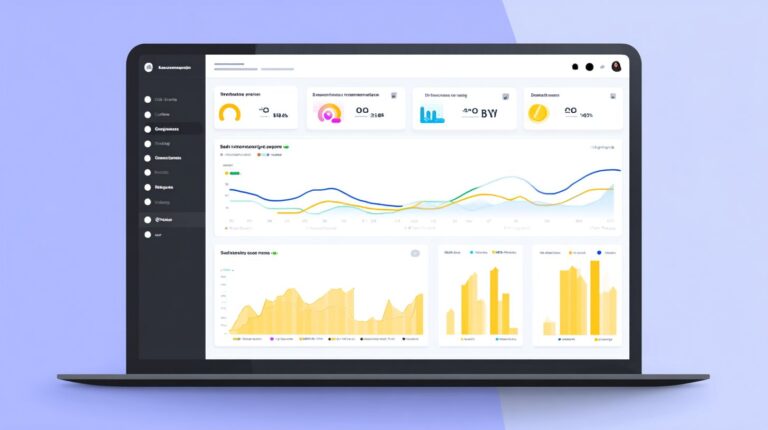
To streamline tracking, use this KPI dashboard table as your guide for key metrics in Facebook Messenger chatbots.
| Metric | Target | Tool | Action |
|---|---|---|---|
| Open Rate | 80% | Facebook Analytics | Refine copy |
| CTR | 25% | MobileMonkey | Improve CTAs |
| Conversion | 10% | Google Analytics UTM | Optimize funnel |
| Unsubscribes | <2% | Facebook Analytics | Optimize frequency |
Focus on segment audience data to spot trends, such as higher engagement rates from QR codes versus website widgets. Conduct A/B testing on chatbot templates to boost click-through rates, and use fallback responses analytics to improve natural language processing. This approach turns raw data into actionable marketing tactics, driving lead generation and sales funnel efficiency.
Setting Up Facebook Pixel and Google Analytics Integration
Integrating Facebook Pixel with Google Analytics unlocks detailed insights into your messenger chatbots performance across the marketing funnel. Start by installing the Pixel code on your Facebook page via the Events Manager, then add UTM parameters to all entry points like subscription messaging links. For example, tag a promo blaster campaign as utm_source=facebook&utm_medium=chatbot to track traffic from organic messages to conversions. In Google Analytics, set up goals for lead qualification events, such as users completing a conversation flow quiz. Use the Facebook Pixel Helper browser extension to verify firing on chatbot builder interactions, ensuring accurate remarketing audiences.
Next, create custom events in Facebook Analytics for chatbot-specific actions like unsubscribe option clicks or sponsored messages opens. Link these to Google Analytics via Google Tag Manager for cross-platform reporting on conversion rates from prospecting to customer care. Test with beta testers to confirm data flows correctly, aiming for 95% tracking accuracy. This setup reveals drop-offs in the consideration stage, allowing you to tweak customer support bots for better user engagement.
- Log into Facebook Events Manager and select your pixel.
- Paste the code into your chatbot builder platform’s header.
- Configure Google Analytics property with UTM tracking.
- Monitor real-time reports for chat blast performance.
- Export data weekly to compare against Marketing School podcast benchmarks like 40%+ CTRs.
With this integration, refine your chatbot strategy based on hard numbers, boosting open rates and reducing unsubscribes through data-driven marketing tactics.
Frequently Asked Questions
How to Build a Facebook Chatbot Marketing Funnel: What Are the Basic Steps?
To build a Facebook Chatbot Marketing Funnel, start by defining your goals like lead generation or sales. Next, choose a platform such as ManyChat or Chatfuel. Design conversation flows: a top-of-funnel (TOF) welcome message for awareness, middle-of-funnel (MOF) engagement with value content, and bottom-of-funnel (BOF) calls-to-action for conversions. Integrate with Facebook Messenger, test thoroughly, and analyze performance using built-in analytics.
How to Build a Facebook Chatbot Marketing Funnel: Which Tools Are Best for Beginners?
For beginners building a Facebook Chatbot Marketing Funnel, ManyChat is ideal due to its user-friendly drag-and-drop interface and Facebook integration. Alternatives include Chatfuel for advanced automations and MobileMonkey for CRM syncing. All support funnel stages from cold traffic capture to nurturing leads seamlessly.
How to Build a Facebook Chatbot Marketing Funnel: How Do You Capture Leads at the Top?
At the top of your Facebook Chatbot Marketing Funnel, use a compelling Messenger ad or page button to trigger the bot. Ask qualifying questions, offer a lead magnet like a free ebook, and collect emails/names via opt-in sequences. This builds your TOF audience effectively while complying with Facebook’s policies.
How to Build a Facebook Chatbot Marketing Funnel: What Makes the Middle Funnel Effective?
In the middle of a Facebook Chatbot Marketing Funnel, nurture leads with personalized content like quizzes, videos, or tips. Use conditional logic to segment users (e.g., based on interests) and send drip sequences. This builds trust and moves users toward purchase readiness.
How to Build a Facebook Chatbot Marketing Funnel: How to Drive Sales at the Bottom?
For the bottom of your Facebook Chatbot Marketing Funnel, deploy urgency tactics like limited-time offers or one-click checkouts via integrated payment tools. Retarget warm leads with personalized discounts and track conversions to optimize ROI.
How to Build a Facebook Chatbot Marketing Funnel: How Do You Measure and Optimize Success?
Measure your Facebook Chatbot Marketing Funnel with metrics like open rates, click-throughs, conversion rates, and ROI. Use platform dashboards for A/B testing flows, then refine based on drop-off points. Regular audits ensure your funnel scales profitably.