Seamlessly Escalating Chatbot Queries: Guide for Service
Ever had a customer service chatbot handle a simple query fine, but then stumble when things get tricky? This guide shows you how to set up seamless escalations so ai chatbots hand off complex issues to humans without missing a beat. You’ll get practical steps to keep conversations smooth and customers happy.
Key Takeaways:
- 1 Understanding Query Escalation
- 2 Designing Escalation Pathways
- 3 Implementing Seamless Transitions
- 4 Training Chatbots for Recognition
- 5 Human Agent Preparation Protocols
- 6 Measuring Escalation Success
- 7 Frequently Asked Questions
- 7.1 What is “Seamlessly Escalating Chatbot Queries: Guide for Service”?
- 7.2 Why is seamless escalation important in chatbot queries according to the “Seamlessly Escalating Chatbot Queries: Guide for Service”?
- 7.3 How do you identify when to escalate a chatbot query using the “Seamlessly Escalating Chatbot Queries: Guide for Service”?
- 7.4 What steps does the “Seamlessly Escalating Chatbot Queries: Guide for Service” recommend for a smooth handoff?
- 7.5 How can service teams train chatbots for better escalation per the “Seamlessly Escalating Chatbot Queries: Guide for Service”?
- 7.6 What metrics should be tracked for “Seamlessly Escalating Chatbot Queries: Guide for Service” implementation?
Understanding Query Escalation

Query escalation ensures ai chatbots hand off complex issues to live agents smoothly, enhancing overall customer experience. This process acts as a critical bridge between automation and human intervention in customer support. It prevents endless loops in conversations that frustrate users.
In modern support chatbots, escalation maintains the flow of the customer journey. Chatbots handle routine queries efficiently, while flagging issues beyond their scope. This balance supports key KPIs like containment rate and first contact resolution.
Effective escalation aligns with conversational ai best practices. It integrates with CRM systems and knowledge bases for seamless transitions. Teams can use warm transfers to preserve context during handoffs to call centers or live agents.
By setting clear boundaries, organizations reduce friction points in customer service. This approach fosters trust in automation while ensuring empathy for complex needs. It sets the foundation for triggers and benefits explored next.
Defining Escalation Triggers
Escalation triggers are specific conditions programmed into chatbots to recognize when a customer query exceeds automated capabilities. These rules guide genai models to detect patterns accurately. Prompt engineering plays a key role in refining this detection.
Common triggers include repeated failed intents, high-confidence negative sentiment via NLP, specific keywords, and extended query times. For instance, design prompts like “If the user repeats the same question after three attempts, prepare for escalation to a live agent.” This ensures precise identification in user experience flows.
- Repeated failed intents after multiple attempts signal confusion beyond automation limits.
- High-confidence negative sentiment detected via NLP prompts immediate handoff.
- Keywords like ‘urgent’ or ‘billing dispute’ trigger escalation for sensitive topics.
- Query duration exceeding set thresholds indicates looping conversations.
Tailor prompts for brand voice and integrations with tools like HubSpot or Salesforce. Test triggers in a pilot project to monitor metrics like AHT and FCR. This setup enhances fallback strategies while respecting data privacy under GDPR and CCPA.
Benefits for Customer Service
Effective escalation transforms potential frustration into positive outcomes by balancing chatbot efficiency with human empathy. It reduces friction points in the customer journey. Customers receive timely help without abandoning interactions.
Escalation boosts containment rates for simple queries while improving FCR for complex ones. In a relatable scenario, a frustrated billing issue resolves faster via escalation than endless loops. The chatbot gathers details, then warm transfers to a live agent with full context from the CRM.
This approach enhances CSAT and NPS through expert intervention. Agents focus on high-value tasks, lowering AHT overall. It supports ROI by optimizing customer support resources across call centers and digital channels.
Organizations gain from better QA and feedback loops post-escalation. Experts recommend monitoring these benefits in pilot projects with tools like Talkdesk. Ultimately, it strengthens CX by combining automation speed with personalized human touch.
Designing Escalation Pathways
Well-designed escalation pathways guide customers from chatbot interactions to human support without losing momentum or context. These pathways balance automation with manual oversight to enhance customer experience. They ensure smooth transitions that maintain trust and efficiency in customer service.
Focus on automation-manual balance by automating routine queries while reserving live agents for complex issues. This approach boosts containment rate and first contact resolution. Consistent channel consistency across web, app, and voice prevents friction points in the customer journey.
Prepare pathways with clear triggers like query sentiment or keyword detection. Integrate with CRM systems such as HubSpot or Salesforce for seamless data flow. Test fallback strategies to align with brand voice and data privacy standards like GDPR and CCPA ( How to Manage Human Handover in Messenger Bots offers practical implementation steps).
Experts recommend monitoring KPIs such as CSAT, NPS, AHT, and FCR during pilot projects. Gather feedback to refine prompts and personalization. This design improves ROI by reducing escalation volume while preserving user experience.
Automated vs Manual Handoffs
Choosing between automated and manual handoffs depends on query complexity and real-time agent availability. Automated options suit simple escalations, while manual ones excel in nuanced cases. A hybrid approach optimizes both speed and empathy in support chatbots.
| Criteria | Automated | Manual |
|---|---|---|
| Speed | Instant queue placement | Immediate if agent free |
| Context Transfer | Full chat history | Agent confirms details |
| Best For | Standard escalations | High-emotion cases |
Use auto handoffs for after-hours support to maintain 24/7 availability. Opt for manual warm transfers with VIPs, where agents greet customers by name using preserved transcripts. This preserves conversational AI context and boosts customer satisfaction.
Integrate with knowledge base and call centers for better QA. Track metrics like escalation rate to secure stakeholder buy-in. Hybrid models reduce AHT while ensuring genAI aligns with human oversight.
Multi-Channel Escalation Flows
Multi-channel flows maintain continuity whether customers start on web chat, mobile app, or voice. They unify the customer journey across platforms for a frictionless customer experience. Consistent escalation keeps interactions personalized and efficient.
Follow these steps for robust design:
- Establish a unified customer ID across channels by integrating with HubSpot or Salesforce.
- Track channel preference in your CRM to respect user habits.
- Enable seamless pivots, such as from chat to email or phone.
For example, a web chat escalates to Talkdesk voice with the full transcript preserved. This warm transfer includes prior chatbot history, reducing repeat explanations. It supports live agent efficiency and improves FCR.
Implement best practices like prompt engineering for channel detection and data privacy compliance. Monitor CX metrics to identify bottlenecks. These flows enhance containment rate and overall ROI in conversational AI deployments.
Implementing Seamless Transitions
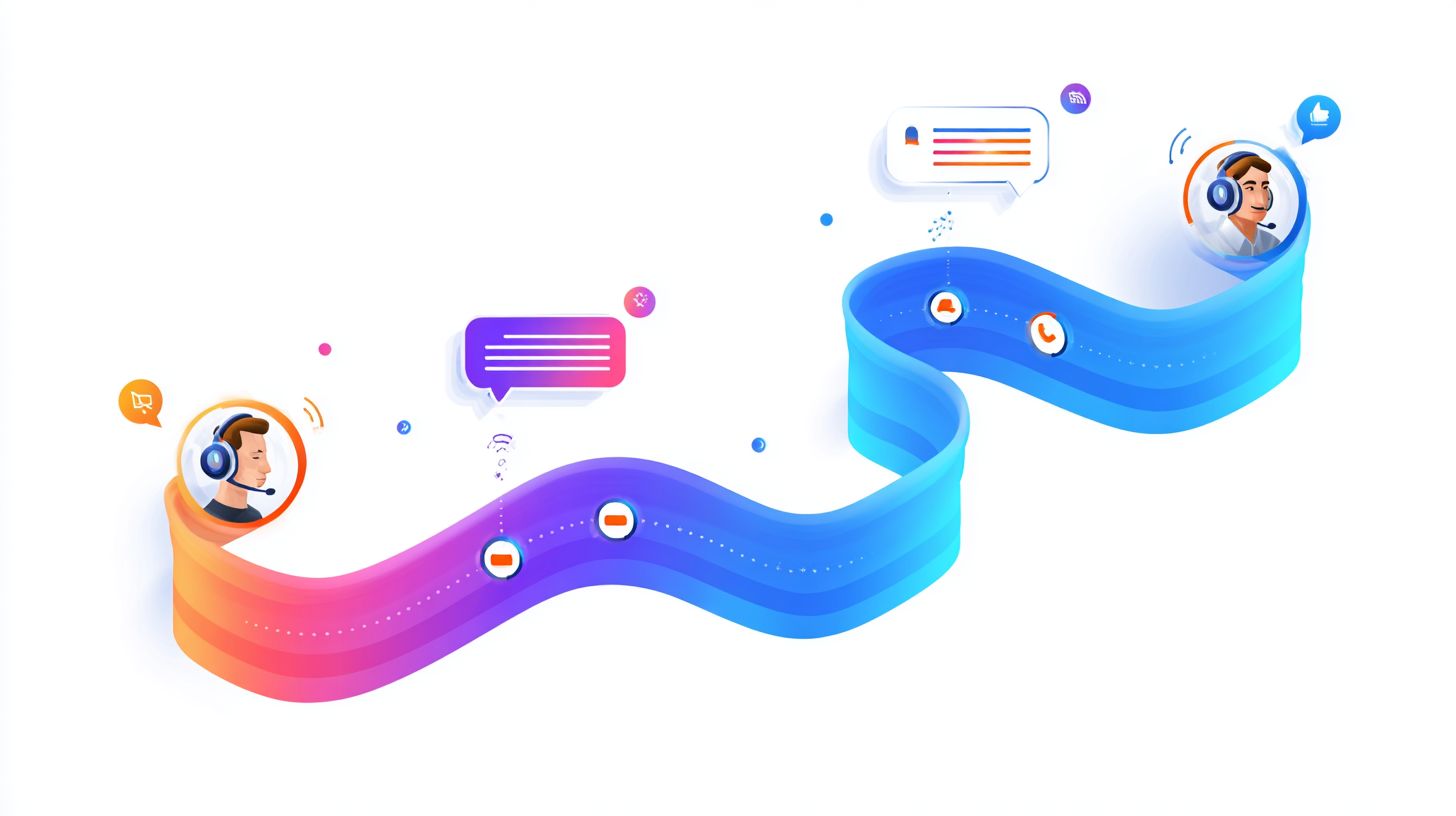
Seamless transitions make customers feel continuously supported rather than abruptly shifted between systems. Focus on technical integrations and clear communication to hide handoffs from the customer experience. This approach boosts csat and nps by minimizing friction in the customer journey.
Start with robust CRM integrations like Salesforce Service Cloud or HubSpot to pass data invisibly. Use GenAI prompts to summarize chats and prep live agents. Learn how to manage human handover in messenger bots for agents to pick up with warm transfers, maintaining brand voice and context.
Avoid common pitfalls like data silos between ai chatbots and call centers. Implement fallback strategies with real-time checks to ensure smooth escalations. Test in a pilot project to refine qa metrics such as aht and fcr.
Experts recommend prioritizing data privacy under GDPR and CCPA during handoffs. Combine automation with human touch for better containment rate and roi. This builds trust in your support chatbot ecosystem.
Context Preservation Techniques
Preserving full conversation context eliminates repetitive explanations and builds agent confidence. Store chat history directly in your CRM like Salesforce Service Cloud for instant access. This ensures live agents see the entire thread without delays.
Next, generate a one-click summary using GenAI to highlight key points. Include customer profile, past tickets, and brand voice notes in the handoff packet. For example, note if the user prefers concise responses or detailed steps.
- Store chat history in CRM such as Salesforce Service Cloud.
- Generate one-click summary via GenAI.
- Include customer profile, past tickets, brand voice notes.
- Always capture emotional tone to avoid incomplete sentiment data.
A common mistake is ignoring sentiment, so log tones like frustrated or urgent. This personalization improves first contact resolution and reduces escalation friction. Integrate with tools like Talkdesk for seamless conversational ai flow.
Real-Time Status Updates
Keeping customers informed during transitions prevents anxiety and maintains trust in your support system. Use messaging templates like “Connecting you to Sarah now, she’ll see our full chat.” This reassures users during escalation.
Implement WebSocket for live updates in platforms like Superchat. Send progress notifications such as “Agent assigned, one moment please.” Pro tip: Set 30-second check-ins for queued escalations to keep momentum.
- TemplateYour chat is being reviewed by our team lead.”
- TemplateTransferring to specialist with full context intact.”
- TemplateLive agent joining in 20 seconds, hold tight.”
These updates enhance user experience and cx KPIs like csat. Pair with knowledge base access for agents to resolve issues faster. Monitor feedback to refine automation and integrations for optimal customer support.
Training Chatbots for Recognition
Training customer support chatbots to recognize escalation moments requires targeted intent patterns and continuous refinement. These methods build on earlier triggers like repetitive queries or emotional cues. They help AI chatbots spot friction points in the customer journey before issues worsen.
Focus training on recognition skills using labeled datasets from past conversations. Incorporate keywords tied to complex topics, such as legal terms or billing disputes. This links directly to predefined triggers, improving containment rate and first contact resolution.
Refine models through iterative testing with real customer service interactions. Use feedback loops to update prompts and enhance detection accuracy. Regular QA sessions ensure chatbots align with brand voice and escalation best practices.
Integrate with CRM systems like Salesforce or HubSpot for context-aware recognition. This setup supports warm transfers to live agents, boosting CSAT and NPS scores. Experts recommend starting with a pilot project to measure KPIs like AHT and FCR.
Intent Detection Patterns
Sophisticated intent detection patterns enable chatbots to flag escalations before customers explicitly request them. These patterns analyze conversation flow in customer support scenarios. They connect to triggers like repetition or sentiment changes for timely handoffs.
Here are five key patterns with prompt examples to train your support chatbot:
- Loop detection: Flag when a user repeats the same question three times. Prompt example: “You’ve asked about refund status multiple times. Would you like to speak with a live agent?”
- Sentiment shift: Detect move from neutral to frustrated tone. Prompt example: “I sense this is frustrating. Let me connect you to a specialist.”
- Topic complexity: Identify legal or compliance keywords like “GDPR violation” or “CCPA rights”. Prompt example: “This involves compliance issues. Transferring you to our expert team.”
- Urgency indicators: Spot phrases signaling time pressure, such as “urgent” or “immediately”. Prompt example: “I understand the urgency. Escalating to a live agent now.”
- Personalization failure: Recognize when generic responses miss user context. Prompt example: “My standard answers aren’t helping. Let’s get a human to assist.”
Test these with a QA checklist: Simulate loops, check sentiment accuracy, verify keyword triggers, measure false positives, and review transfer smoothness. This ensures reliable escalation in tools like Talkdesk or conversational AI platforms.
Human Agent Preparation Protocols
Preparation protocols equip agents with everything needed for instant productivity during warm transfers. These steps ensure live agents can pick up where the support chatbot left off. This minimizes customer frustration and boosts key metrics like first contact resolution.
The four-step protocol starts with a 15-second preview pane. It displays a concise summary of the customer’s issue, chat history, and attempted solutions. Agents quickly grasp the context before engaging.
Next, pre-loaded knowledge base articles appear based on the query. This gives agents ready references tied to the customer’s journey. It supports seamless escalation from AI chatbots to human intervention.
A customer sentiment gauge rates the interaction’s tone, such as frustrated or neutral. Brand voice guidelines remind agents to align responses with company style. Together, these tools enhance the overall customer experience.
Step 1: 15-Second Preview Pane with Summary

The preview pane offers a snapshot of the chatbot conversation. It includes the core issue, like “billing dispute on recent order”, and steps the chatbot took. Agents review this in seconds to avoid repetition.
This feature integrates with CRM systems such as Salesforce or HubSpot. It pulls in relevant details from the customer journey. Quick access reduces average handle time and improves CSAT scores.
Step 2: Pre-Loaded Knowledge Base Articles
Agents receive targeted knowledge base links matching the query. For example, if the chatbot handled a password reset, related troubleshooting guides load automatically. This speeds up resolutions in call centers.
Customization ensures articles fit the brand voice. It bridges automation gaps during escalations. Experts recommend linking these to common friction points for better containment rates.
Step 3: Customer Sentiment Gauge
The sentiment gauge analyzes chat tone using conversational AI. It flags emotions like anger through keywords and patterns. Agents adjust their approach to de-escalate effectively.
This tool aids in personalization during warm transfers. It helps maintain positive user experience even after chatbot fallback. Monitoring sentiment ties into QA processes for ongoing improvements.
Step 4: Brand Voice Guidelines
Guidelines pop up to match the company’s tone, such as friendly or professional. They include prompts for consistent phrasing. This preserves customer support quality across channels.
A best practice is the agent acknowledgment script: “I see you’ve been working on [issue]-let’s resolve this together.” It builds rapport instantly. Use this in training for live agent handoffs to lift NPS and FCR.
Measuring Escalation Success
Success measurement tracks how well escalations improve customer satisfaction and operational efficiency. Teams use these insights to refine AI chatbots and support workflows. Clear tracking ensures escalations add value to the customer journey.
Focus on KPIs that capture both quality and speed after handoff to a live agent. For example, monitor how quickly issues resolve post-escalation in tools like Salesforce or HubSpot. This reveals friction points in the chatbot-to-agent transition.
Set up dashboards for real-time views of escalation performance. Integrate data from your CRM and knowledge base to spot patterns. Regular reviews help adjust prompts and fallback strategies for better containment.
Experts recommend combining CSAT and AHT metrics with qualitative feedback. This approach supports data privacy standards like GDPR and CCPA. It builds buy-in from stakeholders by showing ROI on chatbot investments.
Key Performance Metrics
Targeted KPIs reveal escalation effectiveness beyond basic volume tracking. These metrics guide improvements in customer support and conversational AI. They highlight where automation succeeds or needs human intervention.
Use a structured table to monitor progress across key areas. Track trends weekly to inform prompts and integrations. This keeps your support chatbot aligned with brand voice and user experience goals.
| Metric | Target Improvement | Why Track |
|---|---|---|
| Escalation CSAT | >90th percentile | Quality check on customer experience after handoff |
| AHT Post-Escalation | Reduced 20% | Efficiency gains in call centers and live agent time |
| Containment Rate | 80% pre-escalation | Automation health and reduced handoffs |
| FCR After Handoff | Primary goal | True resolution on first contact post-chatbot |
| ROI Calculation | (CSAT lift x customer value) – agent cost | Overall business impact of escalations |
Apply these in a pilot project to test warm transfers. For instance, compare FCR before and after using personalized escalations. Feedback loops with QA teams refine these metrics over time.
Integrate with platforms like Talkdesk for seamless tracking. This supports first contact resolution and NPS improvements. Regular audits ensure compliance and ongoing optimization.
Frequently Asked Questions
What is “Seamlessly Escalating Chatbot Queries: Guide for Service”?
The “Seamlessly Escalating Chatbot Queries: Guide for Service” is a comprehensive resource designed to help service teams handle chatbot interactions by providing strategies for smooth handoffs to human agents when queries exceed AI capabilities, ensuring customer satisfaction without disruptions.
Why is seamless escalation important in chatbot queries according to the “Seamlessly Escalating Chatbot Queries: Guide for Service”?
Seamless escalation in the “Seamlessly Escalating Chatbot Queries: Guide for Service” prevents customer frustration by maintaining conversation context, reducing resolution time, and preserving a positive user experience during transitions from bot to live support.
How do you identify when to escalate a chatbot query using the “Seamlessly Escalating Chatbot Queries: Guide for Service”?
The “Seamlessly Escalating Chatbot Queries: Guide for Service” outlines triggers like complex issues, emotional distress, or unresolved loops, recommending real-time monitoring and confidence scoring to detect escalation needs proactively.
What steps does the “Seamlessly Escalating Chatbot Queries: Guide for Service” recommend for a smooth handoff?
According to the “Seamlessly Escalating Chatbot Queries: Guide for Service”, key steps include summarizing the chat history, transferring full context data, notifying the agent instantly, and using polite messaging to reassure users during escalation.
How can service teams train chatbots for better escalation per the “Seamlessly Escalating Chatbot Queries: Guide for Service”?
The “Seamlessly Escalating Chatbot Queries: Guide for Service” advises training with escalation datasets, implementing fallback intents, and regular audits to refine recognition of handoff scenarios, improving overall query handling efficiency.
What metrics should be tracked for “Seamlessly Escalating Chatbot Queries: Guide for Service” implementation?
The “Seamlessly Escalating Chatbot Queries: Guide for Service” suggests monitoring escalation rate, handoff success rate, average resolution time post-escalation, and customer satisfaction scores (CSAT) to evaluate and optimize the escalation process.