Integrating Chatbots with Business Systems: Scalability
You’re scaling up chatbot integration with your enterprise systems, and handling growth without hiccups is key. This guide covers the essentials, from microservices and cloud deployments to load balancing and database sharding. You’ll see how to build a solid foundation that keeps everything running smoothly as traffic spikes.
Key Takeaways:
- 1 Understanding Scalability in Chatbot Integration
- 2 Architectural Foundations for Scale
- 3 Backend Infrastructure Scaling
- 4 Database Optimization for High Traffic
- 5 API Gateway and Traffic Management
- 6 Real-Time Processing at Scale
- 7 Monitoring and Auto-Scaling Mechanisms
- 8 Frequently Asked Questions
- 8.1 What are the key challenges in Integrating Chatbots with Business Systems: Scalability?
- 8.2 How can cloud services improve Integrating Chatbots with Business Systems: Scalability?
- 8.3 What role does microservices architecture play in Integrating Chatbots with Business Systems: Scalability?
- 8.4 How do you measure scalability when Integrating Chatbots with Business Systems?
- 8.5 What are best practices for load balancing in Integrating Chatbots with Business Systems: Scalability?
- 8.6 How does caching contribute to Integrating Chatbots with Business Systems: Scalability?
Understanding Scalability in Chatbot Integration
“` 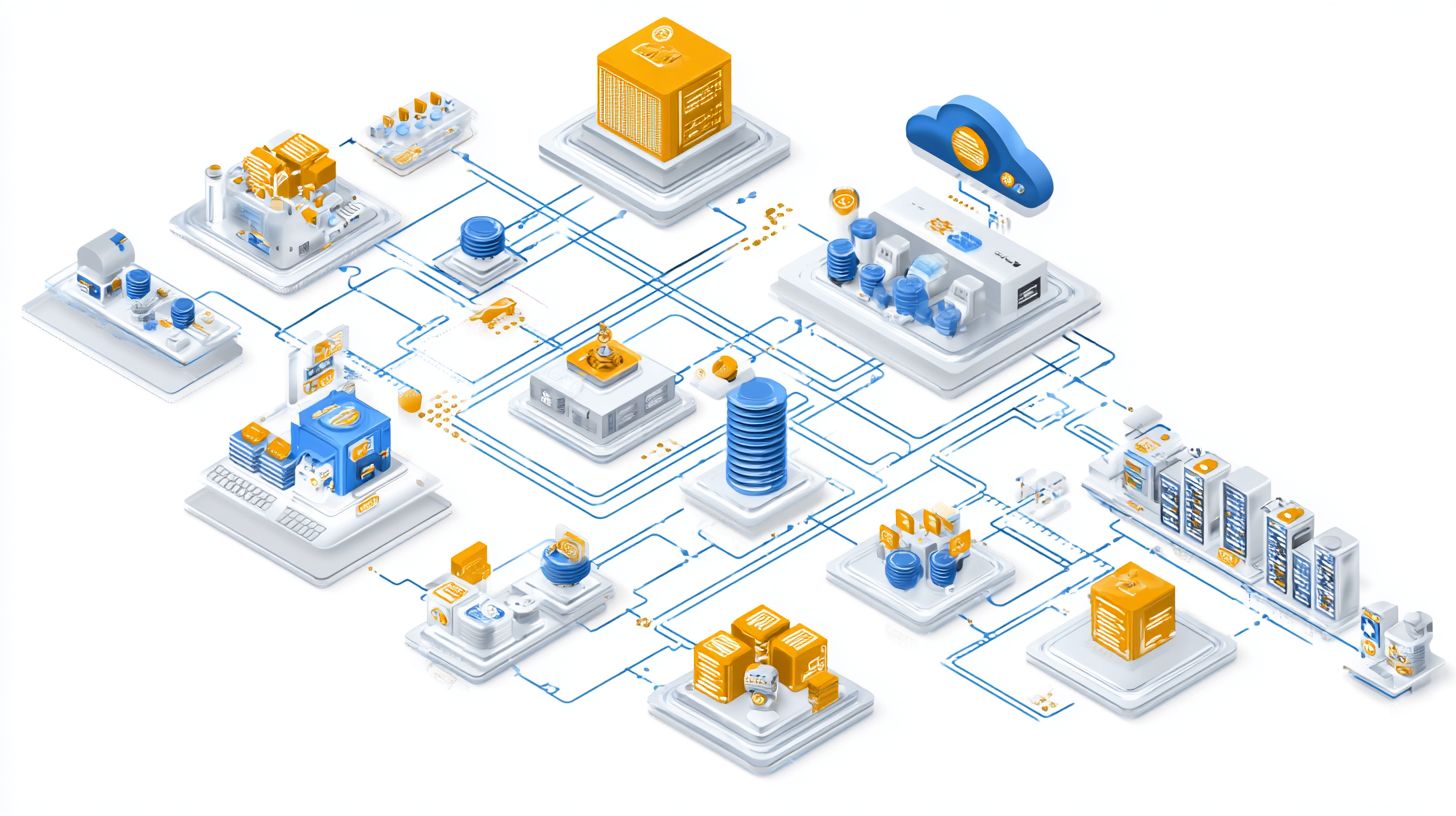
Scalability ensures chatbots handle growing enterprise demands without compromising performance, making it essential for seamless customer support and business workflows.
In enterprise integration, scalability means chatbots can manage increased loads from CRM, ERP, and other systems. For example, during peak times like Black Friday sales in retail, chatbots must process thousands of queries via APIs without delays. This keeps conversational AI reliable across omnichannel platforms.
Businesses rely on scalable chatbot deployment to support real-time interactions in banking or HR. Poor scalability leads to dropped conversations, hurting customer experience. Experts recommend designing for future growth with machine learning models that adapt to traffic spikes.
Key factors include hybrid architectures combining rule-based and AI-powered elements. Integration with NLP and NLU ensures intent recognition scales with data volume. Related callout: Real-Time Performance Monitoring for Chatbots help predict and handle surges in support workflows.
“`
Defining Scalability Metrics
Key scalability metrics for chatbots include concurrency limits, response latency, and throughput, directly impacting customer experience in high-demand scenarios.
Concurrency measures simultaneous conversations a chatbot supports, vital for enterprise systems like retail during sales events. Latency tracks response time, with goals under two seconds for natural dialogue flow. Throughput counts conversations per hour, ensuring efficiency in workflows.
Testing these with tools like Apache JMeter simulates real-world loads. Enterprises use it to stress-test integrations with CRM or ERP before deployment. This identifies bottlenecks in real-time data processing or ML inference.
| Metric | Low Scale | Medium Scale | High Scale |
|---|---|---|---|
| Concurrency | Few users | Dozens concurrent | Hundreds concurrent |
| Latency | Under 2s average | Consistent under 2s | Sub-second peaks |
| Throughput | Low volume/hour | Moderate volume/hour | High volume/hour |
These metrics guide chatbot optimization for personalization and handoff to agents. Focus on them ensures compliance and security in banking or IT use cases.
Architectural Foundations for Scale
A robust architecture forms the bedrock for scalable chatbot integration, enabling modular expansion across business systems like CRM and ERP. This setup allows enterprises to handle growing customer interactions without downtime. Flexible designs adapt to increasing demands in retail and banking environments.
In retail, chatbots work together with inventory systems for real-time stock checks and order processing. Modular foundations let teams update AI components independently, supporting peak shopping seasons. For a deeper look at implementing microservices for chatbots: modular design and scaling, explore how these foundations enable true enterprise scalability. This ensures smooth omnichannel experiences across web, mobile, and in-store channels.
Banking sectors benefit from secure connections to compliance-driven ERP platforms. Architects can scale conversational AI for high-concurrency queries like account balances or loan applications. Such foundations prioritize security and personalization while maintaining performance.
Experts recommend starting with hybrid architectures that combine rule-based logic with ML-driven responses. This approach supports seamless handoffs to human agents and integrates analytics for ongoing improvements. Long-term scalability emerges from these adaptable, enterprise-ready bases.
Microservices and Modular Design
Microservices break down monolithic chatbots into independent components like NLP engines and intent classifiers for easier scaling and maintenance. This design isolates failures and allows targeted updates. Enterprises gain flexibility in business systems integration.
Follow these steps to build modular foundations. First, identify core modules: NLP for language processing, dialogue management for conversation flow, and NLU for intent recognition. Then, containerize each with Docker for consistent deployment across environments.
- Define NLP module to handle multilingual inputs and context.
- Build dialogue management for stateful conversations and handoffs.
- Create NLU for accurate intent classification and entity extraction.
Next, orchestrate services using Kubernetes for auto-scaling and load balancing. Benefits include updating ML models independently without disrupting the entire chatbot. This supports high concurrency in customer support workflows.
Here is a basic microservice setup example using a simple Node.js server for an intent classifier:
const express = require('express'); const app = express(); app.use(express.json()); app.post('/classify-intent', (req, res) => { const { text } = req.body; // Simulate NLU processing const intent = processIntent(text); res.json({ intent }); }); app.listen(3000, () => console.log('Intent service on port 3000'));This snippet demonstrates a standalone service that integrates via APIs with CRM or ERP. Teams can deploy multiple replicas for performance gains and monitor via built-in tools. Modular designs future-proof AI-powered chatbots for enterprise scalability.
Backend Infrastructure Scaling
Backend infrastructure scaling powers enterprise chatbots to manage surging traffic, ensuring reliable conversational support across omnichannel platforms. Businesses integrate AI-powered systems with CRM and ERP for seamless workflows. This approach handles high concurrency in retail or banking scenarios.
Key techniques include containerization and orchestration to support machine learning inference for NLP tasks. Experts recommend monitoring real-time metrics like response latency during peak loads. Proper scaling maintains customer experience without downtime.
Hybrid deployments combine rule-based logic with AI for complex dialogues. Integrate knowledge bases and RAG systems to enhance intent recognition. Security features ensure compliance in HR or IT integrations.
Focus on autoscaling policies tied to CPU and memory usage. This setup supports multilingual chatbots and personalization at scale. Regular audits prevent bottlenecks in data flows.
Cloud-Native Deployments
Cloud-native deployments leverage Kubernetes on AWS, GCP, or Azure to auto-scale chatbot services based on real-time demand. Start by migrating to containers, a process that typically takes 1-2 weeks for most teams. This step isolates AI components like NLU models for efficient updates.
Next, set up Kubernetes clusters to orchestrate pods handling conversational workflows. Configure Horizontal Pod Autoscaler to add resources during traffic spikes, such as omnichannel support surges. A common mistake is under-provisioning CPU for ML inference, leading to slow response times.
Compare pricing between AWS EKS and GKE: EKS offers deep AWS integration for ERP handoffs, while GKE excels in managed operations for analytics pipelines. Test deployments with sample retail queries to verify performance. This ensures scalability for enterprise integration.
Monitor via built-in tools for dialogue context retention. Incorporate feedback loops to refine automation. These steps boost efficiency in banking or HR use cases.
Load Balancing Strategies
Effective load balancing distributes chatbot traffic evenly, preventing bottlenecks during peak enterprise usage like Black Friday rushes. Choose strategies based on API patterns in CRM or ERP integrations. Implement with AWS ALB or NGINX for reliable performance.
Compare key approaches: round-robin cycles requests simply, least connections favors lighter loads for ML-heavy tasks, and IP hash maintains session persistence for context-aware dialogues. Each suits different needs in omnichannel setups.
| Strategy | Best for | Drawbacks |
|---|---|---|
| Round-robin | Uniform traffic in retail chatbots | Ignores server load variations |
| Least connections | AI inference with variable compute | Overlooks response time |
| IP hash | Session-based personalization | Uneven distribution if clients cluster |
Steps for API traffic management: Define health checks for chatbot endpoints, route based on intent classification, and scale backends dynamically. This supports real-time analytics and security in banking workflows. Test under simulated concurrency to optimize customer experience.
Database Optimization for High Traffic

Optimized databases handle the massive data flows from enterprise chatbots integrated with CRM and ERP systems, maintaining real-time performance.
Conversational AI faces unique challenges like storing session data and preserving user context across interactions. High-traffic scenarios from omnichannel support amplify these issues, leading to bottlenecks in business systems. This approach has significant implications for smooth chatbot performance- our guide on using middleware layers in chatbot integration demonstrates the practical application.
Sharding and replication address these by distributing loads effectively. They ensure scalability for AI-powered chatbots handling concurrent dialogues in retail or banking. Experts recommend starting with workload analysis to identify hotspots.
Integrating with machine learning models for NLP and intent recognition demands low-latency queries. Optimized setups support handover to human agents without data loss. This boosts efficiency in HR or IT support scenarios.
Sharding and Replication
Sharding partitions chatbot conversation data across servers while replication ensures high availability for uninterrupted customer interactions.
Begin by choosing a sharding key like user_id to evenly distribute session data and context. This prevents overload on single nodes during peak traffic from conversational AI. Tools such as MongoDB Atlas simplify setup for enterprise integration.
- Select sharding key based on query patterns, such as user_id for personalized dialogues.
- Implement master-slave replication using PostgreSQL Citus for read-heavy workloads like analytics.
- Monitor performance with Prometheus to track latency and throughput in real-time.
Avoid the common pitfall of hot shards from poor key selection, which clusters popular users on one server. Test with simulated traffic from CRM handoffs to ensure even distribution. This maintains compliance and security in banking or retail deployments.
API Gateway and Traffic Management
API gateways like Kong or AWS API Gateway centralize traffic control for scalable chatbot integrations across Slack, WhatsApp, and Facebook Messenger. They manage high volumes of conversational AI requests from enterprise systems. This setup ensures performance and reliability for omnichannel support.
Key features include rate limiting, authentication, and caching. Rate limiting prevents overload during traffic spikes from customer queries. Authentication secures access to CRM data like Salesforce, while caching speeds up repeated NLP responses.
Configuration starts with deploying the gateway. For Kong, define plugins in a declarative YAML file for these features. Test with sample chatbot traffic to verify scalability.
Integrating with Salesforce CRM involves mapping API endpoints for real-time data pulls. This enables personalization in dialogues, such as pulling customer history during chats. Monitor logs to optimize concurrency and handoffs to human agents.
Key Features: Rate Limiting, Authentication, and Caching
Rate limiting caps requests per user or IP, protecting backend business systems from abuse. Set thresholds based on expected chatbot usage in retail or banking. This maintains efficiency during peak hours.
Authentication uses OAuth or API keys to validate chatbot calls to ERP or HR systems. Implement JWT tokens for secure real-time data exchange. Experts recommend multi-factor checks for compliance.
Caching stores frequent intent responses from the knowledge base, reducing latency. Configure TTL values for dynamic ML models. This boosts customer experience in multilingual setups.
Configuration Steps with Code Examples
Begin by installing the gateway, such as Kong via Docker. Create a service pointing to your chatbot backend. Add plugins for core features.
Here’s a sample Kong configuration in YAML:
services: - name: chatbot-service url: https://your-chatbot-api.com plugins: - name: rate-limiting config: minute: 100 policy: local - name: key-auth - name: response-ratelimiting config: minute: 1000Apply with kong config db_import config.yaml. For AWS API Gateway, use the console to set usage plans. Test with tools like Postman simulating omnichannel traffic.
Comparison of Popular API Gateways
| Gateway | Pricing Model | Key Features | Best For |
|---|---|---|---|
| Kong | Open-source core; enterprise subscriptions | Plugins for rate limiting, caching, auth; high customization | On-prem or hybrid deployments; scalability needs |
| AWS API Gateway | Pay-per-request; tiered | Serverless integration, Lambda auth, caching; monitoring | Cloud-native AI apps; analytics |
| Azure APIM | Consumption or standard tiers | Policies for transformation, security; ML integration | Enterprise CRM like Salesforce; compliance |
Choose based on your workflow needs, such as monitoring for feedback loops in dialogue management. Kong suits custom RAG setups, while AWS excels in serverless automation.
Salesforce CRM Integration Example
Expose Salesforce APIs through the gateway for chatbot access. Use OAuth 2.0 for secure queries on customer records. This powers context-aware responses.
Sample API call after gateway setup:
curl -X GET "https://gateway-url/salesforce/contacts/{id}" -H "Authorization: Bearer {token}"Handle responses in your NLU pipeline for personalization. Set caching for common lookups to enhance performance. Scale for high concurrency in support scenarios.
Real-Time Processing at Scale
Real-time processing powers instant chatbot responses using streaming pipelines for NLP and ML inference at enterprise scale. This setup ensures chatbots handle high volumes of customer queries without delays. Businesses integrate these pipelines with core systems like CRM and ERP for seamless data flow.
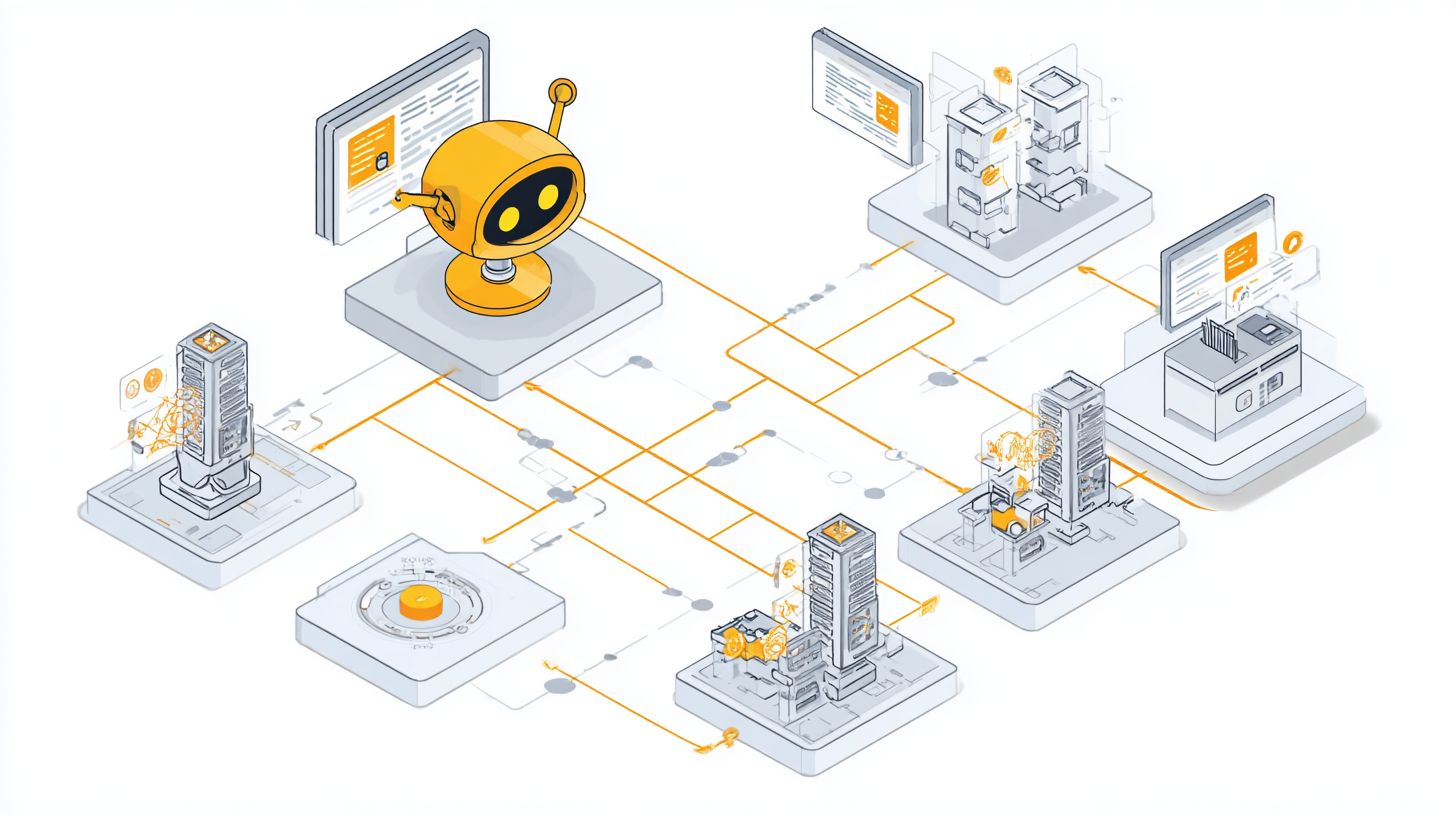
The architecture starts with Apache Kafka for event streaming, capturing user inputs as events. These events trigger ML inference engines that process natural language understanding in parallel. Results flow back via WebSocket responses for low-latency delivery to users.
Redis Pub/Sub complements Kafka by managing in-memory caching for session states. This supports 10k+ concurrent sessions through specific configs like partitioned topics in Kafka and sharded Redis clusters. Tune Kafka with increased partitions and replication factors to boost throughput.
For example, a retail chatbot streams product queries through Kafka, runs intent recognition via ML models, and pushes personalized recommendations over WebSockets. This scalability maintains performance during peak hours, enhancing customer experience across omnichannel support.
Architecture Diagram Description
The pipeline begins with Kafka for event streaming, where incoming chatbot messages from various channels queue as topics. Producers publish user intents, consumers fetch them for processing.
Next, events route to ML inference services, often containerized with tools like TensorFlow Serving for quick NLU predictions. Context from prior dialogues persists via Redis, enabling coherent conversations.
Finally, WebSocket responses deliver outputs to clients, supporting bidirectional communication for real-time handoffs to human agents. This flow integrates with business systems for actions like updating CRM records mid-conversation.
Visualize it as a linear diagram: Kafka topics on the left, branching to inference nodes in the center, converging to WebSocket gateways on the right. Add Redis layers underneath for state management, showing arrows for data movement.
Key Tools and Configurations
Apache Kafka excels in high-throughput event streaming for chatbot integrations. Configure with multiple brokers, set num.partitions=100 for topics handling concurrent sessions, and enable compression for efficiency.
Redis Pub/Sub handles pub-sub messaging and caching for session data. Use cluster mode with sentinel for high availability, setting maxmemory policies to evict least-used keys during spikes.
- Scale Kafka by adding brokers and using consumer groups for load balancing across ML pods.
- Monitor Redis with keyspace hits and latency metrics to adjust shard counts.
- Combine with auto-scaling groups in Kubernetes for dynamic resource allocation.
These configs support enterprise scalability, ensuring chatbots process multilingual queries and trigger workflows in ERP or HR systems without bottlenecks.
Monitoring and Auto-Scaling Mechanisms
Comprehensive monitoring with auto-scaling ensures chatbots maintain peak performance during unpredictable enterprise traffic spikes. This setup helps AI-powered chatbots handle high concurrency in business systems like CRM and ERP integrations. Teams can respond quickly to issues in conversational support workflows.
Start by deploying Prometheus and Grafana for real-time visibility into chatbot performance. Prometheus collects metrics from your chatbot deployment, while Grafana creates interactive dashboards. This combination tracks key indicators across omnichannel deployments.
Next, define auto-scaling policies based on CPU usage exceeding set thresholds. To optimize chatbot development speed through deployment and scalability, configure your cloud provider to add resources automatically during peaks in customer interactions. Pair this with alerts for latency over one second to catch slowdowns early.
Focus dashboards on essential metrics like conversations per minute, error rates, and queue depth. Integrate alerts with Slack for instant notifications to IT and support teams. This approach boosts scalability and ensures seamless handoff in high-volume scenarios such as retail or banking.
Setting Up Prometheus and Grafana
Deploy Prometheus as your monitoring agent to scrape metrics from chatbot services and integrated business systems. Install it alongside node exporters for host-level data on CPU and memory. This foundation supports real-time analytics for NLP and ML components.
Configure Grafana to visualize data from Prometheus, creating panels for dialogue flow and intent recognition accuracy. Add plugins for deeper insights into RAG and knowledge base queries. Customize dashboards for specific teams like HR or customer support.
Test the setup with simulated traffic spikes to verify metric collection. Ensure secure access with role-based permissions for compliance in enterprise environments. This step prepares your chatbot integration for production scalability.
Defining Auto-Scaling Policies
Create auto-scaling groups in your cloud platform, targeting CPU utilization as the primary trigger. Set policies to scale out when demand rises from concurrent user sessions in multilingual support. Include cool-down periods to avoid rapid fluctuations.
Incorporate memory and custom metrics like active conversations for finer control. Link scaling to business systems such as ERP workflows to match resource growth with data processing needs. Experts recommend testing policies under varied loads for reliability.
Monitor scaling events in Grafana to refine thresholds over time. This ensures performance during peak hours without over-provisioning costs. Hybrid setups with rule-based fallbacks benefit from these adaptive mechanisms.
Configuring Alerts and Dashboard Metrics
Set alerts for latency exceeding one second, high error rates, or growing queue depths using Prometheus rules. Route notifications to Slack channels for immediate team awareness. Include context like affected APIs for quick triage.
Build dashboards displaying conversations per minute, error rates, and queue depth as core panels. Add graphs for personalization metrics and NLU confidence scores. These visuals aid in spotting bottlenecks in omnichannel experiences.
Customize alerts for business-specific thresholds, such as handoff rates in support chats. Regular reviews of dashboard data drive improvements in automation and efficiency. This proactive monitoring enhances overall chatbot scalability.
Frequently Asked Questions
What are the key challenges in Integrating Chatbots with Business Systems: Scalability?
Key challenges in Integrating Chatbots with Business Systems: Scalability include handling sudden spikes in user traffic, ensuring low latency during peak hours, managing data throughput between chatbots and core business systems like CRM or ERP, and avoiding bottlenecks in API integrations. Solutions often involve cloud-based auto-scaling, efficient queuing systems, and optimized database queries to maintain performance.
How can cloud services improve Integrating Chatbots with Business Systems: Scalability?
Cloud services enhance Integrating Chatbots with Business Systems: Scalability by providing elastic resources that automatically scale compute power, storage, and bandwidth based on demand. Platforms like AWS Lambda or Google Cloud Functions allow serverless deployments where chatbots handle thousands of concurrent sessions without manual intervention, seamlessly connecting to business systems via robust APIs.
What role does microservices architecture play in Integrating Chatbots with Business Systems: Scalability?
Microservices architecture is crucial for Integrating Chatbots with Business Systems: Scalability as it breaks down the chatbot and business system integrations into independent, deployable services. This enables horizontal scaling of specific components, such as conversation handlers or data processors, ensuring the entire system remains responsive even under high load without affecting unrelated parts.
How do you measure scalability when Integrating Chatbots with Business Systems?
To measure scalability in Integrating Chatbots with Business Systems, track metrics like response time under increasing concurrent users, throughput (queries per second), error rates during load tests, and resource utilization (CPU, memory). Tools such as Apache JMeter or Locust simulate traffic to validate if integrations maintain 99.9% uptime and sub-second responses at scale.
What are best practices for load balancing in Integrating Chatbots with Business Systems: Scalability?
Best practices for load balancing in Integrating Chatbots with Business Systems: Scalability include using intelligent routers like NGINX or AWS Elastic Load Balancer to distribute traffic evenly across chatbot instances and business system endpoints. Implement health checks, session persistence, and predictive auto-scaling to prevent overloads and ensure seamless failover during traffic surges.
How does caching contribute to Integrating Chatbots with Business Systems: Scalability?
Caching significantly boosts Integrating Chatbots with Business Systems: Scalability by storing frequently accessed data from business systems, such as product catalogs or user profiles, in high-speed layers like Redis. This reduces repeated API calls, lowers latency, and decreases load on backend systems, allowing chatbots to serve more users efficiently without compromising data freshness.