Chatbot Analytics: Tools and Business Applications
Running a chatbot and wondering how well it’s actually performing for your business? This guide breaks down chatbot analytics tools and key metrics to track engagement, retention, and more. You’ll see practical ways to apply these insights for customer support and lead generation.
Key Takeaways:
- 1 Essential Analytics Tools
- 2 Core Metrics for Performance
- 3 Business Applications
- 4 Advanced Analytics Techniques
- 5 ROI Measurement and Reporting
- 6 Frequently Asked Questions
- 6.1 What are Chatbot Analytics: Tools and Business Applications?
- 6.2 Why are Chatbot Analytics tools essential for businesses?
- 6.3 What key metrics should be tracked in Chatbot Analytics?
- 6.4 Which popular tools are used for Chatbot Analytics?
- 6.5 How do businesses apply Chatbot Analytics for growth?
- 6.6 What are the benefits of integrating AI in Chatbot Analytics tools?
Key Metrics and KPIs
Tracking the right metrics and KPIs provides a clear picture of your chatbot’s effectiveness across conversations and user interactions. These indicators help businesses measure bot performance in customer support and identify areas for improvement. Essential metrics reveal how well AI chatbots handle queries and drive user satisfaction.
Containment rate shows the percentage of conversations resolved without human agent involvement. A high rate, such as when a bot fixes billing issues independently, signals strong conversational AI capabilities. Low values often indicate gaps in natural language processing or knowledge base coverage.
CSAT score gauges customer satisfaction through post-chat surveys. For example, users rating a support bot highly after quick resolutions reflect positive user experiences. Low scores highlight needs for better response quality or empathy in interactions.
Response time measures how quickly the chatbot replies to user messages. Short times keep engagement high, like instant answers to common FAQs. Longer delays can frustrate users and increase drop-off rates.
Average chat duration tracks the length of typical sessions. Brief durations suggest efficient resolutions, such as guiding a user to reset a password in under two minutes. Extended times may point to complex queries needing escalation.
| Metric | Ideal Range | Actionable Interpretation |
|---|---|---|
| Containment Rate | High (most conversations self-resolved) | Boosts ROI by reducing agent workload; low means expand NLP training. |
| CSAT Score | High (positive user feedback) | Indicates satisfied customers; improve scripts if scores dip. |
| Response Time | Low (seconds, not minutes) | Enhances engagement; optimize platform for faster processing. |
| Average Chat Duration | Moderate (efficient without rushing) | Balances speed and thoroughness; analyze long sessions for patterns. |
Monitor these chatbot analytics via dashboards in tools like performance analytics platforms. Regular review turns data into insights for refining customer support strategies. Businesses using these KPIs often see improved contact center efficiency and higher user retention.
Essential Analytics Tools
Selecting the right analytics tools ensures comprehensive monitoring of your chatbot’s performance and customer interactions. These tools range from built-in dashboards in popular platforms to advanced third-party solutions. They provide essential metrics like response time, containment rate, and user engagement.
Built-in options offer quick setup for basic chatbot analytics, while third-party tools deliver deeper performance analytics and NLP insights. Seamless integration with platforms like Facebook Messenger and Google Assistant creates holistic views of conversations. This spectrum helps businesses track customer satisfaction and optimize conversational AI.
Choose tools based on your needs, such as real-time data for support teams or ROI calculators for executives. For example, connect with contact center systems to measure chat duration and repeat users. These solutions turn raw interaction data into actionable insights for better bot performance.
Related insight: Chatbot Analytics: Definition, Tools, and Optimization
Experts recommend starting with native dashboards for simplicity, then scaling to advanced tools as your chatbot use cases grow. This approach balances cost and depth in customer support.
Built-in Platform Dashboards
Most chatbot platforms offer native dashboards that deliver immediate insights into basic performance metrics. These tools track key KPIs like conversation flow, user engagement, and CSAT scores. They suit small teams monitoring daily interactions without extra costs.
Compare features across popular platforms in the table below. Each dashboard visualizes bot performance differently, from real-time alerts to flow diagrams.
| Platform | Key Features | Pricing Tiers | Limitations |
|---|---|---|---|
| Botpress | Real-time monitoring, conversation flow visualization, custom KPIs | Free tier; Pro from $495/month | Limited advanced NLP; basic export options |
| Manychat | Live chat analytics, engagement tracking, A/B testing | Free; Pro at $15/month | Messenger-focused; no deep ROI calculator |
| ProProfs Chat | Response time metrics, agent handoff data, satisfaction surveys | Starts at $19.99/agent/month | Fewer visualization tools; setup complexity |
| Botsify | Flow analytics, user segmentation, containment rate | Free; Paid from $49/month | Basic reporting; scalability issues for high volume |
To access analytics in Manychat, follow these steps: Log into your account and select your bot. Click the Analytics tab on the dashboard. Filter by date range or metrics like flow initiated to review data. Export reports for team sharing.
Third-Party Integration Tools
Third-party analytics tools unlock deeper insights through advanced integrations and specialized features. They excel in tracking complex metrics like NLP performance and conversational AI effectiveness. Businesses use them to enhance customer experiences across platforms.
Review this comparison table for top options. Focus on integration ease with Facebook Messenger and metrics suited to contact centers.
| Tool | Metrics Tracked | NLP Capabilities | Integration Ease | Starting Prices |
|---|---|---|---|---|
| BotMetrics | Engagement, conversion rates, repeat users | Basic intent analysis | Easy with Messenger; webhook setup | $29/month |
| Dashbot | Chat duration, CSAT, containment rate | Advanced sentiment, NLU tracking | Seamless API for Messenger/Assistant | $49/month |
| QBox | User paths, drop-off points, ROI metrics | Custom NLP dashboards | Moderate; requires coding | $99/month |
| Calabrio One | Omnichannel analytics, agent-bot handoffs | Full NLP and voice support | Enterprise-level; IT team needed | Custom pricing |
Integrate Dashbot in five steps: Generate your API key from the Dashbot dashboard. Copy the webhook URL provided. In your chatbot platform, navigate to integrations and paste the URL. Test with sample conversations to verify data flow. Monitor for pitfalls like API key mismatches, which cause sync failures; double-check credentials and permissions.
Core Metrics for Performance
Core performance metrics reveal how effectively your chatbot engages users and resolves queries. These chatbot analytics provide insights into bot performance, helping businesses optimize customer support and boost conversational AI efficiency. By tracking key indicators, teams can identify gaps in user interactions and improve ROI through data-driven adjustments.
Focus on metrics that measure both immediate responses and long-term value. For instance, containment rate shows how often the bot handles queries without escalating to agents. This context sets the stage for deeper dives into engagement and retention, where patterns in conversations guide refinements.
Regular monitoring via analytics tools or platforms like Calabrio ensures chatbots deliver consistent customer experiences. Curious about chatbot analytics: definition, tools, and optimization? Optimization relies on these KPIs to reduce response time and enhance satisfaction.
Transitioning to specifics, engagement-focused details highlight user behavior, enabling tweaks for better containment and cost savings in contact centers.
Engagement and Retention
Engagement metrics show how users interact with your chatbot and whether they return for more conversations. Key ones include user engagement rate, repeat users, average chat duration, and flow initiated. These reveal the depth of user engagement in AI chatbots.
Calculate user engagement rate as active messages per session divided by total sessions. Repeat users come from returning visitor ratio, or unique returning users divided by total unique users. Average chat duration is total session time divided by sessions, with experts recommending 5-10 minutes for healthy interactions in customer support.
Track flow initiated by counting unique conversation paths started per user. To optimize, integrate NLP for personalized responses like tailoring suggestions based on past queries. This boosts retention and CSAT scores in conversational AI.
| Low Engagement Scenario | Possible Cause | Troubleshooting Tip |
|---|---|---|
| Short chat duration | Irrelevant responses | Refine NLP training data with real user interactions |
| Low repeat users | Lack of follow-up prompts | Add proactive flow initiated options like reminders |
| Poor engagement rate | Complex navigation | Simplify bots with advanced analytics for intuitive paths |
| Few flows initiated | Unclear entry points | Test dashboard visuals and A/B testing for better hooks |
Business Applications
Chatbot analytics drive tangible business value across key applications like support and sales. Businesses use these tools to track conversations and refine ai chatbots for better outcomes. This leads to data-driven decisions that cut costs and improve user experiences.
In customer support, analytics spotlight containment rates and satisfaction scores. Teams spot trends in interactions to handle more queries without agents. The result is higher efficiency in contact centers.
For lead generation, insights reveal engagement signals from user paths. Companies segment conversations to prioritize qualified leads. This boosts conversion through targeted conversational flows.
Overall, chatbot analytics tools connect with platforms like Calabrio for real-time performance monitoring. They turn raw data into actionable kpis that enhance roi across departments.
Customer Support Optimization
Analytics help contact centers optimize chatbots to handle more queries independently and boost satisfaction. Key metrics include containment rate, which tracks queries resolved without agent handover, and csat score for user feedback. These guide refinements in natural language processing.
Follow this 7-step optimization process to improve bot performance. First, analyze fallback rates where the bot fails to understand intents. Then refine intents based on common gaps in conversations.
- Review dashboard analytics for high fallback patterns.
- Refine nlp models with new training data from interactions.
- A/B test response variations for better engagement.
- Monitor response time and escalation frequency.
- Adjust flows to reduce handovers.
- Track csat score post-changes.
- Scale successful tweaks across the platform.
Calabrio offers a strong use case by integrating chatbot analytics with contact center tools. It helps agents focus on complex issues while bots manage routine ones. Common mistakes include ignoring escalation patterns, which leads to repeated handovers and frustrated users.
Lead Generation Insights
Chatbot analytics uncover patterns in user conversations that reveal high-potential leads. Track qualified leads from interactions, conversion paths in flows, and engagement signals like repeat visits. This data fuels smarter sales strategies.
Segment users by behavior with this step-by-step guide. Start by identifying repeat users who initiate sales flows multiple times. Group them by metrics such as chat duration and specific intents triggered.
- Analyze conversation logs for flow initiated patterns.
- Tag users with high engagement, like those asking about pricing.
- Score leads based on interaction depth.
- Route top segments to sales teams.
Compare manual vs. analytics-driven lead scoring to see the edge of data tools.
| Criteria | Manual Scoring | Analytics-Driven Scoring |
|---|---|---|
| Chat duration | Guessed from notes | Measured precisely from logs |
| Specific intents triggered | Overlooked in volume | Tracked via advanced analytics |
| Repeat users | Hard to identify | Flagged automatically |
| Conversion path | Assumed from memory | Mapped from full interactions |
Analytics-driven methods spot conversational ai trends faster, turning chats into revenue opportunities without guesswork.
Advanced Analytics Techniques
Advanced techniques like NLP analysis and predictive modeling elevate chatbot performance to new levels. These methods help businesses uncover deep insights from conversations and interactions. They improve customer satisfaction and containment rate in AI chatbots.
Sentiment analysis via NLP detects user emotions in real time. It identifies frustration or delight during customer support chats. This allows teams to refine conversational AI flows for better user engagement.
Tools like Dialogflow or custom NLP platforms make implementation straightforward, as detailed in our analysis of advanced NLP in chatbots: techniques and challenges. Businesses can track CSAT scores and response time tied to sentiment trends. Regular monitoring boosts ROI through optimized bot performance.
Other techniques include conversation flow testing and anomaly detection. These ensure smooth user experiences and spot unusual patterns in chat duration or flow initiated rates. Together, they drive data-driven decisions in contact centers.
Sentiment Analysis via NLP
Sentiment analysis uses natural language processing to gauge user feelings in chatbot interactions. It classifies responses as positive, negative, or neutral. This technique enhances customer experiences by highlighting pain points early.
Follow these steps to implement it:
- Integrate NLP via tools like Dialogflow or Google Cloud Natural Language.
- Set sentiment thresholds, such as flagging scores below neutral for review.
- Analyze conversations in your analytics dashboard to tag emotional shifts.
- Route negative sentiment chats to live agents for escalation.
- Review weekly reports to tweak bot responses based on trends.
For example, if users express “This is confusing” often, adjust the conversational flow. Experts recommend combining this with CSAT score tracking for full performance analytics.
Conversation Flow Testing
Conversation flow testing validates how users navigate chatbot paths. Tools like UserTesting simulate real user interactions to reveal drop-offs. This improves engagement metrics and repeat users.
Implement with these numbered steps:
- Map out key conversation flows in your chatbot platform.
- Recruit testers via UserTesting to run through scenarios.
- Record sessions and measure completion rates for each path.
- Identify friction points, like long chat durations.
- Iterate designs and retest until user satisfaction rises.
Businesses use this for support bots, ensuring quick resolutions. It ties directly to KPIs like containment rate and cost savings.
Anomaly Detection in Data
Anomaly detection spots unusual patterns in chatbot analytics, like sudden spikes in failed interactions. It prevents issues from affecting customer support quality. Platforms flag outliers in metrics automatically.
Key implementation steps include:
- Feed data from conversations into tools like Calabrio or custom ML models.
- Define normal baselines for response time and engagement.
- Set alerts for deviations, such as high chat abandonment.
- Investigate causes, like API failures or confusing prompts.
- Apply fixes and monitor for recurrence in the dashboard.
This technique protects ROI by maintaining steady bot performance. For instance, detect a surge in “I need a human” requests to refine AI capabilities.
Tools Comparison for Advanced Features
| Tool | Sentiment Analysis | Flow Testing | Anomaly Detection | Best For |
|---|---|---|---|---|
| Dialogflow | Strong NLP integration | Basic simulation | Custom alerts | Conversational AI builders |
| Calabrio | Real-time sentiment | Session replays | AI-powered detection | Contact center analytics |
| UserTesting | Limited | Advanced user testing | Behavior anomalies | UX optimization |
| Google Analytics 360 | Via integrations | Event tracking | Threshold-based | Enterprise-scale data |
Choose tools based on your chatbot analytics needs. Calabrio excels in contact center use cases with robust metrics.
Best Practices for A/B Testing Conversation Paths
A/B testing compares conversation paths to find top performers. Test variations in prompts or flows to lift containment rate. Track KPIs like user engagement and satisfaction.
- Define clear hypotheses, such as “Shorter greetings boost completion”.
- Segment users evenly across variants.
- Run tests for sufficient interactions, at least one week.
- Measure primary metrics like conversion or CSAT score.
- Implement winners and test iteratively.
Combine with advanced analytics for deeper insights. This approach maximizes ROI calculator outcomes in business applications.
ROI Measurement and Reporting
Measuring ROI from chatbots requires connecting performance metrics to business outcomes like cost savings and satisfaction gains. Businesses track how chatbot analytics reduce support expenses while improving customer experiences. This approach ties data from conversations to clear financial impacts.
Start with a step-by-step ROI calculator methodology to quantify value. First, calculate cost per conversation by dividing total chatbot operating costs by the number of interactions handled. This baseline helps compare automated and human-led support.
Next, multiply the cost per conversation by the containment rate, which measures the percentage of queries resolved without agent transfer. Then, compare this figure to average agent costs per interaction, such as hourly wages plus overhead. The difference reveals net savings from conversational AI.
For practical implementation, create a customizable Excel template with input fields for costs, volumes, and rates. Add formulas to automate calculations and scenario testing, like varying containment rates. Pair this with dashboard reporting best practices using tools like Calabrio One for real-time KPI visualizations.
Step-by-Step ROI Calculator Methodology
Begin by gathering data on chatbot performance, including total costs for platform fees, development, and maintenance. Divide these by the volume of conversations to get cost per conversation. Use monthly subscription fees plus NLP processing costs as examples for accuracy.
Apply the containment rate from analytics tools, which tracks fully resolved interactions. Multiply this by the cost per conversation to find savings from self-service. Experts recommend reviewing logs for precise containment definitions, excluding escalations.
- Calculate agent costs: Average salary per hour times interaction time plus benefits.
- Subtract bot costs (after containment adjustment) from agent costs.
- Scale by total query volume for annual ROI projection.
- Factor in indirect gains like customer satisfaction via CSAT scores.
This method provides actionable insights for contact center leaders. Test variations to model improvements in response time or user engagement.
Customizable Excel Template Description
Build your ROI calculator in Excel with tabs for inputs, calculations, and outputs. Include cells for chatbot costs, containment rate, agent benchmarks, and query volumes. Use data validation to ensure realistic ranges.
Formulas like =TotalCost / Conversations * (1 – ContainmentRate) adjust for escalations. Add charts for visual KPI dashboards showing savings projections. This template supports what-if analysis for testing bot performance tweaks.
Share it across teams for consistent chatbot analytics. Update monthly with fresh metrics like chat duration or repeat users. It enables businesses to justify AI chatbots investments.
Dashboard Reporting Best Practices
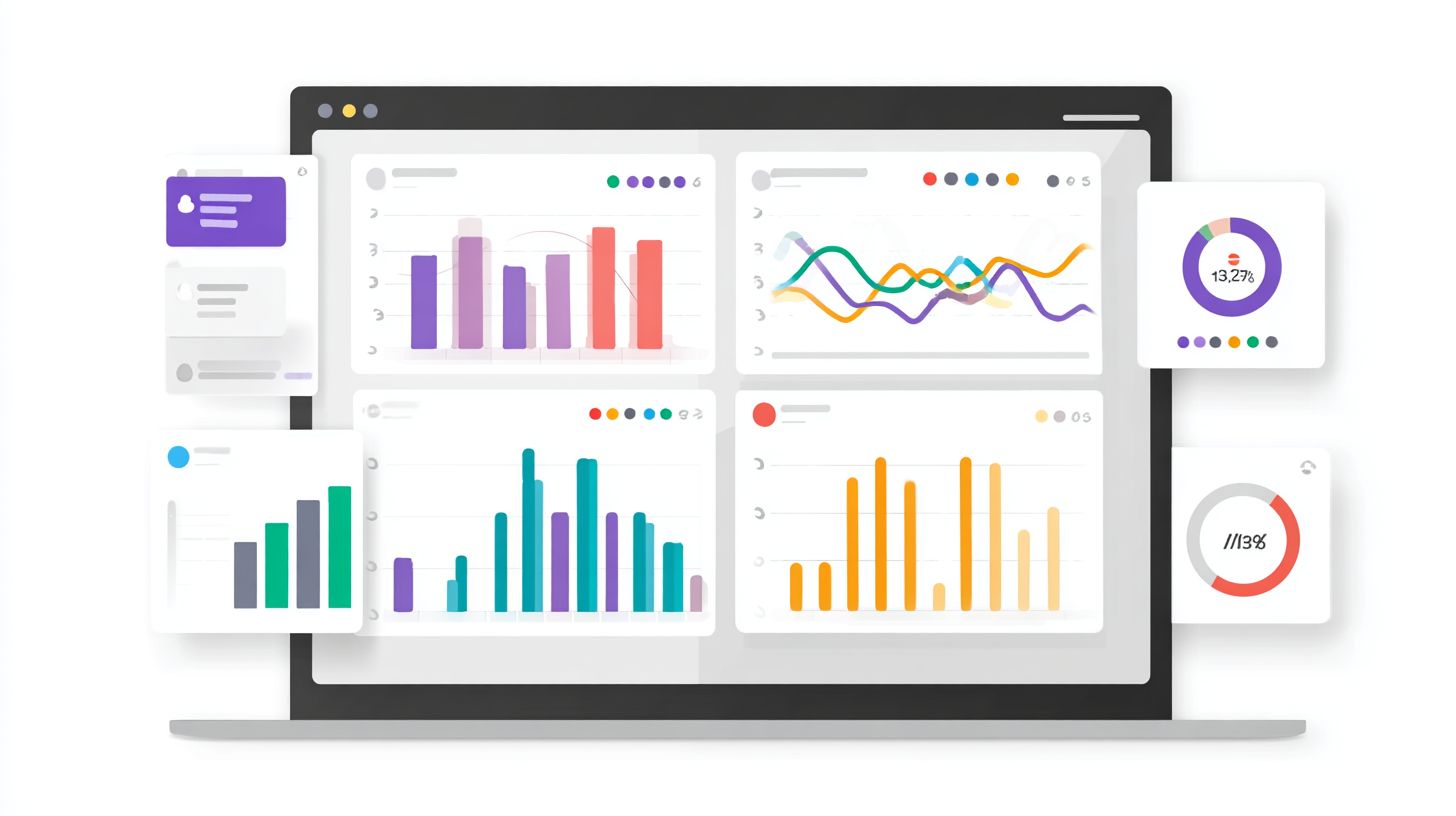
Use platforms like Calabrio One for dashboard reporting that highlights ROI metrics. Focus on key visuals like cost savings trends and containment rate gauges. Customize views for customer support managers with drill-downs into interactions.
- Prioritize real-time data for performance analytics.
- Include CSAT scores, flow initiated rates, and engagement metrics.
- Segment by user types or channels for deeper insights.
Set alerts for drops in containment or rising costs. Integrate with analytics tools for holistic contact center views. This keeps stakeholders informed on conversational AI value.
Executive Reporting and Common Challenges
Craft executive reporting with visual KPI dashboards emphasizing net ROI and satisfaction lifts. Use simple charts for cost comparisons and revenue impacts from faster resolutions. Tailor to show alignment with business goals.
Address challenges like attributing revenue by linking chatbot handoffs to sales outcomes. Track repeat users and engagement as proxies for lifetime value. Research suggests combining advanced analytics with CRM data for accuracy.
Overcome data silos by standardizing metrics across platforms. Regularly audit for NLP accuracy affecting containment. These steps ensure credible chatbot analytics for leadership buy-in.
Frequently Asked Questions
What are Chatbot Analytics: Tools and Business Applications?
Chatbot Analytics: Tools and Business Applications refer to the suite of software and methodologies used to measure, analyze, and optimize chatbot performance. These tools track metrics like user engagement, conversation success rates, and drop-off points, enabling businesses to refine chatbots for better customer service, sales, and operational efficiency.
Why are Chatbot Analytics tools essential for businesses?
Chatbot Analytics: Tools and Business Applications are crucial because they provide actionable insights into user interactions, helping businesses identify pain points, improve response accuracy, and increase conversion rates. By leveraging these tools, companies can scale customer support, reduce costs, and enhance personalization across industries like e-commerce and finance.
What key metrics should be tracked in Chatbot Analytics?
In Chatbot Analytics: Tools and Business Applications, essential metrics include conversation completion rate, average response time, user satisfaction scores (CSAT), fallback rates, and goal attainment. These indicators help businesses evaluate chatbot effectiveness and align it with strategic objectives like lead generation or issue resolution.
Which popular tools are used for Chatbot Analytics?
Popular Chatbot Analytics: Tools and Business Applications include platforms like Google Analytics for traffic insights, Dashbot for conversation analytics, Botanalytics for user behavior tracking, and Chatbase for performance dashboards. These tools integrate with major chatbot builders like Dialogflow, Microsoft Bot Framework, and IBM Watson.
How do businesses apply Chatbot Analytics for growth?
Businesses apply Chatbot Analytics: Tools and Business Applications by analyzing data to A/B test conversation flows, personalize user experiences, and predict trends. For instance, retail uses it to optimize product recommendations, while support teams reduce ticket volumes, driving revenue growth and customer loyalty.
What are the benefits of integrating AI in Chatbot Analytics tools?
Integrating AI into Chatbot Analytics: Tools and Business Applications enables advanced features like sentiment analysis, natural language understanding, and predictive modeling. This empowers businesses to automate insights, forecast user needs, and continuously improve chatbot ROI through real-time optimizations and scalable deployments.