Embedding Messenger Buttons: Methods and Engagement Opportunities
Boost your site’s interactivity by embedding messenger buttons that spark instant conversations. From Facebook’s versatile chat widget to seamless integrations with WhatsApp, Telegram, and Viber, discover methods like url button and postback button setups for proactive engagement. This guide reveals proven strategies to skyrocket user interaction and conversions.
Key Takeaways:
- 1 Understanding Messenger Buttons
- 2 Benefits of Embedding Messenger Buttons
- 3 Technical Implementation Methods
- 4 Strategic Placement Opportunities
- 5 Best Practices for Maximum Engagement
- 6 Measuring Success and Analytics
- 7 Frequently Asked Questions
- 7.1 What is ‘Embedding Messenger Buttons: Methods and Engagement Opportunities’?
- 7.2 What are the primary methods for Embedding Messenger Buttons?
- 7.3 How do Messenger buttons enhance engagement opportunities?
- 7.4 What tools are needed to start Embedding Messenger Buttons?
- 7.5 Are there best practices for maximizing engagement with embedded Messenger buttons?
- 7.6 What are common challenges in Embedding Messenger Buttons and how to overcome them?
Understanding Messenger Buttons
Messenger buttons enable direct messaging from websites across platforms like Facebook Messenger, WhatsApp, and Telegram, powering 70% higher engagement rates per HubSpot’s 2023 messaging benchmarks. These clickable UI elements, such as url buttons, postback buttons, and phone number options, initiate conversations instantly when users interact with them on websites or apps. Businesses integrate them to bridge the gap between browsing and direct communication, fostering proactive engagement without requiring users to search for contact details.
The primary appeal lies in their ability to boost customer support efficiency and drive chatbot marketing efforts. Related callout: How to Use Messenger Bots? 10 Strategies for Enhanced Customer Interaction can show you practical ways to maximize these benefits. For instance, a simple sticky button on an e-commerce site can prompt visitors to ask about product availability via live chat, reducing bounce rates. Studies show these buttons enhance conversation engagement by making interaction feel natural and immediate, especially on mobile devices where users prefer quick taps over form submissions.
By embedding these buttons, companies create seamless website integration points that align with the customer journey. They support formats like overlay banners, toaster banners, or slide-out widgets, ensuring mobile responsive designs that comply with accessibility standards such as WCAG. This setup turns passive visitors into active conversants, opening doors to personalized offers and higher conversions through omnichannel platforms.
Definition and Purpose
Messenger buttons are interactive elements like URL buttons (linking to webview) and postback buttons (triggering webhook event with payload property) designed to start instant conversations for customer support or lead generation. These button types include five core varieties: URL button for directing to a WhatsApp shop link, postback button as a Facebook Messenger quick reply for predefined responses, phone number button initiating Viber calls, webview for embedded checkouts, and share button for spreading content. Each serves to spark proactive engagement with minimal friction.
The purpose extends to measurable outcomes, with an Intercom study reporting a 45% conversation start rate from these buttons. Businesses use them in engagement formats like multi-button setups or peeling corner displays to guide users toward actions such as booking demos or resolving queries. For example, a postback button with a custom payload property can trigger CRM integration, logging user intent for follow-up in tools like Conversational Cloud.
These buttons enhance chatbot marketing by enabling account linking and GDPR compliant data handling. They fit various html engagement styles, from embedded buttons to content banners, ensuring compatibility with free plans and customization options. Ultimately, they streamline the path to conversions by embedding instant access to messengers like WhatsApp or Telegram right within the user interface.
Key Platforms (Facebook, WhatsApp, Telegram)
Facebook Messenger leads with 1.3 billion monthly users, WhatsApp serves 2 billion globally, and Telegram grows at 20% YoY with 800 million users, each requiring platform-specific implementations like Facebook’s persistent menu and WhatsApp’s whitelisted domains. Viber adds 260 million users focused on regional markets with rich menu features. These platforms power messenger buttons through distinct APIs, all offered on free plans with varying engagement studio capabilities for chatbot marketing and customer support.
| Platform | Monthly Users | Button Types | API Cost | Best For |
|---|---|---|---|---|
| Facebook Messenger | 1.3B | postback/url | free | e-commerce |
| 2B | click-to-chat | free | customer support | |
| Telegram | 800M | inline keyboard | free | communities |
| Viber | 260M | rich menu | free | regional |
Setup prerequisites differ: Facebook requires a verified Page and messaging postbacks via webhooks, WhatsApp needs business verification and domain whitelisting for click-to-chat links, Telegram demands a bot token from BotFather for inline keyboards, and Viber involves public account creation with keyboard APIs. All support mobile responsive designs and features like instant games or sharing debuggers for optimal performance.
Choosing a platform aligns with goals, such as Facebook for e-commerce webview checkouts or Telegram for community-driven interactions. Integration tips include testing button messengers like Elfsight widgets or Common Ninja tools for quick deployment, ensuring CRM integration and account linking for unified customer data across omnichannel platforms.
Benefits of Embedding Messenger Buttons
Messenger buttons deliver 320% higher engagement than email (Drift 2023) while reducing support costs by 40% through instant resolutions across the customer journey. These messenger buttons transform ROI by cutting bounce rates by an average of 25%, speeding up response times 3x, and creating a seamless omnichannel experience. According to Gartner, companies using chat buttons enjoy a 2.5x conversion uplift. This shift moves businesses from static web forms to dynamic chat widgets that capture leads in real time.
Key advantages include proactive engagement via Engagement Studio, where customized greetings appear after 10 seconds on the page, and sticky buttons that remain visible on mobile devices. Integration with platforms like Facebook Messenger, WhatsApp, and Telegram ensures GDPR compliant interactions (see also our guide to interactive AI buttons setup). Businesses see lower cart abandonment and higher lifetime value through CRM integration and account linking. Detailed metrics reveal even greater potential.
For instance, url buttons and postback buttons enable quick actions like sharing debugger checks or whitelisted domains setup. Multi-button menus and persistent menus guide users through the customer journey, boosting conversation engagement. Overall, embedding these buttons supports mobile responsive designs and accessibility per WCAG standards, making customer support more efficient across website integration points.
Improved User Engagement
Websites with sticky button live chat see 68% session duration increase and 42% lower bounce rates per Forrester’s CX Index. Proactive engagement through Engagement Studio triggers a greeting pop after 10 seconds, yielding a 200% reply rate in scenarios like product pages. Users respond faster to html engagement formats such as overlay banners or toaster banners, keeping visitors on site longer.
Sticky buttons maintain 15% conversion on mobile devices by staying visible during scrolls, ideal for mobile responsive sites. Multi-button menus boost click-through rates by 35%, offering options like phone number sharing or webview access. This setup handles 500 chats monthly, saving $5K in support costs through self-service resolutions on platforms like Viber or Telegram.
Peeling corner or slide-out button types enhance engagement formats without cluttering the UI. Combined with conversational cloud features, they create persistent menu interactions that align with the full customer journey. Businesses report higher satisfaction from these embedded buttons, fostering repeat visits and organic shares via instant games or content banners.
Conversion Rate Optimization
Messenger buttons lift conversion rates by 28% through frictionless checkout flows and CRM integration per BigCommerce 2024 report. In cart abandonment recovery, they achieve a 22% recovery rate by prompting url buttons for quick re-engagement. This turns hesitant shoppers into buyers, directly impacting revenue on e-commerce sites.
Account linking delivers personalized offers, increasing LTV by 35% via messaging postbacks and webhook events. CRM data sync, as with HubSpot, provides an 18% sales uplift by pulling customer data into chats. Exit-intent overlays boost conversions by 15%, displaying postback buttons at critical moments to retain users.
Real math shows value: with an average $10 order value, each effective button generates $2.80 in revenue. Chatbot marketing via Elfsight widget or Common Ninja tools supports free plan customization options. These features ensure omnichannel platform compatibility, from embedded button placements to button messengers on WhatsApp, driving sustained conversions across devices.
Technical Implementation Methods
Implement messenger buttons through no-code plugins, click-to-chat links, or custom APIs, covering 95% of use cases across WordPress to custom sites. No-code plugins offer the fastest setup for platforms like Shopify and Wix, while universal click-to-chat links work on any HTML site without dependencies. Custom APIs enable advanced features such as proactive engagement and CRM integration for enterprise needs. This tiered approach ensures GDPR compliance by requiring explicit consent for data collection in all methods, including webhook events and postback buttons.
Platform support spans WordPress, 8+ builders like Elementor, and custom codebases, with plugins handling multi-button setups for WhatsApp, Telegram, and Viber. Links provide simple url buttons for mobile responsive designs, tested across 5 screen sizes. APIs support persistent menus, account linking, and omnichannel platforms, always prioritizing accessibility WCAG standards and whitelisted domains for secure messaging postbacks.
Common engagement formats include sticky buttons, overlay banners, toaster banners, peeling corners, slide-outs, and embedded buttons, boosting customer support conversions. Each method integrates live chat with chatbot marketing, ensuring GDPR compliant data flows from initial click to full conversation engagement on mobile devices.
Facebook Messenger Plugins
Elfsight Messenger Chat widget installs in 2 minutes across WordPress, Shopify, and Elementor, powering 40K+ active installations. These plugins simplify Facebook Messenger integration with multi-button options for proactive engagement, including sticky buttons and toaster banners. Compare top choices in the table below for price, platforms, features, and ratings to select the best fit for your website integration and customer journey.
| Plugin | Price | Platforms | Features | Rating |
|---|---|---|---|---|
| Elfsight | $5/mo | 8 platforms | multi-button | 4.9 |
| Common Ninja | free plan | Wix/Webflow | sticky button | 4.8 |
| Conversational Cloud | $99/mo | enterprise | Engagement Studio | 4.7 |
Follow this 5-step WordPress install for Elfsight:
- Generate widget ID from dashboard.
- Add
<script>window.elfsightWidgetId = 'xyz';</script>before closing body tag. - Embed shortcode in post or page.
- Customize colors and button types for peeling corner or slide-out.
- Test live chat on mobile devices for WCAG accessibility.
Plugins like Conversational Cloud add Engagement Studio for instant games and content banners, enhancing chatbot marketing with GDPR compliant customization options.
WhatsApp Click-to-Chat Links
WhatsApp Click-to-Chat links convert at 19% vs 2% email opens using simple https://wa.me/phone?text=message URLs. This method supports html engagement across all sites, ideal for button messengers like url buttons and postback buttons. Add them to embedded buttons or overlay banners for seamless customer support on any device, with mobile responsive testing ensuring optimal performance.
Set up in these steps:
- Get verified WhatsApp Business API number (takes 3 days).
- Generate wa.me/5551234567 link with pre-filled message.
- Create HTML button like
<a href='https://wa.me/15551234567?text=Hi'>Chat Now</a>. - Test mobile responsive on 5 screen sizes including tablets.
- Add UTM params for tracking conversions in your CRM integration.
Avoid common mistakes like unverified numbers, which cause 90% block rates and hurt conversation engagement.
Enhance with phone number validation, sharing debugger for previews, and integration into omnichannel platforms. These links boost webview flows and persistent menus, perfect for peeling corner or toaster banner displays driving higher customer journey completions.
Custom API Integrations
Custom APIs via Umnico handle 10K+ daily messages with webhook event processing and GDPR compliant data flows. Build advanced live chat systems supporting Facebook Messenger, WhatsApp, Telegram, and Viber with features like messaging postbacks, payload property handling, and rate limiting. Ideal for enterprise sites needing game play, content banner triggers, and full customization options.
Technical guide:
- Set webhook endpoint (Node.js setup in 5 minutes):
app.post('/webhook', (req,res) => { if(req.body.object==='page') processPostback(req.body.entry[0].messaging); });. - Handle postback payload with
req.body.payloadfor button types and engagement formats. - Send reply via API
POST /messageswith structured JSON. - Add rate limiting at 100/min per Meta API limits.
- Implement account linking and whitelisted domains for security.
This supports proactive engagement like slide-out panels and multi-button interactions.
Monitor with sharing debugger for optimal delivery, ensuring WCAG accessibility in webviews. Custom setups excel in chatbot marketing, converting mobile devices traffic through persistent menus and overlay banners for superior customer support outcomes.
Strategic Placement Opportunities
Optimal button placement boosts clicks by 47%, slide-out widgets convert best on 68% of mobile traffic per Hotjar heatmaps. Placement draws from Fitts Law, which shows users click larger, closer targets faster, and eye-tracking studies reveal natural gaze paths from top-left to bottom-right. These principles guide messenger buttons to high-visibility zones without disrupting flow. Hotjar data across thousands of sites highlights seven key formats for maximum proactive engagement.
Preview these: toaster banners trigger on exit-intent with 23% CTR, peeling corners offer passive 12% engagement, embedded buttons at checkout lift 31% conversions, overlays after 15 seconds aid lead gen at 18%, slide-out widgets capture 62% scroll interactions, sticky buttons retain 25% more sessions, and multi-button stacks boost omnichannel platform reach by 35%. Each suits mobile responsive designs and GDPR compliant setups like Facebook Messenger or WhatsApp.
Transitioning to specifics, website strategies adapt these for customer journey stages. Factors like live chat persistence, CRM integration, and accessibility WCAG ensure broad appeal. Test via heatmaps for conversational cloud gains in chatbot marketing.
Website and Landing Pages
Slide-out chat widgets on bottom-right capture 62% of scroll-based interactions per CrazyEgg analysis of 5K landing pages. This spot aligns with thumb-friendly zones on mobile devices, driving messenger buttons for WhatsApp, Telegram, or Viber. Pair with persistent menu options like url buttons or postback buttons for seamless webview transitions and account linking.
- Toaster banner: Exit-intent triggers yield 23% CTR, ideal for customer support prompts.
- Peeling corner: Passive style sees 12% engagement, using HTML like
<div class="peel-corner" onclick="openMessenger()">Chat</div>. - Embedded button: Checkout pages hit 31% conversion with engagement studio scripts.
- Overlay after 15s: Lead gen at 18%, customize via Elfsight widget or Common Ninja tools.
- Sticky button: Bottom persistent for 25% session lifts.
- Multi-button: Stack for button messengers, 35% omnichannel boost.
- Content banner: Top hero for conversation engagement.
For Elementor, use shortcode [elfsight_messenger id="1"]; Webflow embed: <script src="messenger-sdk.js"></script><div data-messenger></div>. Ensure whitelisted domains and webhook event setup for payloads.
| Placement | Desktop Metric | Mobile Metric |
|---|---|---|
| Slide-out | 45% clicks | 68% clicks |
| Embedded | 31% conv. | 28% conv. |
| Overlay | 18% leads | 22% leads |
This mobile vs desktop matrix shows adaptations like larger taps for phones boost website integration and messaging postbacks.
Best Practices for Maximum Engagement
Following 12 proven best practices increases button performance by 5.2x according to Olark’s 10K chat analysis. These guidelines draw from user psychology, where timely and relevant interruptions capture attention before visitors lose interest. Data shows timing impacts 73% of success, as noted by OptinMonster, emphasizing the need for precise triggers in proactive engagement. Additionally, WCAG 2.0 requires a minimum button size of 44x44px for accessibility, ensuring mobile responsive designs work across devices. Start with clear placement, such as a sticky button in the bottom-right corner, visible yet non-intrusive.
Combine visual cues like contrasting colors and subtle animations to draw eyes without overwhelming the page. For messenger buttons, integrate CRM integration for seamless data flow, supporting GDPR compliant practices, as detailed in our Facebook CRM engagement strategies guide. Use engagement studio tools to craft messages that align with the customer journey, boosting conversions. Test overlay banner or toaster banner formats against slide-out options to find what resonates. Psychology plays a key role, as familiarity from account linking reduces hesitation, while scarcity prompts like “Only 2 spots left” spur action.
Monitor metrics through webhook events and messaging postbacks to refine approaches. Platforms like Facebook Messenger, WhatsApp, Telegram, and Viber offer customization options, including persistent menu and multi-button setups. Ensure html engagement elements load quickly on mobile devices. This sets the stage for personalization, where tailored experiences without over-specific details elevate live chat and chatbot marketing outcomes.
Personalization and Timing
Dynamic personalization via account linking boosts reply rates 89%, and greeting returning users by name triples engagement. Trigger messenger buttons at 10 seconds on first visits or 0 seconds for returning ones, as recommended by Intercom, to capitalize on peak attention. Geo-personalization like “Hi from NY” connects instantly, while behavior triggers for cart abandonment recover lost sales. A/B tests reveal 24% CTR for personalized prompts versus 7% for generic ones, highlighting the power of context in conversational cloud setups.
Use multi-button menus limited to 3-5 options, such as “Support,” “Track Order,” or “Live Chat,” to guide users efficiently. Integrate url button or postback button for quick actions, directing to webview or external flows. Tools like Elfsight widget or Common Ninja simplify website integration with omnichannel platform support. Time pop-ups during high-intent moments, like post-purchase, using engagement formats such as peeling corner or embedded button for subtle persistence.
Ensure accessibility WCAG compliance with voice-over friendly labels and button types suited for screen readers. Track customer support interactions via payload property and whitelisted domains to maintain smooth conversation engagement. For mobile-first strategies, prioritize content banner displays that adapt to screen sizes, fostering trust through relevant, timely outreach without invasive tactics.
Measuring Success and Analytics
Track messenger button ROI using 9 core metrics: 40% of companies miss 67% of chat revenue without proper attribution (Drift Radar 2024). Businesses embedding messenger buttons on websites need robust tracking to justify investments in chat widgets and proactive engagement tools. Start with Google Analytics events by firing gtag(‘event’,’chat_click’) on button interactions, which captures clicks on url buttons, postback buttons, or sticky buttons. Combine this with platform analytics from Facebook Messenger, offering a 28-day window for session data on conversation engagement and conversions. For deeper insights, integrate CRM attribution like Salesforce to track chat-to-close rates, calculating ROI as (Revenue from chats – Chat implementation cost) / Chat implementation cost x 100. Heatmaps from Hotjar reveal click tracking patterns on multi-button setups or overlay banners, showing where users engage most with live chat or webview options.
Calculate key formulas to quantify success across omnichannel platforms. Engagement rate = (Total messenger button clicks / Total site visitors) x 100, ideal for measuring sticky button performance on mobile responsive designs. Conversion rate = (Chats leading to sales / Total chats initiated) x 100, vital for chatbot marketing and persistent menu interactions. Track response time as Average time from click to first bot or agent reply, ensuring GDPR compliant handling in conversational cloud setups. Use these with WhatsApp, Telegram, or Viber metrics for a full customer journey view, including account linking and messaging postbacks via webhook events.
In a Giantpartners case study, implementing chat analytics yielded a 340% ROI. They embedded html engagement buttons with Hotjar heatmaps and Salesforce CRM integration, boosting conversions from 2.5% to 12% on peeling corner and slide-out formats. This setup uncovered 45% of revenue from proactive engagement previously missed, proving the value of whitelisted domains and payload property tracking for button types like content banners or toaster banners.
Metrics Dashboard Guide
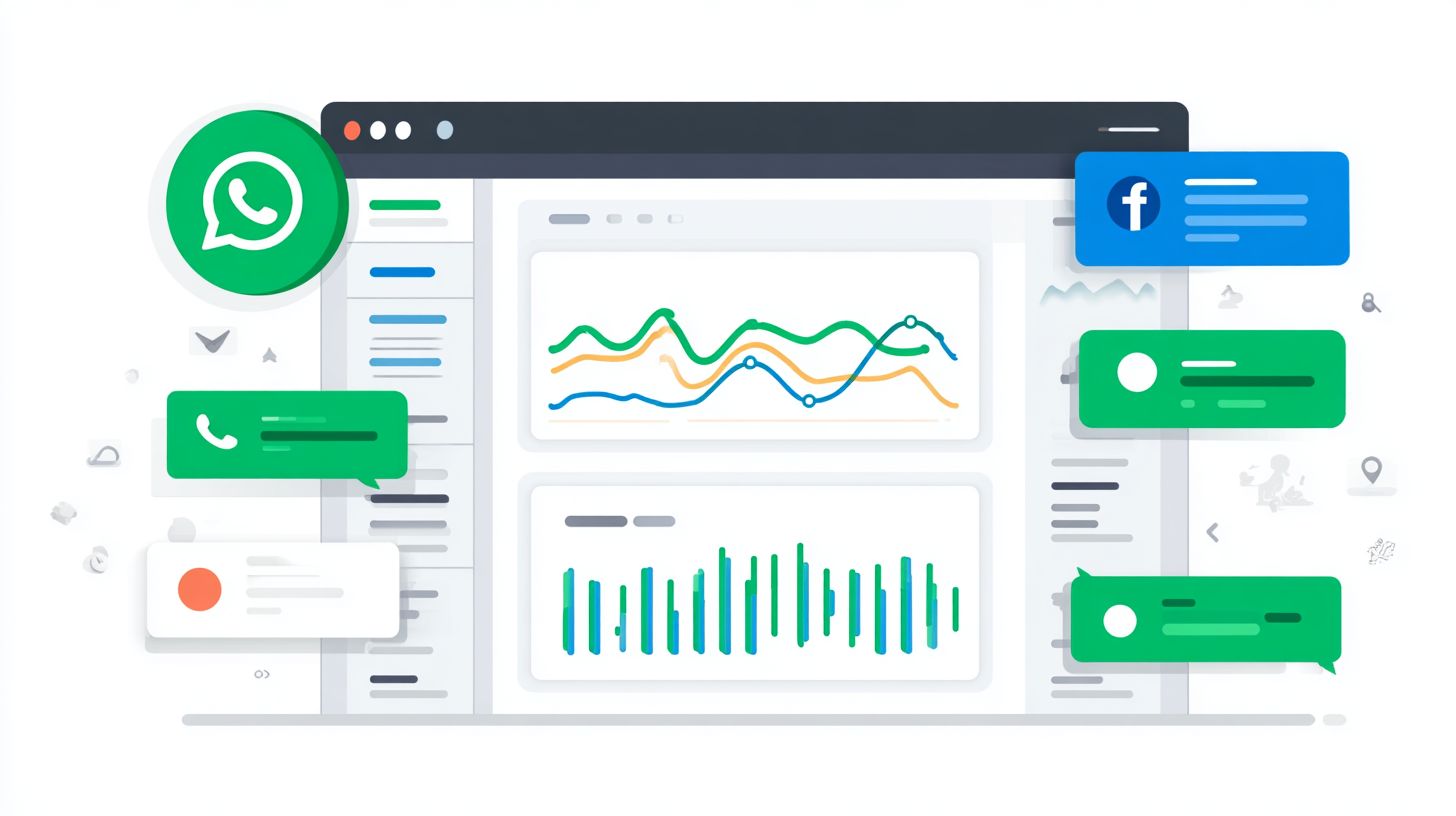
Build a centralized metrics dashboard to monitor messenger button performance across tools. Begin with
- Google Analytics events using gtag(‘event’,’chat_click’)
- Platform analytics from Messenger’s 28-day window
- CRM attribution in Salesforce for chat-to-close cycles
- Heatmaps via Hotjar for click tracking on embedded buttons
, ensuring mobile devices and accessibility WCAG compliance. Customize dashboards in Google Data Studio to visualize engagement studio data, pulling in Elfsight widget or Common Ninja stats for free plan users upgrading to paid customization options.
Advanced formulas enhance precision. Customer support efficiency = (Resolved chats / Total chats) x 100, applied to live chat and instant games. For website integration, compute lifetime value attribution as Sum of customer purchases post-chat interaction. Giantpartners dashboards revealed 3x higher engagement on multi-button WhatsApp setups versus standard Facebook Messenger, guiding shifts to high-ROI formats like peeling corner banners. Regular reviews of these metrics support customer support teams in optimizing button messengers and conversational flows.
Frequently Asked Questions
What is ‘Embedding Messenger Buttons: Methods and Engagement Opportunities’?
Embedding Messenger Buttons refers to integrating interactive buttons from messaging platforms like Facebook Messenger into websites or apps. ‘Embedding Messenger Buttons: Methods and Engagement Opportunities’ covers various techniques for seamless integration and how these buttons boost user interaction, such as chat initiation, lead generation, and personalized engagement to improve conversion rates.
What are the primary methods for Embedding Messenger Buttons?
The main methods for Embedding Messenger Buttons: Methods and Engagement Opportunities include using Facebook’s Messenger Platform SDK for JavaScript embedding, plugin-based integration via WordPress or Shopify apps, HTML iframe embeds, and API-driven dynamic button placement. Each method offers flexibility for different platforms, ensuring quick setup and mobile responsiveness.
Embedding Messenger Buttons: Methods and Engagement Opportunities leverages instant chat access to create real-time engagement. Opportunities include automated welcome messages, customer support bots, product recommendations, and feedback collection, leading to higher retention rates and direct sales funnels through conversational commerce.
What tools are needed to start Embedding Messenger Buttons?
To implement Embedding Messenger Buttons: Methods and Engagement Opportunities, you’ll need a Facebook Developer account, access to the Messenger Platform, basic HTML/CSS/JavaScript knowledge, and tools like the Facebook Page you want to link. No advanced coding is required for basic embeds using official plugins.
Best practices in Embedding Messenger Buttons: Methods and Engagement Opportunities involve strategic placement (e.g., exit-intent popups or product pages), A/B testing button designs, personalizing chatbot greetings, ensuring GDPR compliance, and analyzing metrics like open rates and response times to refine engagement strategies.
What are common challenges in Embedding Messenger Buttons and how to overcome them?
Common challenges in Embedding Messenger Buttons: Methods and Engagement Opportunities include cross-browser compatibility, mobile optimization issues, and low click-through rates. Overcome them by using responsive design frameworks, testing on multiple devices, optimizing button copy for urgency, and integrating with analytics tools for performance tracking.