Facebook Messenger Bot Engine: Capabilities and Use Cases
- 1 Introduction to Facebook Messenger Bot Engine
- 2 Core Capabilities
- 3 Developer Features
- 4 Key Use Cases
- 5 Analytics and Optimization
- 6 Frequently Asked Questions
- 6.1 What is the Facebook Messenger Bot Engine?
- 6.2 What are the key capabilities of the Facebook Messenger Bot Engine?
- 6.3 What are common use cases for the Facebook Messenger Bot Engine?
- 6.4 How does the Facebook Messenger Bot Engine handle user privacy and data?
- 6.5 Can the Facebook Messenger Bot Engine integrate with other platforms?
- 6.6 What metrics can be tracked using the Facebook Messenger Bot Engine?
Introduction to Facebook Messenger Bot Engine

Building chatbots on Facebook Messenger? You’re in the right place to see what the Bot Engine can really do. We’ll cover its core capabilities like rich media and conversational flows, plus developer tools for APIs and webhooks. And you’ll get practical use cases, from customer support to e-commerce, to put it all to work.
Key Takeaways:
Core Capabilities
The core capabilities of Facebook Messenger bots enable rich, interactive experiences that keep users engaged without leaving the chat. These features support 24/7 engagement for customer service, lead generation, and sales. Businesses use them to handle queries instantly with images, buttons, and integrations.
Essential tools include quick replies for guided responses and persistent menus for easy navigation. Bots work together with platforms like Calendly for appointment booking or Shopify for sales. This setup ensures scalable, personalized conversations around the clock.
From AI-powered flows to human handoff options, these capabilities make Messenger bots versatile. They boost engagement while reducing support costs through automation. Interactive chat features like these offer setup benefits that enhance user experiences. Next, explore specific features in detail.
Rich Media Support
Messenger bots support diverse rich media formats that make conversations visually compelling and interactive. Send images up to 8MB, GIFs, and videos up to 25MB to showcase products or tutorials. Use carousels with up to 10 cards for browsing options like clothing catalogs.
Implementation example: Use carousels for product catalogs, where taps drive users to Shopify checkout. Quick reply buttons add interactivity for choices like sizes or colors. These elements keep users engaged in sales or support chats.
Here is a code snippet for sending images via the API:
curl -X POST "https://graph.facebook.com/v18.0/me/messages?access_token=PAGE_ACCESS_TOKEN" -H "Content-Type: application/json" -d '{ "recipient": {"id"USER_ID"}, "message": { "attachment": { "type"image "payload": { "url"https://example.com/image.jpg "is_reusable": true } } } }'- Avoid oversized files to prevent delivery failures.
- Test media on mobile for optimal display.
- Combine with quick replies for better user flow.
Conversational Flows
Design natural conversation flows using buttons, quick replies, and persistent menus to guide users intuitively. Build linear flows for appointment booking, branching paths for support tickets, and contextual ones for personalization. Tools like Chatfuel’s drag-drop interface simplify setup in 2-3 minutes.
Follow this 5-step flow builder process:
- Start with a welcome message and quick replies.
- Add branching logic based on user input.
- Integrate actions like Calendly for bookings.
- Include human handoff for complex queries.
- Test and deploy via webhooks.
Example: Quick reply “Book Now” leads to Calendly integration, then a confirmation message. Messenger enforces a 24-hour session limit, but reactivate with postback buttons or user messages. This maintains 24/7 engagement for businesses.
User Segmentation
Segment users based on behavior, preferences, and attributes to deliver highly personalized bot experiences. Access Messenger’s user profile API for name, timezone, and gender. Apply a tagging system with labels like “VIP” or “Cart Abandoners” for targeted messaging.
Here is a JSON example for saving custom attributes:
{ "recipient": { "id"USER_ID" }, "sender_action"mark_seen" }Sync segments with HubSpot or Mailchimp via integrations for omnichannel marketing. Actionable tip: Tag users who view pricing, then send a discount code after 24-hour inactivity. This boosts lead generation and sales through tailored conversations.
Use tags for analytics and CRM like Salesforce or Zendesk. Combine with knowledge base queries for scalable support. Personalization drives higher engagement in Messenger bots.
Developer Features

Advanced developers leverage powerful APIs and webhooks to create sophisticated Messenger bot applications. These technical capabilities enable custom logic, external integrations, and real-time processing for facebook messenger chatbots. Developers build bots that handle personalized conversations, customer service, and lead generation with ease.
The platform supports scalability for enterprise use cases, allowing businesses to manage high-volume interactions across sales, support, and marketing. Key features include integration with CRM systems like Salesforce and Hubspot, plus payment processing via Stripe. This setup powers 24/7 engagement without downtime.
Before deployment, complete the verification process and app review requirements. Facebook reviews apps for compliance, ensuring secure and user-friendly bots. See detailed H3 implementation guides below for step-by-step setup on API integration and webhooks. [Explore our step-by-step guide to implementing chatbots on Messenger](https://blog.com.bot/how-to-implement-chatbots-on-messenger-a-developer-guide/) to master these technical foundations.
Tools like Wit.ai enhance bots with AI-powered NLP for natural language understanding. Combine with human handoff for complex queries, creating omnichannel experiences. These features make Messenger bots ideal for appointment booking and knowledge base queries.
API Integration
The Messenger Platform API provides comprehensive endpoints for sending messages, managing conversations, and processing payments. Key APIs include the Send API for quick replies and media, User Profile API for personalization, and Payment API with Stripe integration. These enable conversational bots for customer service and sales.
Follow this step-by-step Node.js verification process in about five minutes:
- Create a Facebook App in the developer console.
- Add the Messenger product to your app.
- Configure your webhook URL for callbacks.
Reference Wit.ai for NLP capabilities to parse user intents. For example, use cURL to send a message: curl -X POST “https://graph.facebook.com/v18.0/me/messages?access_token=PAGE_ACCESS_TOKEN” -H “Content-Type: application/json” -d ‘{“recipient”:{“id”USER_ID”},”message”:{“text”Hello!”}}’.
| Feature | Messenger API | WhatsApp Business API |
|---|---|---|
| Message Limits | Unlimited bursts | 24-hour window |
| Payments | Stripe native | Limited regions |
| Rich Media | Full support | Restricted templates |
This comparison highlights Messenger’s edge for omnichannel bots with drag-drop builders like Chatfuel or Botsify.
Webhooks and Events
Webhooks deliver real-time notifications for message events, enabling instant bot responses and external system triggers. Common events include messages, deliveries, opt-ins, and account linking. These power integrations with Zendesk, Shopify, and Calendly for seamless workflows.
Set up a serverless webhook with AWS Lambda in ten minutes: Handle POST to /webhook, verify the token, then parse the payload. Example JSON: {“sender”:{“id”123″},”message”:{“text”hello”}}. Route events to your CRM for lead generation or analytics.
- Verify challenge: Return hub.challenge if mode=subscribe.
- Troubleshoot SSL: Use valid certificates for production.
- Pro tip: Test locally with ngrok for quick iterations.
Webhooks ensure scalability for enterprise bots handling high traffic. Pair with LLM agents or RAG for advanced personalization in support and marketing conversations. This setup supports human handoff and maintains 24/7 availability.
Key Use Cases
Messenger bots excel in automating high-value interactions across customer service and commerce. Brands like Chatfuel users in support automation handle routine queries around the clock. Meanwhile, TARS powers sales funnels that drive direct revenue from conversations.
These Facebook Messenger chatbots deliver proven results through personalized engagement and seamless integrations. Businesses use them for 24/7 support, lead generation, and e-commerce. Platforms like Chatfuel and TARS simplify setup with drag-drop builders.
Real-world examples show quick wins. Support teams reduce response times, while sales bots recover abandoned carts. For an extensive analysis of AI-driven chatbots’ capabilities and examples, our deep dive examines their role in driving these results through detailed implementations with a focus on ROI through practical flows and integrations like Zendesk, Shopify, and Stripe.
Transitioning to specifics, customer support automation and e-commerce sales highlight scalable use cases. Experts recommend starting with core flows like FAQ handling and product carousels. These drive engagement and business growth via conversational AI.
Customer Support Automation
Automate routine support queries while seamlessly handing off complex issues to human agents. A 7-step support bot blueprint starts with an FAQ tree synced to your knowledge base. This handles common questions via quick replies and conversational flows.
Next, integrate ticket creation with Zendesk API for logged issues. Set escalation triggers based on keywords or unresolved loops. Follow with a clear human handoff message to maintain trust.
End with a post-resolution survey to gather feedback. Integration examples include Intercom handoff for live chat transfers and multilingual support via Wit.ai. Avoid the common mistake of no escalation path, which leads to frustrated users.
- FAQ tree: Sync with knowledge base for instant answers.
- Ticket creation: Use Zendesk or similar CRM integrations.
- Escalation triggers: Detect loops or high-priority keywords.
- Human handoff: Smooth message like “Connecting you to an agent now.”
- Post-resolution survey: Quick rating for continuous improvement.
Tools like Chatfuel and Botsify make this omnichannel setup easy with webhooks and visual builders. For specific customer service tips on optimizing chatbot workflows, see our detailed guide. Businesses achieve scalability in customer service without added staff.
E-commerce and Sales
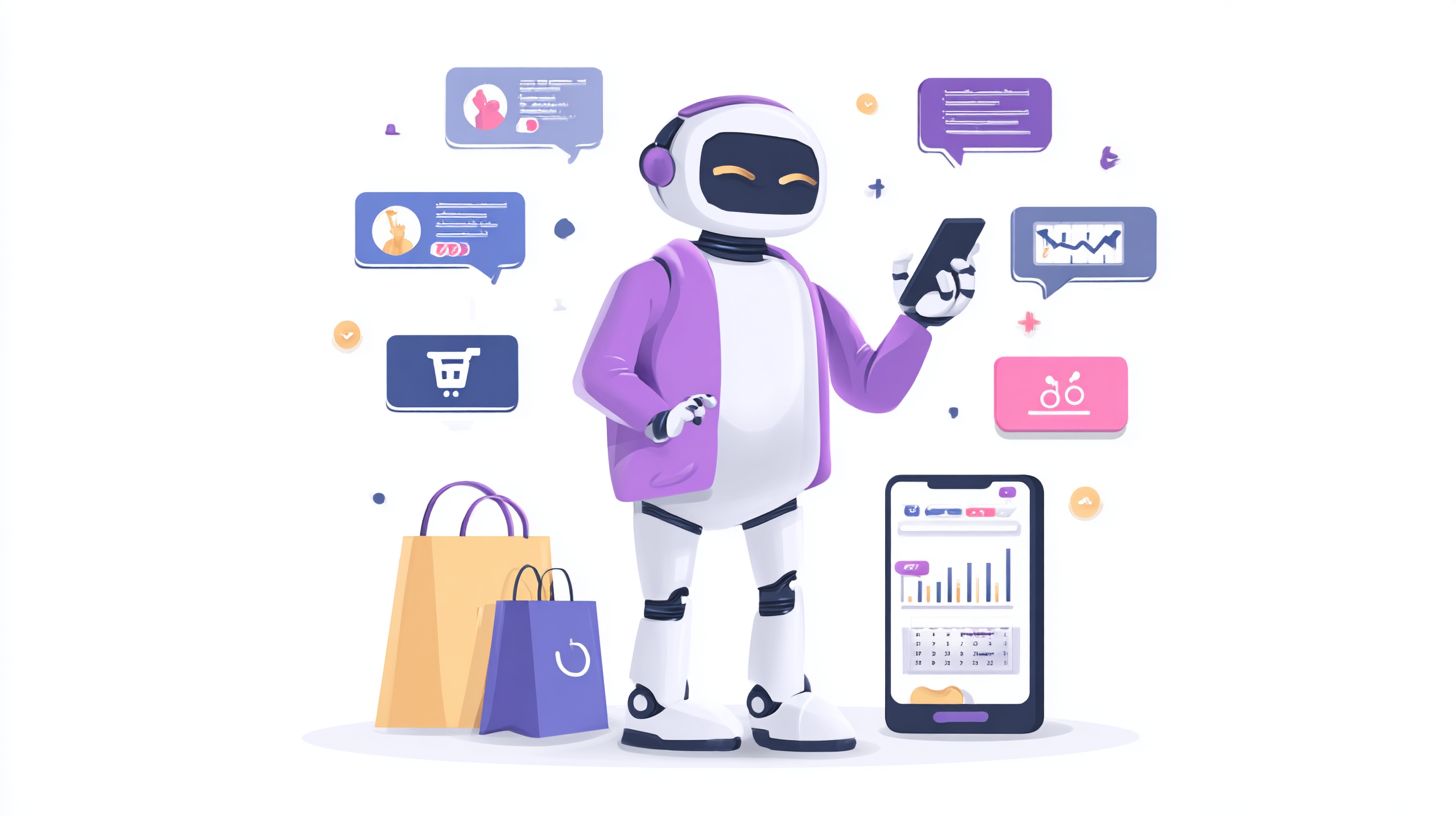
Convert Messenger conversations directly into revenue through product discovery, cart recovery, and payment processing. Build a sales funnel automation with product carousels leading to add-to-cart via Shopify API. Follow with payment requests using Stripe and order confirmations.
Implement abandoned cart recovery sequences at 24h, 48h, and 72h intervals. A demo flow might start with “Show iPhones”, display a carousel, then process “Buy iPhone 14” to Stripe checkout. This keeps sales moving in real-time chats.
Capture leads by qualifying prospects, then book demos via Calendly integration. Platforms like TARS and Customers.ai excel here with AI-powered personalization. Integrate with HubSpot or Salesforce for full CRM tracking and analytics.
- Product carousel: Browse items with quick replies.
- Add-to-cart: Shopify API for seamless inventory sync.
- Payment request: Stripe for secure checkouts in chat.
- Abandoned cart: Timed recovery messages boost completions.
- Lead capture: Qualify and book with Calendly.
These messenger bots enhance marketing and engagement. Use Flow XO or Pandorabots for custom flows that scale sales across Facebook and other platforms.
Analytics and Optimization
Built-in analytics combined with third-party tools provide deep insights to continuously improve bot performance. Facebook Messenger tracks core metrics like messages sent and received, blocks, and unsubscribes. These help businesses spot issues in customer service conversations early.
Setting up Facebook Analytics takes three simple steps. First, access your Messenger app in the Facebook Developer Console. Next, enable insights in the app settings, then review dashboards for real-time data on user engagement and drop-offs.
Third-party platforms enhance these capabilities. Tools like Customers.ai offer conversation analytics for lead generation, while Botpress supports visual A/B testing to refine chatbot flows. Integrate them via webhooks for a complete view of 24/7 support interactions.
Regular optimization keeps messenger bots effective. Use drop-off analysis to identify weak points, such as users abandoning after quick replies. For next steps, check out our guide on chatbot analytics: definition, tools, and optimization to dive deeper into refinement strategies. Recovery tactics include adding personalized prompts or human handoff options to boost completion rates.
Core Metrics to Monitor
Focus on messages sent and received to gauge conversation volume in your Facebook Messenger bot. High sent counts with low replies signal disengaged users. Track these daily to adjust ai-powered responses.
Blocks and unsubscribes reveal user frustration. A block happens when users hide repetitive bot messages, while unsubscribes end subscriptions. Analyze patterns to improve personalization in sales or support flows.
Combine metrics for holistic insights. For example, pair block rates with reply data to refine omnichannel strategies. This ensures scalable engagement across platforms like CRM integrations with HubSpot or Salesforce.
Facebook Analytics Setup
Start by logging into the Facebook Developer Console. Select your Messenger app and navigate to the insights tab. This unlocks basic tracking for chatbot interactions.
Enable advanced features in app settings. Toggle on metrics for sessions and user demographics. Test by sending sample messages to verify data flows correctly.
Review dashboards weekly for trends. Export reports to spot peaks in appointment booking or marketing campaigns. Pair with tools like Chatfuel for deeper conversational analysis.
Third-Party Tools for Advanced Insights
Customers.ai excels in conversation analytics for Facebook Messenger. It breaks down user paths in lead generation bots, highlighting effective quick replies. Integrate it to optimize sales funnels.
Botpress provides visual A/B testing for chatbot builders. Compare variations in flows, like different greetings, to see what drives engagement. Its drag-drop interface suits non-coders building knowledge base bots.
Other options like Tars or Botsify add layers. Use them for human handoff metrics or Stripe payment tracking. This setup supports scalability for growing businesses.
Optimization Checklist
Follow this checklist to maintain peak bot performance. Aim for low block rates by monitoring user feedback in real time. Adjust prompts to keep conversations natural.
- Keep block rate low through relevant messaging.
- Ensure reply rate stays high with clear quick replies.
- Test variations weekly using A/B tools.
For drop-off analysis, examine points like post-greeting exits. Recovery tactics include personalized offers or Calendly links for bookings. Re-engage with follow-up messages via Zendesk integrations.
Frequently Asked Questions
What is the Facebook Messenger Bot Engine?
The Facebook Messenger Bot Engine is a powerful platform for building, deploying, and managing conversational AI bots on Facebook Messenger. It offers extensive Facebook Messenger Bot Engine: Capabilities and Use Cases including natural language processing, automated responses, and seamless integration with user data for personalized interactions.
What are the key capabilities of the Facebook Messenger Bot Engine?
Key Facebook Messenger Bot Engine: Capabilities and Use Cases include rich media support (images, videos, files), quick replies, payment processing, user authentication, and analytics for tracking engagement. It enables handling complex conversations with AI-driven responses and integrations with external APIs.
What are common use cases for the Facebook Messenger Bot Engine?
Popular Facebook Messenger Bot Engine: Capabilities and Use Cases involve customer support automation, e-commerce shopping assistants, lead generation, appointment scheduling, and news updates. Businesses use it to scale interactions without human intervention while maintaining a personal touch.
How does the Facebook Messenger Bot Engine handle user privacy and data?
The Facebook Messenger Bot Engine: Capabilities and Use Cases prioritize compliance with GDPR and Messenger’s policies. Capabilities include secure data handling, opt-in permissions for messages, and tools for users to control their data, ensuring bots respect privacy while delivering value.
Can the Facebook Messenger Bot Engine integrate with other platforms?
Yes, the Facebook Messenger Bot Engine: Capabilities and Use Cases support integrations with CRM systems like Salesforce, e-commerce platforms like Shopify, and services like Dialogflow or custom APIs, expanding bot functionality across ecosystems for advanced automation.
What metrics can be tracked using the Facebook Messenger Bot Engine?
Analytics in Facebook Messenger Bot Engine: Capabilities and Use Cases track metrics such as message delivery rates, user engagement, conversation completion rates, and retention. These insights help optimize bot performance and refine user experiences over time.