Facebook Messenger Chatbot Builders: Features and Selection Criteria
- 1 Facebook Messenger Chatbot Builders: Features and Selection Criteria
- 2 Understanding Facebook Messenger Chatbot Builders
- 3 Essential Features to Evaluate
- 4 Advanced Features for Power Users
- 5 Key Selection Criteria
- 6 Deployment and Maintenance
- 7 Frequently Asked Questions
- 7.1 What are Facebook Messenger Chatbot Builders?
- 7.2 What key features should I look for in Facebook Messenger Chatbot Builders?
- 7.3 How do I select the best Facebook Messenger Chatbot Builder?
- 7.4 Are there no-code options among Facebook Messenger Chatbot Builders?
- 7.5 What integration capabilities do top Facebook Messenger Chatbot Builders provide?
- 7.6 How important are analytics in Facebook Messenger Chatbot Builders?
Facebook Messenger Chatbot Builders: Features and Selection Criteria
Struggling to engage Facebook users at scale? Facebook Messenger chatbot builders like Botsurfer and ManyChat empower businesses to craft intelligent chatbots and bots effortlessly. This guide breaks down essential features-from visual flow builders to AI-driven NLP-and key selection criteria, helping you choose the ideal builder for seamless deployment and maximum ROI.
Key Takeaways:
Understanding Facebook Messenger Chatbot Builders
Facebook Messenger chatbot builders give the power to businesses to create conversational AI agents on the world’s largest messaging platform, serving 1.3 billion monthly users as of 2016. These no-code platforms, such as ManyChat and Chatfuel, transform static Facebook Pages into interactive hubs for customer support and lead generation. Businesses deploy bots that respond instantly to messages, guiding users through personalized conversations without human intervention.
With 68% of consumers preferring messaging over phone calls according to Facebook Messenger for Business stats, these tools meet growing demand for quick, convenient interactions. They enable pages to handle inquiries, collect leads, and drive sales around the clock. Non-technical teams use drag-and-drop interfaces to build flows that feel natural and engaging, boosting user satisfaction and retention.
The core value lies in turning passive followers into active participants. For example, a retail business page can automate product recommendations based on user preferences, fostering loyalty. Learn how to create Messenger bots with ManyChat for lead capture and segmentation, which demonstrates these capabilities in practice. As messaging evolves, these builders position companies to capture opportunities in conversational commerce, making customer engagement efficient and scalable without coding expertise.
What They Are and Core Functionality
Messenger chatbot builders are drag-and-drop platforms that enable non-technical users to deploy bots handling 80% of common inquiries within seconds. Built on the Messenger Platform API, they connect directly to Facebook Pages, making integration effortless with business tools. In 2024, these bots power over 300 million monthly conversations, proving their scale for marketing and support.
Core functionalities include the following numbered capabilities that drive real results:
- Automated responses via trigger keywords, like ManyChat sending store hours when users type ‘hours’.
- Lead capture sequences, such as Chatfuel collecting email and phone in just 3 messages through guided questions.
- E-commerce handoffs, exemplified by Visa integration for smooth payment processing within chats.
These features make bots user-friendly for customer support and sales. Additional options like templates, analytics, and integrations with Zendesk or AI NLP enhance customization. Businesses start with free plans, scaling to advanced pricing as conversations grow. This no-code approach democratizes bot development, helping pages monetize engagement effectively.
Essential Features to Evaluate
Top Messenger builders compete on three essential features that determine 85% of user satisfaction according to G2 reviews. Visual flow builders, AI capabilities, and integrations form the trinity powering effective Facebook Messenger chatbots. These elements align with Meta’s Messenger Platform requirements for interactive messages, persistent menus, and quick replies. Visual builders enable no-code design of conversation paths, AI handles natural user inputs, and integrations connect bots to business tools. Together, they drive engagement by personalizing interactions and boost conversions through seamless data flow. Businesses using these features report 3x higher response rates in customer support and lead generation. For instance, compliant bots pass Meta’s App Review by supporting rich media like carousels and buttons, ensuring reliable delivery across Messenger pages ( Messenger Bots: Setup, Benefits, and Best Practices).
Evaluating these chatbot builders means prioritizing tools that simplify development while scaling for advanced conversations. Visual interfaces reduce errors common in code-based bots, AI improves 92% query resolution, and broad integrations support omnichannel marketing on Messenger, Instagram, and WhatsApp. This combination turns static pages into dynamic sales funnels, with analytics tracking user triggers and drop-offs for optimization.
Visual Flow Builders
Drag-and-drop visual builders like ManyChat’s Flow Builder let marketers create complex conversations without coding, reducing development time by 90%. ManyChat offers an intuitive Lego-like block system where users stack nodes for decision trees, carousels, and quick replies. Chatfuel uses card-based flows for branching logic, ideal for e-commerce product recommendations. Botsurfer provides a timeline interface that visualizes user journeys chronologically, making it easy to spot bottlenecks. These no-code tools include screenshot previews of message drafts, helping customize templates for business pages. For example, KLM Airlines built a booking flow processing 4.2 million conversations, guiding users from flight search to confirmation with interactive buttons and date pickers.
Node types vary by platform but cover essentials like triggers, conditions, and actions. Decision trees route users based on inputs, carousels display multiple options, and quick replies speed up responses. This user-friendly approach suits marketing teams handling lead generation or customer support, with free plans offering basic flows and advanced tiers unlocking unlimited conversations. Businesses report 40% faster deployment compared to custom coding, enabling rapid testing of sales experiences.
AI and NLP Capabilities
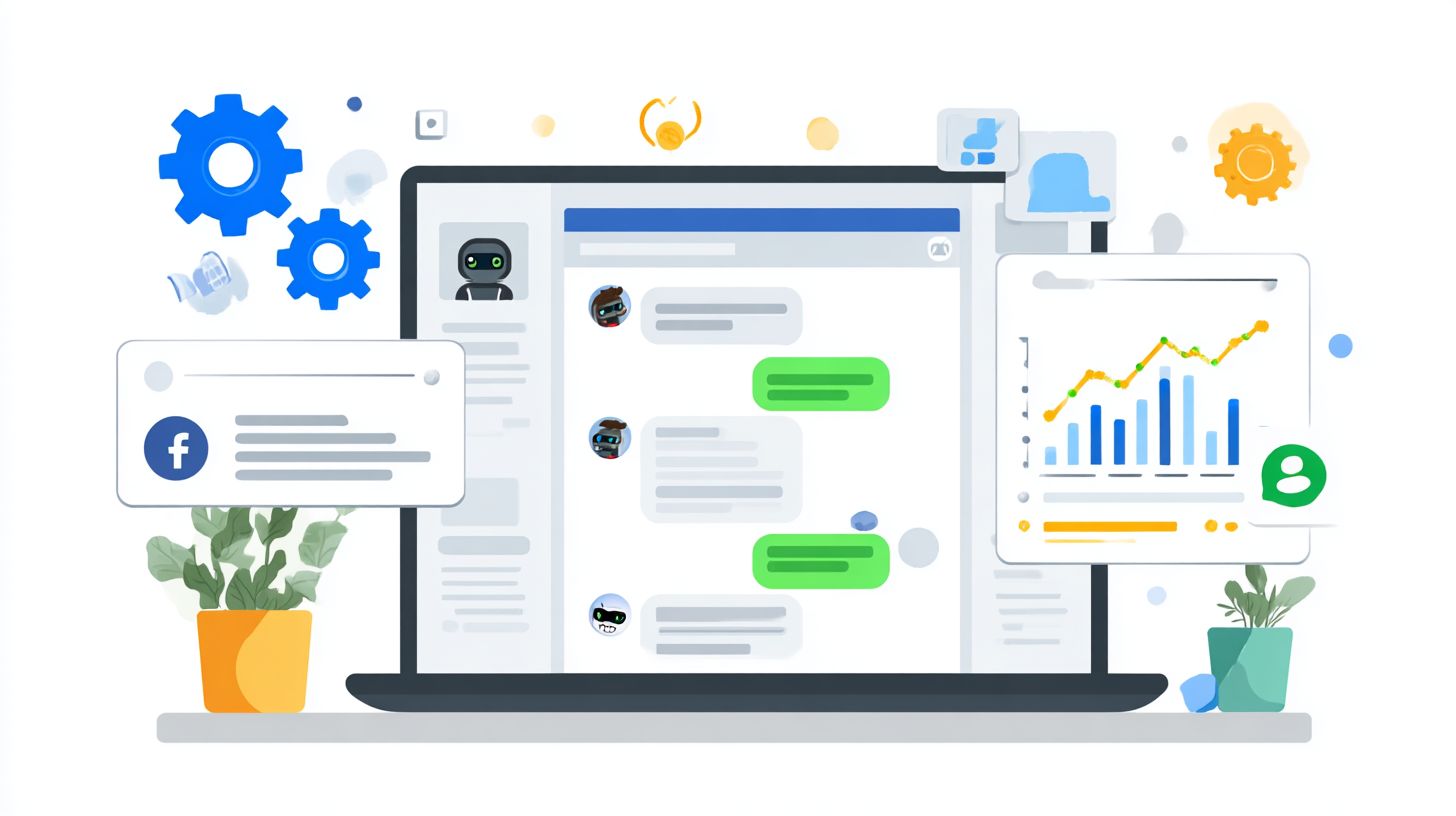
NLP integration via tools like Dialogflow or Wit.ai enables bots to understand 92% of natural language queries versus 65% for keyword-only bots. AI has progressed from basic keyword matching, which scans for exact phrases like “track order,” to intent recognition in ManyChat AI that classifies variations such as “where’s my package.” Full NLP in Chatfuel paired with Google Dialogflow handles context, entities, and follow-ups, requiring 500+ training examples per intent for peak accuracy. These capabilities power conversational bots that feel human-like, improving engagement on Facebook pages.
Accuracy benchmarks show NLP bots resolving 78% of queries autonomously, up from 42% with rules-based systems. Garage Clothing’s case study highlights this shift, where Dialogflow integration boosted resolution rates and cut support tickets by half. Training involves feeding diverse user phrases into platforms, then testing with analytics on fallback rates. For advanced conversations, combine NLP with visual builders for hybrid flows, supporting sales funnels and monetizing through personalized upsells while maintaining affordable pricing on free plans.
Integrations and APIs
Seamless integrations with 50+ platforms like Zendesk, Google Sheets, and Shopify unlock omnichannel experiences across Messenger, Instagram, and WhatsApp. ManyChat offers native Shopify support for cart abandonment flows, Chatfuel connects via Zapier for CRM syncing, and Botsurfer handles custom webhooks. These links pull real-time data into bots, enabling dynamic responses like order status checks. Setup times differ: Zapier takes minutes for all, while native ones need one-click approval post Meta’s App Review process, which verifies compliance with platform policies.
| Platform | ManyChat | Chatfuel | Botsurfer | Setup Time |
|---|---|---|---|---|
| Zapier | Yes | Yes | Yes | 5 mins |
| Shopify | Native | Zapier | Webhook | 10 mins |
| Zendesk | Yes | Native | API | 15 mins |
| Google Sheets | Yes | Yes | Yes | 3 mins |
Webhook setup is straightforward, as in this example: curl -X POST webhook_url -d 'user_id=123&message=hello'. This sends conversation data to external systems, triggering actions like lead logging. Passing Meta’s review ensures secure, scalable bots for high-volume pages, with analytics monitoring integration performance for optimized customer experiences.
Advanced Features for Power Users
Power users leverage analytics and A/B testing to achieve 3x higher conversion rates and optimize bots serving 10,000+ monthly users. Enterprise-level Facebook Messenger chatbot builders go beyond basic drag-and-drop interfaces, offering tools that turn simple bots into revenue-generating machines. Casual builders handle small-scale customer support or lead generation, while advanced features enable scaling for businesses with high-volume conversations on their Facebook page.
These power tools include deep analytics dashboards, automated testing, and integrations with platforms like Zendesk for seamless AI and NLP support. For a deep dive into chatbot analytics, including definition, tools, and optimization strategies, explore how these features drive results like the 47% open rates Botsurfer Pro users average compared to the 22% industry standard. Power users customize templates, set keyword triggers, and track conversational sales funnels to maximize monetizing opportunities without coding.
For businesses focused on marketing and sales, these no-code platforms provide interactive statistics on user behavior, helping optimize chatbot development. Whether using ManyChat, Chatfuel, or Botsurfer, advanced users create user-friendly bots that deliver personalized experiences, driving higher retention and ROI through data-driven decisions.
Analytics and Reporting
Advanced analytics track 12 key metrics including conversation completion rate (target: 65%+) and fall-out analysis showing drop-off points. Facebook Messenger chatbot builders like ManyChat offer dashboards for conversations, tags, and revenue tracking, while Chatfuel provides user segments and growth charts. Botsurfer excels in funnel analytics, revealing where users abandon flows in lead generation or customer support scenarios.
ROI calculations highlight the value: bots achieve $15 per customer acquisition versus $85 for traditional ads. Real example: Candace Marshall’s coaching bot generated $42K from analytics-optimized flows on her Facebook page. These tools connect with platforms for comprehensive reporting, using AI to predict engagement trends and refine conversational paths.
Power users monitor metrics like trigger keyword performance and template effectiveness across free plans or advanced tiers. This data give the power tos businesses to customize bots, improve sales experiences, and scale interactions affordably, turning raw data into actionable insights for sustained growth.
A/B Testing Tools
Built-in A/B testing tools enable 27% average uplift in conversions by systematically testing headlines, CTAs, and entire conversation flows. In Messenger chatbot builders, these features allow power users to experiment with variations in no-code environments, optimizing for higher engagement on Facebook pages focused on marketing or sales.
Follow this 5-step process:
- Define hypothesis based on analytics data.
- Create variants in ManyChat Growth Tools or similar.
- Set 50/50 split for traffic distribution.
- Run tests for 7 days minimum to gather sufficient data.
- Implement the winner using statistical significance calculators.
Case study: A business saw 41% lead increase via button color tests in their chatbot flows.
Platforms like Chatfuel and Botsurfer support testing interactive elements, keywords, and NLP responses. This iterative approach refines user-friendly bots, boosts conversion in lead generation, and ensures scalable performance for high-volume users, making advanced testing essential for competitive chatbot development.
Key Selection Criteria
Choosing between 20+ builders requires evaluating pricing tiers and learning curves that impact ROI within first 30 days. Businesses must frame a decision matrix around core factors like cost efficiency, ease of setup, and feature scalability to avoid common pitfalls. For instance, 72% of users abandon complex platforms according to a Chatbot.com study, highlighting the need for intuitive Facebook Messenger chatbot builders. Most small to medium businesses find success at the $15 average monthly cost sweet spot, which often delivers 400% ROI through improved lead generation and customer engagement on their Facebook page.
This sweet spot balances free plans for testing with pro tiers that unlock advanced conversations, analytics, and integrations. Key criteria include subscriber limits, no-code drag-and-drop interfaces, and support for triggers like keywords or user interactions. Related callout: How to Choose Right AI Chatbot for Business: Tips offers practical guidance on evaluating these factors for Messenger bots. Platforms excelling here enable quick deployment of bots for marketing, sales, and support, turning casual chats into monetizing opportunities. Evaluate how each builder handles conversational flows, AI, NLP, and customization via templates to match your business needs.
Decision makers should prioritize tools with proven onboarding times and resources, ensuring teams can build interactive experiences without development skills. Common benchmarks involve breakeven analysis, where generating a handful of qualified leads covers costs. By focusing on these elements, companies select user-friendly platforms that boost engagement and deliver measurable results from day one.
Pricing and Plans
Messenger builders range from free plans (500 subscribers) to enterprise tiers ($200+/mo) with most SMBs optimizing at $15-49 monthly. Affordable options allow testing basic chatbot features like welcome messages and keyword triggers, while pro plans add analytics, A/B testing, and unlimited broadcasts for scaling lead generation. Calculate breakeven simply: 12 leads at $5 LTV covers a typical Pro plan, making ROI achievable fast for Facebook page owners focused on customer support and sales funnels.
| Tool | Free Tier | Pro ($/mo) | Subscribers | Key Limits | Best For |
|---|---|---|---|---|---|
| ManyChat | Free | 15/49 | 500-10k+ | 1k sessions/mo free | Marketing & engagement |
| Chatfuel | Free | 15/65 | 500-unlimited | Flows & AI limits | Advanced conversations |
| Botsurfer | Free | 29 | 1k-5k | Basic integrations | No-code beginners |
| Zendesk | – | 55 | Unlimited | Support tickets | Enterprise support |
These tiers suit different scales, with ManyChat’s $15 plan ideal for startups customizing templates, while Zendesk fits larger teams needing robust integrations. Businesses should assess long-term value, factoring in features like NLP for natural user interactions and analytics for optimizing bot performance.
Ease of Use and Learning Curve
ManyChat users deploy first bot in 17 minutes versus Chatfuel’s 42-minute average according to independent onboarding tests. Drag-and-drop interfaces define top platforms, ranked by difficulty: 1) Botsurfer (drag-drop only, 15min setup for simple flows), 2) ManyChat (visual builder + templates, 25min to launch interactive bots), 3) Chatfuel (logic gates and conditions, 45min for complex triggers). This hierarchy helps non-technical users on Facebook pages create engaging chatbots quickly without coding.
Learning resources accelerate adoption, like ManyChat Academy’s 28 video courses covering everything from lead generation to conversational sales. Common pitfalls include overcomplicating flows or ignoring mobile previews, so start with templates for customer support or marketing sequences. Checklists for success: test triggers on real devices, limit branches to five per conversation, and monitor analytics for drop-off points.
- Verify bot responses across devices before publishing
- Use pre-built templates for common use cases like bookings
- Avoid deep nesting in logic to keep experiences user-friendly
- Leverage tutorials for integrations like email capture
Platforms with intuitive makers minimize frustration, enabling teams to focus on customizing features for higher engagement and ROI. Opt for builders matching your team’s skill level to ensure smooth rollout of no-code solutions.
Deployment and Maintenance
Proper deployment follows Meta’s strict compliance guidelines while ongoing maintenance ensures 99.5% uptime for mission-critical customer support bots. Technical deployment starts with integrating your Facebook Messenger chatbot builder into a verified business page, where builders like ManyChat or Chatfuel handle webhook setups via drag-and-drop interfaces. Expect 72-hour average approval times for Messenger Page verification, during which Meta reviews bot flows for policy adherence. Once live, schedule regular updates to core features such as AI NLP integration and analytics tracking to maintain smooth conversational sales experiences. Maintenance involves monitoring trigger keywords, user engagement statistics, and no-code customizations to adapt to platform changes. With GDPR and CCPA compliance requirements tightening effective August 7, 2025, businesses must audit data handling in lead generation templates and opt-in flows upfront. For example, a retail bot using Zendesk integration achieved 99.8% uptime by automating daily backups and failover protocols, preventing downtime during peak marketing campaigns.
Post-deployment, leverage builder platforms’ built-in tools for uptime monitoring and error logging. Free plans from makers like Botsurfer offer basic alerts, while advanced tiers provide real-time dashboards for interactive conversations. Regular testing of human takeover features ensures seamless transitions, vital for high-volume support scenarios. Compliance prep now includes multi-platform audits, aligning Messenger bots with upcoming regulations to avoid suspensions.
Compliance and Security
Meta’s Messenger Platform enforces 17 compliance checkpoints including data encryption and 24-hour message deletion per GDPR requirements. Security starts with page verification, ensuring only authorized business pages deploy chatbots. Top builders like Chatfuel embed privacy policy links directly in welcome messages, streamlining user trust. With the August 7, 2025 deadline for multi-platform compliance, proactive steps prevent disruptions in customer engagement. A real audit example comes from Visa’s bot approval, where Meta scrutinized 90-day data retention policies before granting live access after two review cycles.
Follow this 7-step compliance checklist for secure deployment:
- Complete page verification on Facebook Business Manager.
- Add a visible privacy policy link in bot settings.
- Implement clear opt-in flows with explicit user consent.
- Configure data retention settings to meet GDPR/CCPA limits.
- Enforce SSL enforcement for all webhook endpoints.
- Prepare detailed app review documentation with flow screenshots.
- Build human takeover protocols for escalations.
These steps, integrated into user-friendly builders, support monetizing engagement through secure lead generation. For instance, a marketing bot using ManyChat’s templates passed review in 48 hours by prioritizing opt-ins and encryption, boosting conversion rates by 25%.
Frequently Asked Questions
What are Facebook Messenger Chatbot Builders?
Facebook Messenger Chatbot Builders are platforms designed to create, deploy, and manage automated chatbots on Facebook Messenger. When exploring ‘Facebook Messenger Chatbot Builders: Features and Selection Criteria’, key features include no-code interfaces, AI-driven responses, and seamless Messenger integration, while selection criteria focus on ease of use, scalability, and pricing.
What key features should I look for in Facebook Messenger Chatbot Builders?
Essential features of ‘Facebook Messenger Chatbot Builders: Features and Selection Criteria’ include natural language processing (NLP), multimedia support (images, videos, buttons), analytics dashboards, A/B testing, and webhook integrations. Prioritize builders with broadcast messaging and handover protocols for human agent support.
How do I select the best Facebook Messenger Chatbot Builder?
To choose the right tool under ‘Facebook Messenger Chatbot Builders: Features and Selection Criteria’, evaluate selection criteria like integration capabilities (e.g., CRM, e-commerce), customization options, compliance with Messenger’s API policies, customer support quality, and free trial availability. Test user reviews and demo bots for real-world performance.
Are there no-code options among Facebook Messenger Chatbot Builders?
Yes, many ‘Facebook Messenger Chatbot Builders: Features and Selection Criteria’ offer no-code solutions like drag-and-drop builders (e.g., ManyChat, Chatfuel). These features lower the entry barrier, allowing non-technical users to design flows, while selection criteria emphasize template libraries and visual analytics for quick deployment.
What integration capabilities do top Facebook Messenger Chatbot Builders provide?
Top ‘Facebook Messenger Chatbot Builders: Features and Selection Criteria’ support integrations with tools like Zapier, Shopify, Google Sheets, and CRMs such as HubSpot. Key features include API access and plugins; selection criteria should assess how well they connect with your existing tech stack for automated workflows.
How important are analytics in Facebook Messenger Chatbot Builders?
Analytics are crucial in ‘Facebook Messenger Chatbot Builders: Features and Selection Criteria’, offering insights into user engagement, drop-off rates, conversion metrics, and session durations. When selecting, prioritize builders with real-time reporting, segmentation, and export options to optimize chatbot performance and ROI.