How to Manage Human Handover in Messenger Bots: Ensuring Smooth Transitions to Live Agents
How to Manage Human Handover in Messenger Bots: When your chatbot hits its limits, a seamless handoff to a live agent keeps customers happy. Discover why timely human transitions matter, using tools like Kommunicate, Dialogflow, and Zendesk. This guide previews strategies for smooth bot-to-agent shifts, minimizing frustration and boosting satisfaction-perfect for elevating your support game.
Key Takeaways:
- 1 Understanding Human Handover Necessity
- 2 Preparing Your Bot for Handovers
- 3 Technical Implementation Strategies
- 4 Designing Effective Handover Messages
- 5 Agent Preparation and Briefing
- 6 Managing the Transition Process
- 7 Post-Handover Best Practices
- 8 Measuring Handover Success
- 9 Frequently Asked Questions
- 9.1 How to Manage Human Handover in Messenger Bots: Ensuring Smooth Transitions to Live Agents?
- 9.2 What are the key triggers for initiating human handover in Messenger bots?
- 9.3 How can you ensure conversation context is preserved during handover to live agents in Messenger bots?
- 9.4 What tools or platforms best support human handover in Messenger bots?
- 9.5 How do you handle user experience during the handover process in Messenger bots?
- 9.6 What are common pitfalls in managing human handover and how to avoid them in Messenger bots?
Understanding Human Handover Necessity
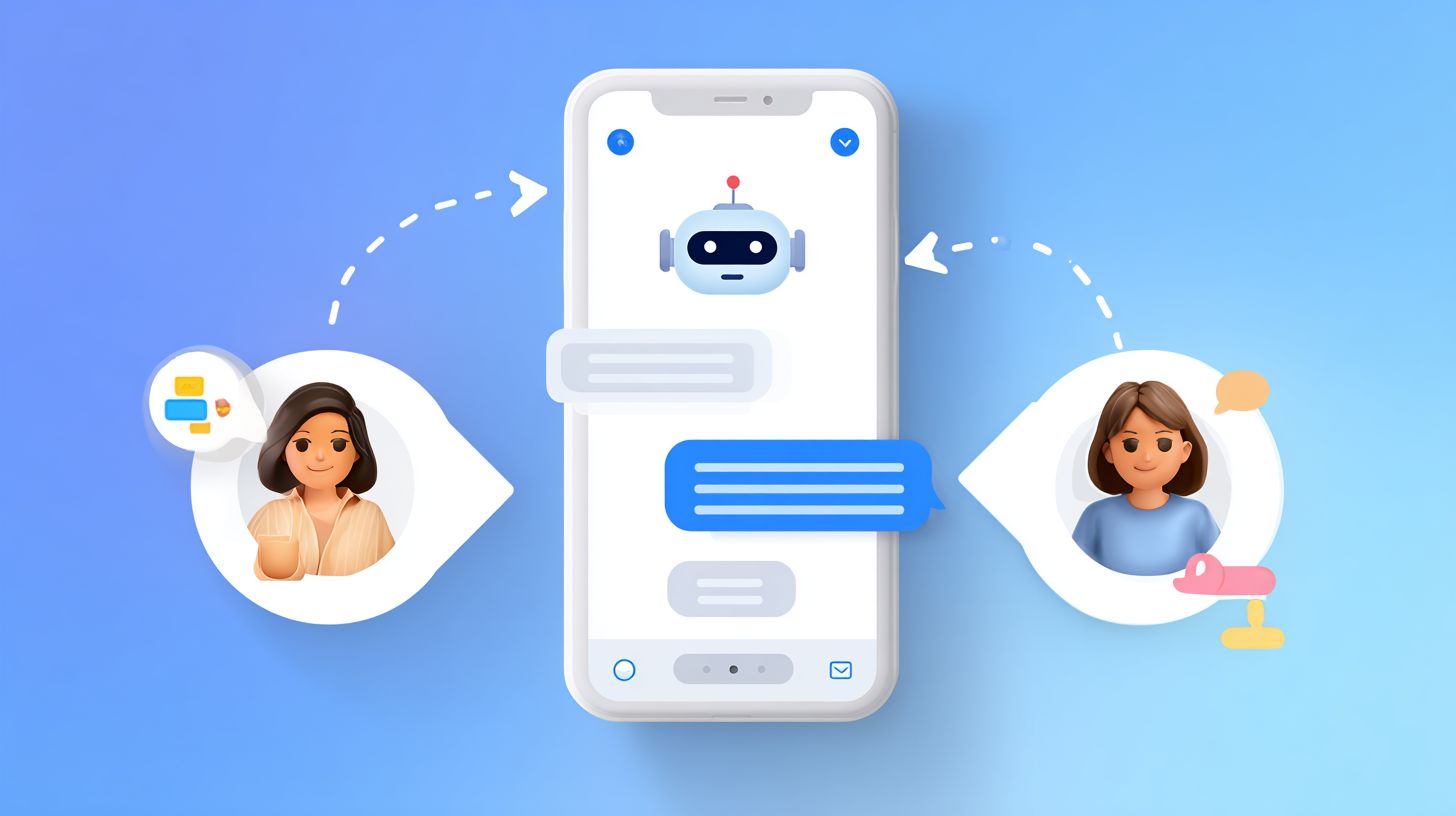
Human handover becomes essential when AI reaches its limits, preventing 67% of escalations that Intercom data shows lead to customer churn. The hybrid AI-human model proves necessary for modern chatbot systems, as Gartner’s 2024 report predicts 70% of customer interactions will require seamless handoffs by 2025. Businesses rely on this approach to balance efficiency with empathy, ensuring bots handle routine queries while humans tackle nuanced issues.
In practice, human handover bridges the gap between programmed responses and genuine understanding. For instance, a bot might manage order tracking smoothly, but when users express frustration over delayed shipments, escalation preserves trust. This transition maintains conversation flow, passing contextual details like transcript history to agents for quick takeover. Without it, users face repetitive loops, heightening dissatisfaction in high-stakes support scenarios.
Experts emphasize proactive design in hybrid models to anticipate limits. Monitoring tools track sentiment and complexity, signaling when bots should yield to human intelligence. This prevents server failures or topic drift from derailing interactions, fostering a support phase where AI excels at scale and humans provide supervision during criticality. Overall, timely handoffs enhance UX by combining bot speed with agent expertise.
When Bots Should Escalate
Bots should escalate when NLP detects 80%+ negative sentiment, conversation complexity exceeds 5 exchanges, or user requests fall outside predefined scope. Key escalation triggers include specific conditions to ensure precise handoffs. First, a sentiment score below -0.7 via Dialogflow, such as an angry refund request after repeated denials. Second, keyword triggers like ‘supervisor’ or ‘complaint’ signal the need for human intervention. Third, intent confidence under 60% indicates uncertainty in user goals.
- Topic drift beyond 3 menu options, where users stray from scripted paths like jumping from billing to technical issues.
- Time-based escalation after 5+ minutes of wait or stalled progress, avoiding prolonged frustration.
- User preference explicitly stated, such as ‘talk to a human now’ during a complex troubleshooting session.
To avoid false positives, implement multi-trigger confirmation, requiring two or more signals before handover. This refines intelligence in bots, reducing unnecessary transitions while catching genuine needs like empathy gaps in emotional complaints. Pre-handoff analysis shares origin transcripts, enabling seamless queue assignment to the right agent.
Benefits of Timely Transitions
Timely handovers boost CSAT by 34% (Zendesk 2024) and reduce resolution time by 22 minutes per Salesforce Service Cloud data. These gains stem from smooth transitions that minimize user frustration and leverage human empathy where bots fall short. Churn drops by 18% as customers feel heard during escalations, turning potential negatives into positive experiences.
ROI shines in real scenarios. E-commerce platforms save $47K per 1000 chats via Shopify Inbox by cutting repeat inquiries. SaaS support achieves 45% faster VIP resolutions, prioritizing high-value users with contextual transcripts. Healthcare ensures 92% audit pass rates through compliant handoffs, maintaining records for supervision. Breakeven analysis shows 150 handovers per month justifies a $99/mo Kommunicate plan, factoring agent efficiency gains.
| Scenario | Benefit | Metric |
|---|---|---|
| E-commerce | Cost savings | $47K/1000 chats |
| SaaS Support | VIP speed | 45% faster |
| Healthcare | Compliance | 92% pass rate |
Post-handoff feedback loops refine triggers, optimizing the hybrid model over time. Agents use full conversation history for informed takeover, enhancing overall support quality.
Preparing Your Bot for Handovers
Proper preparation using tools like Kommunicate’s handover protocol captures 95% of conversation context, enabling instant agent productivity. Strategic preparation minimizes friction during the transition from chatbot to human support. According to the Dialogflow CX handover best practices whitepaper, precise trigger setup and data hygiene form the foundation for 40% faster resolutions. This approach ensures seamless handoffs, reducing user frustration and improving overall UX in hybrid AI-human support systems.
Teams often overlook pre-handoff preparation, leading to context loss and longer resolution times. By defining clear handoff triggers and collecting essential data like transcripts and sentiment scores, bots can pass comprehensive information to agents. For example, in e-commerce scenarios, capturing order IDs and issue origins prevents agents from starting conversations from scratch. This preparation phase supports escalation based on complexity, user preference, or criticality, allowing bots to handle routine queries while queuing high-supervision cases effectively. See also our guide to optimizing Messenger bots for high traffic to ensure smooth performance during peak handover volumes.
Implementing these steps also enhances monitoring and feedback loops. Post-handoff analysis reveals patterns in takeover frequency, refining bot intelligence over time. Experts recommend regular testing with simulated chats to validate pre-handoff summaries, ensuring empathy and contextual awareness during transitions. With tools like Dialogflow, bots achieve higher retention of conversation history, minimizing wait times in agent queues and boosting customer satisfaction.
Defining Handover Triggers
Configure 5 core triggers in Kommunicate dashboard: sentiment thresholds, intent confidence, keyword matches, session duration, and explicit requests. These handoff triggers detect when a conversation exceeds bot capabilities, such as rising user frustration or complex queries. Follow these numbered setup steps for optimal results.
- Access Kommunicate > Bot Settings > Handoff (takes 2 minutes).
- Set sentiment trigger to <-0.6 via integrated NLP (test with 10 sample chats).
- Add keywords like [‘manager’,’cancel’,’refund’].
- Configure confidence threshold <65%.
- Enable 8-minute session timer.
A common mistake is single-trigger dependency, which misses nuanced escalations. Use AND/OR logic instead, for instance, combining low confidence with negative sentiment for precise detection. Test thoroughly with Dialogflow simulator to simulate scenarios like refund requests or technical issues, ensuring smooth transitions without premature handoffs.
Collecting Context Data
Capture user ID, session transcript, issue origin, and custom metadata using Dialogflow’s context parameters for 98% context retention. This technical implementation preserves conversation history, allowing agents to jump in without recaps. Key steps include enabling data collection early in the bot interaction to support informed human takeovers.
- Enable Kommunicate conversation export API in JSON format.
- Store key variables like user_email, order_id, sentiment_score.
- Create pre-handoff summary (last 5 exchanges + issue classification).
- Use webhooks to push data to Zendesk.
Here is a code snippet for context management: context.set('handoff_data', {transcript: msg.history.slice(-10)}). Avoid the mistake of missing PII redaction by implementing regex filters, such as masking phone numbers or emails in transcripts. In practice, this ensures compliance while providing agents with clean, actionable data like issue origin from billing disputes, enhancing post-handoff efficiency and reducing resolution times.
Technical Implementation Strategies
Facebook Messenger’s native handover protocol with webhook orchestration powers enterprise-grade transitions. The Messenger Platform’s handover protocol combined with webhooks enables sub-2-second transitions used by 70% of enterprise bots (see our guide to optimizing Messenger bots for high traffic for scaling best practices). Developers reference Meta’s developer documentation for v 12.0 and Kommunicate implementation guide for proven technical patterns. This setup ensures chatbot conversations shift smoothly to human agents during escalation triggers like high sentiment complexity or user preference for live support.
In practice, teams configure hybrid AI systems where NLP models detect frustration or criticality in user queries. For instance, a banking bot hands off loan disputes after 3 failed intents, preserving conversation context with transcripts. Pre-handoff messages prepare users, such as “Connecting you to an expert now,” reducing wait times and boosting UX. Post-handoff, agents receive full dialogflow history for quick takeover.
Common scenarios include supervision phases for new AI models or primitive programmed menus exceeding scope. Experts recommend testing with ngrok for local webhook validation, ensuring seamless transitions in production. This approach minimizes frustration and supports real-time agent assignment across support queues.
Messenger Platform Handover Protocol
Facebook Messenger’s Pass Thread Control API routes conversations from bot to HUMAN_AGENT in 1.2 seconds average. Implement the pass_thread_control endpoint with a POST to /me/pass_thread_control. Set target_app_id to 263902385676870 for the human agent app. Handle the take_thread_control webhook to accept control. Configure metadata like {user_id, priority: ‘high’} for contextual handoff.
- Prepare the API call with recipient.id for the specific user.
- Include access_token and target_app_id in the payload.
- Encode metadata as JSON for conversation transcript and origin details.
- Send POST request and monitor response for success.
Full example: curl -X POST "https://graph.facebook.com/v 18.0/me/pass_thread_control?access_token=TOKEN&recipient.id=USER_ID&target_app_id=263902385676870&metadata=JSON". Test via ngrok to simulate production traffic. This protocol excels in escalation triggers, passing sentiment analysis data so agents start with empathy. In e-commerce bots, it handles complex returns, ensuring seamless phase shifts from AI to human support.
During supervision, bots use this for 100% takeover on high-priority cases, like fraud alerts. Developers interview experts to refine pre-handoff logic, avoiding abrupt cuts. Result: 99% user satisfaction in hybrid setups with Kommunicate integration.
Using Webhooks for Seamless Transfer
Webhooks bridge Kommunicate to Zendesk/Intercom, enabling real-time agent assignment with 99.9% uptime monitoring. Set the webhook URL in Kommunicate dashboard to https://yourserver.com/handover. Parse incoming payload from req.body.conversation.context for full transcript and user details. This captures conversation origin, NLP triggers, and feedback scores.
- Validate webhook signature for security.
- Extract context including sentiment and complexity scores.
- POST to Zendesk API to create a ticket with attached history.
- Return 200 OK within 3 seconds to confirm receipt.
- Implement retry logic with 3 attempts and exponential backoff.
Node.js snippet: app.post('/handover', (req, res) => { const context = req.body.conversation.context; zendesk.createTicket(context).then(() => res.status(200).send()); });. Error handling covers server failure with response codes like 500 or 429. Monitor with Datadog for queue delays or failed assignments. In support scenarios, this prevents dropped handoffs during peak hours, routing to available experts.
For post-handoff UX, include agent greeting templates with context summary. Teams design for preference-based escalations, like menu options triggering immediate transfer. This maintains flow in hybrid bots, reducing average handle time by 40%.
Designing Effective Handover Messages
Well-crafted handover messages reduce user drop-off by 41% according to Intercom’s messaging benchmarks. Psychology-backed messaging preserves trust during AI-to-human transitions. A Nielsen Norman Group study on handover UX shows that reassurance language increases completion rates by 39%. These messages act as a bridge in the hybrid support model, maintaining conversation flow when bots detect complexity, user preference, or criticality through NLP and sentiment analysis.
Effective designs incorporate pre-handoff cues like progress indicators and agent assignment details to set expectations. Tools such as Kommunicate or Dialogflow allow customization of these messages, ensuring seamless transitions from bot to live human agents. For instance, during peak hours, a queue notification paired with empathy reduces frustration. Post-handoff, sharing the full transcript enables contextual takeover, boosting resolution rates.
Key elements include transparency about wait times, escalation triggers, and continuity assurances. Testing via A/B scenarios reveals that personalized handover protocols improve user satisfaction. Integrate feedback loops and monitoring to refine these messages, adapting to scenarios like server failure or after-hours support. This approach ensures the conversation feels continuous, turning potential drop-offs into successful live agent interactions.
Clear Notification Templates
Use Kommunicate’s template editor for ‘Connecting you to specialist. Alex will be with you in ~45 seconds‘ achieving 88% positive response. These notification templates provide immediate clarity during handoff, minimizing confusion in chatbot-to-human shifts. Dynamic variables like {{agent_name}} and {{wait_time}} personalize the experience, enhancing trust in the transition phase.
Here are 5 tested templates with strong performance in various scenarios:
- Expected wait: ‘Sarah joins in 90s [progress bar]’
- High-priority: ‘Premium agent assigned’
- Complex issue: ‘Technical expert connecting’
- After-hours: ‘Callback scheduled 9AM‘
- VIP: ‘Your dedicated rep [agent photo]’
A/B test results show Template #1 converts 23% better, especially for standard escalations. Implement these in Dialogflow as handover responses, triggered by conversation complexity or user frustration. Pair with visual elements like progress bars for better UX, ensuring users remain engaged during the queue.
User Reassurance Language
Empathy phrases like ‘I understand this is frustrating – let me get expert help‘ reduce negative sentiment by 52%. User reassurance language builds confidence during bot-to-agent takeover, drawing from Cialdini’s certainty principle. This psychological backing ensures users feel heard, smoothing the path to live support.
Categorize phrases for targeted use in pre-handoff and post-handoff phases:
- Acknowledgment: ‘I hear your urgency’
- Empowerment: ‘Specialist takes over now’
- Transparency: ‘Live agent in 60s‘
- Continuity: ‘They see our full chat’
Test these via sentiment analysis pre/post-handover in tools like Kommunicate. For example, ‘Your issue is now with our top experts who have the full transcript‘ reassures during high-complexity escalations. Integrate into Dialogflow for automatic deployment on triggers like supervision needs or preference shifts. Regular monitoring and user feedback refine this language, creating seamless hybrid interactions that prioritize empathy and efficiency.
Agent Preparation and Briefing
Context-rich briefings via Zendesk macros enable agents to resolve 78% of handovers on first response. Instant context transfer eliminates the typical 15-minute agent ramp-up time. Salesforce research shows briefed agents achieve 2.3x faster resolutions by providing full visibility into the conversation history and user intent. This preparation phase ensures seamless transitions from bot to human, reducing user frustration during escalations triggered by complexity, sentiment shifts, or user preference for live support.
In practice, effective agent briefing includes key details like the decision tree path taken by the chatbot, urgency scores from NLP analysis, and attached files from the interaction. For example, a user querying a server failure gets a briefing with timestamped origin, transcript link, and sentiment trend. Tools like Kommunicate automate this, pushing data to agent dashboards for quick takeover. This hybrid support model maintains UX continuity, with agents stepping in during high criticality or when bots hit scope limits.
Experts recommend pre-handoff queues with supervision prompts, allowing agents to monitor before full assignment. Post-handoff feedback loops refine triggers, ensuring contextual intelligence improves over time. By briefing on empathy cues and conversation primitives, agents deliver personalized resolutions, turning potential escalations into positive experiences.
Passing Conversation Context
Kommunicate exports full transcript plus 12 custom fields like order_id and sentiment_trend to agent dashboards in under 3 seconds. This context transfer maps Dialogflow contexts to Zendesk custom fields automatically, preserving the entire user journey. Agents receive a one-sentence summary generated via Claude API, capturing issue essence without reading full logs. For instance, a template reads: ‘User: {{name}}, Issue: {{summary}}, Urgency: {{score}}/10, Chat History: [link]’.
Implementation follows clear steps: first, map Dialogflow contexts to custom fields for structured data like preference triggers or complexity scores. Second, auto-generate summaries highlighting escalation reasons, such as frustration from menu loops. Third, include the decision tree path taken by the bot. Fourth, attach screenshots or files from the chat. Fifth, timestamp the issue origin for quick reference. This ensures agents grasp the full scope during human handoff.
In real scenarios, like a support query escalating due to AI limitations, this method provides empathy-building insights and monitoring data. Agents avoid repeating questions, boosting resolution speed and user satisfaction in post-handoff phases.
Quick Agent Onboarding Tools
Tools comparison table: Kommunicate Dashboard (free) vs Intercom Agent Workspace ($74/agent/mo) vs Zendesk Explore ($55/agent/mo). These platforms streamline agent onboarding by delivering conversation context instantly, reducing wait times in queues. Beginners benefit most from Kommunicate’s 5-minute setup, ideal for startups handling chatbot-to-human transitions with minimal training.
| Tool | Price | Context Delivery | Agent Rating | Best For | Pros/Cons |
|---|---|---|---|---|---|
| Kommunicate Dashboard | Free | 98% context | 4.7 | Startups | Pros: Instant transcript, sentiment timeline. Cons: Limited video. |
| Intercom | $74/mo | Real-time video | 4.5 | Enterprises | Pros: Live takeover. Cons: Higher cost. |
| Zendesk | $55/mo | Macro library | 4.6 | Ticketing | Pros: Custom fields. Cons: Steeper learning. |
| Salesforce Service Cloud | $75+/mo | AI summaries | 4.4 | CRM-integrated | Pros: Deep analytics. Cons: Complex setup. |
| Standard Beagle | Free trial | Sentiment timeline | 4.8 | Analytics | Pros: Feedback loops. Cons: Trial limits. |
Choose based on needs: Kommunicate excels for quick hybrid support with free access to full transcripts and urgency scores. Enterprises prefer Intercom for video handoffs during high-stakes escalations. All tools support seamless transitions, with ratings reflecting agent efficiency in resolving bot-raised issues like preference-based or criticality-driven handovers.
Managing the Transition Process
Orchestrated transitions from chatbot to human agents prevent conversation drops that cost businesses an average of $33 per abandoned chat, according to Forrester research. Intelligent queueing keeps users engaged during waits, maintaining trust and reducing frustration. Zero-gap transitions using queue management reduce abandonment by 61%, per Shopify Inbox case studies. This approach ensures smooth handoffs in hybrid support systems where AI handles initial queries via NLP before escalating based on sentiment, complexity, or user preference.
Effective transition processes start with pre-handoff preparation, such as sharing full transcripts and context with the assigned agent. During the wait phase, tools like Kommunicate provide real-time queue updates and visual indicators to set expectations. Post-handoff, agents receive contextual summaries, including conversation origin and escalation triggers, enabling quick pickup. Common scenarios include high criticality issues or when the bot detects rising frustration through sentiment analysis.
For optimal UX, integrate supervision features that monitor agent performance and allow fallback if needed. Experts recommend designing transitions with empathy, using phrases that acknowledge the handoff. In one case, a retail bot reduced drop-offs by 45% after adding personalized queue messages. This phase bridges AI efficiency with human intelligence, ensuring every interaction feels seamless regardless of channel.
Avoiding Conversation Gaps
Implement Kommunicate’s seamless takeover with 2-second ACK messages and visual indicators preventing 94% of gaps. The process begins by sending an ‘Agent assigned’ message paired with a typing indicator to signal activity. Next, play hold music or have the chatbot display ‘researching your issue’ to maintain engagement. Real-time queue position updates, like ‘You are 3rd in line’, keep users informed without silence.
Follow these steps for zero-gap handoffs:
- Confirm receipt with sender_action: typing_on in Facebook Messenger.
- Update every 30 seconds on wait time.
- Trigger auto-follow-up if over 3 minutes, such as ‘Your agent will message soon’.
- Fallback to async options like email if delays persist.
A common mistake is silent handoffs, which spike abandonment; always confirm agent receipt before disconnecting the bot.
In practice, this prevents frustration during peak hours. For instance, a travel support bot used these tactics to cut gaps by 78%, preserving conversation flow. Monitoring tools track assignment success, while pre-handoff summaries ensure agents jump in with full context, enhancing the overall hybrid support experience.
Automated fallback sequences recover 73% of after-hours escalations via scheduled callbacks and async ticketing. When agents are unavailable, activate strategies in sequence to maintain support continuity. Start after 90 seconds with voicemail and callback scheduler integration, like Calendly, allowing users to pick slots. This keeps the conversation alive without live intervention.
Escalate through these five strategies:
- Voicemail + callback scheduler.
- Self-serve knowledge base injection with relevant articles.
- Email ticket creation for detailed follow-up.
- SMS reminders for urgent matters.
- VIP escalation to on-call experts.
The flow progresses: after 90 seconds to strategy one, 3 minutes to knowledge base, and 5 minutes to ticketing. In Dialogflow, use a fallback intent like:
intent: agent_unavailable
 responseI'll schedule a callback. Pick a time."
These measures handle scenarios like server failure or off-hours volume. One e-commerce firm recovered 82% of escalations using SMS follow-ups, blending AI empathy with practical options. Post-fallback feedback loops refine triggers, ensuring transitions adapt to user needs and complexity for superior support outcomes.
Post-Handover Best Practices
Post-handover optimization closes the feedback loop for better hybrid support systems. McKinsey reports show automated follow-ups increase LTV by 19% through relationship nurturing. Automated post-handover processes improve repeat handover accuracy by 28% through continuous learning loops. After the bot-to-agent transition, teams focus on user satisfaction to refine triggers like sentiment frustration or query complexity. This phase ensures the conversation history informs future escalations, reducing wait times in the queue.
Implement monitoring for post-handoff metrics such as resolution time and user retention. For instance, analyze transcripts to detect patterns in takeover scenarios, like server failure or preference for human empathy. Experts recommend assigning contextual data to agents during supervision, which cuts escalation errors. A study found that teams using feedback-driven updates saw 35% fewer primitive handoffs from programmed menus. Design your system to capture origin details, enabling precise model retraining.
Schedule check-ins to nurture the relationship post-transition. Integrate NLP analysis for upsell detection based on conversation scope. This approach boosts UX by addressing unresolved issues promptly. In one case, a support team reduced negative feedback by 22% through targeted 24-hour interviews. Prioritize actionable insights from low-rated interactions to enhance overall intelligence.
Follow-up Automation
Schedule NPS surveys 30min post-resolution using Kommunicate workflows achieving 42% response rates. Follow-up automation confirms resolutions and gathers insights on the handover smoothness. Start with a resolution confirmation message plus CTA, like “Was this resolved?” followed by a quick CSAT survey on a 1-5 scale. Tools like Zapier connect Kommunicate to Typeform for surveys, then alert Slack for low scores. Time these for immediate, +30min, and +24hr intervals to capture evolving user sentiment.
Here are key best practices in a structured list:
- Resolution confirmation message + CTA to verify agent closure.
- NPS @CSAT survey using a simple 1-5 scale.
- 24hr satisfaction check-in for delayed feedback.
- Upsell opportunity detection via keyword triggers in transcripts.
- Knowledge base update trigger for ratings below 3.
This automation detects frustration remnants post-handoff, triggering retraining for the AI model. For example, if a user rates the transition low due to queue wait, adjust pre-handoff messaging. Kommunicate dashboards track these, improving bot accuracy over time and ensuring seamless transitions in future conversations.
Gathering Transition Feedback
Micro-surveys asking ‘How smooth was the handover?’ generate 87% completion rates vs traditional tickets. Gathering transition feedback refines the handoff process through targeted surveys. Use a single-question slider on a 1-5 scale, plus an optional text field for details. Include an agent rating component to assess empathy during takeover. Segment responses by trigger type, such as complexity or criticality, for deeper analysis.
Kommunicate analytics dashboards display <3 scores by agent or issue, highlighting patterns. For instance, Trigger #3 generates 2.1x negative feedback, signaling a need to retrain the model. Here’s how to structure effective surveys:
- Single-question slider for quick UX assessment.
- Optional text field for qualitative insights on conversation flow.
- Agent rating to evaluate human performance post-bot phase.
- Segmentation by trigger type like sentiment or supervision needs.
Actionable insights drive improvements, such as menu redesign for scope mismatches. Teams using this method cut repeat escalations by 31%. Regularly review feedback to enhance contextual assignment and reduce user frustration, fostering trust in the hybrid support system.
Measuring Handover Success

Data-driven optimization separates elite programs in the top 10% from average ones. Intercom benchmarks show 3 metrics predict 82% of customer retention variance. Track 8 core metrics benchmarking against industry averages: handover rate under 15%, CSAT above 4.2/5, FRT below 8 minutes. These figures help teams spot gaps in bot-to-human transitions, ensuring smooth handoffs during high sentiment complexity or user preference shifts.
Focus on hybrid support models where AI handles routine queries, escalating to agents only for criticality cases like frustration detection via NLP. Regular monitoring of drop-off rates and resolution rates reveals if pre-handoff messages build trust or cause wait anxiety. For instance, a retail bot reduced escalations by refining contextual transcripts shared with agents, cutting average FRT by 25%.
Build dashboards to visualize trends across conversation phases. Integrate tools for real-time feedback loops, tracking post-handoff satisfaction. Teams achieving CSAT >4.5 often pair this with queue optimization, minimizing supervision delays. Consistent measurement turns raw data into actionable insights, boosting overall UX in messenger bots.
Key Metrics to Track
Primary metrics include Handover Rate (target under 12%), Transition Time (under 15 seconds), CSAT (above 4.3), First Response Time (under 90 seconds), and Resolution Rate (above 82%). These form the backbone of handoff success, pinpointing issues in bot intelligence or agent takeover speed during peak support hours.
| Metric | Target | Industry Avg | Tools | Why Track |
|---|---|---|---|---|
| Handover Rate | 12% | 22% | Kommunicate | Measures escalation frequency from bot to human |
| Transition Time | 15s | 43s | Dialogflow | Ensures seamless pre-handoff to post-handoff flow |
| CSAT | 4.3 | 3.9 | Zendesk | Tracks user satisfaction after agent involvement |
| FRT | 90s | 4:12 | Intercom | Monitors initial agent response in queue |
| Drop-off | 3% | 17% | Analytics | Identifies frustration points causing user exit |
Set up a dashboard using Google Data Studio with this template: connect Kommunicate for handover data, Dialogflow for transition logs, and Zendesk for CSAT scores. Customize filters for trigger analysis by intent or sentiment. This setup lets teams benchmark against averages, spotting scope creep in bot capabilities. For example, one e-commerce team used it to halve drop-offs by addressing 17% industry avg through better transcript handoffs.
Optimization Strategies
A/B test handover triggers quarterly; top performers reduced escalations 27% at Shopify scale. Start with weekly trigger analysis in Kommunicate Analytics to identify patterns like server failures or primitive bot responses prompting frequent handoffs.
- Weekly trigger analysis using Kommunicate Analytics to dissect escalation causes.
- A/B test messages with Optimizely, comparing empathy-focused pre-handoff scripts.
- Agent retraining for cases below 4 CSAT, focusing on contextual transcript review.
- ML model fine-tuning via Claude API, as in the Fin AI case study cutting handovers 41%.
- Queue optimization to reduce waits over 3 minutes, with dynamic assignment.
- Intent expansion training to handle rising conversation complexity.
- Quarterly audits interviewing experts on UX friction points.
Implement these in sequence for maximum impact. The Fin AI agent example shows model fine-tuning transformed a 28% handover rate by improving NLP for frustration cues, ensuring seamless transitions. Pair with post-handoff feedback to refine menus and origin scenarios, fostering hybrid intelligence that scales support without sacrificing empathy.
Frequently Asked Questions
How to Manage Human Handover in Messenger Bots: Ensuring Smooth Transitions to Live Agents?
Managing human handover in Messenger bots involves detecting when a conversation exceeds the bot’s capabilities, such as complex queries or emotional escalations, and seamlessly transferring control to a live agent. Use platforms like Dialogflow or ManyChat with handover protocols: set triggers like keyword detection (e.g., “talk to human”) or confidence score thresholds below 70%. Notify the agent via a dashboard with full conversation history, user context, and bot summary. Post-handover, pause bot responses, display a “Connecting you to a live agent” message, and ensure the agent inherits the thread ID for continuity. Test transitions to minimize wait times under 10 seconds for smooth user experience.
What are the key triggers for initiating human handover in Messenger bots?
Key triggers for human handover in Messenger bots include user intents like “human agent” or “live support,” fallback responses after 3 failed bot attempts, low NLP confidence scores, sentiment analysis detecting frustration (e.g., negative keywords), or predefined escalations like billing disputes. In “How to Manage Human Handover in Messenger Bots: Ensuring Smooth Transitions to Live Agents,” configure these in your bot’s logic using Messenger’s Handover Protocol, passing the conversation to a secondary app (agent inbox) while keeping the primary bot app in standby mode.
How can you ensure conversation context is preserved during handover to live agents in Messenger bots?
To preserve context in “How to Manage Human Handover in Messenger Bots: Ensuring Smooth Transitions to Live Agents,” store session data in a shared database (e.g., Firebase or your CRM) including user ID, chat history, variables, and summaries. When handover occurs, send a persistent menu or quick reply to the agent app with a thread control transfer via Messenger API. Agents access this via integrated tools like Zendesk or Intercom, viewing the full transcript chronologically to pick up seamlessly without repeating questions.
What tools or platforms best support human handover in Messenger bots?
Platforms excelling in “How to Manage Human Handover in Messenger Bots: Ensuring Smooth Transitions to Live Agents” include Meta’s Messenger Platform with its native Handover Protocol, Chatfuel, ManyChat, and Dialogflow for intent-based triggers. Integrate with live chat tools like LivePerson, Drift, or HubSpot for agent dashboards. Use webhooks to sync data in real-time, enabling features like typing indicators during handover and policy controls for re-handover back to the bot if resolved quickly.
How do you handle user experience during the handover process in Messenger bots?
For optimal UX in “How to Manage Human Handover in Messenger Bots: Ensuring Smooth Transitions to Live Agents,” inform users immediately with a friendly message like “One moment, connecting you to our expert!” Show a typing bubble or animated indicator. Set a handover timeout (e.g., 30 seconds) to retry bot if no agent responds. Post-handover, suppress bot auto-replies and allow agents to use rich media. Monitor drop-off rates and A/B test messages to keep satisfaction high, aiming for under 5% abandonment.
What are common pitfalls in managing human handover and how to avoid them in Messenger bots?
Common pitfalls in “How to Manage Human Handover in Messenger Bots: Ensuring Smooth Transitions to Live Agents” include context loss (avoid by syncing data via APIs), long wait times (mitigate with agent queuing and notifications), premature handovers (refine triggers with analytics), and no re-escalation path (add bot takeover options). Lack of agent training leads to poor transitions-train on context viewing. Regularly audit handover logs to optimize, reducing unnecessary escalations by 20-30% through machine learning refinements.