Messenger Buttons: Benefits and Integration
You’re building a chatbot for Messenger and wondering how buttons can make conversations smoother and more effective. This guide covers their key benefits-like boosting engagement and conversions-and walks you through integration on platforms like Facebook Messenger and WhatsApp. You’ll get practical steps to set them up right.
Key Takeaways:
- 1 What Are Messenger Buttons?
- 2 Key Benefits of Messenger Buttons
- 3 Platforms Supporting Messenger Buttons
- 4 Step-by-Step Integration Guide
- 5 Best Practices for Design
- 6 Measuring Success Metrics
- 7 Common Challenges and Solutions
- 8 Frequently Asked Questions
- 8.1 What are Messenger Buttons and their primary benefits?
- 8.2 How do Messenger Buttons improve customer engagement?
- 8.3 What are the main advantages of integrating Messenger Buttons into chatbots?
- 8.4 How can businesses easily integrate Messenger Buttons into their Messenger platform?
- 8.5 What types of buttons are available for Messenger Buttons integration?
- 8.6 Can Messenger Buttons be used to track performance and ROI?
What Are Messenger Buttons?

Messenger buttons are interactive elements embedded in chat interfaces like Facebook Messenger that allow customers to quickly select predefined actions or responses. These customizable buttons appear within messaging apps, streamlining interactions for businesses and users alike. They reduce typing and guide conversations efficiently.
In chatbots and live chat on websites or apps, messenger buttons work by presenting clickable options directly in the chat window. Customers tap a button, and the chatbot or agent receives the selection as a structured response. This setup supports automation and real-time engagement across platforms like WhatsApp and Telegram. Those interested in building these interactive features can explore our guide to creating interactive experiences with Messenger bots.
Common types include quick reply buttons, which offer simple one-tap choices, call-to-action buttons for direct tasks, and multi-button menus for broader selections. For example, an e-commerce site might use an “Order Now” button in its chat widget to lead straight to checkout. A support team could deploy a “Track Order” button to fetch details instantly.
Businesses integrate these buttons via reve chat tools or similar platforms to personalize flows and boost customer service. They fit seamlessly into omnichannel strategies, enabling 24/7 responses on mobile devices. Testing and publishing button setups ensures smooth functionality before launch.
Key Benefits of Messenger Buttons
Messenger buttons transform casual chats into purposeful interactions by guiding customers toward desired actions effortlessly. These interactive elements boost engagement in platforms like Facebook Messenger, WhatsApp, and Telegram. They streamline business messaging for e-commerce and support teams.
Buttons drive sales conversions by linking directly to product pages or checkout flows. Chatbots with multi-button responses keep users hooked in real-time conversations. This integration enhances customer service without complex setups.
From 24/7 automation to personalized replies, buttons fit omnichannel strategies. They work seamlessly with website widgets and live chat features. Businesses gain analytics on user choices to refine chatbot flows. Explore conversational marketing benefits to see how these buttons power deeper engagement.
Overall, messenger buttons turn passive chats into active engagements. They support mobile-first interactions and quick responses. This leads to better retention in competitive markets.
Increased User Engagement
Interactive buttons keep conversations flowing by presenting clear, enticing options that encourage immediate replies from users. In Facebook Messenger or WhatsApp chats, they guide users through chatbot flows without typing. This maintains momentum in business interactions.
Use emoji-enhanced buttons like ‘ See Hot Deals’ to spark interest. Limit choices to 3-5 options per message for quick decisions. This prevents overwhelm and boosts reply rates in real-time chats.
Consider an e-commerce store adding a ‘Size Guide’ button during product inquiries. It reduces drop-offs by providing instant resources via automation. Users stay engaged, exploring more items through linked responses.
Integrate buttons with Telegram bots or website widgets for omnichannel reach. Test multi-button layouts to personalize experiences. Analytics help track which options drive the most engagement.
Improved Conversion Rates
Strategic button placement turns browsers into buyers by reducing friction in the purchase journey. Messenger CTAs like ‘Add to Cart’, ‘Checkout Now’, or ‘Apply Coupon’ speed up decisions. They fit perfectly in e-commerce chat flows.
A/B test button copy, such as ‘Buy Now – 50% Off’ versus ‘Shop Sale’, to find winners. This refines chatbot automation for higher sales. Platforms like Shopify integrate buttons directly to product pages.
In a typical scenario, a clothing brand uses buttons in WhatsApp chats to link carts. Customers complete purchases without leaving the conversation. This boosts conversions through seamless mobile experiences.
Leverage real-time personalization with AI-driven buttons based on chat history. Combine with live chat handoffs for complex sales. Track performance via built-in analytics to optimize flows.
Enhanced Customer Support
Buttons enable self-service support, enableing customers to find answers instantly without waiting for agents. Common examples include ‘Track Order’, ‘Refund Policy’, and ‘Live Agent’. They shine in 24/7 chatbot scenarios.
- ‘FAQ’ button triggers knowledge base links for quick resolutions.
- ‘Track Order’ pulls real-time updates via API integration.
- ‘Live Agent’ escalates to human support when needed.
Automation flows handle routine inquiries on Telegram or Facebook platforms. This frees agents for high-value chats. Businesses achieve omnichannel consistency across website widgets and apps.
For e-commerce, buttons reduce ticket volumes by guiding users independently. Personalize responses with user data for better service. Analytics reveal popular choices to improve support features over time.
Platforms Supporting Messenger Buttons
Major messaging platforms and chatbot builders offer robust messenger button functionality for seamless business integration. These tools help businesses engage customers through quick actions like product links or support requests. They boost response times and drive sales in real-time chats.
REVE Chat stands out with its omnichannel support and multi-button options. Businesses can add buttons for FAQs, bookings, or e-commerce carts across website widgets and mobile apps. It combines live chat with AI automation for 24/7 service.
Popular options like Facebook Messenger and WhatsApp provide native buttons for quick replies. Telegram offers custom keyboards for interactive flows. No-code builders such as ManyChat and Chatfuel simplify button creation without programming skills.
Users often review these on sites like G2, praising ease of use and free trials. Test platforms with free trials to match your needs for customer engagement and analytics. Compare features to personalize bot responses effectively.
Comparison of Key Platforms
| Platform | Button Features | G2 Context | Free Trial |
|---|---|---|---|
| REVE Chat | Omnichannel with multi-button support, AI flows, live chat integration | Highly rated for customer service and ease of setup | Available |
| Facebook Messenger | Native quick replies and persistent menus | Praised for broad reach and mobile engagement | Available via app |
| Interactive buttons via API for catalogs and payments | Noted for secure business messaging | Available for Business API | |
| Telegram | Custom keyboards and inline buttons | Appreciated for bot flexibility and speed | Open access |
| ManyChat / Chatfuel | No-code builders for button flows and automation | Popular for quick publish and test features | Available |
This table highlights how each platform supports messenger buttons for different business needs. For e-commerce, WhatsApp excels with payment buttons. Support teams prefer REVE Chat’s real-time analytics.
Start by identifying your channels, like website or mobile. Build and test buttons in free trials to optimize conversions. Experts recommend matching platform strengths to your customer base for best results.
Step-by-Step Integration Guide
Integrating messenger buttons requires platform-specific setup but follows a straightforward process across channels. This guide prepares you for detailed instructions on major platforms like Facebook Messenger and WhatsApp. Expect each setup to take 15-30 minutes, depending on your experience with developer tools.
Start by gathering your business accounts and access tokens. Tools like REVE Chat simplify chatbot integration with pre-built widgets. These steps enable real-time engagement and automation for customer support and sales.
Focus on testing flows before going live. Common tools handle omnichannel setups, including live chat and AI responses. This process boosts conversions through personalized button interactions on mobile and website.
Prepare your chatbot flows with quick replies and multi-button options. Platforms support 24/7 service, making it easy to engage customers effectively. Follow our developer guide for Messenger chatbot implementation to publish responsive buttons quickly.
Facebook Messenger Setup
Facebook Messenger offers native button support through its developer platform. Complete setup in under 20 minutes. Use it to build chatbot flows that drive sales and support.
- Create a Facebook App in Meta Developers. This takes about 2 minutes and requires basic account verification.
- Add the Messenger product to your app. Spend 3 minutes configuring basic settings for your page.
- Generate a Page Access Token. Copy this securely for use in your chatbot tool.
- Configure the webhook in ManyChat, Chatfuel, or REVE Chat. This step takes 5 minutes; a common mistake is forgetting webhook verification, which blocks messages.
- Build button flows with quick replies and multi-button options. Design for e-commerce prompts like “View Cart” or “Get Support”.
- Test in the sandbox environment. Send test messages to ensure responsive interactions.
- Publish your bot. Monitor analytics for engagement and refine flows.
Integrate these buttons into your website widgets for seamless customer service. This setup enables real-time responses and personalization across devices.
WhatsApp Business API
WhatsApp supports interactive buttons through List Messages and Reply Buttons via official Business API. This powers omnichannel chat for businesses. Buttons work only in approved templates, ensuring compliance.
- Apply for WhatsApp Business API access. Approval takes 1-3 days through official partners.
- Connect via REVE Chat or approved providers. This connection takes 10 minutes once approved.
- Create message templates with buttons. Use JSON format, for example: {“type”interactive “body”: {“text”Choose an option”}, “action”: {“buttons”: [{“type”reply “reply”: {“id”1 “title”Help”}}]}}.
- Set up interactive flows. Link buttons to automation for sales or support queries.
- Test within 24-hour session limits. Verify buttons trigger correct chatbot responses.
These steps enable mobile-first engagement with customers. Focus on pre-approved templates to avoid delays. Use analytics to track button-driven conversions.
Incorporate AI chatbots for 24/7 service. This integration enhances e-commerce by personalizing user journeys through quick button taps.
Best Practices for Design

Effective messenger button design prioritizes a mobile-first experience with clear, actionable messaging. These buttons appear in chats on platforms like Facebook Messenger, WhatsApp, and Telegram. They guide customers through chatbot flows for sales, support, or e-commerce inquiries.
Keep designs thumb-friendly on mobile by sizing buttons at least 44×44 pixels. This ensures easy tapping during real-time conversations. Use rounded corners and ample spacing to improve usability in live chat widgets.
Follow these core guidelines to optimize multi-button layouts and boost customer engagement:
- Limit to 3 buttons per row, respecting platform maximums for clean presentation.
- Craft action-oriented copy under 20 characters, like “Shop Now” or “Get Help”.
- Add emojis sparingly for visual appeal, such as for support options.
- Ensure high contrast for accessibility, pairing dark text on light backgrounds.
- Personalize buttons based on user data, showing “Renew Plan” for returning customers.
- A/B test colors and CTAs to refine performance in your omnichannel setup.
Test buttons in responsive previews before publishing to your website or app. This approach enhances conversions and supports 24/7 automation in chat responses.
Measuring Success Metrics
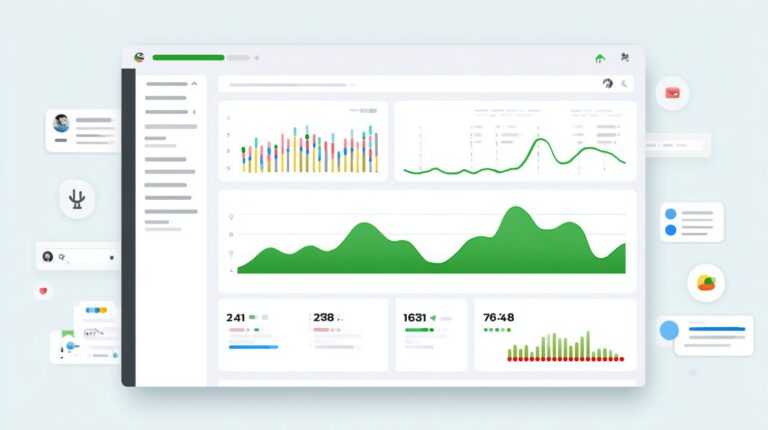
Track button performance through platform analytics to optimize customer journeys and business outcomes. In the REVE Chat dashboard, monitor key metrics like button click rates and user interactions. This helps identify what drives engagement in your messenger buttons for Facebook, WhatsApp, or Telegram.
Focus on conversion funnels and drop-off points to refine chatbot flows. For example, see where customers abandon a multi-button menu during sales support. Adjust real-time responses based on these insights to boost conversions.
Set up Google Analytics events for website chat widgets to track button actions across your e-commerce site. Integrate with CRM systems for accurate button-to-sale attribution. This connects messenger interactions to actual revenue from omnichannel campaigns.
- Export ManyChat analytics to Google Sheets for custom reporting on button performance.
- Test button placements in live chat to measure mobile responsiveness.
- Analyze automation flows to personalize customer service and reduce support tickets.
REVE Chat Dashboard Insights
Use the REVE Chat dashboard to view detailed button click rates and session data. Track how users engage with chatbot buttons in real-time conversations. This reveals patterns in customer behavior across platforms like WhatsApp and Telegram.
Examine conversion funnels to spot drop-off points in your flows. For instance, if users drop after selecting a support button, tweak the response automation. Regular checks help improve 24/7 service and sales outcomes.
Monitor omnichannel metrics for a full view of messenger and website interactions. Combine this with AI-driven insights to build better bots. Publish and test updates quickly to keep engagement high.
Google Analytics and CRM Integration
Configure Google Analytics events for chat widgets to capture button clicks on your website. This links messenger button actions to user paths, aiding e-commerce tracking. Experts recommend this for precise performance measurement.
Leverage CRM integration to attribute sales from button interactions. See how a Telegram button leads to purchases through automated flows. This setup provides clear ROI on your chatbot investments.
Combine data from multiple sources for holistic views. Track from initial engage to final conversion in support or sales scenarios. Use these metrics to personalize future customer journeys effectively.
ManyChat Analytics Export
Export ManyChat analytics to Google Sheets for flexible analysis of button performance. Review click data from Facebook messenger campaigns alongside other metrics. This simplifies spotting trends in customer responses.
Create custom sheets to visualize multi-button engagement and automation efficiency. For example, compare button usage in mobile chats versus desktop. Adjust features based on these exports to enhance user experience.
Schedule regular exports to maintain up-to-date insights on conversions and service quality. Integrate with REVE Chat data for comprehensive reporting. This practice supports ongoing optimization of your chatbots and widgets.
Common Challenges and Solutions

While powerful, messenger buttons present integration hurdles that smart troubleshooting can easily resolve. These issues often arise during chatbot setup on platforms like Facebook Messenger or WhatsApp. Quick fixes keep customer engagement smooth and boost conversions.
Businesses face limits on button displays and user interactions. Mobile responsiveness adds another layer of complexity. Testing and pre-planning help overcome these barriers effectively.
By addressing challenges proactively, teams can ensure real-time responses and seamless omnichannel support. This maintains trust with customers seeking fast service through live chat or automation flows.
Below is a table outlining common problems and practical solutions for messenger button integration.
| Challenge | Solution |
|---|---|
| Platform button limits (e.g., Facebook: 3 per row) | Use persistent menus to expand options without cluttering messages. This keeps multi-button flows accessible on Facebook Messenger and similar platforms. |
| No response to buttons | Add fallback text or a “Type here if buttons don’t work” prompt. This guides users back into the chatbot conversation for better support. |
| Mobile display issues | Test on multiple devices early, including iOS and Android. Adjust button sizes for responsive design to ensure clear visibility. |
| Template approval delays | Pre-build in sandbox environments before submission. This speeds up approval for WhatsApp or Telegram templates and reduces downtime. |
Implementing these solutions enhances customer service across Telegram, WhatsApp, and website widgets. Teams can publish tested bots faster, improving sales and 24/7 availability.
Frequently Asked Questions
What are Messenger Buttons and their primary benefits?
Messenger Buttons: Benefits and Integration offer a seamless way to add interactive elements like call-to-action buttons directly into Facebook Messenger conversations. Key benefits include increased user engagement, higher conversion rates, personalized customer interactions, and simplified navigation, making them ideal for businesses aiming to enhance Messenger Buttons: Benefits and Integration strategies.
How do Messenger Buttons improve customer engagement?
One of the top Messenger Buttons: Benefits and Integration is boosting customer engagement through quick-reply buttons, persistent menus, and post-back buttons. These allow users to respond instantly without typing, leading to faster response times, reduced drop-offs, and more meaningful conversations.
What are the main advantages of integrating Messenger Buttons into chatbots?
Integrating Messenger Buttons: Benefits and Integration into chatbots streamlines user journeys by providing predefined options, guiding users effectively. Benefits include lower support costs, 24/7 availability, data collection via button clicks, and analytics for optimization.
How can businesses easily integrate Messenger Buttons into their Messenger platform?
Messenger Buttons: Benefits and Integration is straightforward using the Messenger Platform API. Developers can set up webhooks, define button types (e.g., web URLs, phone numbers), and test via the Messenger console, enabling quick deployment for e-commerce, bookings, or support.
For Messenger Buttons: Benefits and Integration, common types include Quick Replies for immediate choices, Persistent Menu for ongoing access, and Call-to-Action buttons like Share or Buy. Each type maximizes benefits such as user retention and direct sales funnels.
Can Messenger Buttons be used to track performance and ROI?
Yes, Messenger Buttons: Benefits and Integration includes robust analytics. Track metrics like click-through rates, user sessions, and conversions via Facebook’s insights or integrated tools like Google Analytics, helping quantify benefits and refine integration strategies.