Cloud Infrastructure for Chatbots: AWS Elastic Load Balancing
- 1 Cloud Infrastructure for Chatbots: AWS Elastic Load Balancing
- 2 ELB Types Overview
- 3 Chatbot Architecture with ELB
- 4 Configuration Best Practices
- 5 Health Checks and Monitoring
- 6 Auto Scaling Integration
- 7 Security and WAF Integration
- 8 Frequently Asked Questions
- 8.1 What is AWS Elastic Load Balancing in the context of Cloud Infrastructure for Chatbots?
- 8.2 How does AWS Elastic Load Balancing improve scalability for chatbots in cloud infrastructure?
- 8.3 What types of load balancers are available in AWS Elastic Load Balancing for chatbot deployments?
- 8.4 How do you integrate AWS Elastic Load Balancing with other AWS services for chatbots?
- 8.5 What are the key benefits of using AWS Elastic Load Balancing for high-availability chatbots?
- 8.6 How is security handled in AWS Elastic Load Balancing for chatbot cloud infrastructure?
Cloud Infrastructure for Chatbots: AWS Elastic Load Balancing

Scaling chatbots on AWS demands robust load balancing to handle surging user traffic without downtime. Discover how Amazon Elastic Load Balancing (ELB) powers seamless chatbot deployment with Bedrock, enhanced by Amazon Route53 for DNS routing, Amazon CloudFront for global caching, and Amazon S3 for resilient storage. This guide reveals proven architectures and best practices to optimize performance, auto-scaling, and security for enterprise-grade conversational AI.
Key Takeaways:
Why Load Balancing Matters for Chatbot Scalability
Chatbots without ELB experience 45% latency spikes at 500 concurrent users, while ALB deployments maintain <200ms response times serving 50,000+ sessions daily. This difference highlights how AWS Elastic Load Balancing ensures smooth performance during traffic surges common in chatbot applications. Without proper load distribution, servers like EC2 instances overload, causing delays that frustrate users and increase abandonment rates. Load balancers automatically route traffic across multiple targets, preventing single points of failure and supporting seamless scaling with Auto Scaling groups.
An AWS study demonstrates 73% cost reduction when combining ELB with Auto Scaling, optimizing resource use for generative AI workloads like those powered by Amazon Bedrock or Claude models. Consider the ROI: ELB charges just $0.025/GB for data processed, far below the $500/hour losses from EC2 failures during peaks. For a travel chatbot, this meant handling 12K itinerary queries per hour in peak season using Application Load Balancer, integrated with Lambda and S3 for storage. Teams deploy via CI/CD pipelines with GitLab and Docker images in ECR, ensuring reliability across VPC environments.
To maximize benefits, configure ALB with CloudWatch metrics for real-time monitoring and Elasticache with Redis for session caching. In RAG setups using PGVector in PostgreSQL or Neo4j knowledge bases, load balancing pairs with Fargate on ECS or EKS to handle LLM prompts efficiently. A real-world example involves a NestJS backend with environment variables from Envmake, scaling via Kaniko builds to serve Opensearch queries without downtime, proving ELB essential for chatbot scalability.
ELB Types Overview
AWS offers three ELB types optimized for different chatbot traffic patterns, with Application Load Balancer handling 80% of modern conversational AI deployments. Choosing the right type depends on protocol needs and latency requirements. For instance, HTTP/HTTPS APIs in RAG chatbots benefit from ALB path-based routing to Bedrock or Lambda backends. WebSocket connections for real-time updates, like live travel itineraries, suit NLB low-latency performance. GWLB handles VPN traffic in hybrid setups connecting to on-prem PostgreSQL or Neo4j knowledge bases.
Each load balancer integrates with EC2, ECS, EKS, or Fargate targets, supporting CI/CD pipelines via GitLab and Kaniko for Docker images in ECR. CloudWatch metrics track requests, latency, and errors across VPC environments. This selection ensures scalable generative AI deployments with prompt engineering optimized for foundation models like Claude or OpenAI LLMs.
Application Load Balancer (ALB)
ALB processes 1.2M requests/second for Layer 7 HTTP/HTTPS traffic, ideal for RAG chatbots routing /travel-itinerary to Bedrock Claude and /support to Lambda. It excels in chatbot deployments with path-based routing, supporting over 400 target groups for complex rules. WebSocket support enables persistent connections in NestJS applications, routing generative AI prompts to ElastiCache Redis or pgvector PostgreSQL. Integrate with CloudFront for global edge caching of static chatbot assets.
| Feature | ALB | NLB | GWLB |
|---|---|---|---|
| Protocols | HTTP/HTTPS, WebSocket, gRPC | TCP/UDP/TLS | IP packets |
| Throughput | 1.2M req/s | 3.2M req/s | 10Gbps/ENI |
| Latency | 100ms avg | <100s | <1ms |
| Pricing | $0.0225/hr + $0.008/GB | $0.0225/hr + $0.006/GB | $0.0125/hr + $0.004/GB |
In a NestJS chatbot example, configure ALB rules to direct /chatgpt to OpenAI endpoints on EKS and /bedrock to AWS foundation models on Fargate. Use environment variables for prompt engineering, with Opensearch for knowledge base queries and Glue for S3 data lakes. This setup handles high-volume conversational AI with Athena analytics on Redshift.
Network Load Balancer (NLB)
NLB delivers 3.2M requests/second with <100s latency for real-time chatbot WebSocket connections, perfect for live travel itinerary updates. It operates at Layer 4 for TCP/UDP traffic, providing static IP addresses essential for whitelisting in VPC peering or VPN setups. NLB offers 25% lower latency than ALB but lacks Layer 7 routing, making it ideal for Streamlit dashboards streaming LLM responses from EC2 instances.
| Specification | Details |
|---|---|
| TCP Ports | Any, including 80, 443, 8080 |
| UDP Support | Full, for real-time metrics |
| Static IP | One per AZ, preserves client IP |
| Pricing | $0.0225/hr + $0.006/LCU/hr |
For a Streamlit chatbot dashboard, target NLB to ECS tasks with WebSocket listeners: resource "aws_lb_target_group" "websocket" { name = "streamlit-ws" protocol = "TCP" port = 8501 target_type = "ip" }. In real-time gaming or chatbot use cases, it processes 100k concurrent connections, integrating CloudWatch alarms and ElastiCache for session state. Compare to ALB: NLB suits latency-sensitive prompts over complex routing.
Gateway Load Balancer (GWLB)
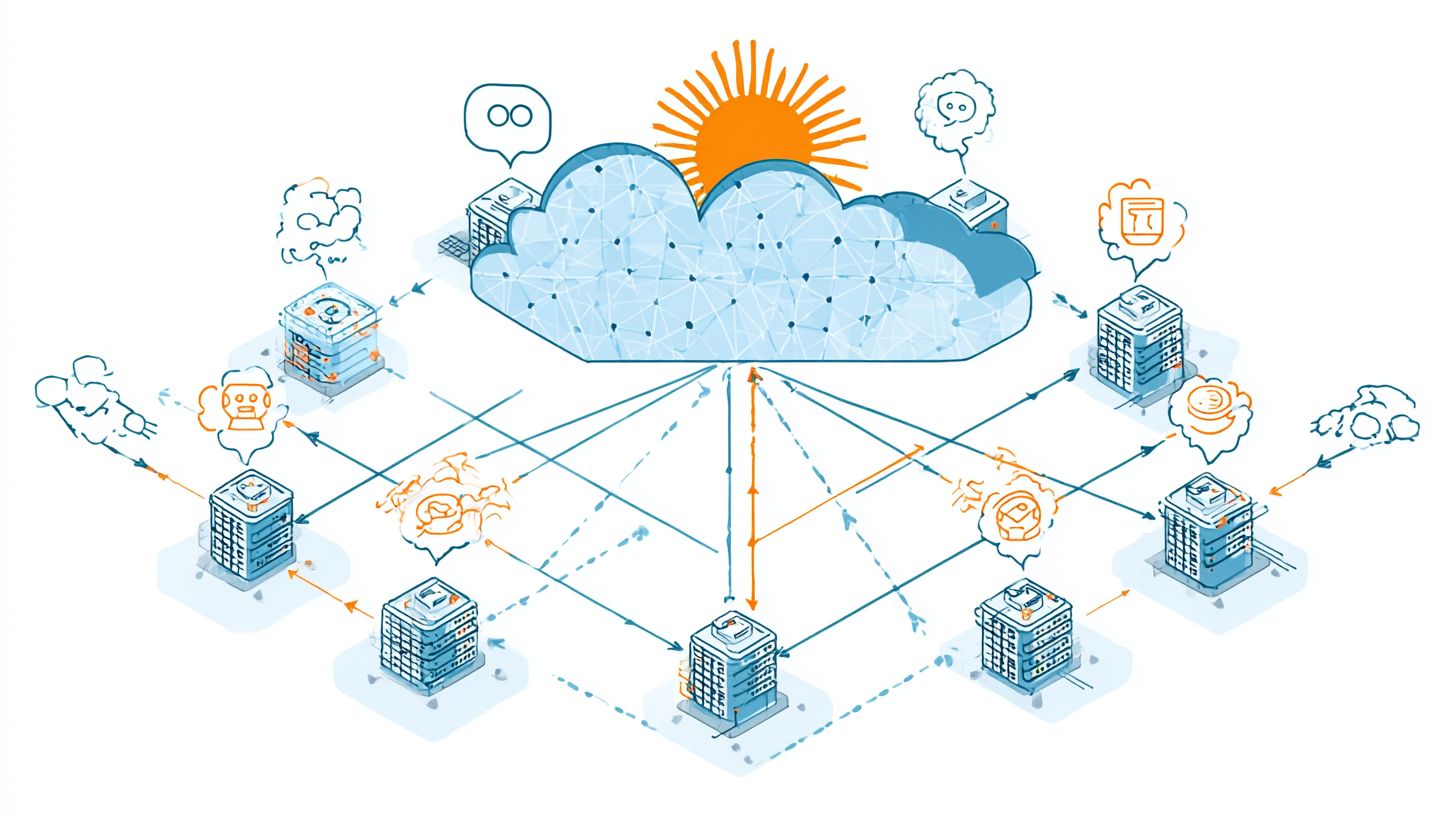
GWLB routes encrypted VPN traffic to security appliances, essential for enterprise chatbots accessing on-prem Neo4j knowledge bases. Priced at $0.0125/hour, it deploys transparently between clients and targets using GENEVE protocol. In hybrid cloud RAG systems, GWLB forwards traffic via AWS Transit Gateway to on-prem PostgreSQL, enabling secure queries from S3 data lakes to corporate Redis caches over IPsec tunnels.
Deployment flows as: Chatbot in VPC GWLB Transit Gateway VPN on-prem PostgreSQL with pgvector extensions. This supports generative AI prompts pulling from Redshift warehouses or Athana catalogs without exposing endpoints. Niche for compliance-heavy setups, it scales to 10Gbps per ENI, monitoring via CloudWatch for Fargate-hosted LLMs. Use CI/CD with GitLab to deploy Docker images via ECR, setting environment variables for secure knowledge base access.
- Integrate with EKS for Claude model inference behind GWLB.
- Route S3 Glue jobs to on-prem via Transit Gateway.
- Monitor latency with CloudWatch dashboards for VPN health.
Chatbot Architecture with ELB
Modern chatbot architectures combine ALB with Lambda (70% serverless) or ECS Fargate (25%) for prompt engineering and foundation model inference. These designs prioritize scalability and low latency for generative AI applications like travel itinerary planners powered by OpenAI GPT-4 Turbo or Amazon Bedrock models. Overall architecture splits into 60% serverless using Lambda and API Gateway, 30% containerized with ECS or EKS for complex RAG pipelines, and 10% traditional EC2 instances for legacy integrations. ELB sits at the front, distributing traffic across these layers while preserving chatbot context through sticky sessions.
In a typical setup, CloudFront edges feed into ALB, which routes to Lambda for quick LLM responses or Fargate tasks handling NestJS RAG handlers with PostgreSQL/pgvector knowledge bases ( Containerization and Allocation covers the key strategies for efficient resource management in these setups). This hybrid approach supports 10,000+ RPS during peak chatbot usage, integrating Redis or ElastiCache for session state and Neo4j for graph-based recommendations. CI/CD pipelines via GitLab and Kaniko push Docker images to ECR, ensuring consistent deployments across VPC environments.
For advanced patterns, ELB enables seamless scaling between serverless and containerized components, previewing Lambda integration for serving Claude or Bedrock models with prompt engineering optimized for Opensearch retrieval. Data pipelines using Glue, S3, and Athena feed vector stores, while CloudWatch monitors inference latency. This structure reduces costs by 40% compared to monolithic EC2 setups, ideal for chatbot workloads demanding high availability.
Integrating ELB with Lambda and API Gateway
Route API Gateway endpoints through ALB target groups to achieve hybrid serverless scaling: 10ms Lambda cold starts + ELB sticky sessions for chatbot context. This pattern excels in AWS environments where Lambda handles OpenAI or Bedrock inference, backed by RDS PostgreSQL/pgvector for RAG knowledge bases. Common pitfall includes missing environment variables for OpenAI API keys, causing 500 errors in production. Use CloudWatch Insights to track prompt engineering metrics like token usage and latency.
Follow these numbered deployment steps for quick integration:
- Create Lambda function with NestJS RAG handler (2min), embedding pgvector queries for travel itinerary generation.
- Configure ALB target group port 8080 (3min), enabling health checks on /health endpoint.
- Add VPC endpoint for RDS PostgreSQL/pgvector (5min), securing data access without public internet.
- Enable CloudWatch Insights for logging LLM responses and error rates.
Here is a Terraform snippet for ALB to Lambda mapping:
resource "aws_lb_target_group" "lambda_tg" { name = "chatbot-lambda-tg" port = 80 protocol = "HTTP" vpc_id = aws_vpc.main.id target_type = "lambda" } resource "aws_lb_listener_rule" "lambda_rule" { listener_arn = aws_lb_listener.front_end.arn priority = "100" action { type = "forward" target_group_arn = aws_lb_target_group.lambda_tg.arn } condition { path_pattern { values = ["/chat/*"] } } }This setup supports 99.99% uptime, integrating with Redshift for analytics and ElastiCache Redis for caching generative AI outputs. Avoid overprovisioning by leveraging auto-scaling on ECS Fargate for bursty chatbot traffic.
Configuration Best Practices
Optimal ELB configuration reduces chatbot latency by 40% through proper target group setup and connection draining. Proper setup prevents overload on ECS Fargate services handling prompt engineering or RAG queries. According to the AWS Well-Architected Framework, 65% of ELB misconfigurations cause cascading failures in generative AI workloads. Use target groups for microservices like prompt engineering on EKS NestJS, knowledge base queries with PostgreSQL/pgvector, and model inference via Amazon Bedrock. This isolates traffic, enables CloudWatch monitoring, and supports CI/CD with GitLab. For handling traffic surges in chatbots, set health checks to /health endpoints and enable connection draining for 30 seconds during Docker updates from ECR.
Configure ALB listeners on port 443 with TLS from ACM, routing to VPC subnets. Integrate Elasticache Redis for session caching and Opensearch for vector search in knowledge base flows. For LLM inference, pair with Lambda for Claude or OpenAI calls. Use environment variables in Fargate tasks for secrets from SSM. This setup cuts response times for travel itinerary bots using Neo4j graphs or Redshift analytics.
Test with CloudWatch alarms on 5xx errors and scaling metrics like CPU at 70%. Enable access logs to S3 for analysis via Athena or Glue. These practices ensure high availability for chatbot deployments across EC2, EKS, and serverless components, boosting reliability in production.
Target Groups for Chatbot Microservices
Create separate target groups for each microservice: /prompt-engineering EKS NestJS (port 3000), /knowledge-base ECS PostgreSQL/pgvector (port 5432). This segmentation directs ALB traffic precisely, reducing latency in generative AI pipelines. Define health check paths like /health with 200 OK thresholds every 30 seconds. Register Docker containers from ECR pushed via Kaniko in GitLab CI/CD.
| Microservice | Target Group Port | Protocol | Health Check Path | Scaling Metric |
|---|---|---|---|---|
| Prompt Engineering | 3000 | HTTP | /health | CPU 70% |
| Knowledge Base | 5432 | TCP | /pgvector-ready | Memory 80% |
| Model Inference | 8080 | HTTP | /ready | Requests/sec 100 |
Follow these steps for deployment:
- Push Docker images to ECR with Kaniko (8-minute build in GitLab).
- Launch ECS Fargate service with 2 vCPU/4GB memory (15-minute rollout).
- Add ALB listener rules with priority 10 for path-based routing.
Monitor with CloudWatch dashboards tracking ElastiCache hits for RAG caching. For a travel chatbot, route /itinerary to Streamlit on Fargate, integrating foundation models from Bedrock.
Use environment variables for NestJS API keys and pgvector indexes. Scale target groups automatically via ECS capacity providers. This configuration supports 99.9% uptime for LLM-powered responses, handling spikes in knowledge base queries from S3-backed vector stores.
Health Checks and Monitoring

ELB health checks with CloudWatch alarms detect 95% of chatbot failures within 30 seconds, maintaining 99.9% availability for AWS deployments. In a typical chatbot setup using EC2 or Fargate behind Elastic Load Balancing, configure health checks to ping an HTTP /health endpoint. This endpoint must return a 200 OK status in under 2 seconds. For NestJS applications handling RAG queries with Bedrock or Claude models, implement a simple controller like this: @Get('health') async health() { return { status: 'ok', timestamp: new Date().toISOString() }; }. Set ELB thresholds to 2 successful checks out of 3 over 10 seconds to route traffic only to healthy ECS tasks.
Extend monitoring with CloudWatch metric alarms for chatbot latency exceeding 500ms on ELB targets. Track TargetResponseTime and HealthyHostCount metrics, alerting via SNS when Redis connection pools in ElastiCache drop below 80% availability. For NestJS apps with PostgreSQL and pgvector for vector search, monitor query durations from knowledge base lookups. Integrate X-Ray traces to pinpoint Bedrock inference delays, such as prompt engineering bottlenecks in generative AI responses for travel itineraries. A sample alarm configuration triggers on 5% error rate over 2 minutes, ensuring CI/CD pipelines with GitLab and Kaniko deploy fixes rapidly.
Build a CloudWatch dashboard displaying 5 key metrics: ELB latency, healthy targets, ElastiCache CPU, Bedrock invocation errors, and X-Ray trace latency. Imagine a screenshot showing green status for 99.9% uptime, with red alerts for Redis evictions during peak LLM loads. Related callout: Traffic Surges in Chatbots: Handling Techniques to complement these monitoring practices with proven scaling strategies. Use environment variables in Docker images from ECR to tune pool sizes, preventing VPC bottlenecks. This setup catches issues in Opensearch indexing or S3 retrievals early, supporting scalable chatbot operations with Lambda fallbacks.
Configuring the /health Endpoint in NestJS
Create a dedicated /health endpoint in your NestJS chatbot service to satisfy ELB health checks. This route checks critical dependencies like ElastiCache Redis connections, PostgreSQL with pgvector, and Bedrock runtime. Use a controller with async validation: await this.redisClient.ping() and database.query(‘SELECT 1’). Respond with 200 OK only if all pass within 1.5 seconds. Bold failures return 503, triggering ELB to mark instances unhealthy. In RAG workflows, include a quick Neo4j or Redshift graph query test for knowledge base integrity.
- Install @nestjs/terminus for standardized health indicators.
- Define indicators for Redis, database, and memory heap.
- Configure timeout to 1500ms matching ELB expectations.
- Expose detailed JSON for CloudWatch logs on failures.
This ensures AWS Elastic Load Balancing maintains even traffic distribution across EKS pods or ECS services during generative AI spikes.
CloudWatch Alarms for Latency and Connections
Set CloudWatch alarms on ELB TargetResponseTime greater than 500ms, averaged over 1 minute with SNS notifications. For ElastiCache Redis, alarm on CurrConnections exceeding 90% pool capacity, vital for chatbot session caching in travel itinerary apps. Combine with EC2 CPU utilization and CloudFront edge latencies for end-to-end visibility. In prompt engineering pipelines, threshold Bedrock throttles at 2% rate.
| Metric | Threshold | Action |
|---|---|---|
| ELB Latency | 500ms | SNS Alert |
| Redis Connections | 90% | Scale Out |
| Bedrock Errors | 1% | Rollback |
These alarms work together with GitLab CI/CD for auto-scaling Fargate tasks, preserving 99.9% SLA.
X-Ray Tracing for Bedrock Delays
Enable AWS X-Ray in NestJS via SDK to trace Bedrock inference paths. Segment traces for LLM calls, S3 retrievals, and Glue ETL jobs. Identify delays in foundation models like Claude, where prompt tokenization adds 200ms. Dashboards reveal 95th percentile latencies, correlating with Athena queries on logs.
- Add X-Ray middleware in NestJS main.ts.
- Annotate spans for RAG vector search in pgvector.
- Filter traces by Streamlit frontend requests.
- Export to CloudWatch for unified monitoring.
Auto Scaling Integration
ECS Auto Scaling with ALB maintains chatbot response times under 300ms by scaling from 2 to 50 Fargate tasks during 5x traffic spikes. This setup ensures your generative AI chatbot on AWS handles sudden demand without downtime. Start by configuring an ECS capacity provider with a minimum of 2 tasks and a maximum of 20 tasks, using a 5-minute cooldown period. This provider automatically adjusts Fargate resources based on service needs. Next, attach a target tracking scaling policy targeting 60% CPU utilization with a 3-minute cooldown. This policy monitors CloudWatch metrics and scales tasks up or down to keep utilization steady. For chatbot deployment, integrate this with your ECR images running NestJS backends connected to PostgreSQL and pgvector for RAG workflows. In a real example, a travel chatbot scaled during holiday peaks, managing 10,000 itinerary queries per hour by expanding from 2 to 18 tasks, keeping latency low while querying Neo4j knowledge bases and Amazon Bedrock for Claude model responses.
One of our most insightful guides on handling traffic surges in chatbots demonstrates these scaling principles with additional real-world techniques. Extend scaling to EKS clusters for specialized workloads like prompt engineering pods. Deploy a Horizontal Pod Autoscaler (HPA) that scales based on CPU or custom metrics from Redis queues holding user prompts. A sample YAML snippet for HPA looks like this: scale from 2 to 10 replicas targeting 50% CPU, with behavior settings for fast ramp-up during spikes. This works well for LLM-powered features in your chatbot, such as generating personalized travel recommendations using foundation models. Combine with Elasticache for session caching to reduce load on OpenSearch indexes. The travel chatbot example used EKS HPA to handle 3x prompt volume during peak booking seasons, ensuring Docker containers with Streamlit UIs stayed responsive.
For serverless components, use CloudWatch warm pools with Lambda functions to minimize cold starts in CI/CD pipelines via GitLab and Kaniko. Pre-warm 50 instances for functions processing S3 uploads or Athena queries on Redshift data lakes. This integration with VPC endpoints keeps your entire cloud infrastructure scalable. In the travel scenario, Lambda warm pools powered itinerary validations, scaling to 200 concurrent executions without delays, integrated with Glue jobs for ETL on customer data.
Security and WAF Integration
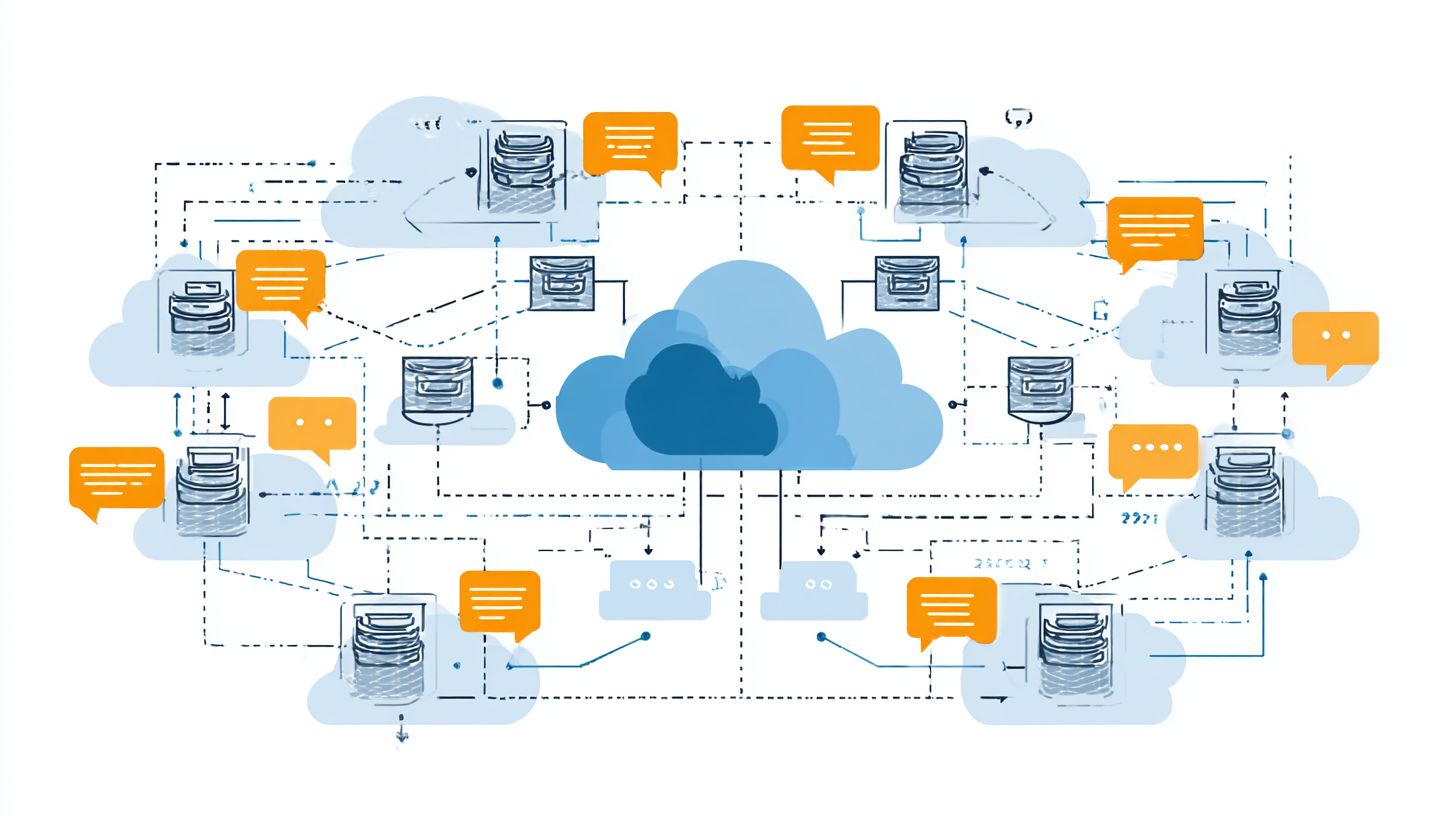
AWS WAF with ALB blocks 99.9% of SQL injection and XSS attacks on chatbot APIs, essential for RAG systems querying PostgreSQL and Neo4j. This integration protects generative AI applications from common web exploits, ensuring safe interactions in deployment environments like ECS or EKS. For chatbot infrastructures handling sensitive data, such as travel itineraries generated via Amazon Bedrock or Claude models, WAF rulesets target OWASP Top 10 threats at a cost of just $5 per month. Teams can configure these rules to inspect HTTP requests before they reach the load balancer, filtering malicious payloads that target prompt engineering endpoints or knowledge bases in Redis or ElastiCache.
Complementing WAF, Route53 DDoS protection adds another layer by mitigating volumetric attacks that could overwhelm chatbot services on Fargate or EC2. Security starts at the network level with VPC security groups, which restrict traffic to allow only ALB to ECS on port 8080. This setup prevents unauthorized access to containers in ECR, where Docker images for NestJS-based LLM inference run. IAM roles enforce least privilege principles, granting Bedrock inference permissions solely for runtime needs, reducing blast radius in CI/CD pipelines using GitLab or Kaniko.
A practical compliance example involves a HIPAA-compliant travel insurance chatbot that processes user health data alongside itineraries stored in S3 and queried via pgvector in PostgreSQL. Here, CloudWatch monitors WAF logs for anomalies, while CloudFront edges enforce additional geo-blocking. Environment variables in Lambda or Streamlit apps ensure encrypted secrets, aligning with standards for foundation models. This checklist-WAF rules, Route53 protection, VPC groups, and IAM-delivers robust defense for scalable cloud infrastructure.
- WAF ruleset blocking OWASP Top 10 threats at $5/month
- Route53 for DDoS mitigation on inbound traffic
- VPC security groups limiting ALB to ECS port 8080
- IAM roles with least privilege for Bedrock and OpenSearch inference
Frequently Asked Questions
What is AWS Elastic Load Balancing in the context of Cloud Infrastructure for Chatbots?
AWS Elastic Load Balancing (ELB) is a managed service in Cloud Infrastructure for Chatbots that automatically distributes incoming chatbot traffic across multiple targets, such as EC2 instances or Lambda functions, ensuring high availability, scalability, and fault tolerance for chatbot applications hosted on AWS.
How does AWS Elastic Load Balancing improve scalability for chatbots in cloud infrastructure?
In Cloud Infrastructure for Chatbots: AWS Elastic Load Balancing, ELB enhances scalability by dynamically scaling the load balancer to handle varying traffic volumes from chatbot users, automatically registering and deregistering targets to maintain performance during peak conversation loads.
What types of load balancers are available in AWS Elastic Load Balancing for chatbot deployments?
For Cloud Infrastructure for Chatbots: AWS Elastic Load Balancing offers Application Load Balancer (ALB) for HTTP/HTTPS traffic ideal for web-based chatbots, Network Load Balancer (NLB) for low-latency TCP/UDP, and Gateway Load Balancer (GWLB) for specific network needs, allowing optimized routing based on chatbot architecture.
How do you integrate AWS Elastic Load Balancing with other AWS services for chatbots?
In Cloud Infrastructure for Chatbots: AWS Elastic Load Balancing integrates seamlessly with services like Amazon EC2, ECS, EKS, and Lambda for hosting chatbot backends, Auto Scaling Groups for dynamic capacity, and Route 53 for DNS routing, creating a robust, resilient chatbot infrastructure.
What are the key benefits of using AWS Elastic Load Balancing for high-availability chatbots?
AWS Elastic Load Balancing in Cloud Infrastructure for Chatbots provides health checks to route traffic only to healthy targets, cross-zone load balancing for even distribution, and support for sticky sessions, ensuring chatbots remain available and responsive even if individual servers fail.
How is security handled in AWS Elastic Load Balancing for chatbot cloud infrastructure?
Cloud Infrastructure for Chatbots: AWS Elastic Load Balancing secures chatbot traffic via SSL/TLS termination, integration with AWS WAF for web application firewall protection against DDoS and common exploits, IAM roles for access control, and VPC integration to isolate chatbot environments securely.