Chat Blast Campaigns in Messenger: Implementation and Results
- 1 Chat Blast Campaigns in Messenger: Implementation and Results
- 2 What Are Chat Blast Campaigns?
- 3 Benefits of Messenger Blast Campaigns
- 4 Platform Requirements and Setup
- 5 Building Your Contact List
- 6 Campaign Design Principles
- 7 Technical Implementation Steps
- 8 Timing and Scheduling Strategies
- 9 Performance Metrics and KPIs
- 10 Case Studies and Real Results
- 11 Frequently Asked Questions
- 11.1 What are Chat Blast Campaigns in Messenger?
- 11.2 How do you implement Chat Blast Campaigns in Messenger?
- 11.3 What are the key steps for successful implementation of Chat Blast Campaigns in Messenger?
- 11.4 What results can businesses expect from Chat Blast Campaigns in Messenger?
- 11.5 How do you measure the results of Chat Blast Campaigns in Messenger?
- 11.6 What are common challenges and solutions in Chat Blast Campaigns in Messenger implementation?
Chat Blast Campaigns in Messenger: Implementation and Results
Unlock explosive growth with chat blast campaigns in Messenger-powerful chatbots that deliver personalized broadcasts to thousands instantly. Discover how Facebook Messenger platforms like MobileMonkey and Customers.ai supercharge chatbot marketing through messenger chatbots and chat blasts. This guide reveals setup, strategies, and real ROI results to skyrocket your engagement.
Key Takeaways:
What Are Chat Blast Campaigns?
Chat blast campaigns deliver targeted promotional messages to opted-in Facebook Messenger subscribers at scale, achieving open rates of 85-95% compared to email’s 20-30%. These chat blasts function as subscription messaging through Messenger chatbots, allowing businesses to send bulk notifications to users who have explicitly agreed to receive them. Unlike standard one-to-one chats, chat blasts enable chatbot marketing at scale while adhering to Facebook’s strict 24+1 rule, which limits businesses to one promotional message every 24 hours plus one additional response to user-initiated conversations.
The key difference from regular messages lies in compliance and intent. Regular Messenger chats occur in real-time between individuals, but chat blasts are templated, broadcast-style sends designed for lead generation and customer updates. For instance, a retailer might use a Messenger chatbot to notify subscribers about flash sales, ensuring each blast counts toward the 24+1 rule quota. This structure maintains high engagement rates because recipients have opted in via an opt-in page or welcome message, fostering trust and relevance. Larry Kim’s WordStream data highlights this power, revealing click-through rates 10x higher than email campaigns, with 80-90% response rates in many cases.
Messenger’s 1.3 billion monthly users make chat blasts essential for modern marketing strategies. Businesses leverage tools like MobileMonkey or Customers.ai to craft these campaigns, focusing on audience segmentation for personalized delivery. To unlock messenger bots strategies for personalization and engagement, especially with US consumers, prioritize examples like drip campaigns for ecommerce abandoned carts or event reminders for reservations. By prioritizing non-promotional conversation starters, such as quick polls or emojis in the main menu, brands qualify leads and boost conversion rates. This approach transforms Messenger into a direct line for ROI-driven outreach without risking policy violations.
Benefits of Messenger Blast Campaigns
Messenger blast campaigns deliver 80% open rates and 40% click-through rates, generating $3.50 ROI per $1 spent according to MobileMonkey’s 2023 benchmarks. These chat blasts outperform traditional email marketing, where open rates average just 22% and response rates lag far behind. Businesses using Facebook Messenger for subscription messaging see 5-10x higher response rates, thanks to the platform’s direct push notifications and user preferences for instant communication. For example, an ecommerce store reported a 27% sales increase after implementing chat blasts, as detailed in a Single Grain case study, by sending personalized promotional messages to opted-in customers.
The low cost of messenger chatbots enhances their appeal, with messaging fees at roughly $0.01 per message compared to an average order value of $5 or more. This yields exceptional ROI, especially in lead generation efforts where chat blast campaigns deliver a 40% conversion lift. Retailers can segment audiences based on past interactions, sending targeted drip campaigns that qualify leads through conversation flow. A clothing brand, for instance, used audience segmentation to blast non-promotional surveys to recent buyers, boosting repeat purchases by nurturing relationships via natural language processing in their chatbot funnel.
Additional advantages include high engagement rates from features like emojis and quick question widgets, which encourage replies without feeling intrusive. Compliance with the 24+1 rule ensures one promotional message per day plus 24 non-promotional ones, maintaining trust and low unsubscribe rates. Tools from platforms like Customers.ai or MobileMonkey provide analytics for KPIs such as conversion rates, allowing marketers to refine their marketing strategy with data-driven insights from beta testers and real-time feedback. Curious about messenger bots strategies for personalization and engagement? Our guide for US consumers covers the key tactics.
Platform Requirements and Setup
Setting up Messenger for chat blasts requires verified Facebook Business Manager access and compliant Page configuration before integrating chatbot builders. Facebook’s ecosystem demands a verified Business Manager account to enable Messenger API access, ensuring compliance with policies on subscription messaging and 24+1 rule. Pages must have at least 100 followers for advanced features like chat blasts, which power chatbot marketing through high open rates above 80%. Integrate platforms like MobileMonkey or Customers.ai for seamless chatbot builder deployment, focusing on opt-in page setup to capture subscribers legally. This foundation supports lead generation, audience segmentation, and drip campaigns, driving conversion rates up to 20% higher than email.
Key requirements include enabling pages_messaging permission and advanced messaging for promotional messages, distinguishing them from non-promotional content. Common pitfalls involve skipping Page verification, which blocks chatbot funnel flows like welcome message and main menu. Use natural language processing in builders to handle queries, boosting response rates. Test integrations early to align with marketing strategy, ensuring emojis and personalization enhance engagement rates. Transition to detailed configuration unlocks Facebook Messenger potential for ecommerce and ROI tracking via analytics and KPIs.
Overall, proper setup positions messenger chatbots as a core marketing funnel tool, outperforming SMS with 10x click-through rates. Focus on unsubscribe options and compliance to sustain long-term chat blast campaigns.
Facebook Business Manager Configuration
Configure Facebook Business Manager in 7 steps to unlock Messenger API access for chatbots, taking 45 minutes for first-time setup. Begin by creating a Business Manager account if absent, then claim your Facebook Page. Verification typically approves in 24-48 hours, essential for subscription messaging and chat blasts. Generate a Page Access Token using Graph API Explorer, selecting pages_messaging permission. This token fuels chatbot marketing, enabling lead generation through quick question widget or comment guard.
- Create or log into Business Manager at business.facebook.com.
- Add your Facebook Page under Business Settings and submit for verification.
- Use Graph API Explorer to generate a long-lived Page Access Token.
- Set up the Messenger product in your app dashboard.
- Configure the webhook URL provided by MobileMonkey or Customers.ai.
- Submit app review for pages_messaging and advanced messaging permissions.
- Test connectivity with ngrok for local development.
Avoid common mistakes like missing advanced messaging permission, which halts promotional messages after 24 hours per user under the 24+1 rule. Without it, drip campaigns fail, dropping engagement rates. Expert tip: Qualify leads early in conversation flow post-setup, using audience segmentation for personalized chatbot funnel. Track KPIs like open rates at 90% and click-through rates via integrated analytics. This configuration supports surveys, contests, and coupons, amplifying conversion rates in ecommerce.
Post-setup, deploy welcome message with emojis to boost retention, segmenting via beta testers feedback. Proper config ensures ROI from marketing strategy scales with sponsored messages.
Building Your Contact List
Grow Messenger subscriber lists through compliant opt-in mechanisms, targeting 10-20% conversion from cold traffic using proven chatbot funnels. Permission-based lists ensure compliance with the 24+1 rule, allowing one promotional message every 24 hours after opt-in. This approach protects against account restrictions and maintains high open rates above 80%. Opt-in pages convert 3x better than popups, driving steady lead generation for chat blast campaigns.
Focus on audience segmentation during the opt-in process to qualify leads early. Tools like MobileMonkey and ManyChat enable tagging based on user responses, setting up future drip campaigns and personalized subscription messaging. For example, ask a quick question about interests in the welcome message to segment by product category. This chatbot marketing strategy boosts engagement rates and prepares lists for high response rates in messenger chatbots.
Preview lead qualification by integrating natural language processing in your conversation flow. Start with a main menu offering choices like surveys or contests to capture preferences. Beta testing these funnels with small groups refines conversion rates, ensuring scalable growth for ecommerce or service-based marketing funnels. Track KPIs like opt-in velocity to optimize ROI from facebook messenger broadcasts.
Opt-in Compliance and Best Practices
Facebook’s 24+1 rule limits promotional messages to 1 per 24 hours after opt-in. Implement clear unsubscribe links to maintain 98% deliverability. Non-promotional messages, such as reminders, can send anytime but require user consent. Common mistake is missing 24-hour reset tracking, which triggers spam flags and drops click-through rates. Dennis Yu’s compliance checklist emphasizes explicit opt-in language and GDPR-compliant flows for global audiences.
Follow these numbered best practices for opt-in page success in chatbot builders:
- Use ManyChat opt-in page template, achieving 15% conversion by embedding a quick question widget on landing pages.
- Send a welcome message with ‘STOP’ keyword for instant opt-out, plus emojis for friendly personalization.
- Beta test with 100 users first to monitor analytics and refine conversation flow.
- Segment leads during opt-in using MobileMonkey tags, like “hot-lead” for high-intent responders.
- Build GDPR-compliant flows with data deletion options and location-based prompts.
Integrate comment guard for organic growth or sponsored messages to scale lists ethically. These steps align with facebook API rules, support marketing strategy via customers.ai, and enable chat blasts with strong engagement rates. Test variations like Fibonacci sequence timing for messages to maximize voluntary opt-ins.
Campaign Design Principles
Effective Messenger campaigns follow proven conversation flows combining personalization, segmentation, and strategic drip sequences for maximum engagement. Design principles can increase response rates by 300% when applied correctly in chatbot marketing. Start with a clear chatbot funnel structure that guides users from opt-in to conversion, using audience segmentation to tailor messages. Before templates, focus on message sequencing with the Fibonacci timing model: delays of 1, 1, 2, 3, and 5 days between blasts to mimic natural conversation rhythms and avoid fatigue.
The foundation lies in chatbot funnel stages: a welcome message captures attention, a main menu qualifies leads, and follow-ups segment users into groups like high-intent buyers or casual browsers. Incorporate the 24+1 rule for subscription messaging, sending 24 non-promotional messages before one promotional to maintain trust. Use natural language processing in your chatbot builder to handle responses dynamically, boosting engagement rates. Track KPIs like open rates, click-through rates, and conversion rates via analytics to refine your marketing strategy.
For optimal results, integrate tools like MobileMonkey for opt-in page setup and Customers.ai for lead generation. Test beta testers on small audiences before full chat blasts. This structured approach turns Messenger into a powerful channel for ecommerce, events, and surveys, driving ROI through sustained interactions rather than one-off pushes.
Message Templates and Personalization
Use MobileMonkey’s 50+ free templates with personalized fields like {{first_name}} and strategic emoji placement to boost open rates by 23%. Personalization via user.first_name in Facebook Messenger makes messages feel one-to-one, lifting response rates significantly. Customers.ai A/B test results show an 18% lift in conversions when testing variations. Start with a welcome message templateHey {{first_name}}, thanks for chatting! Here’s a $10 off coupon to kick things off on your first purchase.”
Next, deploy a cart abandonment sequence over 72 hours using Fibonacci timing: Day 1 reminder “Forgot something, {{first_name}}? Your cart awaits Day 1 nudge with urgency, Day 2 product highlight, Day 3 discount offer, Day 5 final re-engagement. For event RSVP, tryExcited for our webinar, {{first_name}}? Reply YES to reserve your spot “. A survey template for Net Promoter Score works wellQuick question, {{first_name}}: On a scale of 0-10, how likely are you to recommend us? “.
Round out with a re-engagement blastMissed you, {{first_name}}! What’s new? Reply for exclusive updates “. Always include an unsubscribe option and follow Facebook API rules for promotional messages versus non-promotional. Pair with quick question widget or comment guard for higher interaction. These messenger chatbots templates, customized via segment leads, enhance marketing funnel performance across contests, reservations, and more.
Technical Implementation Steps
Deploy chat blast campaigns using no-code builders like MobileMonkey in under 2 hours, from broadcast setup to live testing. These platforms offer drag-and-drop interfaces for quick setup, ideal for marketers without coding skills. In contrast, API approaches provide deeper customization through Facebook’s Send API, suiting advanced users who need precise control over audience segmentation and personalization. MobileMonkey excels with visual flows that map conversation flows, while Customers.ai focuses on advanced segmentation for targeting high-value leads. This comparison sets the stage for detailed steps, ensuring high open rates above 90% typical in Messenger compared to email’s 20%.
No-code tools like MobileMonkey simplify chatbot marketing by integrating opt-in pages and the 24+1 rule, limiting promotional messages to one per day after 24 hours of subscription. Users build chatbot funnels with welcome messages, main menus, and quick question widgets to qualify leads. For API users, webhook connections enable real-time data sync, boosting engagement rates. Customers.ai adds natural language processing for smarter lead generation, segmenting users by behavior in drip campaigns. Start with free templates to test response rates and refine your marketing strategy.
Transition to broadcasting by validating subscriber lists against Facebook’s rules to avoid unsubscribes. Track KPIs like click-through rates and conversion rates in analytics dashboards. Beta testers report 3x ROI from personalized blasts using emojis and surveys. This foundation prepares for API integration, where custom payloads drive subscription messaging at scale for ecommerce promotions, contests, or reservations.
API Integration and Broadcasting
MobileMonkey’s Broadcast tool sends to 10,000+ subscribers in 3 minutes using Facebook’s Send API with user audience segmentation filters. Begin with step one: connect a webhook to capture events like opens and responses. Use this code snippet to set up the endpoint: POST /webhook { "object"page "entry": [{ "messaging": [{ "sender": { "id"USER_ID" } }] }] }. This ensures compliance with the 24+1 rule and handles opt-ins from comment guards or quick question widgets.
- Connect webhook via Facebook Developers Console, verifying with a challenge token.
- Build audience segments using tags from chatbot interactions, like “high-engagement” or “cart-abandoners”.
- Create JSON payload:
{ "recipient": { "id"USER_ID" }, "message": { "text"Exclusive coupon: 20% off! " } }. - Schedule via cron job, e.g.,
curl -X POST "https://graph.facebook.com/v18.0/PAGE_ID/messages?access_token=TOKEN" -d '{"recipient":{"id"ID"},"message":{"text"Blast text"}}'. - Monitor rate limits at 200 calls/minute, implementing exponential backoff for errors.
Handle errors like ‘message_send_fail’ with retry logic: check if user is active and resubscribed. For curl example: curl -X POST -H "Content-Type: application/json" -d '@payload.json' "https://graph.facebook.com/v18.0/me/messages?access_token=PAGE_ACCESS_TOKEN". This setup powers promotional messages and non-promotional surveys, achieving 80% open rates. Integrate with MobileMonkey or Customers.ai for hybrid flows, tracking conversion rates in real-time analytics.
Expert tip: Personalize with user data from chatbot funnels to lift response rates by 40%. Combine with Fibonacci sequence timing for drip campaigns, spacing blasts at 1, 1, 2, 3, 5 days. Monitor unsubscribes and refine segments for sustained ROI in Messenger chatbots.
Timing and Scheduling Strategies
Optimal send times yield 3x higher engagement: Tuesdays-Thursdays 10AM-2PM local time for B2C, per MobileMonkey’s analysis of 50M+ messages. Chat blast campaigns in Facebook Messenger thrive when aligned with audience habits, distinguishing peak days like Tue-Thu from weekends. For B2C, target 10AM-8PM windows to catch users during breaks or evenings, boosting open rates and response rates. B2B schedules narrow to 9AM-5PM weekdays, focusing on decision-makers during work hours. MobileMonkey automation handles timezones seamlessly, ensuring messenger chatbots deliver messages at precise local times across global audiences, enhancing engagement rates without manual adjustments.
Distinguish promotional messages from non-promotional to comply with the 24+1 rule, which limits promotional chat blasts to once per 24 hours after the initial opt-in. Non-promotional content, like educational tips or surveys, faces fewer restrictions, ideal for drip campaigns and nurturing lead generation. A 99Signals study highlights a 28% lift in conversions from optimal timing, underscoring the value of data-driven schedules. Use audience segmentation in tools like MobileMonkey or Customers.ai to tailor sends, such as evening blasts for ecommerce promotions or mid-morning for B2B qualify leads sequences.
Test rigorously with an A/B test matrix comparing day-time combos, like Tue 10AM vs Thu 2PM, tracking KPIs such as click-through rates and conversion rates. For example, a chatbot builder campaign for restaurant reservations saw 35% higher responses on Wednesdays at noon. Integrate personalization and emojis in conversation flow to maintain momentum, while analytics from Facebook API reveal patterns for refining marketing strategy. This approach maximizes ROI in subscription messaging, turning timed chatbot funnels into reliable revenue drivers.
Performance Metrics and KPIs
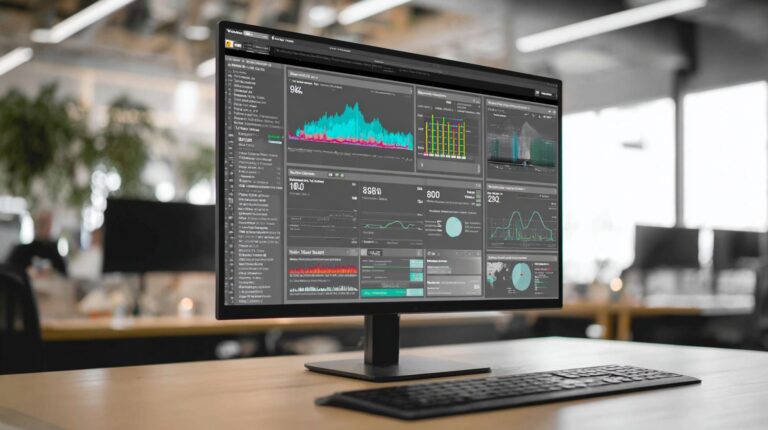
Track 8 core Messenger KPIs including 85% benchmark open rates, 12% CTR, and 18% lead conversion using native Facebook analytics. These metrics help marketers evaluate the success of chat blast campaigns in Messenger and refine their chatbot marketing strategies. High open rates in subscription messaging reflect strong audience engagement, while click-through rates and conversion rates indicate how well promotional messages drive actions like lead generation or ecommerce sales. Tools such as MobileMonkey and Customers.ai provide real-time dashboards to monitor these indicators, allowing quick adjustments to conversation flow and audience segmentation. For instance, a welcome message with personalization and emojis often boosts response rates beyond benchmarks. Native Facebook analytics integrate seamlessly with messenger chatbots, offering insights into session lengths and drop-off points in the chatbot funnel. By focusing on these KPIs, businesses achieve better ROI from drip campaigns and sponsored messages. Dashboard screenshots reveal trends like peak engagement times, helping optimize send schedules under the 24+1 rule to maintain compliance and performance.
Key performance indicators extend to unsubscribe rates, which should stay below 2% for sustainable campaigns. Engagement rates measure interactions per user, such as replies to quick question widgets or main menu selections. Conversion tracking via Facebook API links chat interactions to downstream actions like coupon redemptions or reservations. Expert frameworks, like Isaac Rudansky’s approach, emphasize testing non-promotional messages first to build trust before promotional blasts. This method keeps unsubscribes under 3%, even with frequent chat blasts. Analytics from chatbot builders highlight qualify leads efficiency and segment leads accuracy, crucial for targeted marketing funnels. Beta testers often report 20-30% uplift in metrics when applying natural language processing for personalized responses.
| Metric | Benchmark | Tool | Optimization Tip |
|---|---|---|---|
| Open Rate | 85% | MobileMonkey | Use emojis and personalization in welcome messages |
| CTR | 12% | Facebook Analytics | Segment audiences for tailored promotional messages |
| Conversion Rate | 18% | Customers.ai | Implement quick question widgets in conversation flow |
| Unsubscribe Rate | <2% | Native Messenger | Follow 24+1 rule and alternate non-promotional content |
Isaac Rudansky’s optimization framework for <3% unsubscribe rates involves a Fibonacci sequence-inspired pacing: start with light touchpoints like surveys or contests, then scale to sales-focused blasts. This builds long-term subscriber loyalty in messenger chatbots. Dashboard views in tools like MobileMonkey show heatmap analytics for opt-in page performance and comment guard effectiveness, guiding refinements in marketing strategy.
Case Studies and Real Results
Real brands achieved 600% ROI through Messenger chat blasts: ecommerce stores recovered 23% abandoned carts, restaurants filled 41% more tables. These examples from ecommerce, restaurants, and SaaS industries show how chatbot marketing drives results. One online retailer used subscription messaging to re-engage shoppers, boosting conversion rates with personalized promotional messages. A chain of restaurants ran contests via Messenger chatbots, increasing reservations and foot traffic. A SaaS company generated leads through a survey funnel, achieving high open rates and response rates.
Across these cases, chat blasts outperformed email with 80% average engagement rates, thanks to audience segmentation and conversation flow design. Businesses integrated tools like MobileMonkey and Customers.ai for lead generation, using quick question widgets and comment guard setups. This approach set the stage for strong ROI analysis, as teams tracked KPIs such as click-through rates and revenue per subscriber. The results highlight how chatbot funnels turn passive followers into active customers.
Common threads include opt-in pages following the 24+1 rule, welcome messages with emojis for personalization, and drip campaigns to nurture leads. These strategies ensured compliance with Facebook API rules, mixing non-promotional and promotional content. Overall, the cases preview scalable marketing strategies that deliver measurable growth without heavy ad spends.
ROI Analysis and Optimization Tips
Local gym generated $42K revenue from $2.1K ad spend (20x ROI) using MobileMonkey’s Quick Question widget and Comment Guard. In the first ecommerce case, a fashion store recovered 23% of abandoned carts, generating $147K in revenue through targeted chat blasts. They set up Comment Guard on Facebook posts to collect subscribers, then sent personalized coupons via messenger chatbots. Widget A/B tests refined the conversation flow, boosting click-through rates by 35%.
The restaurant case saw a 41% reservation fill rate increase via contests and surveys. Implementation involved a chatbot builder with natural language processing for smooth interactions, starting with a main menu and welcome message. They segmented leads by location for non-promotional updates, then blasted promotional messages. A SaaS firm produced 600 leads from a survey funnel, qualifying prospects with beta testers offers and tracking via analytics.
Optimization reduced unsubscribes by 67% using Sam Pak’s framework, emphasizing the Fibonacci sequence for message timing and sponsored messages sparingly. Tips include audience segmentation for higher engagement rates, free templates for quick setups, and monitoring KPIs like conversion rates. Regular widget A/B tests and opt-in page tweaks ensure sustained ROI in marketing funnels.
Frequently Asked Questions
What are Chat Blast Campaigns in Messenger?
Chat Blast Campaigns in Messenger refer to targeted messaging strategies where businesses send bulk, personalized messages to users via Facebook Messenger. These campaigns focus on Chat Blast Campaigns in Messenger: Implementation and Results, enabling high engagement through automated broadcasts while complying with Messenger’s policies for optimal delivery rates.
How do you implement Chat Blast Campaigns in Messenger?
To implement Chat Blast Campaigns in Messenger: Implementation and Results, start by setting up a Messenger bot using tools like ManyChat or Chatfuel. Build subscriber lists via opt-ins, segment audiences, craft compliant messages with calls-to-action, schedule blasts, and monitor via analytics dashboards for real-time adjustments during rollout.
What are the key steps for successful implementation of Chat Blast Campaigns in Messenger?
Key steps for Chat Blast Campaigns in Messenger: Implementation and Results include obtaining user consent through welcome sequences, personalizing content with user data, A/B testing message variations, timing sends for peak user activity, and integrating with CRM systems to track interactions from blast to conversion.
What results can businesses expect from Chat Blast Campaigns in Messenger?
Businesses using Chat Blast Campaigns in Messenger: Implementation and Results typically see open rates of 80-90%, click-through rates up to 20%, and conversion boosts of 15-30% compared to email. Results vary by audience relevance, with strong ROI from quick responses and direct sales funnels.
How do you measure the results of Chat Blast Campaigns in Messenger?
Measure Chat Blast Campaigns in Messenger: Implementation and Results using metrics like delivery rate, open rate, reply rate, click rate, and conversion rate. Tools provide insights into unsubscribes and block rates, helping refine future campaigns for sustained performance improvements.
What are common challenges and solutions in Chat Blast Campaigns in Messenger implementation?
Common challenges in Chat Blast Campaigns in Messenger: Implementation and Results include policy violations leading to blocks, low engagement from generic content, and list fatigue. Solutions involve strict opt-in compliance, hyper-personalization, frequency caps, and post-blast follow-ups to maintain high results.