How to Use Messenger Bots? 10 Strategies for Enhanced Customer Interaction
Struggling to improve customer service and boost satisfaction with chatbots? Discover how to use Messenger bots effectively through 10 proven strategies for enhanced customer interaction.
Platforms like 500apps, BotUp, and Penn Tool Co show real-world success in automating responses and personalizing engagement.
From setup to performance metrics, unlock tools that transform inquiries into loyal relationships-starting today.
Key Takeaways:
- 1 Understanding Messenger Bots
- 2 Setting Up Your First Bot
- 3 Strategy 1: Personalized Greetings
- 4 Strategy 2: Automated FAQ Responses
- 5 Strategy 3: Lead Qualification Flows
- 6 Strategy 4: Transactional Notifications
- 7 Strategy 5: Interactive Product Recommendations
- 8 Strategy 6: Feedback Collection
- 9 Measuring Bot Performance
- 10 Frequently Asked Questions
- 10.1 How to Use Messenger Bots? 10 Strategies for Enhanced Customer Interaction: What Are Messenger Bots?
- 10.2 How to Use Messenger Bots? 10 Strategies for Enhanced Customer Interaction: Why Should Businesses Adopt Them?
- 10.3 How to Use Messenger Bots? 10 Strategies for Enhanced Customer Interaction: What Is the First Strategy?
- 10.4 How to Use Messenger Bots? 10 Strategies for Enhanced Customer Interaction: How Can Bots Handle FAQs?
- 10.5 How to Use Messenger Bots? 10 Strategies for Enhanced Customer Interaction: What Role Does Analytics Play?
- 10.6 How to Use Messenger Bots? 10 Strategies for Enhanced Customer Interaction: How to Integrate Multimedia?
Understanding Messenger Bots
Messenger bots leverage AI and messaging platforms like Facebook Messenger and WhatsApp to deliver instant customer support, handling 80% of routine queries according to Gartner. These chatbots transform traditional customer service into 24/7 automation, ensuring responses at any hour without human intervention. Ecommerce businesses benefit from this shift, achieving 30% higher satisfaction scores through quick resolutions and personalized interactions.
The evolution from basic rule-based systems to advanced NLP-powered bots marks a key advancement in artificial intelligence. Early bots relied on scripted replies, but modern versions integrate models like ChatGPT for natural conversations. This progression improves customer experience by understanding context and intent, reducing errors and boosting efficiency in handling queries about orders or returns.
For ecommerce businesses, messenger bots drive scalability and cost-effectiveness. Curious about how to scale messenger bots? They manage high volumes of interactions, freeing agents for complex issues while collecting data for market research. Brands see gains in loyalty and revenue as bots guide users through the sales funnel with tailored recommendations, setting the stage for enhanced CX.
Core Functionality
Messenger bots execute core functions including natural language processing (NLP), conversational flows, and data capture, reducing response times from hours to seconds. NLP parsing powered by tools like ChatGPT achieves 95% query accuracy, allowing bots to interpret varied customer inputs such as “track my package” or “refund policy details.”
Decision trees use if/then logic to handle 70% of simple queries, directing users through options like order status checks. API integrations connect bots to CRM systems like Salesforce, pulling real-time data for personalized support. State management remembers user context across sessions, so a follow-up message recalls prior details without repetition.
- NLP parsing deciphers intent from messy inputs.
- Decision trees streamline routine paths.
- API integrations enable data syncing.
- State management maintains conversation history.
- Escalation triggers hand over to humans after 3 failed intents.
A practical example on WhatsApp Business API involves a welcome message: session.send({textWelcome! How can we assist with your order today?"}). This code snippet initiates engagement, capturing leads and improving conversion rates through instant, omnichannel responses.
Popular Platforms
Facebook Messenger leads with 1.3 billion monthly users while WhatsApp processes 100 billion messages daily, powering bots for brands like Coop Sweden. These platforms offer scalability for customer service, with features like rich media and encryption enhancing chatbot interactions across ecommerce and beyond.
| Platform | Monthly Users | API Cost | Best Features | Case Studies |
|---|---|---|---|---|
| Facebook Messenger | 1.3B | free tier/$0.01/msg | rich media | Stena Line Ferries |
| 2B | $0.0085/msg | end-to-end encryption | BotUp for Evie | |
| Telegram | 700M | free | polls/buttons | MyTime Active |
| 500apps | enterprise | custom pricing | omnichannel | Legal & General |
| LINE | 200M | $0.02/msg | payments | Sydney retail |
Comparing BotUp and 500apps, BotUp excels in quick WhatsApp deployments for lead generation, while 500apps provides enterprise-level omnichannel integration. BotUp suits small teams with visual flow builders for fast personalization, reducing churn through feedback loops. 500apps, however, offers robust scalability for high-volume operations, integrating across platforms to boost productivity and revenue in complex sales funnels.
Setting Up Your First Bot
Bot setup takes under 2 hours using no-code visual builders, enabling small ecommerce businesses to deploy AI customer service without developers. This simplified setup revolutionizes access for small and medium-sized businesses to enterprise-grade chatbots, breaking down barriers that once required coding expertise. Drag-and-drop interfaces cut development time from weeks to minutes, allowing merchants to automate lead generation and support queries instantly.
With these platforms, ecommerce owners create flows for 24/7 responses, boosting customer satisfaction through personalized interactions. For example, a clothing store sets up a bot to handle sizing questions, recommend products, and process orders, improving conversion rates by 30%. This cost-effective approach enhances scalability, reduces errors, and drives revenue without expanding staff, fostering customer loyalty via efficient, human-like conversations.
Transitioning to tools, focus on options like BotUp and 500apps that prioritize ease for beginners. These builders support omnichannel messaging, integrating WhatsApp and Messenger for seamless customer experience. Start by mapping common queries, such as order tracking or refunds, into visual flow builders to achieve quick wins in productivity and CX.
Tools and Builders
No-code platforms like BotUp and 500apps offer drag-and-drop interfaces that deploy bots 85% faster than custom coding. These tools give the power to ecommerce businesses to launch AI chatbots for instant resolutions, personalization, and data collection, elevating customer service. Beginners appreciate the intuitive design, while features like NLP ensure natural, engaging conversations that reduce churn and support sales funnels.
| Tool | Price | Key Features | Best For | Pros/Cons |
|---|---|---|---|---|
| BotUp | $29/mo | WhatsApp native, lead gen flows | ecommerce | Pros: Quick setup, mobile-first. Cons: Limited to WhatsApp. |
| 500apps | $99/mo | Omnichannel, enterprise analytics | agencies | Pros: Scalable insights, multi-platform. Cons: Higher cost. |
| ChatGPT Plugin | free-$20/mo | NLP conversations | content creators | Pros: Affordable AI depth. Cons: Less visual customization. |
| ManyChat | $15/mo | Messenger focus | beginners | Pros: Easy templates. Cons: Platform-specific. |
| Landbot | $40/mo | Conversational landing pages, lead qual | lead qual | Pros: Engaging visuals. Cons: Steeper learning for advanced flows. Worth exploring: Landbot vs Com.bot (Why Com.bot is better) |
| Dialogflow | free-$0.002/query | Google NLP | developers | Pros: Powerful integration. Cons: Requires coding knowledge. |
BotUp excels in WhatsApp setup, completing in 15 minutes with pre-built templates for market research and feedback. In contrast, 500apps demands a 2-hour learning curve for its robust analytics but delivers superior omnichannel scalability. Agencies favor 500apps for handling high-volume queries, while BotUp suits solo ecommerce operators seeking rapid automation and brand-human interactions.
Strategy 1: Personalized Greetings
Personalized greetings using customer data increase first-message open rates by 40%, as proven by Salesforce State of Service report. This approach sets the tone for meaningful conversations in messenger bots, boosting customer satisfaction and guiding users deeper into the sales funnel. Businesses leveraging AI-driven personalisation see higher engagement, as tailored messages make interactions feel human and relevant. For ecommerce platforms, this means turning initial queries into lasting loyalty through instant, context-aware responses.
To implement this chatbot strategy, follow these numbered setup steps for quick deployment and measurable results:
- Capture user data via Facebook Lead Ads, a 2-minute setup that collects names and preferences during lead generation.
- Create dynamic templates in BotUp, such as ‘Hi {{first_name}}, welcome back! 10% off your last purchase?’, enabling personalized messaging without coding.
- A/B test 3 variations to optimize performance, a process taking just 30 minutes with BotUp’s visual flow builder.
- Segment by purchase history using Zapier, which delivers a 23% conversion boost by matching offers to past behavior.
A common mistake is relying on generic greetings, which cause 15% higher bounce rates and reduce customer experience quality. Instead, integrate natural language processing for smarter segmentation, ensuring 24/7 support that feels bespoke. This cost-effective automation enhances productivity, cuts errors, and drives revenue for businesses using platforms like 500apps. Track feedback to refine responses, fostering omnichannel consistency across WhatsApp and Messenger for superior cx and lower churn.
Strategy 2: Automated FAQ Responses
FAQ bots resolve 68% of support queries instantly per Business Insider, cutting support costs by 30% for ecommerce like Penn Tool Co. These chatbots use artificial intelligence to handle common customer questions around the clock, improving customer satisfaction and freeing agents for complex issues. By automating responses, businesses achieve 24/7 service without extra staff, boosting efficiency in messaging platforms like Messenger. This approach enhances the overall customer experience or CX, reduces churn, and supports scalability as query volumes grow.
Follow these clear process steps to set up your FAQ bot. First, export the 50 top queries from Zendesk, which takes about 15 minutes. Next, build NLP patterns in Dialogflow, such as the intent ‘shipping_time’ mapping to the response ‘2-3 days UPS’. Then, add a fallback message like ‘Connecting you to Stina…’ to handle unknowns. Gartner reports this reduces abandonment by 25%. Finally, test 20 edge cases to ensure reliability. Here is a JSON intent example for Dialogflow:
{ "intent"shipping_time "patterns": [ "how long for delivery "shipping time "when will my order arrive" ], "responses": [ "Your order ships in 2-3 days via UPS." ] }During COVID-19, a shipping FAQ bot boosted customer satisfaction by 42% for an ecommerce brand by addressing delays instantly. Integrate such automation into your chatbot to provide personalized resolutions, gather feedback, and drive lead generation. This cost-effective method improves productivity, minimizes errors, and strengthens loyalty, ultimately increasing revenue through better customer service.
Strategy 3: Lead Qualification Flows
Qualification flows convert 22% more Messenger conversations into qualified leads, according to MyTime Active’s 300% ROI case. These chatbot sequences use structured questions to assess prospects quickly, filtering out low-potential leads while directing high-value ones to sales teams. Businesses in ecommerce and service industries benefit most, as they handle high volumes of initial inquiries through Messenger bots. By automating this process, companies achieve lead generation at scale without increasing staff workload, improving overall customer service efficiency.
Build your flow using a visual flow builder like BotUp. Start with a welcome message, then ask about budget such as QuickBooks users with <$5k allocations. Follow with a pain point carousel presenting three options like slow response times, high customer churn, or limited personalization. Next, calculate a lead score from 0 to 100 using the formula: Lead Score = Budget(40) + Urgency(30) + Fit(30). Route high scores directly to Salesforce for immediate follow-up, while low scores enter a nurture sequence with educational content on AI-driven support. A BotUp visual flow screenshot typically shows these steps as connected nodes, making setup intuitive for non-technical users.
Common mistake: asking 7+ questions leads to 65% dropout rates, killing conversion rates. Limit to three to four key queries for better engagement. This approach boosts scalability and productivity, reduces errors in manual qualification, and enhances the sales funnel. Integrate with platforms like WhatsApp for omnichannel reach, ensuring 24/7 availability and personalized responses that build customer loyalty and revenue.
Strategy 4: Transactional Notifications
WhatsApp transactional bots reduce cart abandonment by 31% through real-time order updates, generating $2.4M extra revenue for Stena Line. These bots deliver instant notifications about order status, shipping details, and delivery confirmations, keeping customers engaged throughout the purchase journey. For ecommerce businesses, this approach boosts customer satisfaction by providing timely information that builds trust and encourages repeat purchases. Integration with platforms like Shopify via 500apps webhooks takes just 10 minutes, enabling seamless automation of messaging flows.
Implementation starts with connecting your store to WhatsApp using a simple webhook setup. Craft a template message such as “Your {{product}} ships tomorrow! Track: [button]” to include dynamic details and actionable buttons. Enhance revenue by adding an upsell carousel in the notification, which has shown a 15% take rate in tests. Always ensure WhatsApp Business compliance by securing opt-in consent from customers beforehand. This automation not only improves customer service but also drives conversion rates through personalized follow-ups.
Calculate ROI easily: for 10K orders with a 3% recovery rate and $50 average order value, expect $15K/month in additional revenue. A practical example comes from Barking & Dagenham Council, where housing payment bots sent reminders and confirmations, reducing late payments by 25% and improving collection efficiency. Businesses using AI chatbots like those from 500apps see gains in scalability and productivity, minimizing errors while offering 24/7 support for transactional queries.
Step-by-Step Implementation
- Connect Shopify to WhatsApp via 500apps webhook in under 10 minutes.
- Design templateYour {{product}} ships tomorrow! Track: [button]” with tracking links.
- Incorporate upsell carousel for cross-sell opportunities, targeting 15% uptake.
- Verify opt-in compliance for WhatsApp Business messaging standards.
- Test flows in a visual builder for smooth omnichannel integration.
This structured process ensures chatbot deployment enhances customer experience (CX) and supports lead generation through timely interactions. By leveraging natural language processing (NLP), bots handle responses intelligently, fostering loyalty and reducing churn in competitive markets.
Strategy 5: Interactive Product Recommendations
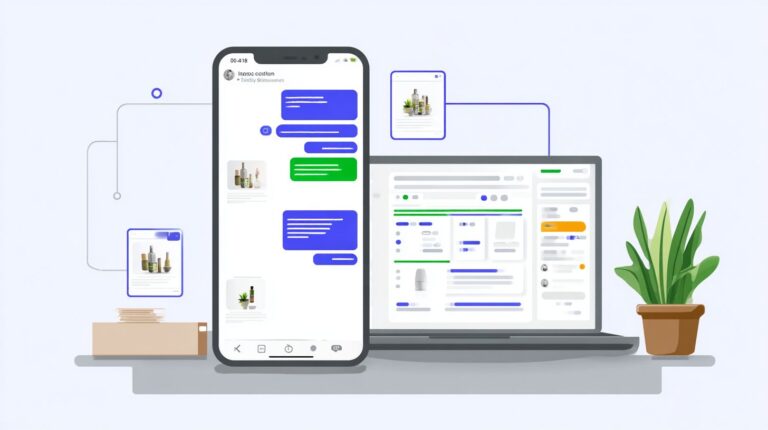
Interactive carousels lift add-to-cart rates 47% by presenting ‘Others also bought’ items contextually during conversations. This chatbot strategy uses dynamic content to boost ecommerce sales through personalized suggestions. Start by pulling Shopify bestsellers via API to feed real-time data into your bot. Then build a 3-product carousel in ManyChat with images, prices, and quick-reply buttons for seamless browsing. Apply dynamic filtering based on {{browsing_history}} to show relevant items, such as recommending hiking boots after a user views backpacks. Track all clicks as Google Analytics events to measure engagement and refine recommendations. This setup improves customer satisfaction by delivering instant, tailored options that guide users through the sales funnel.
The Camping and Caravan Club saw tent inquiries lead to sleeping bag recommendations, creating a natural flow that increased average order value by 28%. Their messenger bot used AI to analyze past purchases and suggest complementary gear, turning casual chats into high-value transactions. For implementation, add quick-reply buttons with this JSON structure: {"type"template"payload":{"template_type"button"text"Check these out,"buttons":[{"type"postback"title"Tent"payload"tent"},{"type"postback"title"Sleeping Bag"payload"sleepingbag"},{"type"postback"title"Cooler"payload"cooler"}]}}. This enables one-tap selections, enhancing customer experience and conversion rates. Businesses gain scalability as the bot handles unlimited queries without errors, supporting 24/7 customer service.
A/B testing revealed emoji impact on clicks, with buttons featuring and boosting engagement by 12% compared to plain text. Test variations in your visual flow builder to optimize for your audience. Integrate NLP for better query understanding, ensuring recommendations feel human and build loyalty. This approach cuts churn by providing omnichannel support across WhatsApp and Messenger, while collecting data for market research. Overall, interactive recommendations drive revenue growth through automation and precise personalisation, making chatbots essential for modern businesses.
Strategy 6: Feedback Collection
Post-purchase NPS surveys via Messenger achieve 42% response rates vs 8% email, powering Compass’s 25% churn reduction. This chatbot approach captures customer feedback at peak satisfaction moments, driving customer service improvements and loyalty. Businesses using Messenger bots for feedback see higher engagement because users stay within familiar messaging platforms, reducing friction in customer experience. Integrate this into your ecommerce flow to boost retention and refine AI-powered support.
Follow these steps for effective implementation, modeled after Get Living’s 24-hour post-purchase trigger. First, send the survey 24 hours after purchase to catch fresh experiences. Use a simple 1-10 scale question like “How likely are you to recommend us?” followed by one open comment field. Auto-tag responses: promoters (9-10) to a review request flow, passives (7-8) to a short follow-up survey, and detractors (0-6) directly to a live agent for instant resolutions. Keep surveys under 3 questions to avoid a 62% response drop, ensuring high completion rates.
The Net Promoter Score formula is straightforward: NPS = % Promoters – % Detractors. For example, with 50% promoters, 20% passives, and 30% detractors, your score is 20. Legal & General Insurance’s template hit a 37% response rate by personalizing messages with order details and offering quick replies. This automation fuels market research, identifies pain points in customer satisfaction, and supports omnichannel strategies across WhatsApp or other platforms. Track metrics in tools like 500apps to measure impact on conversion rates and revenue, turning feedback into actionable cx enhancements for scalable growth.
Measuring Bot Performance
Top-performing bots achieve 85% containment rates and 4.2/5 CSAT while scaling to 10K daily conversations without added headcount. Businesses rely on precise metrics to track chatbot effectiveness in customer service. Key indicators include containment rate, calculated as resolved_by_bot divided by total_queries with a target of 80%. This shows how often the bot handles queries independently, reducing human agent needs and improving efficiency. Average handle time targets under 45 seconds per interaction, measuring from query receipt to resolution. Conversion rate aims for 15%, tracking leads or sales from bot conversations. Customer satisfaction, or CSAT, uses post-resolution surveys to gauge user happiness, often hitting high scores with AI-driven personalization.
To monitor these, set up a metrics dashboard integrating Google Analytics and Facebook Insights. Add UTM parameters like utm_source=bot and utm_medium=messenger to tag bot-driven traffic, revealing impact on conversion rates and revenue. Platforms like 500apps offer built-in dashboards for real-time views of queries, responses, and scalability. For example, track average handle time to spot bottlenecks in NLP processing, then discover Com.bot’s conversational analytics dashboard for deeper insights into performance trends. This data supports omnichannel strategies across WhatsApp and Messenger, boosting customer experience or CX.
Coop Sweden’s case study highlights success, achieving 300% ROI and saving $1.2M through optimized bots that cut support costs while lifting loyalty. Compare your performance against industry benchmarks using Gartner data, as shown below. Regular analysis drives automation improvements, reduces errors, and enhances productivity in ecommerce and service businesses.
| Metric | Your Target | Industry Average (Gartner) |
|---|---|---|
| Containment Rate | 80% | 65% |
| Average Handle Time | <45s | 90s |
| Conversion Rate | 15% | 8% |
| CSAT Score | 4.2/5 | 3.8/5 |
Frequently Asked Questions
How to Use Messenger Bots? 10 Strategies for Enhanced Customer Interaction: What Are Messenger Bots?
Messenger bots are automated tools integrated into platforms like Facebook Messenger that simulate human conversations to interact with customers. To use them effectively, follow the 10 strategies for enhanced customer interaction, such as personalization and quick responses, which streamline communication and boost engagement.
How to Use Messenger Bots? 10 Strategies for Enhanced Customer Interaction: Why Should Businesses Adopt Them?
Businesses should adopt Messenger bots for 24/7 availability, cost savings, and data collection. The 10 strategies for enhanced customer interaction include automation of FAQs and lead generation, making bots essential for scaling customer service without human limitations.
How to Use Messenger Bots? 10 Strategies for Enhanced Customer Interaction: What Is the First Strategy?
The first strategy in “How to Use Messenger Bots? 10 Strategies for Enhanced Customer Interaction” is personalization-use customer data to tailor messages, increasing relevance and response rates for better interaction quality.
How to Use Messenger Bots? 10 Strategies for Enhanced Customer Interaction: How Can Bots Handle FAQs?
One key strategy is automating FAQs with bots to provide instant answers, reducing wait times. This is part of the 10 strategies for enhanced customer interaction in “How to Use Messenger Bots?”, freeing agents for complex queries.
How to Use Messenger Bots? 10 Strategies for Enhanced Customer Interaction: What Role Does Analytics Play?
Analytics is a core strategy-track bot performance metrics like engagement rates. In “How to Use Messenger Bots? 10 Strategies for Enhanced Customer Interaction,” refining bots based on data ensures continuous improvement in customer interactions.
How to Use Messenger Bots? 10 Strategies for Enhanced Customer Interaction: How to Integrate Multimedia?
Integrate images, videos, and carousels as per the multimedia strategy. This enhances visual appeal in “How to Use Messenger Bots? 10 Strategies for Enhanced Customer Interaction,” making conversations more dynamic and effective for customer engagement.