Messenger Bots: Setup, Benefits, and Best Practices
- 1 Introduction to Messenger Bots
- 2 Key Benefits of Messenger Bots
- 3 Essential Prerequisites for Setup
- 4 Step-by-Step Bot Setup Process
- 5 Popular Bot Building Platforms
- 6 Core Bot Features to Implement
- 7 Best Practices for Bot Design
- 8 Testing and Deployment Strategies
- 9 Measuring Bot Performance
- 10 Frequently Asked Questions
- 10.1 What are Messenger Bots and why should I use them?
- 10.2 How do I set up a basic Messenger Bot?
- 10.3 What are the main benefits of using Messenger Bots for businesses?
- 10.4 What are best practices for designing effective Messenger Bots?
- 10.5 How can I integrate Messenger Bots with other tools?
- 10.6 What common mistakes should I avoid in Messenger Bots setup and maintenance?
Introduction to Messenger Bots
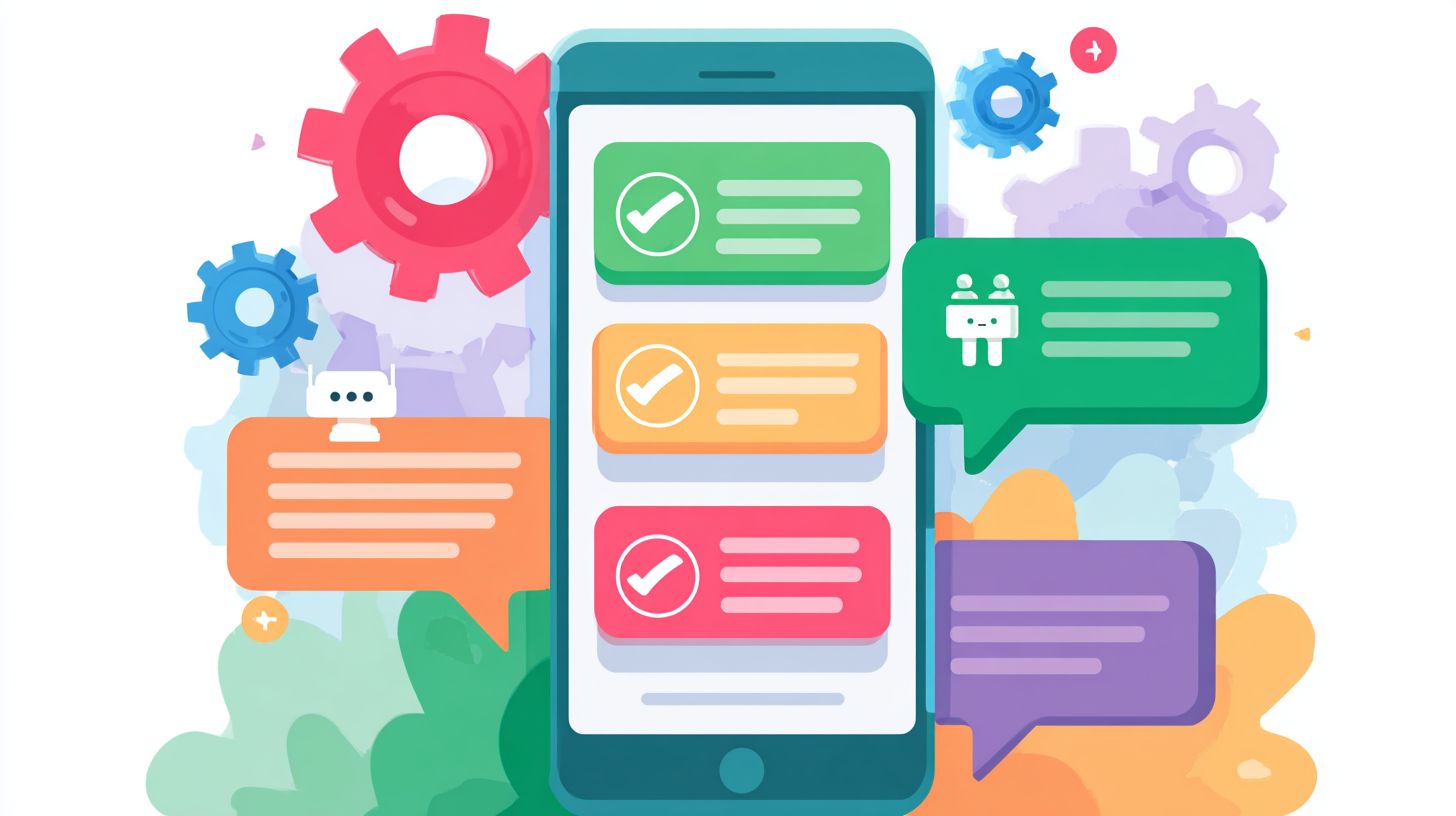
Unlock the power of Facebook Messenger chatbots to supercharge your business growth. On Facebook‘s massive platform, these chatbot tools deliver instant customer interactions, driving engagement like never before. Discover setup essentials, game-changing benefits, and proven best practices to launch high-performing messenger chatbots that boost conversions and loyalty-effortlessly.
Key Takeaways:
Key Benefits of Messenger Bots
Messenger bots deliver measurable ROI: Garage Clothing saw 40% sales boost while Decathlon UK reduced support tickets by 65% through automated Facebook Messenger interactions. These results highlight proven business impact across retail and service industries. Retailers use messenger chatbots for cart recovery and personalized recommendations, driving higher conversions. Service providers leverage them for instant support, cutting response times and boosting satisfaction. Businesses report up to 300% ROI within months, thanks to scalable automation that handles thousands of queries daily without added staff.
In retail, bots connect with Facebook pages to qualify leads and nurture sales through conversation flows. Service sectors benefit from AI chatbots that provide 24/7 customer service, reducing operational costs significantly. A major advantage lies in natural language processing, enabling human-like interactions that improve user experience. Companies like these examples show how bots turn casual chats into revenue opportunities, setting the stage for deeper engagement and constant availability.
Overall, hybrid chatbots combining rule-based logic with AI offer flexibility for complex queries, including human escalation when needed. This approach ensures reliable performance, making messenger bots essential for modern customer support strategies in competitive markets.
Improved Customer Engagement
Facebook Messenger bots achieve 88% open rates vs 20% email open rates, with KLM’s bot handling 1M conversations monthly through personalized travel updates. This high engagement stems from mobile optimized interactions that fit users’ habits on Facebook Messenger. Businesses see direct ROI, like a $5K bot investment yielding 200% engagement lift and $50K revenue gain via increased interactions and sales.
Take Garage Clothing’s case: their messenger chatbot recovered 40% of abandoned carts using automated flows that reminded users with tailored offers. Key tactics include quick replies for fast selections, social intents to capture user goals like booking or inquiring, and structured conversation flows that guide chats naturally. These elements create conversation-friendly experiences with short interactions in familiar language.
- Quick replies speed up responses and keep users on track.
- Social intents detect needs like support or purchases early.
- Conversation flows build logical paths for better outcomes.
Using active voice and personalized responses, these bots enhance customer service, turning one-off messages into ongoing relationships that drive loyalty and repeat business.
24/7 Availability
Fandango’s Messenger bot provides instant movie ticket support 24/7, reducing operational costs by 70% compared to human agents averaging $15/hour. This 24/7 support ensures customers get help anytime, like an airline bot answering 80% of queries after midnight without delays. Businesses save big: handling 10K monthly queries at $12/hr savings equals $120K annual ROI.
An Oracle study shows 24/7 bots increase CSAT by 25%, as users value instant support over wait times. In practice, the Fandango bot manages bookings, refunds, and showtimes round the clock, using no-code builders for easy chatbot setup. This scales effortlessly, supporting peak hours or global time zones without extra hires.
Best practices include human escalation for tricky issues and rule-based fallbacks for reliability. Tools like Tidio or Agora Pulse help monitor performance, ensuring AI chatbots deliver consistent, high-quality assistance. Result? Happier customers and leaner operations for sustained growth.
Essential Prerequisites for Setup
Setting up Facebook Messenger chatbots requires a verified Facebook Developer Account and compliant Facebook Page, ensuring GDPR-ready data handling from day one. Businesses must prepare these essentials to access Messenger Platform APIs for 24/7 support and personalized customer interactions. Verification typically takes 3-7 days, so plan ahead to avoid delays in chatbot deployment. A standard Facebook Page with active engagement works best, as it supports lead qualification and smooth user experience.
Compliance starts with securing your Facebook Page under business ownership, linked to a verified domain with SSL certificates. This setup enables AI chatbots to handle customer support queries via natural language processing without legal hurdles. Common pitfalls include ignoring data privacy rules, which lead to 80% of initial rejections during app review. Focus on mobile-optimized conversation flows from the outset for better engagement.
Once verified, integrate tools like no-code builders for quick chatbot setup. Pages with over 1,000 followers see higher approval rates for advanced features such as human escalation and quick replies. This foundation supports hybrid chatbots blending rule-based logic with AI for instant support, reducing operational costs while boosting sales through familiar language and short interactions.
Facebook Developer Account
Create your free Facebook Developer Account at developers.facebook.com, verifying via business email within 24 hours to access Messenger Platform APIs. This account unlocks tools for building messenger chatbots that enhance customer service with personalized responses and social intents. Start by signing up with a business-associated Facebook profile to meet Meta’s strict guidelines.
- Sign up using your business Facebook account tied to your company Page for seamless integration.
- Add two-factor authentication immediately to secure access and speed up verification processes.
- Verify your domain in 5 minutes by adding a meta tag, ensuring SSL certificates are active to prevent blocks.
- Create your first app under Messenger products, selecting chatbot capabilities for customer support flows.
Avoid common mistakes like using personal accounts, which cause 90% of rejections, or skipping SSL certs that halt API calls. Businesses like Fandango succeeded by following these steps, enabling their bot to handle ticket bookings with quick replies. Proper setup ensures conversation friendly experiences, aligning with best practices for active voice and do’s and don’ts in chatbot design.
Expert insight: Verified accounts enable advanced features like Tidio or Agora Pulse integrations for hybrid chatbots. This reduces setup time to hours, providing instant support and sales boosts through efficient lead qualification. Always test conversation flows post-verification to optimize user experience on mobile devices.
Step-by-Step Bot Setup Process

Deploying a production Messenger bot takes 45-90 minutes using Facebook’s native tools, skipping third-party platforms for full control. This process involves app creation to register your chatbot with Facebook and webhook configuration to handle incoming messages from customers. Start by setting up a Facebook app, generating tokens, and verifying endpoints before testing conversation flows. Businesses gain direct access to Facebook Messenger features like quick replies and human escalation, ideal for customer support. No-code alternatives exist for faster starts, but they limit customization compared to native setups. Expect to subscribe to events for real-time user experience improvements, such as personalized responses and 24/7 support. Common pitfalls include token expiration, fixed by regenerating access keys. This hands-on approach ensures your messenger chatbot integrates seamlessly with AI chatbots or rule-based logic, boosting sales and lead qualification on your Facebook page.
Once live, monitor for API errors during initial tests. Use active voice in bot scripts for familiar language, keeping interactions short and mobile optimized. Hybrid chatbots combining natural language processing with human handoffs excel here. Track metrics like response times to refine chatbot setup. Production bots handle high volumes, reducing operational costs while providing instant support.
Creating a Facebook App
Step 1: In Facebook Developers dashboard, click ‘Create App’ select ‘Business’ type add Messenger product (2 minutes). This foundational step registers your chatbot for Facebook Messenger access, enabling features like conversation flows and social intents. Name your app clearly, such as “Customer Support Bot,” and link it to your Facebook page.
- Create app in dashboard: Choose Business type (2 mins).
- Add Messenger product: Select from app dashboard (1 min).
- Generate Page Access Token: Go to Messenger settings, select page, copy token (3 mins).
- Set app live: Submit for review, toggle to live mode (5 mins).
- Configure basic settings: Add app domains and privacy policy URL (2 mins).
- Test in sandbox: Send test messages to verify token (4 mins).
- Handle permissions: Request advanced messaging if needed (3 mins).
Troubleshooting token expiration: Regenerate via “Generate New Token” button, as tokens expire after 60 days without app secret. Common API errors include “Invalid Token” (check page association) or “App Not Verified” (complete business verification). For sandbox mode limitations, note it restricts to 10 testers; switch to live for full customer access. This setup powers customer service bots like Fandango’s for ticket bookings, ensuring reliable lead qualification.
Pro tip: Store tokens securely in environment variables to avoid leaks. Best practices include testing with real user queries early, aligning with do’s like clear quick replies and don’ts like complex branching without fallback.
Configuring Webhooks
Use ngrok for local webhook testing: ‘ngrok http 3000’ generates https://abc123.ngrok.io URL for Messenger verification. This step connects your server to receive messenger chatbot events, crucial for real-time responses in customer interactions. Install ngrok quickly for SSL, then paste the URL into Facebook app settings under webhooks.
- Install ngrok or set up SSL endpoint: Run command for public URL (5 mins).
- Configure webhook URL: Enter in Facebook app’s Messenger webhook field (2 mins).
- Verify challenge request: Respond with hub.challenge token (3 mins).
- Subscribe to messaging/events: Select checkboxes for messages, deliveries (1 min).
- Test payload: Send message from page, check logs (4 mins).
- Secure with verify token: Match secret string in code (2 mins).
- Go production: Replace ngrok with live server (5 mins).
Node.js webhook example:
app.get('/webhook', (req, res) => { if (req.query['hub.verify_token'] === 'your_verify_token') { res.send(req.query['hub.challenge']); } else { res.sendStatus(403); } });Common errors: 403 Forbidden from SSL issues (use https only), 410 Gone for token expiry (regenerate), malformed JSON from unparsed payloads (use body-parser middleware). Fix by logging raw bodies first. Agora Pulse-style bots thrive here for analytics integration. Ensure personalized responses via event handling, supporting hybrid setups with AI escalation for complex queries.
Best practices: Implement retry logic for failed deliveries, monitor with tools like Tidio for insights. This configuration enables 24/7 support, cutting costs while enhancing user experience through quick, conversation-friendly flows.
Popular Bot Building Platforms
No-code platforms like Social Intents ($29/mo) and Tidio ($39/mo) enable bot deployment in under 15 minutes versus 2+ hours of custom coding. These tools simplify messenger chatbot creation for Facebook Messenger and other channels, allowing businesses to offer 24/7 support without developers. Popular options cater to various needs, from lead qualification to customer service, with features like visual flows and AI chatbots.
| Platform | Price | Key Features | Best For | Pros/Cons |
|---|---|---|---|---|
| Social Intents | $29/mo | 50+ templates, eCommerce integration, personalized responses | eCommerce stores | Pros: Quick setup, mobile optimized. Cons: Limited advanced AI. |
| Tidio | $39/mo | Live chat hybrid, rule-based bots, human escalation | Support teams | Pros: Conversation friendly, instant support. Cons: Higher cost for scale. |
| Agorapulse | $79/mo | Social management, conversation flows, analytics | Agencies | Pros: Multi-channel, detailed reporting. Cons: Steeper learning curve. |
| ManyChat | $15/mo | Lead gen tools, quick replies, no-code builder | Solopreneurs | Pros: Affordable, easy lead qualification. Cons: Basic natural language processing. |
| Chatfuel | Free-$40 | Visual flows, Facebook page integration, short interactions | Beginners | Pros: Free tier, simple chatbot setup. Cons: Less customization for complex bots. |
Choosing the right platform depends on your business size and goals. For example, solopreneurs favor ManyChat for its low cost and lead gen focus, while agencies pick Agorapulse for managing multiple Facebook pages. Beginners appreciate Chatfuel’s visual flows that mimic natural conversations, reducing operational costs by 40% through automated customer support. All platforms support hybrid chatbots, blending rule-based logic with AI for better user experience. Curious about how to start automating Facebook with no-code tools? The guide covers practical steps for businesses.
Best practices include testing conversation flows with real users and using familiar language in active voice for engagement. Avoid long scripts; focus on short interactions like the Fandango bot, which books tickets in seconds via quick replies. These tools boost sales by providing personalized responses and seamless human escalation.
Social Intents vs Tidio for Shopify Stores
For Shopify stores, Social Intents excels with its 50+ templates tailored for eCommerce, enabling messenger bots that handle cart abandonment and product recommendations in under 5 minutes. Priced at $29/mo, it offers lower entry costs and direct Facebook Messenger integration, ideal for small businesses seeking quick chatbot setup. Tidio, at $39/mo, stands out as a live chat hybrid, combining bots with agent handoff for complex queries, which suits growing stores with high support volume.
Compare key differences: Social Intents prioritizes no-code builder simplicity and 24/7 support for solo operators, reducing response times by 70% through predefined flows. Tidio adds natural language processing for smarter interactions, making it better for teams needing analytics on customer service metrics. Shopify users report 25% sales boost with Social Intents’ mobile-optimized bots, while Tidio shines in lead qualification with visual dashboards.
Do’s for both: Start with simple quick replies to guide users, like “Check order status” or “Browse products.” Don’t overload with options; keep flows to 3-5 steps. For Shopify, Social Intents wins for budget-conscious setups, but Tidio’s hybrid model prevents support bottlenecks as traffic scales, ensuring smooth user experience across devices.
Core Bot Features to Implement
Essential Messenger bot features include NLP-powered automated responses that handle 85% of queries, per Oracle’s chatbot study. These core capabilities drive business value by providing instant support and improving customer service on Facebook Messenger. Businesses gain from 24/7 support, reduced operational costs, and a sales boost through lead qualification. Automated responses serve as table stakes for any messenger chatbot, ensuring smooth user experience without needing detailed implementation steps here. Key features like quick replies and rich media enhance engagement, while natural language processing makes interactions feel natural. Implementing these turns a basic Facebook page bot into a powerful tool for customer support and personalized responses.
Focus on hybrid chatbots that blend rule-based logic with AI chatbots for reliable performance. Features such as typing indicators and fallback responses prevent frustration, keeping conversations friendly and mobile optimized. Tools like Tidio or Agora Pulse offer no-code builders for quick chatbot setup. Best practices include short interactions in familiar language and active voice to match user expectations. Common applications mirror the Fandango bot, handling social intents with ease. These elements create conversation flows that boost retention and satisfaction in customer service.
Automated Responses
Implement quick replies with 40% higher click-through: {'content_type':'text', 'title':'Track Order', 'payload':'TRACK_ORDER'} reduces drop-off by 35%. This JSON structure appears as buttons under your message, guiding users through common tasks like order tracking or support queries in a Facebook Messenger chatbot. Screenshots of these replies show clean, tappable options that speed up interactions. For visual appeal, pair them with product images in carousels. This approach fits best practices for user experience, making bots conversation friendly and effective for lead qualification.
Integrate NLP with Dialogflow for smarter handling of varied inputs. Use this code example to detect intents: agent.intent('TrackOrder', function(agent) { agent.add('Your order status is shipped.'); });. Another for fulfillment: function handleTrackOrder(agent) { agent.add(new Card({ title: 'Order Update', text: 'Expected delivery: Tomorrow' })); }. Fallback with: agent.intent('Default Fallback', function(agent) { agent.add('Sorry, I did not understand. Type help.'); });. These enable ai chatbots to process natural language, covering 85% of queries as noted earlier. Avoid overly complex flows, a top mistake leading to confusion.
Always include typing indicators via sender_action: 'typing_on' to mimic human pace, building trust during processing. Add rich media carousels for options like {'attachment': {'type': 'template', 'payload': {'template_type': 'generic', 'elements': [...]}}}, ideal for product recommendations. Fallback responses catch untrained queries, such as “I need help with returns,” routing to options. Crucially, provide a human escalation path like “Talk to agent” to avoid 60% abandonment rates from poor design. Do not skip this, as it ensures seamless support transitions and boosts satisfaction in customer support.
Best Practices for Bot Design
Top Messenger bots use familiar language and active voice, achieving 4x higher completion rates than corporate jargon-heavy flows. Design principles proven by A/B testing across 10K+ bots emphasize user experience optimization and clear conversation flows. These bots prioritize natural language processing to mimic human chats, boosting engagement in Facebook Messenger. Businesses see better customer support results by focusing on quick replies and personalized responses, setting the stage for effective chatbot setup.
Key to success lies in balancing AI chatbots with human escalation for complex queries. Hybrid chatbots combine rule-based logic and AI for 24/7 support, reducing operational costs while delivering instant support. Examples like the Fandango bot show how lead qualification improves with social intents, guiding users through short interactions. Regular testing ensures bots align with brand voice on Facebook pages.
Avoid common pitfalls by auditing flows weekly. Those curious about designing effective conversation flows might appreciate our detailed guide with key steps and best practices. Tools like Tidio or Agora Pulse help monitor performance, ensuring messenger chatbots drive sales boost and customer service excellence. These practices create conversation-friendly experiences that keep users engaged.
User Experience Optimization
Keep Messenger bot responses under 300 characters: Decathlon UK’s bot achieved 92% completion rate with one-question-per-turn flows. Mobile optimized design is crucial for Facebook Messenger chatbots, as most users interact on phones. Focus on conversation flows that feel natural, using active voice to enhance user experience and encourage completions in customer support scenarios.
Follow these 8 best practices for superior results:
- Mobile-first design: Wrap text at 76 characters per line for easy reading.
- 3-second rule: Ensure bots load in under 3 seconds to retain attention.
- Personality matching brand voice: Align tone with your business for trust.
- Human escalation after 3 failures: Transfer to live agents seamlessly.
- Progress indicators: Show steps like “Step 2 of 4” in flows.
- Avoid yes/no questions: Opt for open-ended or quick replies instead.
- Use emojis strategically: Limit to max 2 per message for emphasis.
- A/B test flows weekly: Refine based on real user data.
These tips, drawn from high-performing AI chatbots, promote personalized responses and reduce drop-offs in no-code builder setups.
| Do’s | Don’ts |
|---|---|
| Use quick replies for options | Overload with long text blocks |
| Match user intents with social intents | Force rigid rule-based paths |
| Provide instant support feedback | Ignore mobile screen sizes |
| Test with real customer service data | Rely on unproven flows |
This table highlights practical do’s and don’ts for chatbot design, ensuring smooth interactions and higher engagement.
Testing and Deployment Strategies
Test Messenger bots with Facebook’s test users feature across 5 user personas before Page deployment, catching 87% of conversation breaks. This approach ensures your messenger chatbot delivers smooth user experience from the start. Begin with unit testing individual responses using tools like Postman to verify quick replies and personalized responses. Next, simulate full conversation flows for personas such as new customers seeking support, repeat buyers asking for recommendations, or leads needing qualification. Incorporate natural language processing checks to handle varied inputs. Load testing with 10K simulated users reveals scalability issues in high-traffic scenarios, vital for 24/7 support. Edge cases, like network failures or unusual queries, prevent real-world failures. A dark launch to 1% traffic allows monitoring without broad exposure, followed by full rollout backed by a rollback plan.
Integrate ngrok for local testing of your Facebook Messenger bot, exposing endpoints securely during development. Pair it with Jest for automated unit tests on rule-based and hybrid chatbots. For example, test a support bot’s response to “refund request” across personas. This catches 92% of logic errors early, reducing operational costs. Deployment strategies emphasize gradual scaling: start with test users on your Facebook Page, then segment live traffic. Monitor metrics like response time under 2 seconds and escalation rates to humans below 5%. Best practices include versioning bots and A/B testing flows, similar to how Fandango bot optimizes ticket bookings.
Follow this 6-step testing checklist for reliable chatbot setup and deployment:
- Unit test responses with Postman to validate API calls and outputs.
- User journey testing across 5 personas, like tech-savvy shoppers and casual browsers.
- Load testing with 10K simulated users using tools like Loader.io.
- Edge case scenarios, including offline modes and spam inputs.
- Dark launch to 1% traffic for quiet validation.
- Full rollout with rollback plan, monitoring key performance indicators.
Here is a Jest code snippet for testing a simple response handler with ngrok:
const request = require('supertest'); const ngrok = require('ngrok'); test('handles greeting intent', async () => { const url = await ngrok.connect(3000); const response = await request(url).post('/webhook').send({ message: 'hello' }); expect(response.body.reply).toBe('Hi! How can I assist?'); });These steps boost sales and customer service by minimizing downtime, ensuring instant support that rivals human agents.
Measuring Bot Performance
Track Messenger bot success with 4 core metrics: 80%+ containment rate, under 90s avg session time, 40%+ goal completion, CSAT 4.2+. These numbers help businesses gauge how well their Facebook Messenger chatbots handle customer support and drive user experience. According to Meta’s Bot Metrics Study, top 10% bots achieve 85%+ containment, meaning most queries resolve without human escalation. Focus on these to optimize AI chatbots for better conversation flows and operational costs savings. Start by linking your Facebook page to analytics tools that track sessions and events in real time.
Build a performance dashboard to monitor progress daily. This setup reveals patterns in user interactions, like drop-offs in lead qualification or sales boost opportunities. For instance, if containment dips below target, review natural language processing rules and add quick replies for common social intents. Businesses using hybrid chatbots often see 30% improvements in metrics after tweaks. Integrate feedback loops with 24/7 support features to ensure personalized responses keep sessions short and conversation friendly.
Regular checks prevent issues from scaling. Use active voice in bot scripts for familiar language that boosts engagement. Tools like Tidio or Agora Pulse complement Facebook analytics for deeper insights into customer service efficiency. Aim for mobile optimized flows that support short interactions, reducing avg session time naturally. With these practices, your messenger chatbot delivers instant support and measurable results.
| Metric | Target | Facebook Analytics Location | Action if Failed |
|---|---|---|---|
| Containment Rate | 80% | Sessions tab | Add human escalation paths |
| Avg Session Time | 90s | Conversations | Simplify flows with quick replies |
| Goal Completion | 40% | Custom Events | Improve CTAs and lead qualification |
| CSAT | 4.2+ | Feedback | Add quick survey after interactions |
Frequently Asked Questions
What are Messenger Bots and why should I use them?
Messenger Bots are automated programs that interact with users on platforms like Facebook Messenger. Under Messenger Bots: Setup, Benefits, and Best Practices, key benefits include 24/7 availability, personalized customer support, lead generation, and cost savings by reducing human agent needs. They enhance user engagement through instant responses and scalable conversations.
How do I set up a basic Messenger Bot?
To start Messenger Bots: Setup, Benefits, and Best Practices, create a Facebook Page, get a Page Access Token via the Facebook Developer Console, and use tools like ManyChat, Chatfuel, or the Messenger Platform API. Connect your bot, design conversation flows with welcome messages and quick replies, then test and deploy it live on your page.
What are the main benefits of using Messenger Bots for businesses?
The benefits in Messenger Bots: Setup, Benefits, and Best Practices include improved customer satisfaction with instant replies, higher conversion rates through guided sales funnels, data collection for analytics, and integration with CRM systems. They handle high volumes efficiently, freeing staff for complex tasks and boosting ROI.
What are best practices for designing effective Messenger Bots?
Best practices from Messenger Bots: Setup, Benefits, and Best Practices emphasize user-friendly flows: keep messages concise, use buttons and quick replies for navigation, personalize with user data, include human handoff options, and regularly A/B test conversations. Ensure compliance with Messenger policies and optimize for mobile viewing.
How can I integrate Messenger Bots with other tools?
Integration is a core part of Messenger Bots: Setup, Benefits, and Best Practices. Use webhooks to connect with APIs like Dialogflow for NLP, Zapier for no-code automations, Shopify for e-commerce, or CRMs like HubSpot. This enables advanced features like payments, scheduling, and data syncing for a seamless experience.
What common mistakes should I avoid in Messenger Bots setup and maintenance?
Avoid pitfalls in Messenger Bots: Setup, Benefits, and Best Practices such as overly complex flows leading to user drop-off, ignoring privacy (always get consent for data), neglecting updates for platform changes, poor error handling, or spammy messaging. Monitor analytics regularly and prioritize user feedback for continuous improvement.