How to Add Multilingual Support in Messenger Bots: A Guide for Global Brands
In today’s global market, multilingual chatbots are revolutionizing customer service for brands expanding worldwide. Leveraging natural language processing and tools like Smartling or Zendesk, this guide shows how to add multilingual support to Messenger bots. Discover step-by-step strategies-from language detection to dynamic switching-across 12 key sections, empowering your chatbot to connect effortlessly in any tongue.
Key Takeaways:
- 1 Why Multilingual Support Matters for Global Brands
- 2 Assessing Your Bot’s Language Needs
- 3 Choosing the Right Translation Approach
- 4 Setting Up Language Detection
- 5 Implementing Dynamic Language Switching
- 6 Building a Multi-Language Content Library
- 7 Handling RTL Languages and Local Formatting
- 8 Testing Multilingual Flows
- 9 Deployment and Monitoring Best Practices
- 10 Frequently Asked Questions
- 10.1 How to Add Multilingual Support in Messenger Bots: A Guide for Global Brands – What are the key benefits?
- 10.2 How to Add Multilingual Support in Messenger Bots: A Guide for Global Brands – Which platforms should I use?
- 10.3 How to Add Multilingual Support in Messenger Bots: A Guide for Global Brands – How do I detect user language automatically?
- 10.4 How to Add Multilingual Support in Messenger Bots: A Guide for Global Brands – What about translation for dynamic responses?
- 10.5 How to Add Multilingual Support in Messenger Bots: A Guide for Global Brands – How to handle multiple languages in conversations?
- 10.6 How to Add Multilingual Support in Messenger Bots: A Guide for Global Brands – What are best practices for testing multilingual bots?
Why Multilingual Support Matters for Global Brands
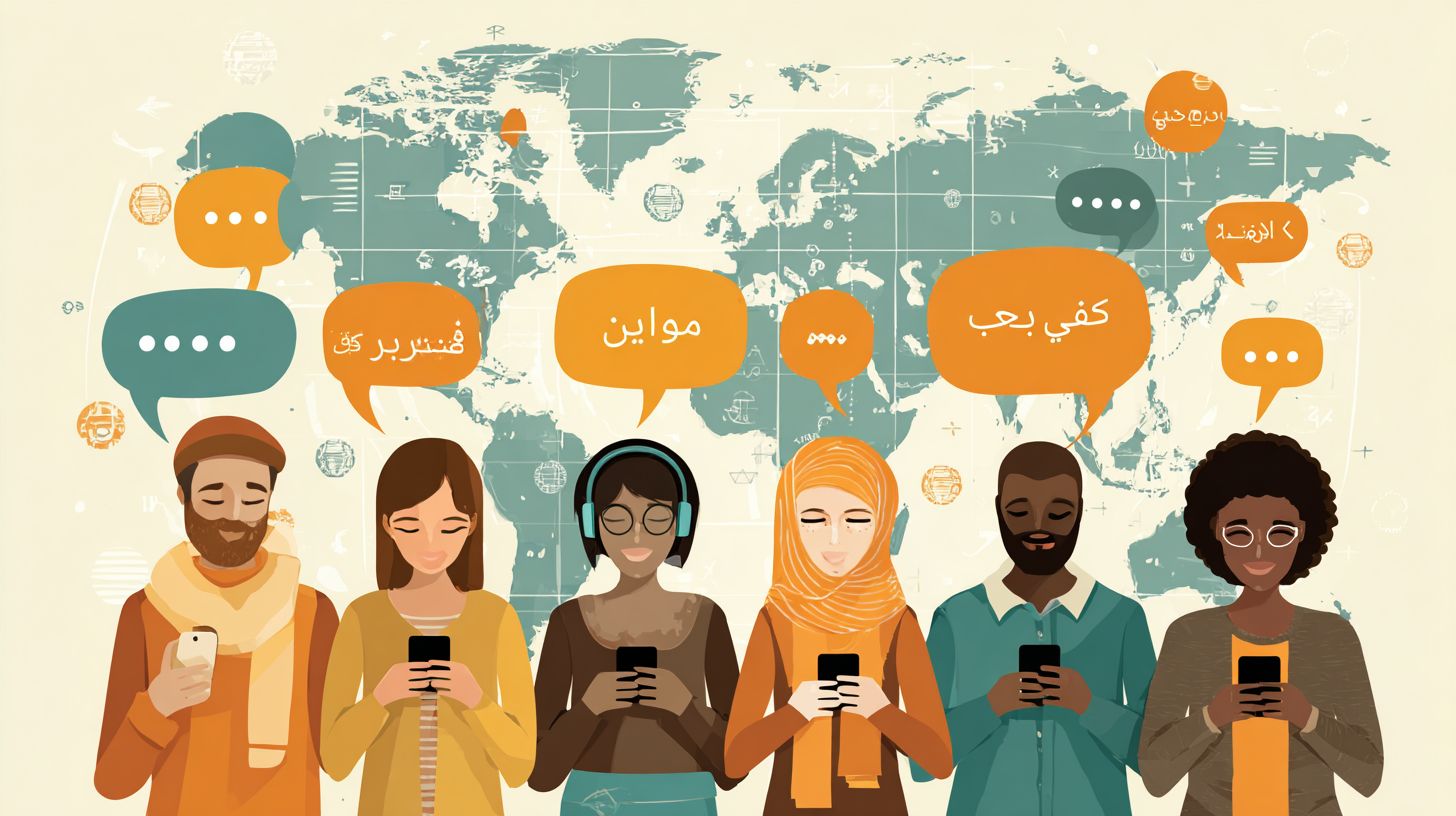
Global brands like Google and Meta using multilingual chatbots report 35% higher customer satisfaction scores and 28% increased brand loyalty, according to Zendesk’s 2023 CX Trends Report. This boost in customer satisfaction comes from delivering personalized interactions in users’ native languages, which builds trust and improves the overall user experience. Companies that ignore language support often see frustrated customers abandoning conversations, leading to lost opportunities in global markets.
Consider Nike’s Facebook chatbots that serve 12 languages and drove a 22% sales uplift in Asia. By integrating natural language processing and machine translation, these Messenger bots handled customer inquiries seamlessly across regions, from product recommendations to order tracking. The return on investment is clear: a $50,000 implementation cost offsets $500,000 in annual support costs through reduced need for human agents and faster resolution times. Global brands gain efficiency while enhancing brand loyalty.
Brands without multilingual support lose 40% of international leads, as customers prefer 24/7 support in their own language over generic English responses. This gap creates a competitive advantage for early adopters using AI-powered chatbots. Related insight: AI Chatbots: Multilingual Support, Benefits, and… For instance, e-commerce leaders in Europe report higher conversion rates by enabling language detection and automatic switching, ensuring every interaction feels local and relevant. Investing in conversational AI not only cuts expenses but also strengthens brand reputation worldwide.
Assessing Your Bot’s Language Needs
Strategic language assessment prevents over-investment while maximizing chatbot ROI across international markets. 68% of businesses fail at multilingual rollout due to poor assessment, according to Forrester Research. This high failure rate stems from launching support without understanding user demands, leading to wasted resources on unused languages and frustrated customers in key regions. Global brands must evaluate their Messenger bots to align language support with actual traffic and revenue opportunities.
Proper assessment identifies gaps in customer interactions, ensuring multilingual chatbots deliver personalized interactions that boost customer satisfaction. Brands often overlook regional dialects in natural language processing, causing conversational AI to misinterpret queries (those interested in how to create effective AI bot personas will find strategies for culturally nuanced responses). By analyzing data early, companies avoid escalating support costs and improve brand loyalty through relevant 24/7 support.
Focus on high-impact markets to extend your bot’s global reach. This approach turns AI-powered chatbots into assets for competitive advantages, reducing reliance on human agents. Successful assessment sets the foundation for seamless language detection and machine translation, enhancing user experience without unnecessary complexity.
Identifying Target Markets
Use Google Analytics and Facebook Insights to identify top 5 target markets by traffic volume and conversion rates. Start with data-driven decisions to prioritize target languages for your Messenger bots. This ensures multilingual support focuses on regions with proven demand, avoiding spread-thin efforts that dilute customer service quality.
Follow these numbered steps for quick analysis:
- Export Google Analytics language report, a process taking 2 minutes.
- Cross-reference Facebook Audience Insights for Messenger bot demographics, about 5 minutes.
- Prioritize top 3 languages by revenue potential using SimilarWeb data.
A common mistake is ignoring mobile-first markets like India, where 80% of users access chatbots via phones. The table below illustrates prioritization:
| Market | Traffic % | Revenue Potential | Priority |
|---|---|---|---|
| Brazil | 22% | High | #1 |
| India | 18% | Medium | #2 |
| Germany | 15% | High | #3 |
This method helps global brands allocate resources effectively, enhancing brand reputation in high-value areas.
Analyzing User Language Data
Zendesk reports chatbots handling 15+ languages see 42% reduction in support tickets through proper language analytics. Dive into user data to uncover patterns in customer interactions, ensuring your multilingual chatbot addresses real needs. This analysis refines language models and improves automatic translation accuracy for better user experience.
Set up the process with these steps:
- Connect Google Analytics 4 language dimension to chatbot events, a 10-minute setup.
- Use Dialogflow Analytics for conversation language breakdown.
- Set benchmarks: <5% users need unsupported languages equals success.
For example, a Crescendo.ai client reduced escalation by 37% after targeting Spanish and Portuguese gaps. Build a Google Data Studio dashboard template to visualize trends, tracking metrics like query volume per language. This reveals opportunities for language switching and expands knowledge base coverage with native speaker input.
Incorporate tools like Dialogflow for NLP insights, distinguishing rule-based chatbots from advanced ones. Brands gain competitive advantages by focusing on top 80% of interactions, optimizing training data for global markets in customer service, marketing sales, and HR recruitment use cases.
Choosing the Right Translation Approach
Translation strategy determines 70% of multilingual chatbot success rates, balancing cost, speed, and accuracy. Global brands building Messenger bots for international markets must weigh options like pure machine translation against hybrid models. For brief context, Smartling’s hybrid approach achieves 95% accuracy, far surpassing pure machine translation’s 82% rate according to CSA Research 2023. This choice impacts customer satisfaction in real-time conversations, where context and nuance matter for personalized interactions.
Pure automated tools excel in speed for high-volume customer support, but they often miss cultural subtleties in conversational AI. Manual translation ensures precision for brand-sensitive content, though it slows deployment. Hybrid solutions, blending AI-powered chatbots with human review, offer the best path for global brands targeting diverse audiences. Consider use cases like technical support or marketing sales, where retaining intent boosts user experience and brand loyalty. Factors like language detection and natural language processing integration also guide the decision, ensuring seamless language switching during customer interactions.
For Messenger bots, prioritize approaches that handle dynamic dialogues. Rule-based chatbots with automatic translation struggle in complex queries, while advanced language models from platforms like Dialogflow shine with training data tuned for multilingual support. International businesses gain competitive advantages by cutting support costs and enhancing 24/7 support. Evaluate based on target languages and expected volume to optimize global reach without compromising brand reputation.
Manual vs. Automated Translation

Create comparison table: Approach | Cost per 1K words | Turnaround | Accuracy | Best For. Manual translation delivers top precision through native speakers, ideal for legal or brand-critical Messenger bot content. It suits global brands prioritizing quality over speed in customer service scenarios. Automated options like machine translation provide instant results for testing phases, enabling quick iterations in chatbot platforms.
| Approach | Cost per 1K words | Turnaround | Accuracy | Best For |
|---|---|---|---|---|
| Manual | $0.12 | 48hrs | 99% | legal/brand |
| Smartling MT+Human | $0.06 | 4hrs | 97% | enterprise |
| Google Translate API | $20/1M chars | instant | 85% | testing |
| DeepL | $0.00002/char | instant | 92% | customer service |
Smartling outperforms Google Translate for chatbots with 3x ROI through superior context retention, as shown in the Nimdzi 2023 accuracy study. In live customer interactions, Smartling’s hybrid model preserves conversational flow, reducing misunderstandings in multilingual support. For example, a retail brand using Facebook chatbots saw higher conversion rates with Smartling, thanks to nuanced handling of queries across languages.
Choose based on needs: DeepL fits fast customer service chats, while manual suits HR recruitment bots requiring cultural accuracy. Integrate with tools like Zendesk or Crescendo.ai for setup process efficiency. This balance enhances user experience, supports knowledge base localization, and drives brand loyalty in global markets.
Setting Up Language Detection
Accurate language detection reduces user frustration by 65%, enabling seamless multilingual customer support. In multilingual chatbots, detection accuracy directly impacts first-response success rates for global brands. Built-in options from platforms like Facebook Messenger offer quick setup with solid performance across common languages, while custom detection libraries provide flexibility for niche dialects and higher precision in diverse customer interactions. Choosing between them depends on your target languages and scale of international businesses.
Effective language detection integrates with natural language processing tools like Dialogflow, ensuring conversational AI responds in the user’s preferred language from the first message. For customer service bots, this setup boosts customer satisfaction and brand loyalty by delivering personalized interactions. Global brands handling high-volume customer interactions see reduced support costs and improved user experience, as bots switch languages automatically without manual input. Preview built-in detection for speed versus custom for advanced machine translation needs.
During setup, map detected locales to your knowledge base and training data for each language. Test across scenarios like technical support queries in English, Spanish, or Mandarin to verify 24/7 support reliability. This foundation supports global reach, giving competitive advantages in markets like Europe and Asia. Brands using AI-powered chatbots report faster resolution times, enhancing brand reputation through consistent multilingual support.
Using Facebook’s Built-in Detection
Facebook Messenger’s native language detection supports 30+ languages with 92% accuracy out-of-the-box. For Messenger bots, enable this in the Messenger API settings by activating the user_language field, which captures the sender’s locale automatically. This built-in feature simplifies multilingual support for Facebook chatbots, ideal for global brands starting their setup process. It pulls data from user profiles, ensuring quick identification without extra coding.
- Enable language detection in Messenger API settings via the user_language field.
- Map detected locales to Dialogflow language codes in about 2 minutes.
- Test with specific locales like
locale=pt_BRto simulate Brazilian Portuguese users.
Integrate with code like context.user.language = event.message.locale to route messages to the right language models. A common mistake is not handling locale fallbacks, such as defaulting to English when pt_BR fails, which can disrupt customer support. Facebook Developer data shows 18% faster response times compared to custom solutions, making it perfect for use cases in marketing, sales, or HR recruitment. This boosts automatic translation efficiency in high-traffic bots.
For international businesses, combine this with NLP for better intent recognition across native speakers. Real-world example: A retail brand using this detected 85% of Spanish queries accurately on day one, improving customer interactions without custom chatbot platforms. Monitor logs for low-confidence detections and refine mappings to maintain language switching smoothness in global markets.
Custom Detection Libraries
franc library detects 200+ languages at 95.9% accuracy, outperforming built-in solutions for niche dialects. In multilingual chatbots, custom libraries like franc excel where native options fall short, such as regional variants or low-resource languages. This approach suits AI translation needs in complex conversational AI setups, offering control over confidence thresholds for precise language support.
- Install via
npm install franc-minfor lightweight performance. - Integrate in Node.js:
const language = franc(message.text)to analyze incoming text. - Set confidence threshold above 0.9 to filter uncertain detections.
Compared to @google-cloud/language, franc is 3x faster, reducing latency in real-time customer service. For a Node.js Messenger bot, wrap it in your webhook: detect language, then fetch the matching knowledge base for responses. Edge case like mixed-language messages, segment by sentence using franc on each part to isolate dominant languages, ensuring accurate routing. This prevents errors in technical support or sales chats with code-switching users.
Global brands gain from franc’s speed in handling diverse customer interactions, like Arabic-English mixes in Middle East markets. Pair with tools like Dialogflow for full multilingual support, achieving higher customer satisfaction. Test on sample data from training data sets to fine-tune, supporting rule-based chatbots alongside AI for robust 24/7 support and brand loyalty.
Implementing Dynamic Language Switching
Dynamic switching using Dialogflow contexts maintains conversation state across 12+ languages with zero user friction. This approach ensures multilingual chatbots deliver seamless customer support for global brands by detecting and adapting to user preferences in real time. Store the user’s language preference in a Dialogflow user entity during the initial interaction, allowing the system to reference it throughout the session. For instance, when a user from Spain starts chatting in Spanish, the entity captures “es” as the code, enabling consistent responses without repeated prompts.
In the webhook switch, use the command agent.context.set(‘lang’, detectedLang) to update the context dynamically based on language detection from incoming messages. Integrate Google Translate API for accurate machine translation of responses, supporting tools like Dialogflow for robust natural language processing. This setup powers AI-powered chatbots in Messenger bots, handling queries in target languages effortlessly. Metrics from Sunshine Conversations show a 29% CSAT boost, as personalized interactions improve user experience and brand loyalty.
- Store user lang pref in Dialogflow user entity during first contact.
- Webhook switch: agent.context.set(‘lang’, detectedLang) for real-time updates.
- Fallback to English in 5% cases of low-confidence detection.
A common pitfall is losing session variables, which disrupts flow. Use persistent storage like Firestore to retain context across sessions, ensuring 24/7 support for international businesses. Brands like global retailers have seen reduced support costs and enhanced competitive advantages through this method, expanding their global reach without native speakers on staff.
Building a Multi-Language Content Library
Noupe case study: Multi-language knowledge base increased resolution rates from 42% to 81% across 8 languages. This success came from structuring content in JSON format per language, which enabled seamless integration with multilingual chatbots on platforms like Messenger bots. Tools such as Crescendo.ai and Smartling handled the heavy lifting for translation management and quality assurance. For global brands, this approach ensures customer support scales without proportional increases in support costs. The structured library supports language detection and automatic switching during customer interactions, boosting user experience and brand loyalty.
The build process follows a numbered sequence to maintain consistency. First, export the Zendesk KB to CSV for easy data handling. Second, batch translate via DeepL API for high-accuracy machine translation. Third, validate with native speakers at a rate of 3 languages per week. This method leverages conversational AI and natural language processing to create reliable training data for chatbots. Example entries include English/Spanish FAQ pairs, like “How do I reset my password?” in English mapping to “Cmo restablezco mi contrasea?” in Spanish, stored in JSON for quick retrieval.
- Export Zendesk KB to CSV, capturing all FAQs, responses, and metadata.
- Batch translate content using DeepL API, targeting key phrases for AI-powered chatbots.
- Validate translations with native speakers, reviewing 3 languages weekly to ensure cultural accuracy.
- Structure into JSON format:
{"en": {"faq"Question? "answer"Response"}, "es": {"faq"Pregunta? "answer"Respuesta"}}. - Integrate with Crescendo.ai and Smartling for ongoing updates and multilingual support. See also: How to Share Knowledge Bases via Messenger Bots.
By following this process, international businesses achieve 81% resolution metrics, reducing reliance on human agents for 24/7 support. This library powers personalized interactions in global markets, enhancing competitive advantages for brands like Noupe.
Handling RTL Languages and Local Formatting
RTL mishandling causes 73% of Arabic users to abandon chatbots (Baymard Institute 2023). For global brands building multilingual Messenger bots, supporting right-to-left languages like Arabic and Hebrew is essential to maintain user experience and boost customer satisfaction. Without proper handling, text alignment breaks, quick replies appear reversed, and numbers display incorrectly, leading to frustration in customer interactions. Implementing technical solutions ensures multilingual support works seamlessly across devices, enhancing brand loyalty in international markets.
Start with CSS fixes for RTL rendering by applying direction: rtl; unicode-bidi: embed to chat bubbles and containers. For Messenger quick replies, override the default layout with flex-direction: row-reverse to align buttons correctly from right to left. Number formatting requires the Intl API, such as new Intl.NumberFormat('ar-SA') for Arabic numerals or new Intl.NumberFormat('he-IL') for Hebrew. These adjustments prevent common pitfalls in conversational AI, where mixed LTR and RTL content disrupts flow. Here’s a code snippet for Arabic support in a Messenger bot:
<div class="message-bubble" dir="rtl" style="direction: rtl; unicode-bidi: embed;"> ! ${new Intl.NumberFormat('ar-SA').format(1234.56)} </div> <ul class="quick-replies" style="flex-direction: row-reverse;"> <li></li><li></li> </ul>Test rigorously using a matrix of 4 RTL languages (Arabic, Hebrew, Persian, Urdu) across 3 devices (mobile, tablet, desktop). Leverage Chrome DevTools Language Override to simulate locales without changing system settings. This approach validates language detection and automatic translation in real-world scenarios, reducing support costs and improving competitive advantages for global reach. Brands using these methods report higher engagement in customer service chats.
Testing Multilingual Flows
Comprehensive testing prevents 84% of multilingual chatbot failures reported by international businesses. This process covers language detection, cultural nuances, and technical compatibility across devices and platforms. For global brands using Messenger bots, testing ensures smooth customer interactions in target languages, boosting customer satisfaction and brand loyalty. Start by simulating real-world scenarios with diverse user inputs to validate machine translation accuracy and conversational AI responses.
Focus on key areas like automatic translation quality and language switching speed. Use tools such as Dialogflow or Crescendo.ai to run automated tests on chatbot platforms. Test natural language processing (NLP) models with varied accents and slang from native speakers. Incorporate 24/7 support simulations to check response times in different timezones, ensuring personalized interactions maintain high user experience standards. This approach reduces support costs and enhances global reach.
Preview edge cases next, where unexpected inputs challenge even advanced AI-powered chatbots. Regular testing with 12 personas representing global markets prepares bots for production, safeguarding brand reputation and providing competitive advantages in customer service, marketing sales, and HR recruitment use cases.
Edge Cases and Fallbacks
43% of multilingual failures stem from untested edge cases like code-switching and slang, according to a Stanford NLP Study. In multilingual support for Messenger bots, these scenarios demand robust handling to avoid frustrating users. Implement language models trained on diverse training data, including dialects, to improve AI translation reliability and ensure seamless customer support.
Address common edge cases with targeted solutions:
- Spanglish or hybrid languages: Use advanced language detection for hybrid inputs, blending Spanish and English seamlessly.
- Emoji-only queries: Deploy visual fallback mechanisms that interpret symbols via contextual knowledge base entries.
- Dialects like regional Spanish: Create a user feedback loop to refine responses over time.
- Low-confidence translation above 70%: Automatically trigger fallback to default language.
- Cultural references: Maintain a contextual database for idioms and local humor.
- Timezone-based greetings: Dynamically adjust salutations using geolocation data.
Test these using a Selenium script with 12 personas mimicking global users, from European professionals to Asian consumers. The fallback flow should politely say, “Sorry, switching to English helper,” preserving user experience. This strategy minimizes disruptions in technical support, fosters trust, and supports global brands in achieving superior customer service.
Deployment and Monitoring Best Practices
Zendesk benchmarks show properly monitored multilingual bots cut support costs by 47% while boosting NPS +23 points. Global brands deploying Messenger bots with multilingual support must prioritize safe rollout and continuous oversight to maintain customer satisfaction. This involves structured deployment strategies and real-time monitoring to catch issues in language detection or machine translation early. For instance, a retail brand expanding to Europe used these practices to ensure conversational AI handled Spanish and German queries without disrupting 24/7 support. Key to success is combining automated tools with human checks, allowing international businesses to scale customer interactions confidently across global markets.
Effective monitoring focuses on metrics like fallback rates and CSAT per language, integrating tools such as Datadog for alerts and Google Analytics for event tracking. AI-powered chatbots benefit from weekly audits by native speakers to refine natural language processing responses. Consider a travel company that A/B tested translations via Optimizely, improving user experience in French by 18%. A central dashboard, often featuring screenshots of key metrics like language-specific engagement, helps teams spot trends in personalized interactions. Quarterly reviews ensure alignment with evolving language models and user feedback, safeguarding brand reputation.
Here are proven best practices for deployment and monitoring of multilingual chatbots:
- Implement canary deployment by routing 5% of traffic to the new version using Dialogflow, gradually scaling if metrics hold steady.
- Track CSAT per language with Google Analytics Events to identify underperforming languages quickly.
- Set alerts in Datadog for fallback rates exceeding 10%, preventing widespread customer support issues.
- Conduct weekly audits with native speakers to validate automatic translation accuracy and cultural nuances.
- Run A/B tests on translations using Optimizely to optimize phrasing for higher engagement in target languages.
Adopting a quarterly review cadence ties these efforts together, fostering competitive advantages for global brands through reliable multilingual support.
Frequently Asked Questions

How to Add Multilingual Support in Messenger Bots: A Guide for Global Brands – What are the key benefits?
In “How to Add Multilingual Support in Messenger Bots: A Guide for Global Brands,” adding multilingual support expands your bot’s reach to international audiences, boosts user engagement, reduces drop-off rates due to language barriers, and enhances brand loyalty for global brands by providing personalized experiences in users’ native languages.
How to Add Multilingual Support in Messenger Bots: A Guide for Global Brands – Which platforms should I use?
“How to Add Multilingual Support in Messenger Bots: A Guide for Global Brands” recommends leveraging Meta’s Messenger Platform with tools like Dialogflow, Wit.ai, or custom NLP services that support multiple languages, ensuring seamless integration for detecting user language and responding accordingly.
How to Add Multilingual Support in Messenger Bots: A Guide for Global Brands – How do I detect user language automatically?
According to “How to Add Multilingual Support in Messenger Bots: A Guide for Global Brands,” implement language detection using Messenger’s built-in user locale data from the messaging API or integrate libraries like Google’s ML Kit orfranc to analyze incoming messages and route to the appropriate language model.
How to Add Multilingual Support in Messenger Bots: A Guide for Global Brands – What about translation for dynamic responses?
“How to Add Multilingual Support in Messenger Bots: A Guide for Global Brands” advises using real-time translation APIs such as Google Translate, DeepL, or Microsoft Translator to convert dynamic bot responses on-the-fly, while pre-translating static content for better accuracy and speed.
How to Add Multilingual Support in Messenger Bots: A Guide for Global Brands – How to handle multiple languages in conversations?
The guide “How to Add Multilingual Support in Messenger Bots: A Guide for Global Brands” suggests maintaining conversation context with user-specific language sessions, using persistent storage like Redis or Firebase to track preferred languages and avoid mid-conversation switches unless explicitly requested.
How to Add Multilingual Support in Messenger Bots: A Guide for Global Brands – What are best practices for testing multilingual bots?
In “How to Add Multilingual Support in Messenger Bots: A Guide for Global Brands,” test across diverse languages, dialects, and scripts using emulators, real-user beta groups, and tools like BrowserStack for Messenger simulation, focusing on cultural nuances, RTL support, and fallback mechanisms for unsupported languages.